Best Cloud Computing Training In Seattle ⭐ Cloud Computing Course In Seattle | Updated 2026
Home » Database Courses Online » Best Cloud Computing Training In Seattle

Best Cloud Computing Training In Seattle

Rated #1 Recoginized as the No.1 Institute for Oracle OTM Online Training

Develop your skills in supply chain and transportation management through ACTE’s Oracle OTM Training taught by expert practitioners. The in-depth learning enables hands-on practice with Oracle Transportation Management (OTM) to achieve expertise in logistics, route optimization, and freight management.

By enrolling in our Oracle OTM Training and Placement Program, students will gain a thorough understanding of transportation management systems, advanced optimization techniques, and industry best practices.

  • Learn from seasoned Oracle OTM experts.
  • Lifetime Interview Opportunities with Leading MNCs.
  • Over 350+ Partnering Companies and 16,702+ Successful Learners.
  • Practical Experience with Real-World Oracle OTM Challenges and Solutions.
  • Industry-recognized curriculum at Competitive Prices with 100% Placement Assistance.
  • Join Cloud Computing Training Institute In Seattle To Develop IAM And Security Skills.
  • Learn IAM Through Practical Labs, Real-World Security Scenarios, And Industry-Based Training Sessions.
  • Get Professional Guidance And Placement Support For Promising IAM Career Opportunities.
  • Strengthen IAM Expertise Through Live Projects And Flexible Learning Options For All Learners.

Job Assistance

1,200+ Enrolled

In collaboration with

65+ Hrs.

Duration

Online/Offline

Format

LMS

Life Time Access

Quality Training With Affordable Fee

⭐ Fees Starts From

INR 36,000
INR 16,500
100% Placements | Get Hired in Top MNC

Our Hiring Partners

Develop Practical Skills Cloud Computing Training In Seattle

  • The Cloud Computing Training In Seattle helps learners develop a strong understanding of cloud technologies, infrastructure management, and modern computing environments. The training covers cloud fundamentals, virtualization, storage solutions, networking, deployment methods.
  • This Cloud Computing Training In Seattle introduces cloud architecture, computing resources, storage systems, networking, security, scalability, monitoring, and resource management techniques. Learners understand how organizations deploy applications, maintain infrastructure.
  • Through practical exercises and real-time projects, learners gain experience in cloud deployment, resource configuration, application hosting, performance monitoring, and infrastructure administration. These activities prepare students for cloud support, administration, and engineering roles.
  • Skilled cloud instructors provide practical guidance on major cloud platforms, deployment methods, troubleshooting techniques, automation tools, and infrastructure practices. Learners develop the ability to configure, secure, monitor, maintain, and operate modern cloud environments.
  • The curriculum includes workplace scenarios, practical assignments, and cloud management techniques to strengthen technical knowledge. Sessions cover current, security principles, scalability strategies, and industry expectations, helping learners build relevant and career-ready cloud computing skills.
  • Career assistance includes resume development, practice interviews, career guidance, technical preparation, and placement support. Learners improve professional communication, develop interview confidence, prepare for recruitment processes, and pursue suitable cloud computing positions.

What You Will Learn from Cloud Computing Course in Seattle

Understand cloud fundamentals, virtualization, networking, storage, and infrastructure concepts through practical sessions designed for modern business.

Gain practical experience through real-world cloud projects involving resource configuration, service deployment, application hosting, and infrastructure operations.

Learn to manage cloud resources, optimize infrastructure, automate deployment processes, and improve security with cloud platforms and proven practices.

Strengthen cloud computing expertise with hands-on labs, career guidance, placement support, and certification preparation for future cloud technology roles.

Cloud Computing Training Program

AWS

AWS Certification Training Program

38k Learners Weekend / Weekday Live Class
  • AWS Cloud Infrastructure and Services
  • Real-Time AWS Projects and Practical Training
  • Certification and Interview Guidance
Module 1: Introduction to Cloud Computing
  • Introduction to Cloud Computing
  • Evolution of Cloud Technology
  • Cloud Computing Service Models
  • Public, Private and Hybrid Cloud
  • Cloud Deployment Models
  • Introduction to AWS
  • AWS Global Infrastructure
  • Module 2: AWS Account and IAM Management
  • Creating an AWS Account
  • AWS Management Console
  • Introduction to Identity and Access Management
  • IAM Users and Groups
  • IAM Roles and Policies
  • Multi-Factor Authentication
  • Access Management Best Practices
  • Module 3: Amazon EC2 and Compute Services
  • Introduction to Amazon EC2
  • Launching EC2 Instances
  • Instance Types and Pricing
  • Amazon Machine Images
  • Security Groups and Key Pairs
  • Elastic Load Balancing
  • Auto Scaling Groups
  • AWS Lambda Fundamentals
  • Module 4: AWS Storage Services
  • Introduction to Amazon S3
  • S3 Buckets and Objects
  • Bucket Policies and Permissions
  • Versioning and Lifecycle Management
  • Amazon EBS Volumes
  • Amazon EFS
  • Amazon S3 Glacier
  • Storage Security and Backup
  • Module 5: AWS Networking Services
  • Introduction to Amazon VPC
  • VPC Configuration
  • Public and Private Subnets
  • Route Tables and Internet Gateways
  • NAT Gateway
  • Network Access Control Lists
  • VPC Peering
  • Route 53 DNS Management
  • Module 6: AWS Database Services
  • Introduction to AWS Database Services
  • Amazon RDS
  • Database Instance Configuration
  • Amazon Aurora
  • Amazon DynamoDB
  • Database Backup and Recovery
  • Database Security and Monitoring
  • Module 7: AWS Security and Monitoring
  • AWS Shared Responsibility Model
  • AWS Key Management Service
  • AWS CloudTrail
  • Amazon CloudWatch
  • AWS Config
  • Security Auditing
  • Compliance and Data Protection
  • Module 8: AWS Application Integration
  • Amazon Simple Notification Service
  • Amazon Simple Queue Service
  • AWS Step Functions
  • Amazon API Gateway
  • Application Integration Concepts
  • Serverless Application Architecture
  • Module 9: AWS DevOps and Deployment
  • Introduction to AWS DevOps
  • AWS CodeCommit
  • AWS CodeBuild
  • AWS CodeDeploy
  • AWS CodePipeline
  • Infrastructure as Code
  • CloudFormation Templates
  • Deployment Automation
  • Module 10: Real-Time AWS Project and Certification Preparation
  • Designing AWS Cloud Architecture
  • Deploying Applications on EC2
  • Configuring S3 Storage
  • Building a Secure VPC Environment
  • Database Integration with RDS
  • Monitoring AWS Resources
  • Project Implementation and Deployment
  • AWS Certification Preparation
  • Interview Preparation
  • DevOps

    DevOps Training Program

    35k Learners Weekend / Weekday Live Class
    • DevOps Tools and Automation Techniques
    • CI/CD Pipeline Implementation
    • Real-Time Projects and Interview Guidance
    Module 1: Introduction to DevOps
  • Introduction to DevOps
  • DevOps Principles and Practices
  • DevOps Lifecycle
  • Traditional IT vs DevOps
  • Agile and DevOps Methodologies
  • DevOps Culture and Collaboration
  • DevOps Tools and Technologies
  • Module 2: Linux and Shell Scripting
  • Introduction to Linux Operating System
  • Linux File System Structure
  • File and Directory Management
  • User and Group Management
  • Linux Permissions
  • Process Management
  • Shell Scripting Basics
  • Writing and Executing Shell Scripts
  • Module 3: Version Control Using Git and GitHub
  • Introduction to Version Control Systems
  • Git Installation and Configuration
  • Git Repository Management
  • Git Commit and Push Operations
  • Branching and Merging
  • GitHub Repository Management
  • Pull Requests and Code Reviews
  • Resolving Merge Conflicts
  • Module 4: Jenkins and CI/CD Pipeline
  • Introduction to Jenkins
  • Jenkins Installation and Configuration
  • Jenkins Dashboard and Jobs
  • Freestyle and Pipeline Projects
  • Jenkinsfile Creation
  • GitHub Integration with Jenkins
  • Continuous Integration and Delivery
  • Automated Build and Deployment
  • Module 5: Docker and Containerization
  • Introduction to Containerization
  • Docker Architecture
  • Docker Installation and Setup
  • Docker Images and Containers
  • Dockerfile Creation
  • Docker Volumes and Networks
  • Docker Compose
  • Docker Hub and Image Management
  • Module 6: Kubernetes and Container Orchestration
  • Introduction to Kubernetes
  • Kubernetes Architecture
  • Master and Worker Nodes
  • Pods and ReplicaSets
  • Deployments and Services
  • ConfigMaps and Secrets
  • Namespaces and Ingress
  • Scaling and Rolling Updates
  • Module 7: Infrastructure as Code Using Terraform
  • Introduction to Infrastructure as Code
  • Terraform Installation and Configuration
  • Terraform Providers and Resources
  • Variables and Outputs
  • Terraform State Management
  • Terraform Modules
  • Terraform Plan and Apply
  • Infrastructure Provisioning
  • Module 8: Configuration Management Using Ansible
  • Introduction to Ansible
  • Ansible Architecture
  • Inventory Management
  • Ad-Hoc Commands
  • Playbooks and YAML Syntax
  • Variables and Templates
  • Ansible Roles
  • Automating Server Configuration
  • Module 9: Cloud Monitoring and DevOps Security
  • Introduction to Monitoring and Logging
  • Prometheus Monitoring
  • Grafana Dashboards
  • Application and Infrastructure Monitoring
  • Log Management
  • DevSecOps Fundamentals
  • Secrets and Access Management
  • Security Scanning and Vulnerability Management
  • Module 10: Real-Time DevOps Project and Deployment
  • Planning a DevOps Project
  • Setting Up Git Repository
  • Building CI/CD Pipelines with Jenkins
  • Containerizing Applications with Docker
  • Deploying Applications on Kubernetes
  • Automating Infrastructure with Terraform
  • Configuration Management with Ansible
  • Monitoring Application Performance
  • Project Deployment and Documentation
  • Interview Preparation
  • Azure

    Microsoft Azure Training

    Live Training Weekend / Weekday Online Class
    • Azure Cloud Infrastructure and Administration
    • Virtual Machines, Storage and Networking
    • Cloud Security, Automation and Deployment
    Module 1: Introduction to Cloud Computing and Azure
    • Introduction to Cloud Computing
    • Cloud Service Models: IaaS, PaaS and SaaS
    • Public, Private and Hybrid Cloud
    • Microsoft Azure Architecture and Global Infrastructure
    • Azure Regions and Availability Zones
    • Azure Portal and Subscription Management
    Module 2: Azure Identity and Access Management
    • Microsoft Entra ID Fundamentals
    • Users, Groups and Directory Management
    • Role-Based Access Control (RBAC)
    • Azure Authentication and Authorization
    • Managed Identities and Service Principals
    • Multi-Factor Authentication and Security
    Module 3: Azure Virtual Machines and Compute Services
    • Introduction to Azure Virtual Machines
    • VM Sizes, Images and Disks
    • Creating and Configuring Virtual Machines
    • Virtual Machine Scale Sets
    • Azure App Service and Web Apps
    • Azure Functions and Serverless Computing
    Module 4: Azure Storage Services
    • Introduction to Azure Storage Accounts
    • Blob Storage and Container Management
    • Azure Files and File Shares
    • Queue Storage and Table Storage
    • Storage Access Tiers and Lifecycle Management
    • Storage Security, Backup and Replication
    Module 5: Azure Networking and Connectivity
    • Azure Virtual Network and Subnets
    • Network Security Groups and Application Security Groups
    • Azure Load Balancer
    • Application Gateway and Web Application Firewall
    • VPN Gateway and ExpressRoute
    • Azure DNS and Private Endpoints
    Module 6: Azure Database Services
    • Introduction to Azure Database Services
    • Azure SQL Database and SQL Managed Instance
    • Azure Database for MySQL and PostgreSQL
    • Azure Cosmos DB Fundamentals
    • Database Backup and Recovery
    • Database Monitoring and Performance Optimization
    Module 7: Azure Security and Governance
    • Azure Security Fundamentals
    • Microsoft Defender for Cloud
    • Azure Key Vault and Secret Management
    • Azure Policy and Governance
    • Resource Locks and Compliance Management
    • Network and Infrastructure Security
    Module 8: Azure Monitoring and Backup
    • Azure Monitor and Metrics
    • Log Analytics Workspace
    • Application Insights
    • Alerts and Monitoring Dashboards
    • Azure Backup and Recovery Services Vault
    • Azure Site Recovery and Disaster Recovery
    Module 9: Azure DevOps and Automation
    • Introduction to Azure DevOps
    • Azure Repos and Git Version Control
    • Azure Pipelines and CI/CD
    • Build and Release Pipelines
    • Azure CLI and Azure PowerShell
    • Infrastructure Deployment Using ARM and Bicep
    Module 10: Advanced Azure Concepts and Real-Time Project
    • Azure Architecture Best Practices
    • High Availability and Scalability
    • Azure Cost Management and Optimization
    • Cloud Resource Deployment and Management
    • Real-Time Project: Design and Deploy a Cloud Application on Azure
    • Project Review and Interview Preparation
    GCP

    Google Cloud Certification Courses

    Live Training Weekend / Weekday Online Class
    • Google Cloud Platform Architecture
    • Compute Engine, Cloud Storage and BigQuery
    • Cloud Networking, Security and Deployment
    Module 1: Introduction to Google Cloud Platform
    • Introduction to Cloud Computing
    • Google Cloud Platform Overview
    • GCP Global Infrastructure and Regions
    • Projects, Billing Accounts and Resource Hierarchy
    • Google Cloud Console and Cloud Shell
    • Google Cloud SDK Fundamentals
    Module 2: Identity and Access Management
    • Google Cloud IAM Fundamentals
    • Users, Groups and Service Accounts
    • Roles and Permission Management
    • Predefined and Custom IAM Roles
    • Organization Policies and Resource Access
    • IAM Security Best Practices
    Module 3: Compute Engine and Cloud Computing Services
    • Introduction to Google Compute Engine
    • Virtual Machine Instances and Machine Types
    • Creating and Managing VM Instances
    • Persistent Disks and Snapshots
    • Instance Templates and Managed Instance Groups
    • Cloud Run and App Engine Overview
    Module 4: Google Cloud Storage Services
    • Google Cloud Storage Fundamentals
    • Creating and Managing Storage Buckets
    • Storage Classes and Object Lifecycle
    • Object Versioning and Access Control
    • Persistent Disk and Filestore
    • Backup, Replication and Data Protection
    Module 5: Google Cloud Networking
    • Virtual Private Cloud (VPC) Networking
    • Subnets, Routes and Firewall Rules
    • Cloud Load Balancing
    • Cloud DNS and Network Connectivity
    • Cloud NAT and Private Google Access
    • Cloud VPN and Cloud Interconnect
    Module 6: Google Cloud Database and Data Analytics
    • Cloud SQL and Database Management
    • Cloud Spanner Fundamentals
    • Firestore and Bigtable Overview
    • BigQuery Architecture and SQL Queries
    • Dataflow and Dataproc Fundamentals
    • Cloud Data Analytics Workflows
    Module 7: Cloud Security and Compliance
    • Google Cloud Security Fundamentals
    • Cloud Key Management Service
    • Secret Manager and Encryption
    • Security Command Center Overview
    • Cloud Audit Logs and Compliance
    • Security Best Practices and Access Protection
    Module 8: Monitoring and Operations
    • Google Cloud Monitoring
    • Cloud Logging and Log Explorer
    • Metrics, Dashboards and Alerting
    • Error Reporting and Troubleshooting
    • Cloud Trace and Profiler
    • Resource Health and Performance Management
    Module 9: Google Cloud DevOps and Automation
    • Google Cloud CLI and Automation
    • Cloud Build and CI/CD Pipelines
    • Artifact Registry and Container Images
    • Google Kubernetes Engine (GKE)
    • Infrastructure as Code Fundamentals
    • Application Deployment and Release Management
    Module 10: Advanced GCP Concepts and Real-Time Project
    • Google Cloud Architecture Best Practices
    • High Availability and Disaster Recovery
    • Cloud Cost Management and Optimization
    • Scalable Cloud Application Design
    • Real-Time Project: Build and Deploy an Application on Google Cloud
    • Project Review and Interview Preparation
    VMware

    VMware Training

    Live Training Weekend / Weekday Online Class
    • Virtualization and VMware Infrastructure
    • ESXi, vCenter Server and Virtual Machines
    • Virtual Networking, Storage and Administration
    Module 1: Introduction to Virtualization and VMware
    • Introduction to Virtualization Technology
    • Types of Virtualization
    • Benefits of Server Virtualization
    • VMware Product Portfolio Overview
    • VMware vSphere Architecture
    • Virtualization Use Cases and Infrastructure Planning
    Module 2: VMware ESXi Installation and Configuration
    • ESXi Hypervisor Architecture
    • ESXi Hardware and System Requirements
    • ESXi Installation and Initial Configuration
    • Host Management and Configuration
    • ESXi Networking and Storage Setup
    • ESXi Host Security and Maintenance
    Module 3: Virtual Machine Creation and Management
    • Virtual Machine Architecture
    • Creating and Configuring Virtual Machines
    • Virtual CPU, Memory and Disk Allocation
    • Guest Operating System Installation
    • VM Cloning and Templates
    • Snapshots and Virtual Machine Migration
    Module 4: VMware vCenter Server Administration
    • Introduction to vCenter Server
    • vCenter Server Installation and Configuration
    • Datacenter and Cluster Management
    • Adding and Managing ESXi Hosts
    • Role-Based Access and Permissions
    • vSphere Client Administration
    Module 5: VMware Networking
    • Virtual Networking Fundamentals
    • Standard Virtual Switches
    • Distributed Virtual Switches
    • Port Groups and VLAN Configuration
    • Network Adapters and Connectivity
    • Network Troubleshooting and Best Practices
    Module 6: VMware Storage Management
    • VMware Storage Architecture
    • VMFS Datastores and NFS Datastores
    • iSCSI and Fibre Channel Storage
    • Storage Policies and Datastore Management
    • Storage Multipathing
    • Storage Troubleshooting and Optimization
    Module 7: High Availability and Resource Management
    • VMware High Availability (HA)
    • Distributed Resource Scheduler (DRS)
    • Fault Tolerance Fundamentals
    • Resource Pools and Allocation
    • vMotion and Storage vMotion
    • Cluster Configuration and Management
    Module 8: VMware Backup, Recovery and Security
    • Virtual Machine Backup Fundamentals
    • Backup and Recovery Strategies
    • VMware Snapshot Management
    • Disaster Recovery Planning
    • Host and Virtual Machine Security
    • Access Control and Security Best Practices
    Module 9: VMware Monitoring and Troubleshooting
    • vCenter Performance Monitoring
    • ESXi Host Monitoring and Logs
    • CPU and Memory Performance Analysis
    • Storage and Network Troubleshooting
    • Virtual Machine Performance Optimization
    • Common VMware Issues and Resolution
    Module 10: Advanced VMware Concepts and Real-Time Project
    • Advanced vSphere Administration
    • VMware Lifecycle and Update Management
    • Infrastructure Capacity Planning
    • Virtualization Best Practices
    • Real-Time Project: Build and Manage a VMware Virtual Infrastructure
    • Project Review and Interview Preparation
    OpenStack

    OpenStack Training

    Live Training Weekend / Weekday Online Class
    • OpenStack Cloud Architecture and Components
    • Compute, Storage and Networking Services
    • Cloud Deployment and Administration
    Module 1: Introduction to Cloud Computing and OpenStack
    • Introduction to Cloud Computing
    • Cloud Service and Deployment Models
    • Introduction to OpenStack
    • OpenStack Architecture and Components
    • OpenStack Releases and Services
    • OpenStack Use Cases and Benefits
    Module 2: OpenStack Architecture and Installation
    • OpenStack Logical and Physical Architecture
    • Controller, Compute and Storage Nodes
    • OpenStack Installation Prerequisites
    • OpenStack Deployment Using DevStack
    • Service Configuration and Management
    • OpenStack Dashboard Access and Navigation
    Module 3: Keystone – Identity Service
    • Introduction to Keystone
    • Identity, Authentication and Authorization
    • Managing Users, Projects and Domains
    • Roles and Role Assignments
    • Service Catalog and Endpoints
    • Keystone Policies and Access Management
    Module 4: Nova – Compute Service
    • Introduction to Nova Architecture
    • Nova Components and Services
    • Creating and Managing Virtual Machine Instances
    • Flavors, Images and Key Pairs
    • Compute Hosts and Availability Zones
    • Instance Scheduling and Migration
    Module 5: Neutron – Networking Service
    • Introduction to Neutron Architecture
    • Networks and Subnet Management
    • Routers and Network Connectivity
    • Floating IPs and Security Groups
    • Provider and Self-Service Networks
    • Network Troubleshooting and Configuration
    Module 6: Cinder and Swift – Storage Services
    • Introduction to OpenStack Storage Architecture
    • Cinder Block Storage Service
    • Creating and Managing Volumes
    • Volume Snapshots and Backups
    • Swift Object Storage Fundamentals
    • Containers, Objects and Access Management
    Module 7: Glance, Horizon and Image Management
    • Introduction to Glance Image Service
    • Creating and Managing Virtual Machine Images
    • Image Formats and Metadata
    • Horizon Dashboard Architecture
    • Project and Resource Management Through Horizon
    • Dashboard Configuration and Administration
    Module 8: OpenStack Security and Administration
    • OpenStack Security Architecture
    • User and Project Access Control
    • Security Groups and Network Protection
    • Service Configuration and Policies
    • Backup and Recovery Fundamentals
    • OpenStack Administration Best Practices
    Module 9: OpenStack Monitoring and Troubleshooting
    • OpenStack Service Monitoring
    • Log Management and Analysis
    • Compute and Network Troubleshooting
    • Storage and Instance Issue Resolution
    • Resource Usage and Performance Monitoring
    • OpenStack Maintenance and Health Checks
    Module 10: Advanced OpenStack Concepts and Real-Time Project
    • OpenStack High Availability Fundamentals
    • Scalability and Resource Management
    • OpenStack Command-Line Interface
    • Cloud Infrastructure Deployment Best Practices
    • Real-Time Project: Deploy and Manage a Private Cloud Using OpenStack
    • Project Review and Interview Preparation
    IICS

    Informatica Cloud Training

    Live Training Weekend / Weekday Online Class
    • Informatica Intelligent Cloud Services (IICS)
    • Cloud Data Integration and ETL Processes
    • Data Quality, Mapping and Workflow Automation
    Module 1: Introduction to Informatica Cloud
    • Introduction to Informatica Intelligent Cloud Services
    • Cloud Data Integration Overview
    • IICS Architecture and Components
    • Cloud Organization and User Management
    • Informatica Cloud Interface and Navigation
    • Secure Agent Installation and Configuration
    Module 2: Secure Agent and Connection Management
    • Secure Agent Architecture
    • Installing and Registering Secure Agents
    • Agent Groups and Runtime Environments
    • Creating and Managing Cloud Connections
    • Database and File-Based Connections
    • Connection Testing and Troubleshooting
    Module 3: Cloud Data Integration Fundamentals
    • Introduction to Cloud Data Integration
    • Sources and Targets Configuration
    • Data Integration Tasks and Components
    • Data Types and Data Flow Concepts
    • Data Preview and Validation
    • Basic Data Integration Exercises
    Module 4: Mapping Designer and Transformations
    • Introduction to Mapping Designer
    • Creating and Configuring Mappings
    • Expression and Filter Transformations
    • Aggregator and Joiner Transformations
    • Lookup and Sorter Transformations
    • Router and Union Transformations
    Module 5: Mapping Tasks and Data Integration
    • Creating and Configuring Mapping Tasks
    • Parameterization and Parameter Files
    • Source and Target Field Mapping
    • Incremental and Full Data Loads
    • Data Loading Strategies
    • Mapping Task Execution and Validation
    Module 6: Taskflows and Workflow Automation
    • Introduction to Taskflows
    • Creating and Configuring Taskflows
    • Taskflow Steps and Control Flow
    • Decision and Assignment Steps
    • Parallel Processing and Error Handling
    • Scheduling and Monitoring Taskflows
    Module 7: Data Quality and Data Profiling
    • Introduction to Informatica Cloud Data Quality
    • Data Profiling and Data Assessment
    • Data Cleansing and Standardization
    • Data Validation and Rule Configuration
    • Duplicate Detection and Data Matching
    • Data Quality Monitoring
    Module 8: Application Integration and API Management
    • Introduction to Application Integration
    • API-Based Integration Concepts
    • REST and SOAP Web Services
    • Application Connections and Service Connectors
    • API Requests and Response Handling
    • Integration Process Design and Execution
    Module 9: Monitoring, Error Handling and Performance
    • Monitoring Data Integration Jobs
    • Session Logs and Error Analysis
    • Task Failure Handling and Recovery
    • Performance Tuning and Optimization
    • Secure Agent Monitoring and Maintenance
    • Deployment and Operational Best Practices
    Module 10: Advanced Informatica Cloud and Real-Time Project
    • Advanced Data Integration Concepts
    • Reusable Mappings and Mapping Tasks
    • Deployment and Version Management
    • Cloud Data Integration Best Practices
    • Real-Time Project: Build an End-to-End Cloud Data Integration Workflow
    • Project Testing and Validation
    • Project Review and Interview Preparation

    Your IT Career Starts Here

    550+ Students Placed Every Month!

    Get inspired by their progress in the Career Growth Report.

    Other Categories Placements
    • Non-IT to IT (Career Transition) 2371+
    • Diploma Candidates3001+
    • Non-Engineering Students (Arts & Science)3419+
    • Engineering Students3571+
    • CTC Greater than 5 LPA4542+
    • Academic Percentage Less than 60%5583+
    • Career Break / Gap Students2588+

    Upcoming Batches For Classroom and Online

    Weekdays
    09 - Nov - 2026
    08:00 AM & 10:00 AM
    Weekdays
    11 - Nov - 2026
    08:00 AM & 10:00 AM
    Weekends
    14 - Nov - 2026
    (10:00 AM - 01:30 PM)
    Weekends
    15 - Nov - 2026
    (09:00 AM - 02:00 PM)
    Can't find a batch you were looking for?
    INR 16,500
    INR 36,000

    OFF Expires in

    Who Should Take a Cloud Computing Certification Training

    IT Professionals

    Non-IT Career Switchers

    Fresh Graduates

    Working Professionals

    Diploma Holders

    Professionals from Other Fields

    Salary Hike

    Graduates with Less Than 60%

    Show More

    Job Roles For Cloud Computing Certification Course

    Cloud Consultant

    Cloud Engineer

    Cloud Architect

    Cloud Administrator

    Cloud Security Analyst

    Cloud DevOps Engineer

    Cloud Infrastructure Specialist

    Cloud Support Engineer

    Show More

    What’s included ?

    Convenient learning format

    📊 Free Aptitude and Technical Skills Training

    • Learn basic maths and logical thinking to solve problems easily.
    • Understand simple coding and technical concepts step by step.
    • Get ready for exams and interviews with regular practice.
    Dedicated career services

    🛠️ Hands-On Projects

    • Work on real-time projects to apply what you learn.
    • Build mini apps and tools daily to enhance your coding skills.
    • Gain practical experience just like in real jobs.
    Learn from the best

    🧠 Launch Your Career in Top MNC Companies

    • Master technical and HR interview rounds.
    • Gain confidence with expert mock interview practice.
    • Improve your chances of getting hired faster.
    Learn from the best

    🎯 Interview Preparation For Freshers

    • Practice company-based interview questions.
    • Take online assessment tests to crack interviews
    • Practice confidently with real-world interview and project-based questions.
    Learn from the best

    🧪 LMS Self Learning Platform

    • Explore expert trainer videos and documents to boost your learning.
    • Study anytime with on-demand videos and detailed documents.
    • Top MNC interview questions & self coding practice.

    Curriculum

    Syllabus of Cloud Computing Training in Seattle
    Module 1: Introduction to IAM & Cybersecurity Basics
    • Overview of Identity and Access Management (IAM)
    • Importance of IAM in cybersecurity
    • Key concepts: authentication vs authorization
    • Types of digital identities and users
    • IAM architecture and components
    • Introduction to security policies and compliance
    Module 2: Networking & Security Fundamentals
    • Basics of networking (TCP/IP, DNS, HTTP/HTTPS)
    • Understanding firewalls and secure access
    • Network security principles
    • Secure communication protocols
    • Hands-on practice with basic security tools
    Module 3: Authentication Mechanisms
    • Types of authentication methods
    • Multi-Factor Authentication (MFA)
    • Single Sign-On (SSO) concepts
    • Password policies and management
    • Biometric and token-based authentication
    • Implementing authentication systems
    Module 4: Authorization & Access Control
    • Role-Based Access Control (RBAC)
    • Attribute-Based Access Control (ABAC)
    • Least privilege principle
    • Access policies and permissions
    • User roles and privilege management
    • Hands-on access control configuration
    Module 5: Identity Lifecycle Management
    • User provisioning and de-provisioning
    • Identity governance concepts
    • Access reviews and certifications
    • Managing user roles and groups
    • Automation in identity lifecycle
    Module 6: IAM Tools & Technologies
    • Overview of IAM tools (Okta, Azure AD, etc.)
    • Directory services and LDAP basics
    • Integration with enterprise applications
    • Identity federation concepts
    • Managing cloud-based IAM solutions
    • Practical tool-based exercises
    Module 7: Security, Compliance & Risk Management
    • IAM security best practices
    • Compliance standards (ISO, GDPR, etc.)
    • Risk assessment in IAM
    • Auditing and monitoring access
    • Incident handling in IAM
    • Case studies on security breaches
    Module 8: Automation, Projects & Career Preparation
    • IAM automation concepts
    • Scripting basics for IAM (PowerShell/Python)
    • Real-time IAM project implementation
    • Resume building and interview preparation
    • Mock interviews and career guidance
    • Placement support and job readiness skills
    Show More
    Show Less

    Cloud Computing Course Objectives

    The program introduces cloud architecture, virtualization, networking, storage, deployment techniques, security controls, resource allocation, and cloud administration practices.
    Yes, newcomers can learn fundamental cloud concepts before progressing to application deployment, infrastructure configuration, cloud security, and administration tasks.
    • Configure and manage cloud resources.
    • Implement cloud security practices.
    • Host applications on cloud platforms.
    • Track cloud performance and workloads.
    Familiarity with networking, operating systems, storage, virtualization, and IT infrastructure can be beneficial, although beginners can start without advanced knowledge.
    • Amazon Web Services (AWS).
    • Microsoft Azure services.
    • Google Cloud Platform (GCP).
    • Enterprise cloud infrastructure solutions.
    Yes, students practice through cloud labs and guided exercises involving deployment, resource configuration, system monitoring, and infrastructure administration.
    Yes, project activities allow learners to practice cloud deployment, application hosting, resource allocation, performance monitoring, and practical infrastructure scenarios.
    Course duration varies according to the curriculum, learning schedule, and practical requirements. Training programs can last from a few weeks to several months.
    • Cloud Solutions Engineer.
    • Cloud Systems Administrator.
    • Cloud Technology Consultant.
    • Cloud Infrastructure Engineer.
    • Develop valuable cloud computing expertise.
    • Learn enterprise infrastructure management.
    • Practice with cloud-based projects.
    • Discover diverse technology career paths.
    Yes, cloud knowledge can help professionals pursue opportunities in cloud engineering, system administration, DevOps, infrastructure operations, and cloud consulting.
    Cloud computing is approachable with step-by-step lessons and regular practice. Understanding basic networking and IT infrastructure helps learners grasp cloud concepts more effectively.
    Show More

    Explore Cloud Computing Course in Seattle

    The Cloud Computing certification demonstrates a professional’s ability to configure cloud infrastructure, host applications, manage resources, and develop flexible cloud solutions for business environments. The Cloud Computing Course in Seattle introduces essential concepts, including cloud architecture, virtualization, computing services, storage, networking, security, infrastructure management, monitoring, and deployment through practical, career-oriented sessions. With guided labs, industry-based projects, and real-world exercises, learners gain practical knowledge of cloud provisioning, application hosting, infrastructure configuration, resource utilization, and reliable cloud operations. The Cloud Computing Course in Seattle helps participants develop the technical capabilities needed to design, deploy, secure, monitor, and maintain cloud environments according to modern industry standards. The program also provides a Cloud Computing Internship experience to improve familiarity with cloud platforms, infrastructure configuration, deployment workflows, and practical enterprise requirements. This learning approach improves cloud technology expertise, problem-solving skills, and troubleshooting abilities while preparing learners for roles such as Cloud Engineer, Cloud Administrator, Cloud Consultant, and Cloud Infrastructure Specialist. As businesses continue investing in digital services and cloud adoption, Cloud Computing and hands-on internship experience can support professional development across cloud technology and IT infrastructure domains.

    Course Details and Career Insights

    Career Roles and Responsibilities in Cloud Computing

    • Cloud Engineer : Designs and manages cloud infrastructure, configures computing resources, hosts applications, and maintains scalable cloud systems to meet organizational requirements.
    • Cloud Administrator : Oversees cloud services and resources, manages user permissions, tracks infrastructure performance, and maintains secure, reliable operations across cloud environments.
    • Cloud Consultant : Evaluates organizational cloud requirements, recommends appropriate solutions, prepares migration strategies, and guides businesses in implementing suitable cloud technologies.
    • Cloud Infrastructure Specialist : Configures cloud infrastructure, allocates resources, monitors workloads, and maintains secure, efficient, and reliable cloud environments for business operations.
    • Cloud Support Engineer : Troubleshoots cloud platform issues, resolves infrastructure errors, checks system performance, and helps maintain reliable cloud services for applications and users.
    • Cloud Architect : Designs enterprise cloud frameworks, plans scalable infrastructure solutions, and develops secure cloud architectures that meet organizational goals and performance expectations.

    Popular Tools and Platforms Covered in Cloud Computing Internship

    • Amazon Web Services : Supports computing, storage, database services, networking, application hosting, and scalable workloads for Cloud Computing Internship across different enterprise environments.
    • Microsoft Azure : Offers cloud capabilities for virtual machines, storage, networking, application deployment, Cloud Computing Internship, and enterprise operations.
    • Google Cloud Platform : Provides computing resources, storage solutions, networking, analytics, and application services for scalable workloads and modern business technology needs.
    • Docker : Simplifies application containerization, deployment, and environment management, enabling development teams to build portable and consistent application workloads.
    • Kubernetes : Manages containerized applications, automates deployment, scales workloads, and improves application reliability across distributed cloud infrastructure environments.
    • Terraform : Supports automated infrastructure provisioning through configuration files, helping teams deploy, configure, and maintain consistent cloud resources across multiple environments.

    Career Opportunities After Cloud Computing Certification Training

    • Growing Demand : Organizations need Cloud Computing Certification Training, implement cloud adoption strategies, optimize resources, and manage scalable business technology systems.
    • Professional Opportunities : Cloud knowledge opens pathways in engineering, administration, architecture, DevOps, infrastructure operations, and Cloud Computing Certification Training.
    • Security Management : Cloud professionals reduce technology risks by applying secure configurations, controlling access, monitoring systems, and implementing effective infrastructure protection measures.
    • Technology Integration : Cloud environments integrate with DevOps platforms, container tools, databases, and business applications to support flexible and streamlined technology operations.
    • Skill Development : Cloud specialists can expand their knowledge through professional certifications, practical assignments, emerging technologies, and advanced infrastructure management practices.
    • Career Progression : Experienced cloud professionals can move toward positions such as Cloud Architect, Cloud Consultant, DevOps Engineer, and senior infrastructure technology specialist.

    Future Opportunities Through Cloud Computing Certification Course

    • Professional Growth : Cloud Computing Certification Course like Cloud Architect, Cloud Consultant, or Senior Cloud Engineer by gaining experience and developing.
    • Digital Transformation : Cloud computing supports modern applications, enterprise infrastructure, and Cloud Computing Certification Course for businesses adopting new technologies.
    • International Opportunities : Cloud skills can support applications for overseas positions, remote employment, and international projects as businesses seek experienced cloud technology professionals.
    • Infrastructure Management : Cloud specialists oversee resources across public, private, hybrid, and multi-cloud environments while applying efficient configuration and administration practices.
    • Professional Certifications : Recognized certifications and ongoing training help cloud professionals strengthen technical knowledge, improve employability, and prepare.
    • Increasing Adoption : Expanding cloud services and enterprise digitalization continue to create opportunities for professionals who can maintain infrastructure and manage business workloads.
    Show More

    Need customized curriculum?

    Hands-on Real-Time Cloud Computing Projects

    Top Hiring Partners for Cloud Computing Placement Support

    • Build practical expertise through cloud projects covering deployment, infrastructure administration, virtualization, networking, storage configuration, resource allocation.
    • Prepare for Cloud Engineer, Cloud Administrator, Cloud Consultant, and Cloud Infrastructure Specialist roles through practical learning and career-focused technical development.
    • Access Cloud Computing Placement support with resume preparation, mock interviews, aptitude practice, communication development, and personalized professional career guidance.
    • Gain hands-on experience in resource provisioning, application hosting, cloud configuration, performance monitoring, and infrastructure administration used in business environments.
    • Receive Cloud Computing Placement Support through job updates, mock interviews, resume reviews, technical coaching, and recruitment guidance for suitable career opportunities.
    • Explore career opportunities with Microsoft, Amazon, Google, IBM, Accenture, Dell, Cisco, and Oracle in cloud infrastructure, DevOps, and technology services.

    Achieve Professional Cloud Computing Certification

    The Cloud Computing demonstrates practical knowledge of cloud infrastructure, virtualization, networking, storage, security, resource administration, and application deployment. Through practical sessions and industry-focused projects, learners develop the skills to configure cloud services, host applications, improve infrastructure performance, and maintain reliable cloud environments. This Cloud Computing Certification strengthens professional knowledge and supports career opportunities for Cloud Engineers, Cloud Administrators, Cloud Consultants, and Cloud Infrastructure Specialists in Seattle.

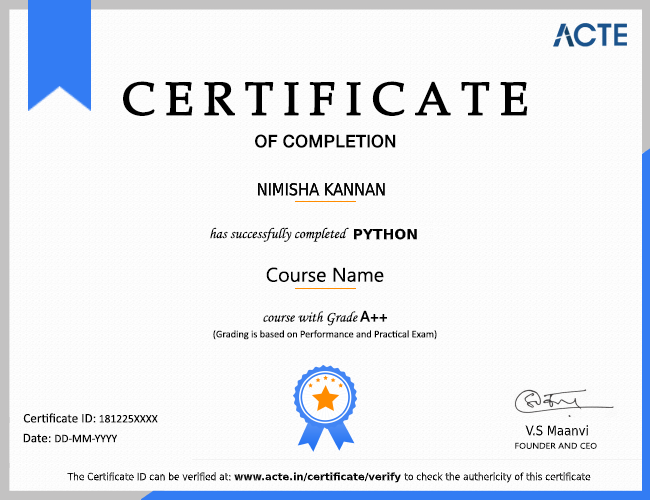
    Complete Your Course

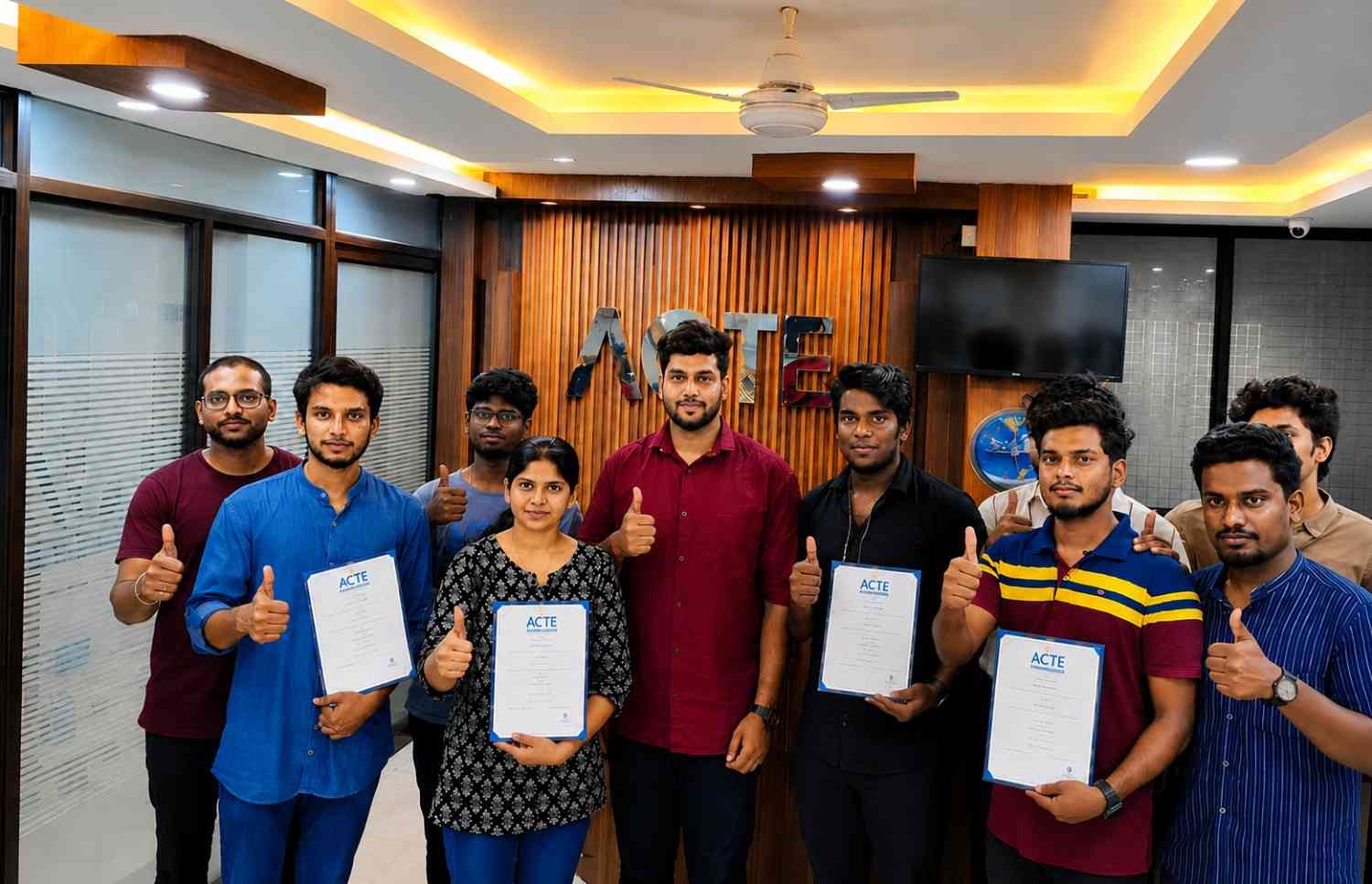
    a downloadable Certificate in PDF format, immediately available to you when you complete your Course

    Get Certified

    a physical version of your officially branded and security-marked Certificate.

    Get Certified

    Learn From Experienced Cloud Computing Trainers in Seattle

    • Develop technical expertise with skilled Cloud Computing Trainers teaching infrastructure, virtualization, networking, storage, security, and modern cloud computing techniques.
    • Understand cloud concepts, application deployment, infrastructure management, networking, storage, and advanced technologies through organized lessons aligned with current industry needs.
    • Strengthen technical abilities through practical projects, industry case studies, and guided exercises that develop problem-solving capabilities and support cloud computing career goals.
    • Learn from experienced industry professionals who offer placement guidance, practical project exposure, and support from certified Cloud Computing Trainers with over seven years of experience.
    • Gain valuable industry knowledge through expert mentoring, project-based learning, and practical insights into enterprise cloud infrastructure, service management, and professional working practices.
    • Improve career readiness with Cloud Computing training, placement assistance, technical interview preparation, hands-on exercises, and industry insights for pursuing suitable technology positions.

    Authorized Partners

    ACTE TRAINING INSTITUTE PVT LTD is the unique Authorised Oracle Partner, Authorised Microsoft Partner, Authorised Pearson Vue Exam Center, Authorised PSI Exam Center, Authorised Partner Of AWS .

    100% Placements | Get Hired in Top MNC

      Career Support

      Placement Assistance

      Exclusive access to ACTE Job portal

      Mock Interview Preparation

      1 on 1 Career Mentoring Sessions

      Career Oriented Sessions

      Resume & LinkedIn Profile Building

      We Offer High-Quality Training at The Lowest Prices.

      Affordable, Quality Training for Freshers to Launch IT Careers & Land Top Placements.

      What Makes ACTE Training Different?

      Feature

      ACTE Technologies

      Other Institutes

      Affordable Fees

      Competitive Pricing With Flexible Payment Options.

      Higher Fees With Limited Payment Options.

      Industry Experts

      Well Experienced Trainer From a Relevant Field With Practical Training

      Theoretical Class With Limited Practical

      Updated Syllabus

      Updated and Industry-relevant Course Curriculum With Hands-on Learning.

      Outdated Curriculum With Limited Practical Training.

      Hands-on projects

      Real-world Projects With Live Case Studies and Collaboration With Companies.

      Basic Projects With Limited Real-world Application.

      Certification

      Industry-recognized Certifications With Global Validity.

      Basic Certifications With Limited Recognition.

      Placement Support

      Strong Placement Support With Tie-ups With Top Companies and Mock Interviews.

      Basic Placement Support

      Industry Partnerships

      Strong Ties With Top Tech Companies for Internships and Placements

      No Partnerships, Limited Opportunities

      Batch Size

      Small Batch Sizes for Personalized Attention.

      Large Batch Sizes With Limited Individual Focus.

      LMS Features

      Lifetime Access Course video Materials in LMS, Online Interview Practice, upload resumes in Placement Portal.

      No LMS Features or Perks.

      Training Support

      Dedicated Mentors, 24/7 Doubt Resolution, and Personalized Guidance.

      Limited Mentor Support and No After-hours Assistance.

      FAQs

      Looking for better Discount Price?

      Call now: +91-7669 100 251 and know the exciting offers available for you!
      • ACTE is the Legend in offering placement to the students. Please visit our Placed Students List on our website
      • We have strong relationship with over 700+ Top MNCs like SAP, Oracle, Amazon, HCL, Wipro, Dell, Accenture, Google, CTS, TCS, IBM etc.
      • More than 3500+ students placed in last year in India & Globally
      • ACTE conducts development sessions including mock interviews, presentation skills to prepare students to face a challenging interview situation with ease.
      • 85% percent placement record
      • Our Placement Cell support you till you get placed in better MNC
      • Please Visit Your Student Portal | Here FREE Lifetime Online Student Portal help you to access the Job Openings, Study Materials, Videos, Recorded Section & Top MNC interview Questions
      Yes, Cloud Computing certification demonstrates your technical knowledge and practical training, helping improve your resume and professional profile.
      Yes, participants complete practical projects based on industry scenarios to apply cloud concepts and gain hands-on technical experience.
      Experienced IT trainers deliver practical lessons, project guidance, and industry-based knowledge of cloud computing technologies and infrastructure.
      Learners can check the availability of recorded lessons or alternative sessions to review missed topics with trainer support when available.
      • Classroom-based instructor-led training
      • Interactive live online sessions
      • Individual mentoring sessions
      • Flexible and accelerated learning programs

      Why Select Cloud Computing?

      The training offers expert instruction, practical assignments, certification preparation, career guidance, and placement assistance for aspiring cloud professionals.
      Learners can access available study resources through the Student’s Portal, including course materials, recorded videos, and interview preparation resources, subject to portal access terms.
      Upon successful completion, participants receive a course completion certificate according to the training provider's certification requirements.
      Yes, the curriculum can include practical labs, projects, assignments, case studies, and exercises to develop relevant cloud computing skills.
      Career assistance may include resume preparation, interview coaching, professional guidance, and support in exploring relevant employment opportunities.
      If recordings are provided, learners can access them through the designated learning portal to review lessons and study at a convenient pace.
      Contact the training provider to confirm course availability, fees, and schedules, then complete the registration process online or through an authorized training branch.
      Show More

      Job Opportunities in Cloud Computing

      More than 35% of Developers Favor Cloud Computing. Cloud Computing Stands as the Most Sought-after and Widely Used Programming Language in the Tech Industry.