CSS Training in Pune | Best CSS Training Institute [UPDATED] Course | Updated 2025

CSS Training in Pune

Rated #1 Recognized as the No.1 Institute for CSS Training in Pune

Advance your career by enrolling in CSS Training in Pune, led by industry experts. Enhance your skills in web development, layout design, and responsive styling using CSS, and opportunities in front-end development.

Upon completing the CSS course in Pune, you will gain a thorough understanding of CSS fundamentals, including styling, layout design, positioning, and responsiveness. You’ll gain expertise in building dynamic, user-friendly websites, optimizing performance, and earning an CSS Certification.

  • Affordable CSS training with placement support in Pune.
  • Access endless interview opportunities with top IT companies in Pune.
  • Connect with 400+ hiring companies and 15,648+ trained professionals.
  • Join the CSS course in Pune and elevate your web development career.
  • Gain experience in web design, responsive development, and CSS best practices.
  • Master CSS techniques and take your front-end development skills to the next level!

Job Assistance

1,200+ Enrolled

In collaboration with

65+ Hrs.

Duration

Online/Offline

Format

LMS

Life Time Access

Quality Training With Affordable Fee

⭐ Fees Starts From

INR 38,000
INR 18,500
Get Training Quote for Free

      Our Hiring Partners

      Learn From Experts, Practice On Projects & Get Placed in IT Company

      • We train students for interviews and Offer Placements in corporate companies.
      • Ideal for graduates with 0 – 3 years of experience & degrees in B. Tech, B.E and B.Sc. IT Or Any Computer Relevent
      • You will not only gain knowledge of CSS and Advance tools, but also gain exposure to Industry best practices, Aptitude & SoftSkills
      • Experienced Trainers and Lab Facility
      • CSS Professional Certification Guidance Support with Exam Dumps
      • For Corporate, we act as one stop recruiting partner. We provide right skilled candidates who are productive right from day one
      • Resume & Interviews Preparation Support
      • Concepts: Overview of HTML5, HTML5 Mark up, HTML 5 Audio & Video, HTML5 Canvas & SVG, HTML 5 Storage, CSS3 Overview, CSS3 Flexbox, CSS Grid.
      • START YOUR CAREER WITH CSS COURSE THAT GETS YOU A JOB OF UPTO 5 LACS IN JUST 60 DAYS!

      Your IT Career Starts Here

      550+ Students Placed Every Month!

      Get inspired by their progress in the Career Growth Report.

      Other Categories Placements
      • Non-IT to IT (Career Transition) 2371+
      • Diploma Candidates3001+
      • Non-Engineering Students (Arts & Science)3419+
      • Engineering Students3571+
      • CTC Greater than 5 LPA4542+
      • Academic Percentage Less than 60%5583+
      • Career Break / Gap Students2588+

      Upcoming Batches For Classroom and Online

      Weekdays
      08 - Dec - 2025
      08:00 AM & 10:00 AM
      Weekdays
      10 - Dec - 2025
      08:00 AM & 10:00 AM
      Weekends
      13 - Dec - 2025
      (10:00 AM - 01:30 PM)
      Weekends
      14 - Dec - 2025
      (09:00 AM - 02:00 PM)
      Can't find a batch you were looking for?
      INR 18,500
      INR 38,000

      OFF Expires in

      What’s included ?

      Convenient learning format

      📊 Free Aptitude and Technical Skills Training

      • Learn basic maths and logical thinking to solve problems easily.
      • Understand simple coding and technical concepts step by step.
      • Get ready for exams and interviews with regular practice.
      Dedicated career services

      🛠️ Hands-On Projects

      • Work on real-time projects to apply what you learn.
      • Build mini apps and tools daily to enhance your coding skills.
      • Gain practical experience just like in real jobs.
      Learn from the best

      🧠 AI Powered Self Interview Practice Portal

      • Practice interview questions with instant AI feedback.
      • Improve your answers by speaking and reviewing them.
      • Build confidence with real-time mock interview sessions.
      Learn from the best

      🎯 Interview Preparation For Freshers

      • Practice company-based interview questions.
      • Take online assessment tests to crack interviews
      • Practice confidently with real-world interview and project-based questions.
      Learn from the best

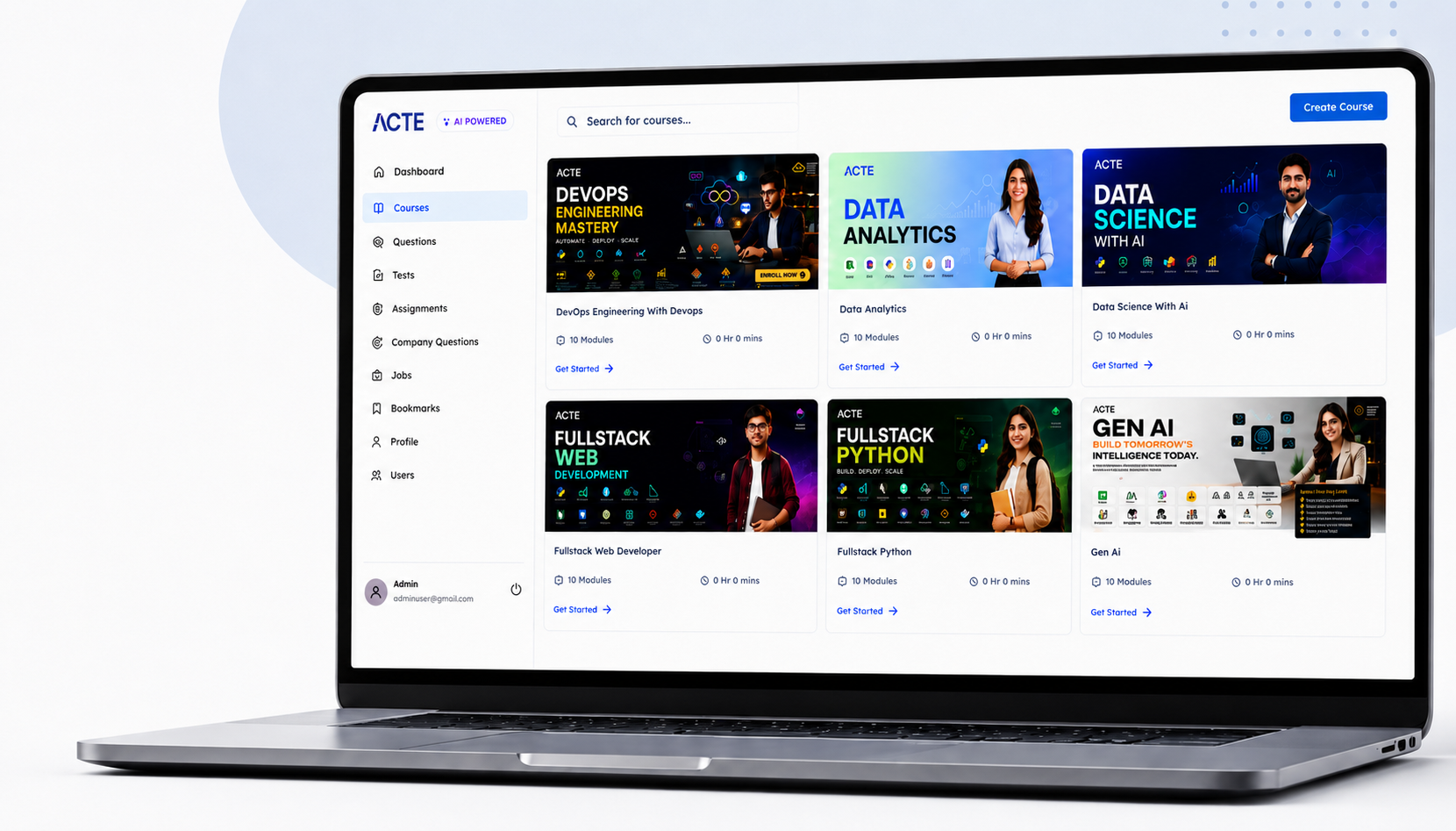
      🧪 LMS Online Learning Platform

      • Explore expert trainer videos and documents to boost your learning.
      • Study anytime with on-demand videos and detailed documents.
      • Quickly find topics with organized learning materials.

      Curriculum

      Syllabus of HTML & CSS Course in Pune
      Module 1: Overview of HTML5 Learning Objective:
      • New in HTML5
      • New DOCTYPE and Character Set
      • New and Depreciated Elements
      • Semantic Markup
      • Simplifying Selection using the Selectors API
      • JavaScript Logging and Debugging
      • Window.JSON
      • DOM Level
      Module 2: Using HTML5
      • Currently available features
      • Browser Support
      • Detective native availability of features
      • Working with emulation
      • Create a web page that verifies the availability of new HTML5 features.
      Module 3: Understanding HTML5 Markup
      • HTML5 Page Structure
      • HTML5 DOCTYPE
      • HTML5 markup structural elements
      • Semantic elements
      • Create a web page that make usage of new structural and semantic elements like main, section, aside, article, header, footer and other semantic elements.
      Module 4: HTML5 Forms
      • HTML Forms VsXForms
      • Functional Forms
      • New Form Attributes and Functions
      • Placeholder Attribute
      • Autocomplete Attribute
      • Autofocus Attribute
      • List Attribute and datalist Element
      • Min and Max attributes
      • ValueAsNumber attribute
      • Required Attribute
      • Checking Forms with Validation
      • Validation Feedback
      • Develop a product entry form which uses HTML5 form elements and validation attributes.
      Module 5: HTML 5 Audio & Video
      • The Audio and Video Elements
      • Understanding Audio and Video
      • Working with Audio and Video Containers
      • Understanding Audio and Video Codecs
      • Create a web page that displays multiple video and audio using HTML5 video and audio elements.
      Module 6: HTML5 Canvas & SVG
      • Overview of Canvas Vs. SVG
      • Canvas coordinates
      • Context
      • Pixel Data
      • Working with Canvas APIs
      • Drawing Operations
      • Canvas Transforms
      • Understanding and Working with SVG
      • Create a web page that makes use of basic Canvas API and also displays svg graphics and drawings.
      Module 7: HTML 5 Storage
      • Overview of HTML5 Web Storage
      • Browser Support for HTML4 Web Storage
      • Using the HTML5 Web Storage
      • Checking for Browser Support
      • Setting and Retrieving Values
      • Plugging Data Leaks
      • Create a web page that sites and gets data Run HTML5 web storage.
      Module 8: CSS3 Overview
      • Introducing CSS3
      • CSS3 Colors, Gradients and Multiple Backgrounds
      • Rounded Corners and Border-Radius
      • CSS3 Transforms
      • Transitions
      • Animations & 2D Transformations
      • Web Fonts with @font-face
      • CSS3 Multicolumn Layouts
      • Develop a web page that enhances the richness of the page using CSS3,colours,gradients,border radius,animation,transformations and transitions.
      Module 9: CSS3 Flexbox
      • Introduction
      • Box Model basics
      • Container
      • Direction
      • Wrapping
      • Justifying & Alignments
      • Display order
      • Flexibility
      • Alignment
      • Create a page that displays product gallery layout coded with flexbox.
      Module 10: CSS Grid
      • Introduction
      • Grid Layout
      • Grid Elements
      • Placing Grid Lines
      • Attaching Elements to the Grid
      • Order and Align Items in Grid Layout
      • Grid Flow
      • Opening Grid Spaces
      • Create a page that displays product gallery layout coded with CSS grid.
      Show More
      Show Less

      About CSS Training in Pune

      CSS stands for Cascading Style Sheet. CSS can format the document content(written in HTML or other markup languages) like layout, colors. Learn CSS at ACTE, as it is the language for describing the presentation of Web pages, including colors, layout, and fonts. It allows one to adapt the presentation to different types of devices, such as large screens, small screens, or printers. CSS is independent of HTML and can be used with any XML-based markup language.Start Learning with us ACTE CSS Classroom and Online Training Course.

      Most Job Oriented CSS Topics Covered
      • Web Programming Introduction

        Grouping Using Div Span

        Lists, Images

      • Hyperlink, Tables

        Frame, Form

        Headers, Syntax

      • Color Background cursor

        Text Fonts, List Tables

        Box Model, Display Positioning

      • According to Payscale.com, CSS is the most in-demand IT skill in the current market.
      • As its adoption is rapidly increasing, the demand for skilled professionals is growing significantly.
      • The demand for trained CSS professionals will increase even further due to its growing popularity across multiple organizations around the globe.

      CSS is the main powerhouse behind the rapidly evolving Internet. It is the present and will be the future. The rampant development of the high-level programming language asserts to the fact of CSS is the future.

      As per the industry stats, most hiring is happening for the below roles:

      • Software developers
      • Entrepreneurs who want to build their applications using Full stack
      • Technical project leads and managers
      • Graduates who wish to learn Full stack
      • Back-end developer
      • Front-end developer
      • Mobile app developer
      • UX/UI designer
      • Machine learning engineer
      • Aspiring web developers

      YES,Most of the companies call for front end developers than HTML and css developers.And importantly, Most of the companies who call for HTML and css experts will ask your knowledge in design tools like Photoshop and illustrator etc..

      We are happy and proud to say that we have strong relationship with over 700+ small, mid-sized and MNCs. Many of these companies have openings for CSS .Moreover, we have a very active placement cell that provides 100% placement assistance to our students. The cell also contributes by training students in mock interviews and discussions even after the course completion.

      • Follow the structure and markup of HTML5, and explore new features in this version
      • Design websites using HTML5
      • Understand the various components of CSS3, and how to style web pages
      • Design page layouts and employ positioning with CSS3
      • Use best practices in these two technologies
      • Build fully functional and creatively designed websites

      There are no specific prerequisites to learn Languages.You only need to have basic computer knowledge along with a passion for web development, to pursue this course.

      Yes,It doesn't require prior programming experience.

      Our courseware is designed to give a hands-on approach to the students in CSS . The course is made up of theoretical classes that teach the basics of each module followed by high-intensity practical sessions reflecting the current challenges and needs of the industry that will demand the student's time and commitment.

      Yes,HTML5 and CSS3 together bring enhanced functionalities in web page development like multi-media support to add audio/Video files, canvas, real-time communication, local storage, and robust design. Embracing this technology will surely benefit you and your organisation.

      Some benefits are as follows:

      • The World Wide Web is growing every day guaranteeing you plenty of opportunities as an employee or as a freelance web developer.
      • HTML 5.2 is recommended by the World Wide Web Consortium for web pages and many leading companies are implementing or upgrading to it.
      • As per ZipRecruiter, the average salary of a person proficient in HTML5 and CSS3 is $87,870
      • You can work on your own business website and save money in the bargain

      CSS is a vital area of many IT job roles and gaining the applicable expertise and passing CSS exams in this area will greatly enhance your employability.

      Its better to select ACTE which comprises these below factors.

      • Appropriate training with well Equipped facilities.
      • Technical CSS certifications
      • Complete knowledge in the CSS.
      • Technical theory
      • Mock Interviews

      Scope and opportunities for CSS

      CSS plays a very important role since beginning and today without HTMLCSS, and javascript, website development would have been a little difficult.

      The generation of smartphones and the use of mobile phones has led many developers to realize that there are certain languages that are a must for building responsive websites.

      Let’s take a look at the few things about HTML, CSS3, and Javascript

      • The web page you see in your browser is a combination of structure, style, and interactivity.
      • These jobs are undertaken by 3 different technologies, HTML, CSS, and javascript which your browser knows how to interpret.
      • CSS and co. are open standards: they’re maintained by organizations, not companies, so there are no restrictions on their use. They can be used in open-source projects
      • They’re safe and secure, partially because they’re open standards.
      • They’re cross-platform, they’ll work on any operating system and on anyiOS Devices, phones, tablets, computers.
      • They’re less resource-intensive and a lot of web games using HTML5 and CSS3 run very smoothly on phones.

      Benefits of CSS

      • Cost-effective and Multi-Platform Development: A single piece of code can be used across platforms, devices and markets, this an added advantage because it results in lower development and maintenance costs, allowing you to use your resources elsewhere.
      • Good page ranking: If your page is not structured well then the page itself will not attain a good rank within search engines. CSS’s new elements can be anticipated when site is being re-indexed on search engines
      • Consistency across multiple web browsers: The implementation of CSS helps the designer to create a compatible site or system within all browsers.
      • User Experience: CSS offers a wide range of design and presentation tools which gives the developers greater scope to produce better sites and web applications. This is very important from a business point of view as user engagement is the key to increase site and system use and conversion.

      We’ll examine the CSS features that will be in high demand in 2020 and discover what the approximately 11,000 survey respondents had to say about major CSS concepts such as typography, layouts, interactions, animations, shapes, and graphics.

      Layouts

      Knowing how to place your boxes in the right place in relation to both the viewport and one another is crucial to your presentation, look, and feel. Although CSS is roughly two decades old, we’ve seen myriad innovations designed to help frontend developers create more and more stunning layouts in CSS, many of which have gained widespread adoption.

      Let’s zoom in on the top CSS layouts developers are using in 2020.

      Flexbox

      The Flexbox layout is a one-dimensional CSS module that is used to design interfaces and layout boxes in a presentation within a container. You can flex the boxes in any direction, expand them to fill up unused space, or shrink them to avoid overflowing. Flexbox lets you make all kinds of alignment adjustments. Think of it as an extension of the grid.

      According to the survey, virtually all CSS users have heard of Flexbox. Even more impressive, 94.43 percent of respondents have actually used the layout in their projects.

      Grid

      CSS Grid Layout is a straightforward, two-dimensional layout system for the web. With the grid, you can divide your presentation into columns and rows. You can also define relationships of the parts of your webpage in size or position.

      Almost everyone has heard of CSS grids, but only 54.4 percent of respondents have actually used this layout. This may suggest that users are finding the CSS Grid Layout more difficult to use than Flexbox.

      Multi-column layout

      The Multi-column Layout specification enables you to arrange content into columns, similar to a newspaper layout. You can choose the number of columns, customize how they flow from one column to another, and adjust the size of the gaps between columns.

      Although nearly 41 percent percent of survey respondents (including myself) are unfamiliar with the Multi-column Layout, 30.9 percent of respondents have actually used it before. This likely reflects an awareness gap in the market, since the majority of developers who do know about the Multi-column Layout tend to use it in practice.

      Writing modes

      CSS Writing Modes is a CSS module that defines international writing modes, such as left-to-right (e.g., Latin scripts), right-to-left (e.g., Hebrew scripts), vertical (e.g., Chinese scripts), and bi-directional modes. This is a niche offering, which explains the low awareness scores in the survey.

      Shapes and graphics

      As CSS has matured, it has become easier to create graphics and shapes with pure CSS. Today, if you really master the shapes and graphics features of CSS, you can build stunning graphics without using a separate editing app. With support for filters and effects and other features such as blend, CSS makes the job easier and more streamlined.

      Another advantage of using CSS has to do with accessibility. Writing in pure CSS and HTML is always conducive to accessibility because screen readers and other assistive devices can easily interpret pure CSS.

      Filters and effects

      Just like the editing software on your phone’s camera or any social media application today, the filter property applies graphical effects, such as color shifts, to an element. It is used to adjust image renderings and backgrounds. Almost everyone who uses CSS knows about it, and according to the “State of CSS,” more than two-thirds of CSS developers use it in practice.

      Object fit

      This property is used for the content of a replaced element, such as an image. It defines how the content should be resized to fit the parent container. Just like filters and effects, more than 67 percent of CSS users leverage this property.

      Shapes

      You can apply geometric shapes available in CSS to floating elements in your presentation. This property follows the rules outlined in the level 1 specifications. Twenty percent of the survey respondents use the shapes property. Other shapes and graphics features, such as blend mode, masking, and clip-path, also enjoy widespread use in the CSS community.

      Interactions

      JavaScript used to be the only language for controlling browser behavior. As CSS matured, features that enable you to influence browser behavior, such as scroll snap, became available. Let’s see what the “State of CSS” survey respondents had to say about some of these properties.

      Scroll snap

      This CSS module provides scroll snap positions for ports of scroll containers just after scrolling an element. Although half of the survey participants are aware of this feature, only 11 percent are currently using it.

      Over-flow behaviour

      Over-flow behavior defines an element’s behavior when it reaches a scroll while being scrolled. Forty percent of developers use it, according to the survey data, while 19 percent actually use the feature.

      Over-flow anchor

      With this CSS property, you can disable the default browser’s scroll anchor, which automatically adjusts the scroll position to reduce the frequency of content shifts. According to the “State of CSS,” very few people have heard about Over-flow anchor and even fewer in the CSS community use it.

      Typography

      In CSS typography, variable fonts are in high demand. As we await true responsive type, let’s look at the most-used typography features in 2019.

      Font face

      This CSS at-rule defines a custom font. You can load it from your local storage or on a remote server. Every CSS developer has heard of it, according to the survey, and 92 percent currently use it.

      Variable fonts

      Variable fonts enable you to use many variations of a typeface in a single file, thereby eliminating separate font files for every weight or style. You can access all those variations through a simple font face reference.

      Initial letter

      This CSS property is used to style the initial letters of texts in your presentation to designs such as sunken, raised, or even dropped. About 70 percent of CSS users know about this property, and 28 percent use it.

      Animations and transforms

      Every CSS developer has used animations in one way or another, from a mouse hover to really complex animations, such as on the “State of CSS” homepage. The three most-used features are transitions, transforms, and animations.

      Transitions

      This CSS module enables you to build gradual transitions between values of CSS properties. You can control things such as the duration and timing function of the transition. According to the survey, 93 percent of CSS users have used transitions.

      Transforms

      Transforms are CSS modules that specify how CSS-styled elements can be transformed in both two- and three-dimensional space. Like transitions, 93 percent of CSS users have used transform.

      Animations

      You can animate the values of CSS properties you define over time using keyframes with the CSS module called animations. By specifying the timing function, duration, and number of times it should be repeated, animation is achieved and controlled. According to the “State of CSS,” 89 percent of CSS users have used this module in their work.


      Show More
      Need customized curriculum?

      Hands-on Real Time CSS Projects

      Our Top Hiring Partner for Placements

      ACTE Pune offers placement opportunities as add-on to every student / professional who completed our classroom or online training. Some of our students are working in these companies listed below.

      • We are associated with top organizations like HCL, Wipro, Dell, Accenture, Google, CTS, TCS, IBM etc. It make us capable to place our students in top MNCs across the globe
      • We have separate student’s portals for placement, here you will get all the interview schedules and we notify you through Emails.
      • After completion of 70% CSS training course content, we will arrange the interview calls to students & prepare them to F2F interaction
      • CSS Trainers assist students in developing their resume matching the current industry needs
      • We have a dedicated Placement support team wing that assist students in securing placement according to their requirements
      • We will schedule Mock Exams and Mock Interviews to find out the GAP in Candidate Knowledge

      Get Certified By CSS & Industry Recognized ACTE Certificate

      Acte Certification is Accredited by all major Global Companies around the world. We provide after completion of the theoretical and practical sessions to fresher's as well as corporate trainees.

      Our certification at Acte is accredited worldwide. It increases the value of your resume and you can attain leading job posts with the help of this certification in leading MNC's of the world. The certification is only provided after successful completion of our training and practical based projects.

      Complete Your Course

      a downloadable Certificate in PDF format, immediately available to you when you complete your Course

      Get Certified

      a physical version of your officially branded and security-marked Certificate.

      Get Certified

      About Experienced CSS Trainer

      • Our CSS Training in Pune. Trainers are certified professionals with 7+ years of experience in their respective domain as well as they are currently working with Top MNCs.
      • As all Trainers are CSS domain working professionals so they are having many live projects, trainers will use these projects during training sessions.
      • All our Trainers are working with companies such as Cognizant, Dell, Infosys, IBM, L&T InfoTech, TCS, HCL Technologies, etc.
      • Trainers are also help candidates to get placed in their respective company by Employee Referral / Internal Hiring process.
      • Our trainers are industry-experts and subject specialists who have mastered on running applications providing Best CSS training to the students.
      • We have received various prestigious awards for CSS Training in Pune from recognized IT organizations.

      Authorized Partners

      ACTE TRAINING INSTITUTE PVT LTD is the unique Authorised Oracle Partner, Authorised Microsoft Partner, Authorised Pearson Vue Exam Center, Authorised PSI Exam Center, Authorised Partner Of AWS .

      Get Training Quote for Free

            Career Support

            Placement Assistance

            Exclusive access to ACTE Job portal

            Mock Interview Preparation

            1 on 1 Career Mentoring Sessions

            Career Oriented Sessions

            Resume & LinkedIn Profile Building

            We Offer High-Quality Training at The Lowest Prices.

            Affordable, Quality Training for Freshers to Launch IT Careers & Land Top Placements.

            What Makes ACTE Training Different?

            Feature

            ACTE Technologies

            Other Institutes

            Affordable Fees

            Competitive Pricing With Flexible Payment Options.

            Higher Fees With Limited Payment Options.

            Industry Experts

            Well Experienced Trainer From a Relevant Field With Practical Training

            Theoretical Class With Limited Practical

            Updated Syllabus

            Updated and Industry-relevant Course Curriculum With Hands-on Learning.

            Outdated Curriculum With Limited Practical Training.

            Hands-on projects

            Real-world Projects With Live Case Studies and Collaboration With Companies.

            Basic Projects With Limited Real-world Application.

            Certification

            Industry-recognized Certifications With Global Validity.

            Basic Certifications With Limited Recognition.

            Placement Support

            Strong Placement Support With Tie-ups With Top Companies and Mock Interviews.

            Basic Placement Support

            Industry Partnerships

            Strong Ties With Top Tech Companies for Internships and Placements

            No Partnerships, Limited Opportunities

            Batch Size

            Small Batch Sizes for Personalized Attention.

            Large Batch Sizes With Limited Individual Focus.

            LMS Features

            Lifetime Access Course video Materials in LMS, Online Interview Practice, upload resumes in Placement Portal.

            No LMS Features or Perks.

            Training Support

            Dedicated Mentors, 24/7 Doubt Resolution, and Personalized Guidance.

            Limited Mentor Support and No After-hours Assistance.

            CSS Course FAQs

            Looking for better Discount Price?

            Call now: +91-7669 100 251 and know the exciting offers available for you!
            • ACTE is the Legend in offering placement to the students. Please visit our Placed Students List on our website
            • We have strong relationship with over 700+ Top MNCs like SAP, Oracle, Amazon, HCL, Wipro, Dell, Accenture, Google, CTS, TCS, IBM etc.
            • More than 3500+ students placed in last year in India & Globally
            • ACTE conducts development sessions including mock interviews, presentation skills to prepare students to face a challenging interview situation with ease.
            • 85% percent placement record
            • Our Placement Cell support you till you get placed in better MNC
            • Please Visit Your Student Portal | Here FREE Lifetime Online Student Portal help you to access the Job Openings, Study Materials, Videos, Recorded Section & Top MNC interview Questions
              ACTE Gives Certificate For Completing A Course
            • Certification is Accredited by all major Global Companies
            • ACTE is the unique Authorized Oracle Partner, Authorized Microsoft Partner, Authorized Pearson Vue Exam Center, Authorized PSI Exam Center, Authorized Partner Of AWS
            • The entire CSS training has been built around Real Time Implementation
            • You Get Hands-on Experience with Industry Projects, Hackathons & lab sessions which will help you to Build your Project Portfolio
            • GitHub repository and Showcase to Recruiters in Interviews & Get Placed
            All the instructors at ACTE are practitioners from the Industry with minimum 9-12 yrs of relevant IT experience. They are subject matter experts and are trained by ACTE for providing an awesome learning experience.
            No worries. ACTE assure that no one misses single lectures topics. We will reschedule the classes as per your convenience within the stipulated course duration with all such possibilities. If required you can even attend that topic with any other batches.
            We offer this course in “Class Room, One to One Training, Fast Track, Customized Training & Online Training” mode. Through this way you won’t mess anything in your real-life schedule.

            Why Should I Learn CSS Course At ACTE?

            • CSS Course in ACTE is designed & conducted by CSS experts with 10+ years of experience in the CSS domain
            • Only institution in India with the right blend of theory & practical sessions
            • In-depth Course coverage for 60+ Hours
            • More than 50,000+ students trust ACTE
            • Affordable fees keeping students and IT working professionals in mind
            • Course timings designed to suit working professionals and students
            • Interview tips and training
            • Resume building support
            • Real-time projects and case studies
            Yes We Provide Lifetime Access for Student’s Portal Study Materials, Videos & Top MNC Interview Question.
            You will receive ACTE globally recognized course completion certification Along with project experience, job support, and lifetime resources.
            We have been in the training field for close to a decade now. We set up our operations in the year 2009 by a group of IT veterans to offer world class IT training & we have trained over 50,000+ aspirants to well-employed IT professionals in various IT companies.
            We at ACTE believe in giving individual attention to students so that they will be in a position to clarify all the doubts that arise in complex and difficult topics. Therefore, we restrict the size of each CSS batch to 5 or 6 members
            Our courseware is designed to give a hands-on approach to the students in CSS. The course is made up of theoretical classes that teach the basics of each module followed by high-intensity practical sessions reflecting the current challenges and needs of the industry that will demand the students’ time and commitment.
            You can contact our support number at +91 76691 00251 / Directly can do by ACTE.in's E-commerce payment system Login or directly walk-in to one of the ACTE branches in India
            Show More

            Job Opportunities in Amazon web services

            More Than 35% of Developers Prefer CSS. CSS is One of the Most Popular and in-demand CSS in the Tech World.