LMS
LMS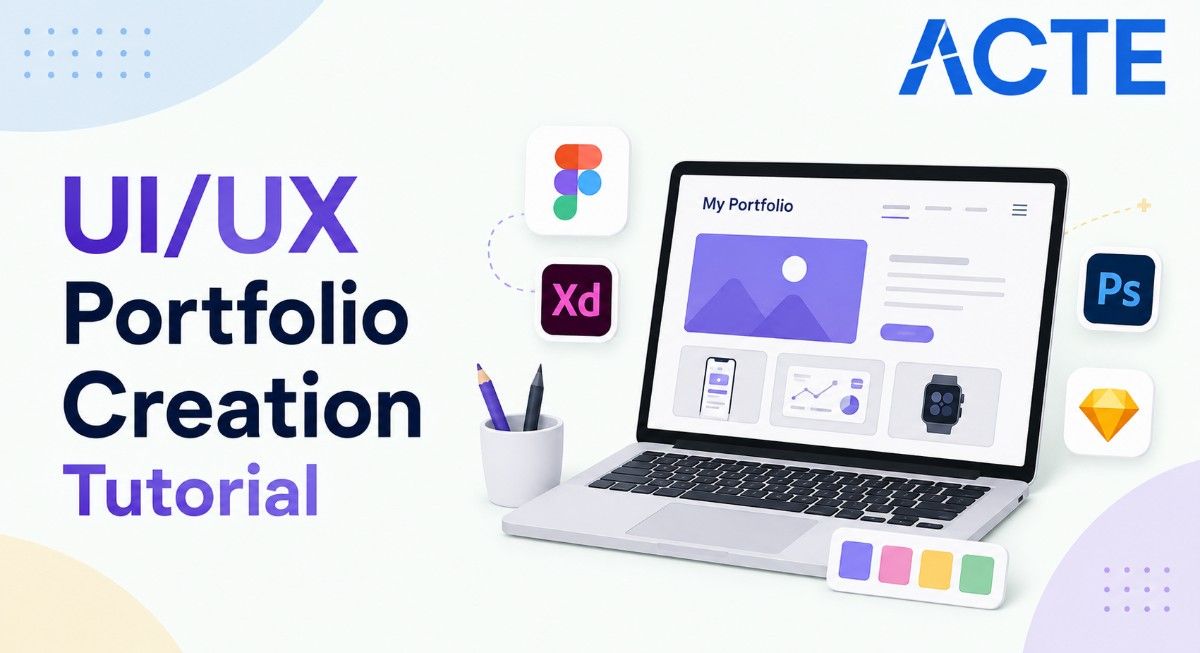
Last updated on 18th Aug 2026| 13068

- Introduction to UI/UX Portfolio Creation
- Defining Your UI/UX Portfolio Goals and Target Audience
- Choosing the Right UI/UX Projects for Your Portfolio
- Creating Effective UI/UX Case Studies
- Showcasing the UI/UX Design Process
- Designing an Engaging and User-Friendly Portfolio
- Best Tools and Platforms for Building a UI/UX Portfolio
- Optimizing Your UI/UX Portfolio for Jobs and Freelance Opportunities
- Conclusion: Building a Strong UI/UX Portfolio
Introduction to UI/UX Portfolio Creation
Creating a strong UI/UX portfolio is an important step for designers who want to showcase their creativity, design thinking, research skills, and ability to solve real-world user problems. A well-structured portfolio allows recruiters and clients to understand how a designer approaches a project, from identifying user needs and defining problems to creating wireframes and final solutions. A professional UI/UX portfolio can include case studies, personal projects, redesign concepts, research projects, wireframes, prototypes, and design systems that demonstrate practical experience. Each project should clearly explain the design challenge, research process, ideas considered, design decisions and final outcome. Designers can use tools such as Figma, Adobe XD, Photoshop, Illustrator, and other prototyping platforms to create and present their work effectively. For freshers, academic projects, internships, freelance work, and self-initiated projects can be valuable additions to a portfolio. A clean layout, simple navigation, engaging visuals, and well-written case studies can make the portfolio easier for recruiters and potential clients to evaluate. Aspiring designers can also strengthen their practical skills through a UI/UX Design Course while learning how to present their design process effectively. By combining strong visual presentation with a clear explanation of the design process, aspiring UI/UX designers can create a portfolio that effectively communicates their skills and supports their career opportunities.

Defining Your UI/UX Portfolio Goals and Target Audience
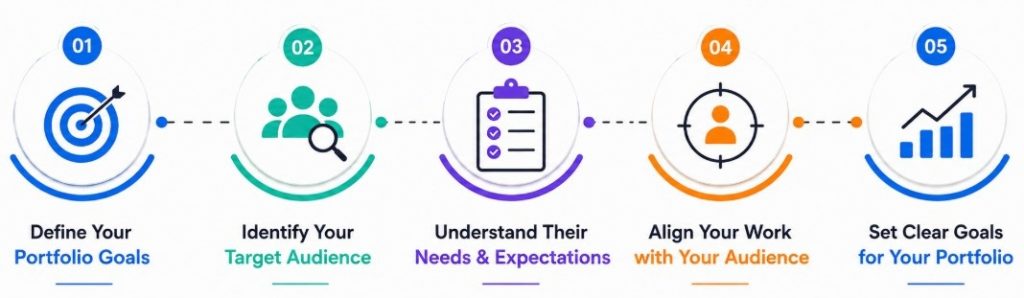
- Identify Your Career Goal: Define the type of UI/UX role you want to pursue, such as UI Designer, UX Designer, Product Designer, Interaction Designer, or Visual Designer. Your portfolio should highlight projects and skills that are relevant to your desired career path. You can also explore How to Become a UI/UX Designer to understand the skills and career path required for your target role.
- Understand Your Target Audience: Consider who will review your portfolio, such as recruiters, hiring managers, design leads, clients, or potential employers. Understanding your audience helps you present your projects, skills, and experience in a way that is relevant to their expectations.
- Highlight Relevant Design Skills: Showcase skills that support your target role, including user research, information architecture, wireframing, prototyping, interaction design, visual design, usability testing, accessibility, and design systems.
- Showcase Your Design Thinking: Focus on explaining how you identify problems, understand users, evaluate ideas, and make design decisions. Recruiters often want to understand your problem-solving approach rather than only seeing the final interface.
- Select Projects Strategically: Choose portfolio projects that demonstrate different aspects of your design abilities. Include projects that show research, interaction design, visual design, responsive layouts, usability improvements, or end-to-end product design.
- Create a Clear Portfolio Structure: Organize your portfolio with simple navigation and sections such as About, Work, Case Studies, Skills, Resume, and Contact. A logical structure helps visitors quickly find important information.
- Define Your Professional Identity: Use a consistent visual style, professional introduction, and clear description of your design strengths. Your portfolio should communicate what makes your approach and design perspective distinctive.
- Set a Clear Portfolio Objective: Decide what action you want visitors to take after reviewing your work, such as contacting you for a job opportunity, interview, freelance project, or collaboration. A clear objective helps guide the overall portfolio content and presentation.
Get Your UI/UX Design Certification by Learning from Industry-Leading Experts and Advancing Your Career with ACTE’s UI/UX Design Course.
Choosing the Right UI/UX Projects for Your Portfolio
Selecting the right projects is an important part of creating an effective UI/UX portfolio because each project should demonstrate your ability to understand users, identify problems, develop creative solutions, and create meaningful digital experiences. Instead of adding every project you have completed, focus on work that reflects your strongest design skills and matches the type of role you want to pursue. A balanced portfolio can include personal projects, academic assignments, internship work, freelance projects, redesign concepts, and real-world product solutions. Choose projects that allow you to explain the design challenge, research activities, user needs, wireframes, prototypes, testing process, design iterations, and final solution. Including projects from different industries or domains can demonstrate your ability to adapt your design approach to different users, platforms, and business requirements. For freshers, well-documented personal and academic projects can effectively demonstrate practical knowledge even without extensive professional experience. Building these practical skills through a UI/UX Design Course can also help aspiring designers develop portfolio-ready projects and present their design decisions more effectively.

Creating Effective UI/UX Case Studies
- Introduce the Project: Start with the project name, background, project duration, your role, team members if applicable, and the platform or product being designed.
- Define the Problem: Clearly explain the user or business problem you identified and why solving it was important. A specific problem statement gives the case study a clear direction.
- Explain User Research: Describe the research methods used, such as interviews, surveys, competitor analysis, observation, or usability testing. Present the key findings that influenced your design decisions.
- Present User Insights: Organize research findings into meaningful insights, user pain points, needs, or behavioral patterns. Personas, journey maps, and user scenarios can help communicate these insights visually.
- Show the Ideation Process: Explain how you generated and evaluated possible solutions. Include sketches, brainstorming activities, user flows, or information architecture where relevant.
- Display Wireframes and Prototypes: Show how the initial concepts developed into wireframes and interactive prototypes. Explain important changes made during different design iterations.
- Highlight Results and Learnings: Conclude the case study by explaining the outcome, improvements, challenges, and lessons learned. Mention how the experience influenced your future design approach. For additional guidance on understanding the differences between design roles and responsibilities, refer to the UI vs UX Design Tutorial.
- Explain Usability Testing: Describe how you tested the proposed solution with users, what problems were discovered, and how the design was improved based on feedback.
- Showcase the Final Design: Present the final interface using high-quality screens and explain the important design decisions related to layout, typography, color, navigation, accessibility, and interaction.
Optimizing Your UI/UX Portfolio for Jobs and Freelance Opportunities
Optimizing a UI/UX portfolio helps recruiters, hiring managers, and potential clients quickly understand your skills, experience, design approach, and professional value. A strong portfolio should not only look attractive but also communicate relevant skills, meaningful project outcomes, and clear problem-solving abilities. Tailoring your portfolio to the type of UI/UX role you are targeting can make your work more relevant and easier to evaluate. Freshers can focus on strong case studies, practical projects, internships, and personal design work, while experienced designers can highlight professional projects, measurable outcomes, and specialized expertise. Include clear project descriptions that explain the problem, research, design process, tools used, your contribution, and final results. Designers seeking practical opportunities can also explore Internship at Microsoft A Comprehensive Guide to understand how a strong portfolio can support internship applications. Use high-quality visuals while keeping pages fast, responsive, and easy to navigate across desktop and mobile devices. Add an updated resume, professional introduction, contact details, and relevant links so employers or clients can easily connect with you. Regularly reviewing your portfolio, improving case studies, checking usability, removing outdated work, and adding recent projects can keep your professional presence effective and competitive.

Get JOB Oriented UI/UX Design Course for Beginners By MNC Experts
- Instructor-led Sessions
- Real-life Case Studies
- Assignments
Designing an Engaging and User-Friendly Portfolio
Designing an engaging and user-friendly UI/UX portfolio requires a balance of visual appeal, usability, clear navigation, and effective presentation of design work. Since the portfolio itself demonstrates your design abilities, it should reflect strong user-centered design principles and provide visitors with an effortless way to explore your projects. A well-structured portfolio should communicate who you are, what type of designer you are, what skills you possess, and how you approach design problems. Use a clean layout, consistent typography, appropriate colors, meaningful visuals, and clear content hierarchy to make the portfolio professional and easy to understand. Project pages should provide enough information about the design process without overwhelming visitors with unnecessary details. Responsive layouts and simple interactions can improve the overall experience across different devices. Including clear calls to action, such as contact details or resume links, can also help recruiters and potential clients connect with you. Developing these practical design skills through a UI/UX Design Course can help aspiring designers create more effective and professional portfolio experiences. By treating the portfolio as a real digital product and continuously improving its usability and presentation, designers can create an experience that effectively showcases their creativity, design thinking, and professional capabilities.
Best Tools and Platforms for Building a UI/UX Portfolio
- Figma: Figma is widely used for wireframing, interface design, prototyping, component creation, and collaborative design workflows. It can be used to create both individual project screens and complete interactive prototypes for portfolio case studies.
- Adobe Creative Cloud: Tools such as Photoshop, Illustrator, and After Effects can help create visual assets, illustrations, image compositions, animations, and other supporting content for UI/UX projects and portfolio presentations.
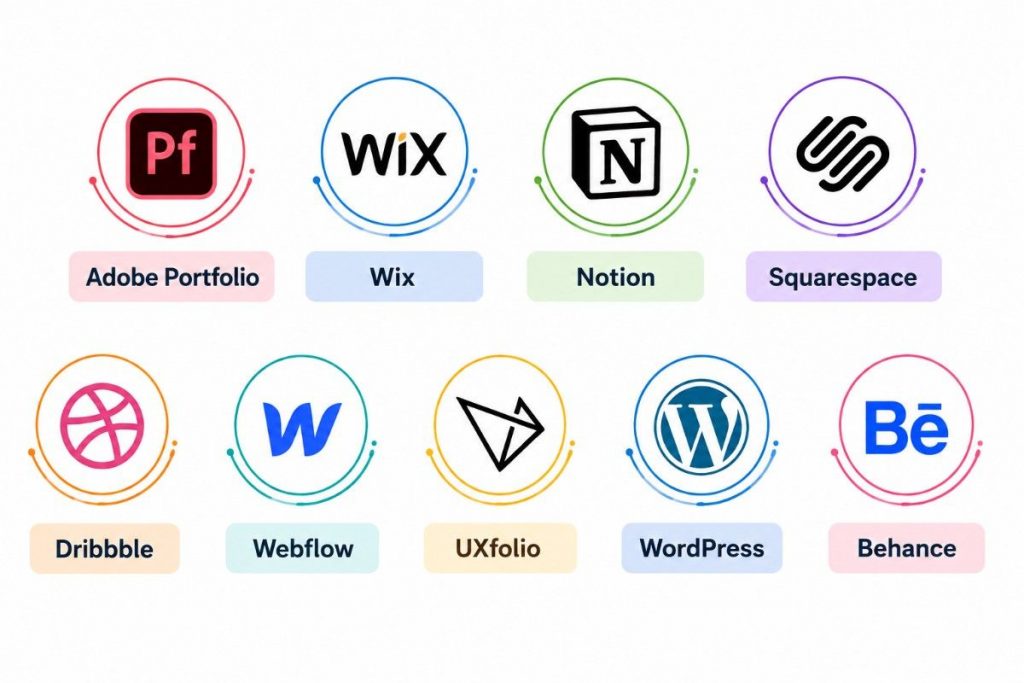
- Adobe Portfolio: Adobe Portfolio can be used to create a professional online portfolio for presenting selected design projects, case studies, images, and professional information without requiring extensive web development knowledge.
- Webflow: Webflow allows designers to create and publish customized portfolio websites with greater control over layouts, responsive behavior, animations, and interactions. It can be useful for designers who want to demonstrate both design and digital production skills.
- Framer: Framer provides tools for designing and publishing interactive websites. Designers can use it to build visually engaging portfolio experiences while experimenting with responsive layouts, animations, and modern web interactions.
- Portfolio Website Platforms: Platforms such as WordPress and other website builders can be used to create customized portfolio websites. Choose a platform based on your technical skills, customization requirements, responsive design needs, and long-term career goals. If you are also interested in exploring a related technical field, you can learn more through 3D Printing Tutorial.
- Canva: Canva can be useful for creating supporting portfolio materials such as presentation slides, project summaries, visual assets, resumes, and social media graphics. It can be especially helpful for beginners creating supplementary content.
- Notion: Notion can be used to organize project documentation, research notes, design decisions, project timelines, and case study content. Designers can also use it to create simple online portfolio pages.
- Behance and Dribbble: Design communities such as Behance and Dribbble can help designers showcase selected work, present visual explorations, and build professional visibility. They can complement a personal portfolio rather than replace detailed case studies.
Want to Master UI/UX Design? Explore the UI/UX Design Master Program Offered at ACTE Today!
Optimizing Your UI/UX Portfolio for Jobs and Freelance Opportunities
Optimizing a UI/UX portfolio helps recruiters, hiring managers, and potential clients quickly understand your skills, experience, design approach, and professional value. A strong portfolio should not only look attractive but also communicate relevant skills, meaningful project outcomes, and clear problem-solving abilities. Tailoring your portfolio to the type of UI/UX role you are targeting can make your work more relevant and easier to evaluate. Freshers can focus on strong case studies, practical projects, internships, and personal design work, while experienced designers can highlight professional projects, measurable outcomes, and specialized expertise. Include clear project descriptions that explain the problem, research, design process, tools used, your contribution, and final results. Use high-quality visuals while keeping pages fast, responsive, and easy to navigate across desktop and mobile devices. Add an updated resume, professional introduction, contact details, and relevant links so employers or clients can easily connect with you. Regularly reviewing your portfolio, improving case studies, checking usability, removing outdated work, and adding recent projects can keep your professional presence effective and competitive. Designers looking to gain practical experience can also explore Internship Opportunities During College to discover ways to build relevant experience and strengthen their portfolio.
Conclusion: Building a Strong UI/UX Portfolio
Building a strong UI/UX portfolio requires more than presenting attractive interface designs. A successful portfolio should demonstrate your ability to understand users, identify problems, conduct research, develop ideas, create prototypes, test solutions, and make informed design decisions. Selecting relevant projects, creating detailed case studies, documenting your design process, and presenting your work through a clean and user-friendly portfolio can help communicate your skills effectively. Freshers can strengthen their portfolios with personal projects, academic assignments, internships, redesign concepts, and practical case studies that demonstrate their potential. Using tools such as Figma and Adobe Creative Cloud can support the creation of professional designs and prototypes, while platforms such as Adobe Portfolio, Webflow, Framer, or other website builders can help present the work online. Aspiring designers can further develop their practical skills through a UI/UX Design Course, which can support their understanding of design processes and portfolio development. Regularly updating projects, improving case studies, optimizing the portfolio for different devices, and tailoring content to target roles can further improve its effectiveness. By combining strong design fundamentals, user-centered thinking, practical projects, and clear storytelling, aspiring UI/UX designers can create a professional portfolio that supports job applications, freelance opportunities, and long-term career growth.