LMS
LMS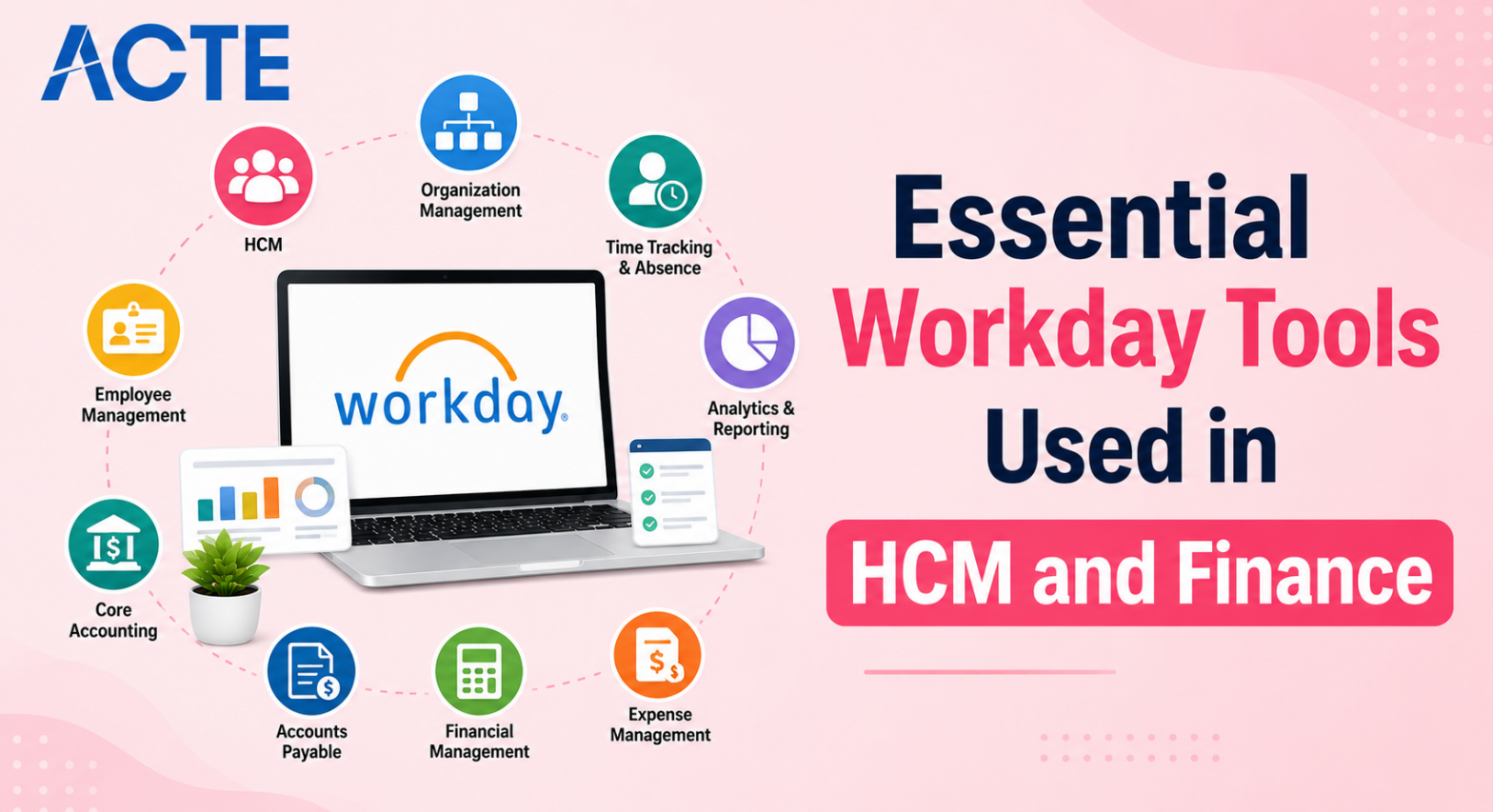
Last updated on 16th May 2026| 11169

- Workday Tools Used in HCM and Finance
- Workday Report Writer
- Workday Calculated Fields
- Workday Prism Analytics
- Workday Studio and Integrations
- Workday Dashboards and Tiles
- Workday Extend
- Workday Assistant and AI Tools
- Conclusion
Workday Tools Used in HCM and Finance
Understanding how to configure employee data is only half the battle when learning the Workday Tools Used In HCM And Finance. The real power of the platform lies in its built-in tools that allow consultants to extract, analyze, and move that data across the organization. Companies do not just buy Workday Training to store information they buy it to make smarter business decisions using specialized applications. Whether you are working in Human Capital Management or Financial Management, you will rely on a specific set of internal tools every single day. Knowing the difference between these tools and exactly when to use them is what separates a junior tester from a senior solution architect. As a fresher, adding these specific tool names to your resume proves to recruiters that you understand the technical depth of the platform. Below is a breakdown of the most critical Workday tools you need to master to be effective on any implementation project. Staying proactive with tool mastery ensures faster growth, and focusing on practical application builds credibility. Over time, this knowledge positions you as a fresher who can confidently contribute to enterprise projects.

Workday Report Writer
Workday Report Writer is the most commonly used tool across every single HCM and Finance project. It allows you to pull data out of the system and display it in a structured format like a table, list, or grid. You do not need to know SQL to use it because the interface is completely drag-and-drop. You simply select the data fields you want, define how they should filter, and run the report. Consultants use Report Writer to build everything from simple employee phone lists to complex financial audit reports. Mastering this tool means understanding how to join Workday Training for different data sources together so you can pull an employee’s name from Core HCM and their salary from Payroll in the same document.Because every client requires customized data extracts and tailored reporting solutions, the ability to create reports quickly makes you a valuable asset to any project team.
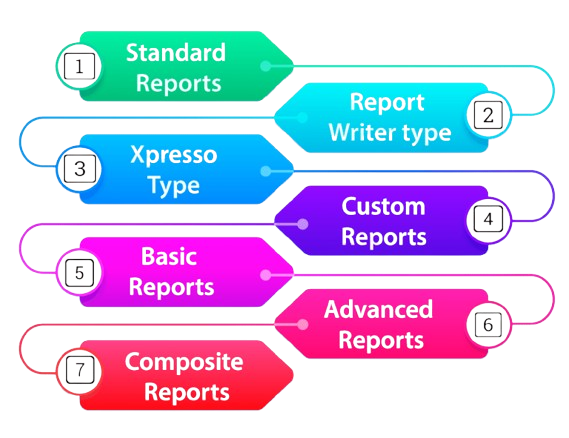
Consistent practice strengthens reporting efficiency, while mastering data joins, complex queries, and report optimization helps build advanced analytical expertise. Understanding business requirements, validating data accuracy, and presenting meaningful insights further enhance your professional capabilities. Over time, these technical and problem-solving skills transform you from a fresher into a trusted consultant capable of delivering accurate insights, improving decision-making, and creating immediate business value across diverse client engagements and industries.
Ready to Get Certified in Workday ? Explore the Program Now Workday Training Offered By ACTE Right Now!
Workday Calculated Fields
- Creating Custom Data Points: Workday stores standard data like hire dates and pay rates, but clients often need unique data points that do not exist out of the box. Calculated Fields allow you to create these custom fields by writing simple logic formulas. This is how you build a field that calculates an employee’s exact years of service.
- Understanding the Logic Syntax: You do not write complex code, but you do need to understand Workday’s specific logic syntax using “If/Then/Else” statements. Learning this syntax is highly rewarding because it lets you automate data calculations that HR teams previously did manually in Excel spreadsheets.
- Using Them Inside Reports: Calculated Fields rarely exist on their own. They are primarily built to be dropped into a Report Writer report as a column. Understanding how these two tools interact is crucial for building advanced reporting solutions for your clients.
- Improving System Performance: Writing efficient calculated fields is an art. If you write bad logic, it can slow down the entire system when thousands of users try to run a report and Becoming a workday consultant. Learning best practices for field performance makes you a much more technically sound consultant.
- Securing Sensitive Outputs: You can apply security rules directly to your calculated fields. This means you can create a formula that calculates a bonus but restricts it so only managers can see the output. This blend of logic and security is heavily tested in Workday certifications.

Workday Prism Analytics
Workday Prism Analytics is the modern, advanced data visualization tool that Workday pushes heavily for complex analytics. While Report Writer is great for standard tabular data, Prism is designed to handle massive datasets from both inside and outside of Workday. It allows you to blend Workday HCM data with external sales data from a completely different software to build predictive models. The interface looks similar to Tableau or PowerBI, allowing you to create interactive charts, graphs, and dashboards. Prism is incredibly powerful because it processes data in the background without slowing down the main Workday system. As a fresher, having Prism Analytics on your resume is a massive advantage because it is a newer tool, meaning there are far fewer certified Prism experts in the Workday Jobs For Freshers market compared to standard Report Writer consultants. Staying proactive with Prism ensures stronger analytical skills, and focusing on blending datasets builds advanced expertise. Over time, this mastery positions you as a fresher who can deliver high-value insights in consulting projects.
Excited to Obtaining Your Workday Certificate? View The Workday Training Offered By ACTE Right Now!
Workday Studio and Integrations
Workday Studio is a powerful integration tool used to connect Workday with third-party systems. Even though Workday handles HR and Finance beautifully, companies still use other software for things like background checks, benefits enrollment, or expense management. Workday Studio acts as the bridge, allowing data to flow automatically between Workday and these external applications. It is a more complex, developer-leaning tool where you can design custom integration flows using a visual canvas. While junior functional consultants rarely build Studio integrations from scratch, they are heavily involved in testing them Basic Of workday Every Freshers Should Know. You need to understand how data is mapped from a Workday field to an external vendor’s field. Knowing how Studio works ensures you can speak intelligently during client meetings when discussing data flow issues. Staying consistent with integration knowledge ensures credibility, and focusing on data mapping builds confidence. Over time, this understanding transforms you from a fresher into a consultant who can handle complex enterprise integrations.
Are You Considering Pursuing a Workday Master’s Degree? Enroll For Workday Expert Masters Program Training Course Today!
Workday Dashboards and Tiles
- Delivering Real-Time Metrics: Executives do not have time to run ten different reports every morning. Dashboards compile multiple reports, charts, and key metrics into a single screen. You use this tool to give leadership an instant snapshot of workforce turnover or monthly revenue.
- Designing Custom Tiles: Tiles are the small, interactive boxes that make up a dashboard. You can configure a tile to show a specific number, like “Open Job Requisitions,” and set it to turn red if the number goes over a certain threshold. This visual alert system is highly valued by management.
- Role-Based Dashboard Delivery: Not everyone should see the same data. Using Workday HCM Basics, dashboard tools, you can configure the system so that a CEO sees a financial overview dashboard, while a local HR manager sees a dashboard focused on their specific team’s attendance.
- Embedding External Links: Dashboards are not just for data. You can configure tiles that link directly to external websites, internal company policies, or frequently used forms. This turns the dashboard into a central hub for employee daily tasks.
- Driving User Adoption: A well-designed dashboard makes the system much easier for regular employees to use. When you build intuitive dashboards, you increase user adoption rates, which is a major success metric for any Workday implementation project.
Workday Extend
Workday Extend is a relatively new but incredibly important tool for companies that want to build custom applications that live directly inside the standard Workday interface. Sometimes standard Workday configuration is not enough to handle a highly unique business process. In the past, companies had to build a separate website or app for these edge cases. With Workday Extend, developers can build custom screens and workflows using modern coding languages, and these screens look and feel exactly like native Workday. For example, a manufacturing company could build a custom safety incident reporting app inside Extend thats Why Workday professionals are high demand. As a functional consultant, you do not write the code for Extend, but you are responsible for designing the user experience and providing the business requirements to the development team. Understanding this tool shows employers you know how to handle complex client demands that go beyond standard configuration.
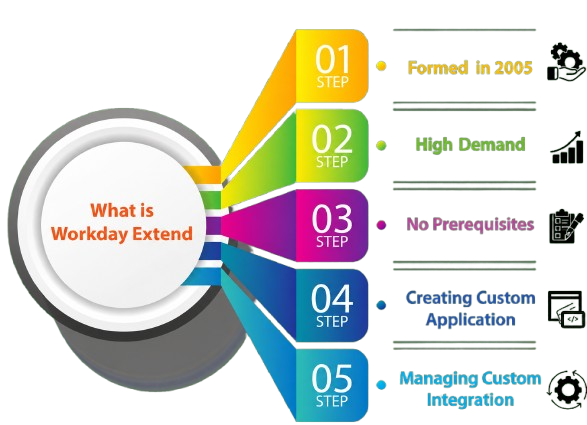
Staying proactive with Extend ensures stronger project delivery, and focusing on user experience builds credibility. Over time, this knowledge positions you as a fresher who can confidently support advanced client requirements.
Want to Learn About Workday? Explore Our Workday Interview Questions and Answers Featuring the Most Frequently Asked Questions in Job Interviews.
Workday Assistant and AI Tools
Workday Assistant is the platform’s natural language search bot, acting like a specialized chatbot for the enterprise. Instead of clicking through five different menus to find a pay stub, an employee can just type “Show me my last pay stub” into the assistant, and the system will pull it up. Workday Training is heavily investing in artificial intelligence, embedding machine learning into tools like “Skills Cloud” which automatically suggests training courses based on an employee’s current job profile. As a fresher, you need to understand how these AI tools function because they represent the future of the platform. You will be tasked with configuring the search indexing and setting up the conversational prompts that the assistant uses. Being able to explain how Workday uses AI to automate routine HR tasks makes you sound like a forward-thinking consultant who is ready for the next generation of cloud software. Staying consistent with AI knowledge ensures long-term relevance, and focusing on automation builds advanced expertise. Over time, this mastery transforms you from a fresher into a consultant who thrives in the evolving Workday ecosystem.
Conclusion
Mastering the Workday Tools Used In HCM And Finance is what actually gets you hired and promoted in this ecosystem. Anyone can read a manual and learn how to hire an employee, but knowing how to extract that employee’s data using Report Writer, calculate a custom bonus with Calculated Fields, and display it on a Dashboard is where the real consulting value lies. Workday Training helps you progress in your career, you will find yourself spending less time in standard configuration and more time in advanced tools like Prism Analytics and Workday Extend. Do not try to learn all of these tools on day one. Start with Report Writer and Calculated Fields, as they are the absolute foundation of every project. Once you are comfortable with data extraction, slowly explore the integration and AI features. Building a strong portfolio of knowledge around these specific internal tools guarantees you will always be in high demand. Staying disciplined with tool mastery ensures faster career growth, and committing to continuous learning builds credibility. Over time, this strategy positions you as a fresher who evolves into a highly valued Workday consultant.