LMS
LMS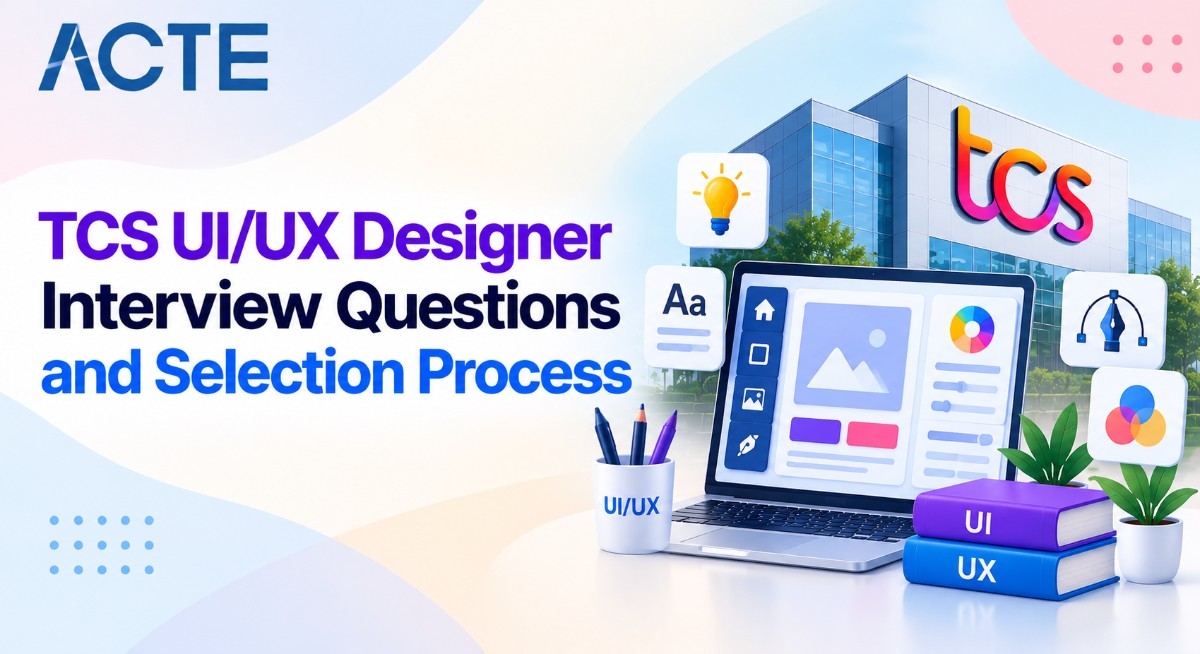
Last updated on 08th Sep 2026| 3451

TCS UI/UX Designer Interviews Evaluate A Candidate’s Understanding Of User Experience, User Interface Design, Design Thinking, Usability, And Visual Design Principles. The Selection Process May Include Resume Screening, Aptitude Or Assessment Rounds, Technical Discussions, Design-Based Questions, And HR Interviews Depending On The Role And Hiring Process. Candidates Are Commonly Asked About Wireframes, Prototypes, User Flows, Information Architecture, Typography, Color Theory, Responsive Design, Accessibility, And Usability Testing. Practical Questions May Also Focus On Design Tools Such As Figma, Adobe XD, Sketch, And Other Prototyping Or Collaboration Platforms. Interviewers May Evaluate Problem-Solving Ability By Asking Candidates To Explain Their Design Process, Portfolio Projects, User Research Methods, And Solutions To Real-World Design Problems. Preparing UI/UX Fundamentals, Design Case Studies, Portfolio Presentation, Tool Knowledge, And Communication Skills Can Help Candidates Approach TCS UI/UX Designer Interviews With Better Understanding And Confidence.
1.What Is UI/UX Design?
Ans:
UI/UX Design Is The Process Of Creating Digital Products That Are Visually Appealing, Easy To Use, And Useful For Users. UI Refers To User Interface Design, Which Focuses On Visual Elements Such As Colors, Typography, Buttons, Icons, And Layouts. UX Refers To User Experience Design, Which Focuses On How Users Interact With A Product And Complete Their Goals. UX Designers Study User Needs, Behaviors, Problems, And Expectations Before Creating Solutions. UI Designers Convert Design Concepts Into Clear And Consistent Visual Interfaces. Both UI And UX Work Together To Improve Usability, Accessibility, Satisfaction, And Product Effectiveness. A Good UI/UX Design Helps Users Complete Tasks Easily While Providing A Consistent And Engaging Experience.
2.what Is The Difference Between UI And UX?
Ans:
UI And UX Are Related Design Concepts But They Focus On Different Aspects Of A Digital Product. UI Focuses On The Visual And Interactive Elements That Users See And Use On A Screen. UX Focuses On The Complete User Journey, Including Research, Usability, Navigation, And Task Completion. UI Includes Typography, Colors, Spacing, Icons, Buttons, Forms, And Other Interface Components. UX Includes User Research, Information Architecture, Wireframing, Prototyping, And Usability Testing. A Product Can Have An Attractive UI But Still Provide Poor UX If Users Cannot Complete Tasks Easily. Effective Digital Products Combine Strong Visual Design With A Simple, Useful, And User-Centered Experience.
3. What Is User-Centered Design?
Ans:
User-Centered Design Is An Approach That Places User Needs, Goals, And Behaviors At The Center Of The Design Process. Designers First Understand Users Through Research, Interviews, Surveys, Observation, And Other Research Methods. The Collected Information Helps Identify User Problems, Expectations, And Common Interaction Patterns. Design Solutions Are Then Created And Tested With Users To Validate Their Effectiveness. Feedback From Users Is Used To Improve The Design Through Multiple Iterations. This Process Helps Reduce Usability Problems And Creates Products That Are Easier To Understand. User-Centered Design Helps Ensure That Product Decisions Are Based On Real User Requirements Rather Than Assumptions.
4. What Is User Experience?
Ans:
User Experience Refers To The Overall Experience A Person Has While Interacting With A Product, Service, Or Application. It Includes Usability, Accessibility, Navigation, Performance, Visual Design, And Emotional Response. A Good User Experience Allows Users To Understand The Product And Complete Their Goals With Minimal Difficulty. UX Designers Study User Behaviors And Identify Problems Throughout The Complete Customer Journey. They Use Research, Personas, Journey Maps, Wireframes, Prototypes, And Testing To Improve Experiences. UX Is Not Limited To Visual Appearance Because It Also Covers Functionality And Interaction. The Main Goal Of UX Design Is To Create Products That Are Useful, Usable, Accessible, And Satisfying.
5. What Is User Interface?
Ans:
User Interface Is The Visual And Interactive Layer Through Which Users Interact With A Digital Product. It Includes Elements Such As Buttons, Menus, Forms, Cards, Icons, Images, Typography, And Navigation Components. UI Design Determines How These Elements Are Organized And Presented On Different Screens. Colors, Fonts, Spacing, Alignment, Contrast, And Visual Hierarchy Are Important Parts Of UI Design. A Consistent Interface Helps Users Understand How Different Components Behave Across An Application. UI Designers Often Use Design Tools To Create Screens, Components, Prototypes, And Design Specifications
6. What Is User Research?
Ans:
User Research Is The Process Of Collecting Information About Users, Their Needs, Behaviors, Problems, And Expectations. It Helps Designers Understand The Real Problems That Users Experience While Using A Product Or Service. Common Research Methods Include Interviews, Surveys, Observation, Usability Testing, And User Feedback. Qualitative Research Provides Detailed Insights Into User Behaviors, Motivations, And Opinions. Quantitative Research Provides Measurable Information Such As Usage Patterns, Completion Rates, And Survey Results. Research Findings Help Designers Make Evidence-Based Decisions During The UI/UX Design Process. User Research Reduces Assumptions And Helps Create Products That Better Match Actual User Requirements.
7.What Is A User Persona?
Ans:
A User Persona Is A Fictional Representation Of A Target User Created From Real User Research And Data. It Describes Important Characteristics Such As User Goals, Needs, Behaviors, Challenges, And Expectations. Personas Help Designers Understand The Different Types Of People Who May Use A Product. A Persona May Include Information About Background, Technology Usage, Motivations, And Common Problems. Designers Use Personas To Make Design Decisions Based On Specific User Requirements. Personas Also Help Product Teams Maintain A Common Understanding Of Their Target Audience. A Well-Created User Persona Helps Keep The Design Process Focused On Realistic User Needs.
8.What Is A User Journey Map?
Ans:
A User Journey Map Is A Visual Representation Of The Steps A User Takes While Interacting With A Product Or Service. It Shows User Actions, Goals, Thoughts, Emotions, Problems, And Interaction Points Across Different Stages. Designers Use Journey Maps To Understand The Complete User Experience Rather Than Individual Screens. The Map Can Identify Difficult Steps, Confusing Interactions, Delays, And Areas Where Users May Leave The Process. Journey Mapping Helps Teams Understand User Expectations At Different Points Of The Experience. It Can Also Reveal Opportunities For Improving Navigation, Communication, And Service Delivery. A User Journey Map Supports Better UX Decisions By Showing The Experience From The User’s Perspective.
9. What Is Information Architecture?
Ans:
- Information Architecture Is The Process Of Organizing And Structuring Content In A Digital Product So Users Can Easily Find And Understand Information. It Defines How Pages, Screens, Categories, Menus, And Content Are Related To Each Other.
- A Good Information Architecture Creates A Clear Structure For Website Or Application Navigation. Designers Use Techniques Such As Card Sorting, Tree Testing, And User Research To Develop Effective Structures.
- Clear Labels And Logical Grouping Help Users Understand Where Information Is Located. Information Architecture Is Especially Important For Large Websites And Applications With Many Content Sections
10.What Is A Wireframe?
Ans:
A Wireframe Is A Basic Visual Representation Of A Website Or Application Screen That Shows Its Structure And Layout. It Usually Focuses On Content Placement, Navigation, Buttons, Forms, And Other Important Interface Elements. Wireframes Normally Avoid Detailed Colors, Images, And Visual Styling During The Early Design Stage. They Help Designers And Stakeholders Understand How A Screen Will Be Organized Before Detailed Design Begins. Low-Fidelity Wireframes Can Be Created Quickly To Explore Different Layout Ideas. Wireframes Also Make It Easier To Identify Navigation And Usability Problems At An Early Stage. They Provide A Useful Foundation For Creating Detailed Mockups And Interactive Prototypes.
11. What Is High-Fidelity Design?
Ans:
- High-Fidelity Design Is A Detailed Representation Of A Digital Product That Closely Resembles The Final User Interface. It Includes Actual Colors, Typography, Images, Icons, Spacing, Components, And Other Visual Design Elements.
- High-Fidelity Designs Provide A Clear Understanding Of How The Final Product Is Expected To Look And Behave. Designers Usually Create Them After Developing And Validating Wireframes And Basic Concepts.
- These Designs Can Also Be Connected To Interactive Prototypes For User Testing And Demonstration. High-Fidelity Designs Help Developers Understand Detailed Interface Requirements During The Handoff Process.
12. What Is A Prototype?
Ans:
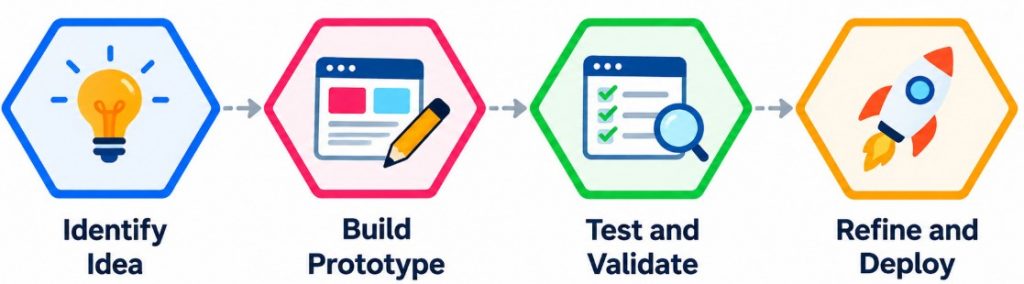
A Prototype Is An Interactive Model Of A Digital Product That Demonstrates How Users May Navigate And Interact With The Interface. It Can Range From A Simple Low-Fidelity Model To A Highly Detailed High-Fidelity Version. Prototypes Help Designers Test User Flows, Navigation, Interactions, And Important Product Functions Before Development. They Allow Users And Stakeholders To Experience A Proposed Solution Without Building The Complete Product. Feedback From Prototype Testing Can Be Used To Identify Problems And Improve The Design. Prototypes Also Help Designers Communicate Ideas Clearly To Developers And Business Teams. Using Prototypes Reduces Design Risks By Allowing Important Decisions To Be Tested Before Implementation.
13. What Is Figma?
Ans:
Figma Is A Cloud-Based Design And Prototyping Tool Commonly Used For Creating User Interfaces And User Experiences. It Allows Designers To Create Wireframes, Mockups, Prototypes, Components, Design Systems, And Interactive Screens. Figma Supports Real-Time Collaboration So Multiple Team Members Can Work On The Same Design File. Designers Can Use Features Such As Auto Layout, Components, Variants, Constraints, And Prototyping. Developers Can Inspect Design Properties And Access Information Needed For Implementation. Figma Also Supports Comments And Feedback, Which Makes Collaboration Between Designers And Stakeholders Easier. It Is Widely Used In UI/UX Workflows Because It Combines Design, Prototyping, Collaboration, And Handoff Features.
14. What Is A Design System?
Ans:
A Design System Is A Structured Collection Of Reusable Design Components, Guidelines, Patterns, And Standards Used To Create Consistent Digital Products. It Can Include Buttons, Forms, Cards, Typography, Colors, Icons, Spacing, And Interaction Patterns. Design Systems Help Designers And Developers Reuse Established Components Instead Of Creating Every Element From Scratch. They Improve Consistency Across Different Screens, Features, Platforms, And Products. A Design System Can Also Include Rules For Accessibility, Content, Layout, And Component Behavior. Reusable Components Make Product Development More Efficient And Easier To Maintain. A Well-Managed Design System Helps Teams Deliver Consistent, Scalable, And High-Quality User Experiences.
15. What Is Responsive Design?
Ans:
- Responsive Design Is An Approach Used To Create Digital Interfaces That Adapt To Different Screen Sizes And Devices.
- It Allows Websites And Applications To Provide Usable Experiences On Desktops, Tablets, And Mobile Devices. Designers Use Flexible Layouts, Responsive Components, Appropriate Typography, And Media Rules To Support Different Screen Dimensions.
- Content And Interface Elements May Change Their Size, Position, Or Arrangement Based On Available Space. Responsive Design Helps Prevent Horizontal Scrolling, Overlapping Elements, And Difficult Interactions On Smaller Screens.
16. What Is Visual Hierarchy?
Ans:
Visual Hierarchy Is The Arrangement Of Design Elements In A Way That Guides Users’ Attention According To Their Importance. Designers Use Size, Color, Contrast, Spacing, Position, Typography, And Alignment To Establish Different Levels Of Importance. Important Information Such As Headings, Primary Actions, And Key Messages Is Usually Given Greater Visual Emphasis. A Clear Hierarchy Helps Users Quickly Understand The Content And Decide Where To Focus First. Without Proper Hierarchy, A Screen May Feel Confusing Because All Elements Can Appear Equally Important. Visual Hierarchy Is Commonly Used In Websites, Applications, Dashboards, Forms, And Landing Pages. Effective Visual Hierarchy Improves Readability, Navigation, Comprehension, And Overall User Experience.
17. What Is Usability?
Ans:
Usability Refers To How Easily And Effectively Users Can Learn, Understand, And Use A Product To Complete Their Goals. A Usable Interface Allows Users To Perform Tasks With Minimal Confusion, Errors, And Unnecessary Effort. Important Usability Factors Include Learnability, Efficiency, Memorability, Error Prevention, And User Satisfaction. Designers Evaluate Usability Through User Research, Usability Testing, Observation, And Feedback. Usability Problems May Include Confusing Navigation, Unclear Labels, Complicated Forms, Or Difficult Interactions. Identifying These Problems Early Helps Designers Improve The Product Before Development Is Completed. Good Usability Makes Digital Products More Efficient, Understandable, Accessible, And Satisfying For Users.
18. What Is Accessibility In UI/UX Design? .
Ans:
Accessibility In UI/UX Design Means Creating Digital Products That Can Be Used By People With Different Abilities And Needs. It Includes Supporting Users Who May Have Visual, Auditory, Motor, Cognitive, Or Other Accessibility Requirements. Designers Consider Factors Such As Color Contrast, Keyboard Navigation, Text Alternatives, Readable Typography, And Clear Interaction Patterns. Accessible Design Helps Ensure That Important Information And Functions Are Available To A Wider Range Of Users. Designers Can Use Accessibility Guidelines And Testing Methods To Identify Potential Barriers. Accessibility Should Be Considered Throughout Research, Design, Development, And Testing Rather Than Added Only At The End. Accessible UI/UX Design Creates More Inclusive Products And Improves Usability For Many Different Users.
19. What Is The Design Thinking Process?
Ans:
Design Thinking Is A User-Centered Problem-Solving Approach Used To Understand Problems And Develop Effective Solutions. The Common Stages Include Empathize, Define, Ideate, Prototype, And Test. During The Empathize Stage, Designers Learn About Users, Their Experiences, Needs, And Problems. The Define Stage Converts Research Findings Into A Clear Problem Statement That Guides The Design Process. During Ideation, Teams Generate Multiple Possible Solutions Before Selecting Ideas For Prototyping. Prototypes Are Then Tested With Users To Collect Feedback And Identify Areas For Improvement. Design Thinking Encourages Iteration, Collaboration, Creativity, And Evidence-Based Decisions Throughout The Design Process.
20. What Is A User Flow?
Ans:
A User Flow Is A Visual Representation Of The Steps A User Follows To Complete A Specific Task In A Digital Product. It Shows The Starting Point, Screens, Actions, Decisions, And Final Outcome In A Particular User Journey. Designers Create User Flows To Understand How Users Move Through Different Parts Of An Application Or Website. A Clear User Flow Helps Identify Unnecessary Steps, Confusing Navigation, And Potential Points Where Users May Leave. It Can Be Represented Using Diagrams, Flowcharts, Or Prototyping Tools. User Flows Help Designers And Developers Build Interfaces That Support Logical And Efficient Task Completion. A Well-Designed User Flow Reduces Complexity And Provides A More Predictable And User-Friendly Experience.

21. What Is A Mockup?
Ans:
A Mockup Is A Static Visual Representation Of A Digital Product That Shows How The Final Interface May Look. It Usually Includes Colors, Typography, Images, Icons, Spacing, Layouts, And Other Visual Elements. Unlike A Wireframe, A Mockup Provides More Detailed Information About The Visual Appearance Of A Screen. Designers Create Mockups To Communicate The Proposed Interface Clearly To Stakeholders And Development Teams. Mockups Can Also Help Review Branding, Visual Consistency, And Design Guidelines Before Development. They Are Often Created After Wireframes And Before Interactive Prototypes Are Developed. A Well-Designed Mockup Helps Teams Understand The Expected Visual Direction Of The Final Product.
22. What Is A Low-Fidelity Prototype?
Ans:
A Low-Fidelity Prototype Is A Simple And Basic Representation Of A Product Used To Explore Early Design Ideas. It Usually Contains Simple Shapes, Basic Layouts, Placeholder Content, And Limited Visual Styling. Low-Fidelity Prototypes Allow Designers To Test User Flows And General Navigation Without Spending Significant Time On Detailed Visual Design. They Can Be Created Using Sketches, Wireframes, Or Basic Digital Design Tools. Feedback From Early Testing Helps Designers Identify Problems Before Creating More Detailed Designs. These Prototypes Are Useful During The Initial Stages Of Product Development And Ideation. Low-Fidelity Prototyping Helps Teams Explore Multiple Solutions Quickly And Make Early Design Decisions.
23. What Is A High-Fidelity Prototype?
Ans:
- A High-Fidelity Prototype Is A Detailed And Interactive Representation Of A Digital Product That Closely Resembles The Expected Final Interface. It Usually Includes Realistic Colors, Typography, Images, Components, Content, Navigation, And Interactive Behaviors.
- High-Fidelity Prototypes Allow Users And Stakeholders To Experience Important Parts Of The Product Before Development.
- They Can Be Used To Test Detailed Interactions, User Flows, Visual Design, And Usability. Designers Can Collect Feedback And Make Changes Before The Product Is Implemented By Developers
24. What Is Usability Testing?
Ans:
Usability Testing Is A Research Method Used To Evaluate How Easily Users Can Complete Tasks Using A Product Or Prototype. During A Test, Participants Are Usually Asked To Perform Specific Tasks While Designers Observe Their Actions And Difficulties. Researchers May Collect Information About Task Completion, Errors, Time Taken, Confusion, And User Feedback. Usability Testing Helps Identify Problems That May Not Be Obvious During The Design Process. Tests Can Be Conducted With Prototypes Before Development Or With Working Products After Implementation. The Findings Are Used To Improve Navigation, Content, Interaction, And Overall User Experience. Regular Usability Testing Helps Create Products That Are Easier To Learn, Understand, And Use.
25. What Is A/B Testing?
Ans:
A/B Testing Is A Method Of Comparing Two Versions Of A Design Or Product Element To Determine How Users Respond To Each Version. One Group Of Users May See Version A While Another Group Sees Version B. Designers And Product Teams Compare Measurable Results Such As Clicks, Conversions, Completion Rates, Or Engagement. A/B Testing Helps Teams Make Decisions Based On User Behavior Rather Than Assumptions. It Can Be Used For Buttons, Headlines, Layouts, Forms, Navigation Elements, And Other Interface Components. The Test Should Usually Change A Specific Variable So That The Results Can Be Interpreted Clearly. A/B Testing Provides Quantitative Evidence That Can Support Iterative Product And UX Improvements.
26. What Is A Design Persona?
Ans:
A Design Persona Is A Research-Based Representation Of A Typical User Group That Helps Designers Understand Their Target Audience. It Contains Details Such As Goals, Needs, Behaviors, Challenges, Motivations, And Usage Patterns. Personas Are Created Using Information Gathered Through User Research Rather Than Personal Assumptions. They Help Design Teams Consider Specific User Requirements During Product Decisions. A Persona Can Also Help Stakeholders And Developers Understand Who The Product Is Being Designed For. Designers Can Refer To Personas When Evaluating Features, Content, Navigation, And User Flows. Effective Personas Keep The Design Process Focused On User Needs And Relevant Product Goals..
27. What Is Empathy In UX Design?
Ans:
Empathy In UX Design Means Understanding Users’ Feelings, Needs, Motivations, Behaviors, And Challenges From Their Perspective. It Helps Designers Avoid Making Decisions Based Only On Their Own Assumptions Or Preferences. Designers Develop Empathy Through Interviews, Observation, Surveys, User Testing, And Direct Feedback. Understanding User Experiences Helps Teams Identify Problems That May Otherwise Be Difficult To Recognize. Empathy Is An Important Part Of User-Centered Design And Design Thinking. It Supports The Creation Of Products That Address Actual User Problems And Expectations. Empathetic UX Design Helps Build More Useful, Inclusive, Understandable, And Satisfying User Experiences.
28. What Is A Problem Statement In UX?
Ans:
- A Problem Statement In UX Is A Clear Description Of A Specific User Problem That The Design Team Needs To Address. It Defines The User, Their Need Or Difficulty, And The Context In Which The Problem Occurs.
- A Good Problem Statement Focuses On The User’s Challenge Instead Of Immediately Suggesting A Particular Solution. Research Findings Are Usually Used To Create A Problem Statement That Reflects Actual User Needs.
- It Helps Designers And Stakeholders Maintain A Common Understanding Of The Problem. A Clearly Defined Problem Statement Provides Direction For Ideation, Prototyping, Testing, And Evaluation
29. What Is Ideation In UX Design?
Ans:
Ideation Is The Process Of Generating Multiple Ideas And Possible Solutions For A Defined User Problem. Designers Use Techniques Such As Brainstorming, Mind Mapping, Sketching, And Group Discussions To Explore Different Possibilities. The Main Purpose Of Ideation Is To Encourage Creative Thinking Before Selecting A Particular Solution. Ideas Can Be Evaluated Later Based On User Needs, Business Requirements, Technical Feasibility, And Project Constraints. Ideation Works Best When Team Members Can Suggest Ideas Without Immediately Rejecting Them. The Most Relevant Ideas Can Then Be Developed Into Wireframes, Prototypes, Or Other Design Concepts. Effective Ideation Helps Teams Explore Different Approaches And Increase The Possibility Of Finding Useful Solutions.
30. What Is A Design Sprint?
Ans:
A Design Sprint Is A Structured And Time-Bound Process Used To Understand A Problem, Generate Ideas, Create A Prototype, And Test A Solution Quickly. It Typically Brings Together People From Different Roles Such As Design, Product, Engineering, And Business. The Process Helps Teams Focus On A Specific Problem Instead Of Spending Long Periods Developing Unvalidated Ideas. Participants Usually Move Through Activities Such As Understanding, Ideation, Decision-Making, Prototyping, And Testing. A Prototype Is Tested With Users To Gather Feedback And Learn Whether The Proposed Direction Addresses The Problem. The Results Can Help The Team Decide What To Improve Or Develop Further. Design Sprints Encourage Collaboration, Rapid Learning, Experimentation, And User-Centered Decision-Making.
31. What Is A Design Constraint?
Ans:
A Design Constraint Is A Limitation Or Requirement That Influences How A Digital Product Or Interface Can Be Designed. Constraints May Come From Technical Requirements, Business Rules, Budget, Time, Accessibility, Platform Guidelines, Or Existing Systems. Designers Need To Understand These Constraints Before Developing A Final Design Solution. A Constraint Does Not Always Prevent Creativity Because It Can Help Define Clear Boundaries For The Design Process. Designers Often Explore Alternative Solutions That Satisfy Both User Needs And Project Requirements. Collaboration With Developers And Other Stakeholders Helps Identify Technical And Business Limitations Early. Managing Design Constraints Effectively Helps Teams Create Practical, Usable, And Implementable Solutions.
32. What Is Affordance In UI Design?
Ans:
Affordance In UI Design Refers To A Visual Or Functional Property That Suggests How An Interface Element Can Be Used. For Example, A Button With A Clear Shape And Label Can Suggest That It Is Clickable. Designers Use Visual Cues Such As Shadows, Borders, Icons, Labels, And Positioning To Communicate Possible Actions. Clear Affordances Help Users Understand What They Can Do Without Needing Detailed Instructions. Poor Affordances Can Make Interactive Elements Look Like Static Content Or Cause Users To Miss Important Functions. Designers Should Make Interactive Components Visually Consistent With Their Expected Behavior. Good Affordances Improve Discoverability, Learnability, And Overall Interface Usability.
33. What Is Feedback In UI Design?
Ans:
Feedback In UI Design Is The Information A System Provides After A User Performs An Action. It Helps Users Understand Whether Their Action Was Successful, Failed, Processing, Or Requires Additional Input. Examples Include Success Messages, Error Messages, Loading Indicators, Notifications, Button State Changes, And Progress Indicators. Good Feedback Should Be Clear, Timely, Relevant, And Easy To Understand. It Helps Prevent Uncertainty And Reduces The Need For Users To Repeat Actions. Designers Consider Feedback Especially Important For Forms, Transactions, Uploads, And Other Critical Interactions. Effective UI Feedback Makes The Interface More Predictable And Helps Users Understand System Behavior.
34. What Is Consistency In UI Design?
Ans:
Consistency In UI Design Means Using Similar Visual And Interaction Patterns Throughout A Digital Product. It Includes Consistent Colors, Typography, Buttons, Icons, Spacing, Navigation, Terminology, And Component Behavior. Consistency Helps Users Learn The Interface Because Similar Elements Behave In Similar Ways. It Also Reduces Cognitive Effort By Preventing Users From Learning Different Interaction Patterns For Similar Tasks. Design Systems And Reusable Components Are Commonly Used To Maintain Consistency Across Screens. Designers Should Also Maintain Consistency With Platform Standards When Appropriate. Consistent UI Design Creates A More Predictable, Understandable, And Professional User Experience.
35. What Is Cognitive Load In UX?
Ans:
- Cognitive Load In UX Refers To The Amount Of Mental Effort Required For A User To Understand And Complete A Task. A High Cognitive Load Can Occur When Interfaces Contain Too Much Information, Complicated Navigation, Unclear Instructions, Or Unnecessary Choices.
- Designers Try To Reduce Cognitive Load By Organizing Information Clearly And Removing Unnecessary Complexity. Familiar Patterns, Clear Labels, Visual Hierarchy, Progressive Disclosure, And Consistent Navigation Can Help Users Process Information More Easily.
- Designers Also Break Complex Tasks Into Smaller And Understandable Steps When Appropriate.
36. What Is The Difference Between User Research And Usability Testing?
Ans:
| Aspect | User Research | Usability Testing |
|---|---|---|
| Purpose | Understands User Needs, Behaviors, Goals, And Pain Points. | Evaluates How Easily Users Can Complete Tasks In A Product |
| Methods | Uses Interviews, Surveys, Observation, And User Personas. | Uses Task-Based Testing, Prototype Testing, And User Observation. |
| Timing | Can Be Conducted Throughout Different Stages Of The Design Process. | Commonly Conducted After A Design, Prototype, Or Feature Is Available For Testing. |
| Outcome | Provides Insights That Help Define User Requirements And Design Direction | Identifies Usability Problems And Areas For Improving The User Experience |
37. What Is An Empathy Map?
Ans:
An Empathy Map Is A UX Research Tool Used To Organize Information About What Users Say, Think, Do, And Feel. It Helps Design Teams Develop A Shared Understanding Of User Perspectives, Behaviors, Motivations, Concerns, And Experiences. Information For An Empathy Map Can Be Collected Through Interviews, Observations, Surveys, Usability Testing, And Other Research Methods. The Map Can Reveal User Frustrations, Expectations, Motivations, Questions, And Emotional Responses. Design Teams Use These Insights To Identify User Needs And Opportunities For Improving Products And Services. Empathy Maps Are Commonly Used During The Early Research And Problem-Definition Stages Of The UX Design Process.
38. What Is A User Persona?
Ans:
A User Persona Is A Research-Based Representation Of A Typical User Group For A Product, Service, Or Digital Experience. It Usually Includes Information Such As User Goals, Behaviors, Needs, Challenges, Motivations, And Relevant Background Characteristics. Personas Help Design Teams Keep Target Users In Mind When Making Product And Interface Decisions. They Should Ideally Be Created From Actual User Research And Data Rather Than Personal Assumptions Or Stereotypes. Multiple Personas Can Be Created When A Product Serves Different User Groups With Different Needs. User Personas Help Teams Discuss User Requirements Clearly And Maintain Focus On The Intended Audience Throughout The Design Process.
39. What Is A Customer Journey Map?
Ans:
A Customer Journey Map Is A Visual Representation Of The Steps, Interactions, And Experiences A User Has With A Product, Service, Or Organization. It Can Include Stages Such As Awareness, Research, Purchase, Onboarding, Usage, Support, And Follow-Up. The Map May Capture User Goals, Actions, Questions, Emotions, Expectations, And Pain Points At Each Stage. It Helps Teams Understand The Complete Customer Experience Instead Of Focusing Only On A Single Website Page Or Application Screen. Customer Journey Maps Can Reveal Gaps, Friction Points, And Opportunities Across Different Customer Touchpoints. They Are Useful For Improving Digital Experiences As Well As Broader Products, Services, And Customer Interactions.
40. What Is A Pain Point In UX Design?
Ans:
A Pain Point Is A Problem, Frustration, Difficulty, Or Unmet Need Experienced By A User During An Interaction With A Product Or Service. Common Examples Include Complicated Navigation, Slow Processes, Confusing Instructions, Difficult Forms, Repeated Steps, Or Missing Information. UX Researchers Can Identify Pain Points Through Interviews, Surveys, Analytics, Observation, Customer Feedback, And Usability Testing. Understanding Pain Points Helps Designers Focus On Specific Problems That Affect User Satisfaction And Task Completion. Each Pain Point Can Be Studied To Understand Its Cause, Frequency, Impact, And Possible Design Solutions. Addressing Relevant Pain Points Can Make A Product Easier, Faster, More Understandable, And More Satisfying To Use.

41. What Is Visual Hierarchy In UI/UX Design?
Ans:
Visual Hierarchy Is The Arrangement And Presentation Of Interface Elements In A Way That Guides Users’ Attention In A Specific Order. Designers Use Size, Color, Contrast, Spacing, Typography, Alignment, And Position To Show Which Elements Are More Important. Important Information Such As Headings, Primary Buttons, And Key Messages Can Be Given Greater Visual Emphasis. A Clear Visual Hierarchy Helps Users Quickly Understand The Content And Decide Where To Focus First. It Also Improves Readability, Navigation, And Task Completion By Reducing Visual Confusion. Effective Visual Hierarchy Helps Create Interfaces That Are Organized, Understandable, And Easy To Use.
42. What Is White Space In UI/UX Design?
Ans:
- White Space Is The Empty Or Unoccupied Space Between Text, Images, Buttons, Sections, And Other Interface Elements. It Does Not Necessarily Mean The Space Must Be White Because It Can Match The Background Color Of The Design.
- Proper White Space Helps Separate Related And Unrelated Content And Makes Interfaces Easier To Read.
- It Can Also Improve Visual Hierarchy By Giving Important Elements Enough Space And Attention. Designers Use Margins, Padding, Line Spacing, And Section Spacing To Create Appropriate White Space
43. What Is Typography In UI/UX Design?
Ans:
Typography Is The Practice Of Selecting And Arranging Fonts, Text Sizes, Weights, Line Heights, And Spacing In A Digital Interface. Good Typography Helps Users Read And Understand Information Quickly And Comfortably. Designers Consider Font Families, Font Sizes, Line Height, Letter Spacing, Alignment, And Text Hierarchy When Creating Interfaces. Different Text Styles Can Be Used For Headings, Subheadings, Body Content, Labels, And Supporting Information. Consistent Typography Creates A Clear Visual Structure And Improves The Overall Appearance Of A Product. Effective Typography Supports Readability, Accessibility, Branding, Visual Hierarchy, And User Experience.
44. What Is Color Theory In UI/UX Design?
Ans:
Color Theory In UI/UX Design Refers To The Principles Used To Select And Combine Colors In A Digital Interface. Designers Consider Color Relationships, Contrast, Meaning, Branding, Accessibility, And Emotional Associations When Creating Color Palettes. Colors Can Help Highlight Important Actions, Separate Content, Communicate Status, And Establish Visual Hierarchy. For Example, Different Colors May Be Used To Represent Success, Warnings, Errors, Or Informational Messages. Designers Should Also Ensure That Text And Important Interface Elements Have Sufficient Contrast For Readability. A Well-Planned Color System Creates A Consistent, Understandable, Accessible, And Visually Appealing User Interface..
45. What Is A Grid System In UI Design?
Ans:
- A Grid System Is A Structured Layout Framework Used To Organize Content And Interface Elements On A Digital Screen. It Usually Consists Of Columns, Rows, Margins, Gutters, And Spacing Rules That Help Designers Align Elements Consistently.
- Grids Make It Easier To Create Balanced Layouts And Maintain Visual Relationships Between Different Components. Responsive Grids Can Adapt To Different Screen Sizes Such As Desktop, Tablet, And Mobile Devices.
- Using A Consistent Grid Can Improve Readability, Alignment, Visual Hierarchy, And Design Consistency. Grid Systems Are Commonly Used In Websites, Mobile Applications, Dashboards, And Other Digital Interfaces.
46. What Is A Design Pattern In UI/UX?
Ans:
A Design Pattern Is A Reusable Solution To A Common User Interface Or Interaction Problem. It Provides A Proven Structure That Designers Can Adapt To Similar Situations Instead Of Designing Every Interaction From The Beginning. Common UI Patterns Include Navigation Menus, Search Bars, Tabs, Accordions, Modals, Pagination, And Form Validation. Design Patterns Help Users Recognize Familiar Interactions And Understand How To Use An Interface More Quickly. They Also Help Designers Maintain Consistency Across Different Screens And Products. Choosing Appropriate Design Patterns Can Improve Usability, Efficiency, Predictability, And Overall User Experience.
47. What Is A User Interface Pattern?
Ans:
A User Interface Pattern Is A Commonly Used Structure Or Interaction Method That Helps Users Perform Tasks Within A Digital Product. Examples Include Dropdown Menus, Navigation Bars, Search Fields, Tabs, Cards, Dialog Boxes, And Confirmation Messages. These Patterns Are Designed Around Familiar User Behaviors And Common Interaction Requirements. Using Familiar Patterns Can Reduce The Learning Effort Required To Understand A New Interface. Designers Still Need To Adapt Patterns According To The Product Context, User Needs, And Accessibility Requirements. Effective UI Patterns Improve Consistency, Predictability, Navigation, And Task Completion.
48. What Is Interaction Design?
Ans:
Interaction Design Is The Process Of Designing How Users Interact With A Website, Application, Device, Or Digital Service. It Focuses On User Actions, Interface Responses, Navigation, Feedback, Transitions, And Task Completion. Designers Consider What Happens When Users Click, Tap, Swipe, Type, Drag, Scroll, Or Perform Other actions. Good Interaction Design Makes The Relationship Between User Actions And System Responses Clear And Predictable. It Also Considers Error Prevention, Feedback, Accessibility, And Efficiency During User Interactions. Effective Interaction Design Helps Users Complete Tasks Smoothly And Creates A More Understandable Digital Experience.
49. What Is Microinteraction In UI/UX Design?
Ans:
A Microinteraction Is A Small, Focused Interaction That Provides Feedback Or Supports A Specific User Action In A Digital Product. Examples Include Button Animations, Loading Indicators, Toggle Switches, Form Validation Messages, Notifications, And Like Buttons. Microinteractions Usually Consist Of A Trigger, System Response, Feedback, And Sometimes A Change In Interface State. They Help Users Understand What Is Happening After They Perform An Action. Well-Designed Microinteractions Can Make Interfaces Feel More Responsive And Provide Useful Feedback Without Creating Unnecessary Complexity. They Should Be Simple, Purposeful, Accessible, And Consistent With The Overall Product Design.
50. What Is A User Interface State?
Ans:
- A User Interface State Represents The Current Condition Of An Interface Element Based On User Actions Or System Conditions. Common States Include Default, Hover, Focus, Active, Disabled, Selected, Loading, Success, And Error States.
- For Example, A Button May Change Its Appearance When A User Hovers Over It Or Selects It. Designing Different States Helps Users Understand Whether An Element Is Available, Selected, Processing, Or Completed.
- UI States Are Especially Important For Interactive Components Such As Buttons, Forms, Menus, And Input Fields. Clearly Designed States Improve Feedback, Accessibility, Usability, And The Overall Predictability Of An Interface.
51. What Is A Call-To-Action In UI/UX Design?
Ans:
A Call-To-Action Is A UI Element That Encourages Users To Perform A Specific Action Within A Website Or Application. Common Examples Include Sign Up, Buy Now, Download, Start Free Trial, Submit, Learn More, And Contact Us. Designers Use Visual Hierarchy, Clear Text, Appropriate Placement, And Contrast To Make Important Calls-To-Action Easy To Notice. A Good Call-To-Action Clearly Communicates What Will Happen When The User Selects It. The Design Should Also Provide Appropriate Feedback After The Action Is Performed. Effective Calls-To-Action Help Users Complete Important Tasks Without Creating Confusion Or Unnecessary Friction..
52. What Is A Modal In UI Design?
Ans:
A Modal Is A Temporary Interface Element That Appears Above The Main Content To Request Attention Or Allow Users To Complete A Specific Task. It Can Be Used For Confirmations, Forms, Important Messages, Settings, Or Additional Information. A Modal Usually Prevents Or Limits Interaction With The Background Content Until The User Completes Or Closes The Modal. Designers Should Use Modals Carefully Because Frequent Or Unexpected Modals Can Interrupt User Tasks. A Clear Title, Concise Content, Appropriate Actions, And An Easy Close Mechanism Improve Modal Usability. Accessible Modals Should Also Support Keyboard Navigation, Focus Management, And Screen Readers Where Appropriate.
53. What Is A Tooltip In UI/UX Design?
Ans:
A Tooltip Is A Small Informational Message That Appears When A User Hovers Over, Focuses On, Or Interacts With A Particular Interface Element. It Provides Additional Context Without Permanently Taking Space On The Screen. Tooltips Can Explain Icons, Buttons, Fields, Terms, Or Less Familiar Features. They Should Contain Short And Relevant Information That Helps Users Understand The Interface. Designers Should Avoid Using Tooltips For Essential Information That Users Must Access To Complete A Task. Proper Timing, Positioning, Keyboard Support, And Accessibility Are Important When Designing Tooltips.
54. What Is A Dropdown Menu?
Ans:
- A Dropdown Menu Is An Interface Component That Displays A List Of Options When A User Interacts With A Control. It Is Commonly Used For Selecting Values, Navigating Categories, Choosing Settings, Or Reducing The Number Of Visible Controls.
- Dropdowns Can Help Save Screen Space When There Are Several Related Options. The Options Should Be Clearly Labeled, Logically Organized, And Easy To Select.
- Designers Should Consider Keyboard Navigation, Focus Behavior, Mobile Interaction, And Accessibility When Creating Dropdowns.
55. What Is A Breadcrumb In UI/UX Design?
Ans:
A Breadcrumb Is A Secondary Navigation Element That Shows A User’s Current Location Within A Website Or Application’s Hierarchy. It Usually Displays A Path From A Higher-Level Page To The Current Page. Breadcrumbs Are Particularly Useful For Websites With Multiple Categories, Subcategories, Or Deep Navigation Structures. They Help Users Understand Where They Are And Provide Convenient Links To Previous Levels. Breadcrumbs Can Reduce Navigation Effort And Improve Orientation Within Large Information Structures. They Should Be Clearly Labeled, Consistently Positioned, And Designed To Remain Understandable Across Different Screen Sizes.
56. What Is A Navigation Bar?
Ans:
A Navigation Bar Is A User Interface Element That Provides Links Or Controls For Moving Between Important Sections Of A Website Or Application. It Can Contain Items Such As Home, Products, Services, About, Profile, Search, Or Settings. Navigation Bars Help Users Understand The Main Structure Of A Product And Access Frequently Used Areas. Designers Consider Placement, Labeling, Ordering, Responsiveness, And Visual Hierarchy When Designing Navigation. Mobile Interfaces May Use Patterns Such As Bottom Navigation Or A Collapsible Menu To Save Screen Space. A Well-Designed Navigation Bar Makes Movement Through A Digital Product Clear, Consistent, And Efficient.
57. What Is Card-Based UI Design?
Ans:
Card-Based UI Design Uses Separate Visual Containers To Organize Related Information Or Actions Into Distinct Sections. A Card May Contain An Image, Title, Description, Metadata, And Action Such As View, Buy, Read, Or Open. Cards Are Commonly Used In E-Commerce Websites, Dashboards, News Applications, Social Platforms, And Content Libraries. They Help Break Large Amounts Of Information Into Smaller And More Understandable Units. Consistent Card Structure, Spacing, Hierarchy, And Interaction States Improve Visual Organization. Responsive Card Layouts Can Also Adapt To Different Screen Sizes And Help Create Flexible Digital Interfaces.
58. What Is A Form In UI/UX Design?
Ans:
A Form Is A User Interface Structure That Collects Information From Users Through Fields Such As Text Inputs, Dropdowns, Checkboxes, Radio Buttons, And Date Selectors. Forms Are Commonly Used For Registration, Login, Payments, Searches, Applications, Feedback, And Data Collection. Good Form Design Uses Clear Labels, Logical Grouping, Appropriate Input Types, And Helpful Instructions. Validation Messages Should Explain Errors Clearly And Help Users Correct Them Without Losing Entered Information. Designers Should Also Consider Keyboard Navigation, Accessibility, Mobile Usability, And The Number Of Required Fields. Well-Designed Forms Reduce Errors And Make Data Entry Faster And Easier For Users.
59. What Is Form Validation In UI/UX Design?
Ans:
Form Validation Is The Process Of Checking Whether Information Entered By A User Meets The Required Rules And Format Before It Is Submitted Or Processed. Validation Can Check Conditions Such As Required Fields, Email Formats, Password Requirements, Number Ranges, And Character Limits. Clear Validation Feedback Helps Users Understand What Needs To Be Corrected And How To Correct It. Error Messages Should Be Specific, Visible, Concise, And Positioned Close To The Related Field When Appropriate. Designers Should Avoid Making Users Guess Why Their Input Was Rejected. Effective Form Validation Improves Data Quality, Reduces Errors, And Creates A Smoother User Experience.
60. What Is Error Handling In UI/UX Design?
Ans:
- Error Handling In UI/UX Design Refers To How A Digital Product Communicates And Responds When Something Goes Wrong During A User Interaction. Errors Can Occur Because Of Invalid Input, Network Problems, Missing Information, System Failures, Or Unexpected Conditions.
- Good Error Handling Clearly Explains What Happened And Provides Useful Guidance About What The User Can Do Next.
- Error Messages Should Use Simple Language And Avoid Technical Details That Users May Not Understand.

Get JOB Oriented UI/UX Design Course for Beginners By MNC Experts
- Instructor-led Sessions
- Real-life Case Studies
- Assignments
61. What Is A Usability Heuristic In UI/UX Design?
Ans:
A Usability Heuristic Is A General Principle Used To Evaluate The Usability And User-Friendliness Of A Digital Interface. Heuristics Help Designers Identify Common Usability Problems Without Testing Every Feature With A Large Number Of Users. Common Principles Include Visibility Of System Status, Consistency, Error Prevention, User Control, Recognition, And Simple Design. Designers Can Conduct A Heuristic Evaluation By Reviewing An Interface Against Established Usability Principles. The Findings Can Help Identify Confusing Navigation, Unclear Messages, Inconsistent Controls, And Other Interaction Problems. Heuristic Evaluation Is Useful For Finding Potential Usability Issues Early In The Design And Development Process.
62. What Is Heuristic Evaluation?
Ans:
Heuristic Evaluation Is A Usability Inspection Method Used To Identify Problems In A User Interface By Comparing It Against Established Usability Principles. UX Designers Or Usability Experts Review Different Screens, Workflows, And Interactive Elements To Find Potential Issues. The Evaluation May Check Navigation, Consistency, Feedback, Error Prevention, Visibility, And Ease Of Use. Each Identified Problem Can Be Documented With Its Location, Description, And Potential Impact On Users. Multiple Evaluators May Review The Interface To Identify A Broader Range Of Usability Problems. Heuristic Evaluation Helps Teams Improve Interfaces Before Or Alongside More Extensive User Testing.
63. What Are Nielsen’s Usability Heuristics?
Ans:
Nielsen’s Usability Heuristics Are Ten General Principles Commonly Used To Evaluate The Usability Of User Interfaces. They Include Visibility Of System Status, Match Between The System And The Real World, User Control And Freedom, Consistency, Error Prevention, Recognition Rather Than Recall, Flexibility, Minimalist Design, Error Recovery, And Help And Documentation. These Principles Help Designers Identify Common Problems That Can Make Interfaces Difficult To Understand Or Use. They Are Not Strict Design Rules But General Guidelines For Evaluating Interaction Quality. Designers Can Apply Them During Design Reviews, Prototyping, And Usability Audits. Following These Principles Can Help Create More Predictable, Understandable, And User-Friendly Interfaces.
64. What Is A/B Testing In UI/UX Design?
Ans:
- A/B Testing Is A Method Of Comparing Two Versions Of A Digital Experience To Understand How Users Respond To Different Design Variations. One Group Of Users May See Version A While Another Group Sees Version B Under Defined Testing Conditions.
- Designers And Product Teams Can Compare Metrics Such As Clicks, Conversions, Task Completion, Engagement, Or Other Relevant Outcomes.
- A/B Testing Can Be Used For Elements Such As Button Text, Page Layouts, Headlines, Forms, Or Navigation Changes
65. What Is A/B Testing And Usability Testing Difference?
Ans:
A/B Testing Compares Two Or More Design Variations Using Measurable User Behavior To Understand Differences In Outcomes. Usability Testing Observes Users Performing Specific Tasks To Identify Difficulties, Confusion, Errors, And Interaction Problems. A/B Testing Commonly Relies On Quantitative Data Such As Click Rates, Conversion Rates, Or Task Completion Measurements. Usability Testing Can Produce Qualitative Insights By Showing How Users Think And Where They Experience Problems. A/B Testing Is Often Useful For Comparing Specific Design Alternatives, While Usability Testing Helps Discover Usability Issues And Their Causes. Both Methods Can Be Used Together To Support Evidence-Based UX Decisions.
66. What Is User Testing In UI/UX Design?
Ans:
User Testing Is A Research Method In Which Representative Users Interact With A Product, Prototype, Or Interface While Researchers Observe Their Behavior. Participants May Be Asked To Complete Specific Tasks That Reflect Realistic Product Goals. Researchers Can Record Task Completion, Errors, Questions, Hesitation, Feedback, And Other Relevant Observations. User Testing Helps Reveal Problems That May Not Be Obvious To Designers Or Developers. Testing Can Be Conducted With Paper Prototypes, Interactive Prototypes, Existing Products, Or Different Interface Versions. The Findings Can Be Used To Improve Navigation, Content, Interactions, Accessibility, And Overall User Experience.
67. What Is Qualitative Research In UX?
Ans:
Qualitative Research In UX Focuses On Understanding User Experiences, Motivations, Opinions, Behaviors, And Reasons Behind Their Actions. Common Methods Include Interviews, Observation, Focus Groups, Diary Studies, And Open-Ended User Testing. Instead Of Mainly Measuring Numerical Results, Qualitative Research Explores The Context And Meaning Behind User Behavior. Researchers Analyze Responses And Observations To Identify Themes, Patterns, Needs, And Pain Points. This Information Helps Designers Understand Why Users May Experience A Particular Problem. Qualitative Research Is Especially Useful During Discovery And Early Design Stages When Teams Need To Understand User Problems In Greater Depth.
68. What Is Quantitative Research In UX?
Ans:
Quantitative Research In UX Uses Numerical Data To Measure User Behavior, Performance, And Outcomes. Common Methods Include Surveys With Structured Questions, Analytics, A/B Testing, Task Completion Rates, Conversion Data, And Usage Metrics. The Collected Data Can Help Teams Identify Patterns, Trends, Frequencies, And Changes Across Different User Groups. Quantitative Research Can Answer Questions About How Many Users Perform An Action Or How Often A Particular Problem Occurs. It Is Often Combined With Qualitative Research To Provide Both Numerical Evidence And User Context. This Approach Helps Teams Make Measurable And Evidence-Based Product Decisions.
69. What Is The Difference Between Qualitative And Quantitative UX Research?
Ans:
| Aspect | Qualitative UX Research | Quantitative UX Research |
|---|---|---|
| Purpose | Understands User Behaviors, Motivations, Feelings, And Pain Points. | Measures User Behaviors, Trends, And Performance Using Numerical Data. |
| Methods | Uses Interviews, Usability Testing, Focus Groups, And Observations. | Uses Surveys, Analytics, A/B Testing, And Structured Questionnaires. |
| Data Type | Produces Descriptive And Non-Numerical Insights About Users. | Produces Numerical Data That Can Be Measured And Compared. |
| Example | Asking Users Why They Find A Checkout Process Difficult. | Measuring The Percentage Of Users Who Complete The Checkout Proces |
70. What Is A User Interview In UX Research?
Ans:
A User Interview Is A Research Method In Which A UX Researcher Asks Users Questions To Understand Their Needs, Experiences, Behaviors, Goals, And Challenges. Interviews Can Be Structured, Semi-Structured, Or More Open-Ended Depending On The Research Objective. Researchers Should Prepare Relevant Questions And Encourage Participants To Explain Their Experiences In Their Own Words. Good Interviews Avoid Leading Questions That Could Influence The Participant’s Responses. The Researcher Can Identify Repeated Themes, Problems, Motivations, And Expectations From Multiple Interviews. User Interviews Provide Valuable Qualitative Insights That Can Support Product Strategy, Feature Design, And Usability Improvements.
71. What Is A Survey In UX Research?
Ans:
A Survey Is A UX Research Method Used To Collect Information From A Group Of Users Through A Structured Set Of Questions. Surveys Can Include Multiple-Choice Questions, Rating Scales, Yes Or No Questions, And Open-Ended Responses. They Can Help Collect Information About User Preferences, Satisfaction, Behaviors, Expectations, And Product Experiences. Surveys Can Reach A Larger Number Of Participants Than Many Individual Research Methods. Questions Should Be Clear, Neutral, And Relevant To The Research Objective To Reduce Misunderstanding And Response Bias. Survey Results Can Help Identify Trends And Support Other Research Methods Such As Interviews And Usability Testing.
72. What Is Card Sorting In UX Research?
Ans:
Card Sorting Is A UX Research Method Used To Understand How Users Naturally Organize And Categorize Information. Participants Are Given Topics Or Content Items And Asked To Group Them In A Way That Makes Sense To Them. In Open Card Sorting, Participants Can Create And Name Their Own Categories, While Closed Card Sorting Uses Predefined Categories. The Results Can Help Designers Develop Navigation Structures, Menus, Categories, And Information Architecture. Card Sorting Is Particularly Useful When Designing Websites Or Applications With Large Amounts Of Content. It Helps Align The Organization Of Information With User Expectations And Mental Models.
73. What Is Tree Testing In UX Research?
Ans:
- Tree Testing Is A UX Research Method Used To Evaluate The Findability And Organization Of Content Within A Navigation Structure.
- Participants Are Given Tasks And Asked To Find Specific Information Using A Text-Based Representation Of The Website Or Application Hierarchy.
- Unlike Usability Testing Of A Complete Interface, Tree Testing Focuses Mainly On Navigation Structure And Labels. Researchers Can Measure Task Success, Errors, And The Paths Participants Take To Find Information.
74. What Is A Mental Model In UX Design?
Ans:
A Mental Model Is A User’s Internal Understanding Of How A Product, System, Or Process Works. Users Develop Mental Models From Previous Experiences, Knowledge, Familiar Interfaces, And Expectations. Designers Try To Understand These Models So That The Product’s Behavior Matches What Users Expect As Closely As Practical. When The Interface Behaves Differently From A User’s Expectations, Confusion, Errors, And Frustration Can Occur. Research Methods Such As Interviews, Observation, And Usability Testing Can Help Designers Understand User Mental Models. Designing According To Familiar Mental Models Can Make Interfaces Easier To Learn, Predict, And Use.
75. What Is A User Story In UX Design?
Ans:
A User Story Is A Short Description Of A Product Requirement Written From The Perspective Of A User. It Commonly Describes Who The User Is, What The User Wants To Accomplish, And Why The Goal Is Important. A Typical Structure Is “As A User, I Want To Perform An Action So That I Can Achieve A Specific Outcome.” User Stories Help Product And Design Teams Understand The Purpose Behind A Feature Instead Of Focusing Only On Technical Implementation. They Can Be Used During Product Planning, UX Design, Agile Development, And Feature Prioritization. Well-Defined User Stories Help Teams Connect User Needs With Specific Product Requirements And Expected Outcomes.
76. What Is A User Journey In UX Design?
Ans:
A User Journey Describes The Sequence Of Steps And Interactions A User Goes Through While Trying To Achieve A Particular Goal With A Product Or Service. It Can Include Actions, Screens, Decisions, Questions, Emotions, Problems, And Outcomes At Different Stages. Designers Use User Journeys To Understand How Individual Interactions Connect Together Into A Complete experience. Mapping The Journey Can Reveal Friction Points, Repeated Tasks, Missing Information, And Opportunities For Improvement. User Journeys Can Be Created From Research, Analytics, Interviews, And Direct Observation. Understanding The Journey Helps Designers Create More Connected And Consistent Experiences Across Multiple Touchpoints.s.
77. What Is A UX Audit?
Ans:
A UX Audit Is A Systematic Review Of A Website, Application, Or Digital Product To Identify Usability, Accessibility, Interaction, And Experience Problems. Designers May Review Navigation, Content, Visual Hierarchy, Forms, User Flows, Accessibility, And Interface Consistency. The Audit Can Use Heuristics, Analytics, User Feedback, Competitor Research, And Existing Usability Findings. Each Problem Can Be Documented Along With Its Location, Evidence, And Potential User Impact. A UX Audit Helps Teams Understand Where The Current Experience May Be Creating Difficulties For Users. The Findings Can Support Future Design Improvements And Help Establish Priorities For Further Research Or Testing.
78. What Is UX Research?
Ans:
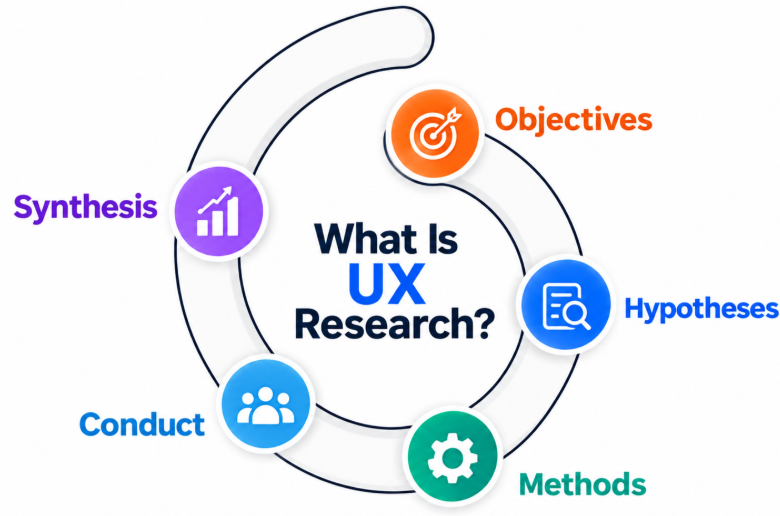
UX Research Is The Process Of Studying Users, Their Needs, Behaviors, Goals, Motivations, And Challenges To Inform Product Design Decisions. Researchers Use Methods Such As Interviews, Surveys, Observation, Usability Testing, Analytics, Card Sorting, And Diary Studies. The Information Collected Helps Teams Understand User Problems And Validate Assumptions About A Product. UX Research Can Be Conducted Before Design Begins And Throughout The Product Development Lifecycle. Findings Are Used To Improve User Flows, Features, Content, Navigation, Accessibility, And Overall Experience. The Main Purpose Of UX Research Is To Provide Evidence That Helps Teams Make Better-Informed Design Decisions.
79. What Is UX Strategy?
Ans:
- UX Strategy Is A Structured Approach For Aligning User Needs, Business Objectives, Product Goals, And Design Activities.
- It Helps Teams Define The Target Users, Identify Important Problems, Establish Experience Goals, And Determine How Design Work Supports The Product Direction.
- UX Strategy Can Include User Research, Competitive Analysis, Journey Mapping, Product Requirements, Design Principles, And Measurement Plans.
80. What Is The Role Of A UX Designer?
Ans:
A UX Designer Is Responsible For Understanding User Needs And Designing Experiences That Help Users Complete Their Goals Effectively. The Role Can Include User Research, Information Architecture, User Flows, Wireframing, Prototyping, Usability Testing, And Design Collaboration. UX Designers Work With Product Managers, UI Designers, Developers, Researchers, And Other Stakeholders Throughout The Product Development Process. They Use User Feedback And Research Findings To Identify Problems And Improve Proposed Solutions. A UX Designer May Also Consider Accessibility, Content, Navigation, Interaction Patterns, And Overall Usability. The Role Requires Both User-Centered Thinking And Collaboration To Create Useful And Understandable Digital Experiences.
81. What Is The Difference Between UI And UX Design?
Ans:
UI Design Focuses On The Visual And Interactive Elements Of A Digital Product, Such As Colors, Typography, Buttons, Icons, Layouts, And Components. UX Design Focuses On The Overall Experience Users Have While Interacting With A Product Or Service. UI Designers Concentrate More On How The Interface Looks And Behaves, While UX Designers Focus On User Needs, Flows, Problems, And Task Completion. UX Work Can Include Research, Information Architecture, Wireframing, Prototyping, And Usability Testing. UI And UX Work Closely Together Because A Visually Attractive Interface Also Needs To Provide A Clear And Usable Experience. Both Areas Contribute To Creating Effective, Consistent, And User-Friendly Digital Products.
82. What Is The Difference Between UX Designer And UI Designer?
Ans:
A UX Designer Primarily Focuses On Understanding Users, Defining Problems, Designing User Flows, And Improving The Overall Product Experience. A UI Designer Primarily Focuses On The Visual Appearance And Interactive Presentation Of The Product Interface. UX Designers May Work On Research, Personas, Information Architecture, Wireframes, Prototypes, And Usability Testing. UI Designers Work On Typography, Colors, Layouts, Components, Icons, Visual Hierarchy, And Design Systems. The Two Roles Often Collaborate Closely To Ensure That Visual Design Supports User Goals And Product Requirements. Depending On The Organization, One Designer May Perform Both UI And UX Responsibilities.
83. What Is A Design Thinking Process?
Ans:
Design Thinking Is A Human-Centered Problem-Solving Approach Used To Understand Users And Develop Solutions To Their Problems. A Common Design Thinking Process Includes Empathize, Define, Ideate, Prototype, And Test Stages. The Empathize Stage Focuses On Understanding Users And Their Experiences, While The Define Stage Clarifies The Main Problem. Ideation Generates Multiple Possible Solutions, Prototyping Creates Models Of Selected Ideas, And Testing Collects Feedback. The Process Is Iterative, Meaning Teams Can Return To Earlier Stages When New Information Is Discovered. Design Thinking Helps Teams Explore Problems From Different Perspectives And Develop Solutions Based On User Needs.
84. What Is The Difference Between Wireframe And Prototype?
Ans:
A Wireframe Is A Basic Representation Of The Structure, Layout, And Content Organization Of A Digital Interface. It Usually Focuses On Screen Structure Rather Than Detailed Visual Design Or Complete Interaction Behavior. A Prototype Is A More Interactive Model That Demonstrates How Users Can Navigate And Interact With The Product. Wireframes Are Commonly Used To Explore Layout Ideas And Information Hierarchy During Early Design Stages. Prototypes Can Be Used To Test User Flows, Interactions, Transitions, And Usability Before Development. Both Are Important Design Tools, But They Serve Different Purposes During The Product Design Process.
85. What Is The Difference Between UI Design And Visual Design?
Ans:
UI Design Focuses On Designing The Interface Elements And Interactions That Users Work With In A Digital Product. Visual Design Focuses More Broadly On The Appearance, Aesthetic Quality, Typography, Color, Imagery, Composition, And Overall Visual Language. UI Designers Work With Components Such As Buttons, Forms, Navigation, Cards, And Interactive States. Visual Designers May Establish Color Palettes, Typography Systems, Branding Elements, Layout Relationships, And Visual Consistency. The Two Areas Overlap Because UI Interfaces Depend On Strong Visual Design To Communicate Information Clearly. Both Help Create Interfaces That Are Visually Consistent, Understandable, And Appropriate For The Intended Product Context.
86. What Is A Design Brief?
Ans:
A Design Brief Is A Document That Defines The Main Requirements, Objectives, Scope, Users, Constraints, And Expected Outcomes Of A Design Project. It Gives Designers A Clear Understanding Of What Needs To Be Designed And Why The Project Is Important. A Brief May Include Target Users, Business Goals, Functional Requirements, Brand Guidelines, Timeline, Deliverables, And Technical Constraints. It Helps Designers And Stakeholders Establish A Shared Understanding Before Design Work Begins. A Clear Design Brief Can Reduce Miscommunication And Help Teams Stay Focused On The Project Goals. It Can Also Serve As A Reference When Reviewing Design Decisions And Project Progress.
87. What Is A Design Requirement?
Ans:
- A Design Requirement Is A Specific Need, Constraint, Or Expected Behavior That A Product Or Interface Must Address. Requirements Can Come From User Research, Business Objectives, Technical Limitations, Accessibility Standards, Stakeholder Expectations, Or Existing Product Specifications.
- Functional Requirements Describe What The Product Should Allow Users To Do, While Design Constraints Define Limitations Such As Screen Size, Platform, Or Branding Rules.
- Designers Use Requirements To Guide User Flows, Wireframes, Prototypes, And Final Interface Decisions.
88. What Is A UX Portfolio?
Ans:
A UX Portfolio Is A Collection Of Design Projects That Demonstrates A Designer’s Skills, Process, Research, And Problem-Solving Approach. A Strong Portfolio Usually Explains The Problem, Target Users, Research Findings, Design Process, Iterations, Final Solution, And Outcomes Of Each Project. It Should Show How Design Decisions Were Made Rather Than Only Presenting Final Screens. Portfolio Projects Can Include Wireframes, User Flows, Prototypes, Usability Testing, UI Designs, And Design Systems. For Fresher Candidates, Academic Projects, Personal Projects, Case Studies, And Practice Projects Can Be Included. A Clear UX Portfolio Helps Employers Understand A Candidate’s Design Thinking, Communication, And Practical Design Skills.
89. What Is A UX Case Study? .
Ans:
A UX Case Study Is A Detailed Explanation Of How A Designer Researched, Defined, Designed, Tested, And Improved A Particular Product Or Experience. It Usually Describes The Problem Statement, Target Users, Research Methods, Key Findings, User Flows, Wireframes, Prototypes, Testing Results, And Final Design. A Case Study Should Explain The Reasoning Behind Important Design Decisions Instead Of Showing Only The Final Interface. It Can Also Describe Challenges, Design Iterations, Constraints, And Lessons Learned During The Project. UX Case Studies Help Demonstrate Practical Problem-Solving And User-Centered Design Skills. They Are Commonly Included In UX Portfolios To Provide Evidence Of A Designer’s Process And Capabilities.
90. How Does Approach A New UI/UX Design Project?
Ans:
A New UI/UX Design Project Usually Begins With Understanding The Business Objective, Target Users, Product Requirements, And Main Problem To Be Solved. The Next Step Is Conducting Appropriate User Research To Understand User Needs, Behaviors, Expectations, And Pain Points. Based On The Findings, Designers Define The Problem, Create User Flows, Organize Information, And Develop Initial Wireframes. Prototypes Can Then Be Created To Demonstrate Interactions And Test Potential Solutions With Users Or Stakeholders. Feedback From Testing Is Used To Refine The Design Before Moving Toward Detailed UI And Development Handoff. This Structured And Iterative Approach Helps Ensure That The Final Product Addresses User Needs While Supporting Relevant Product Requirements.