LMS
LMS
Last updated on 20th Aug 2026| 13054

- Introduction to UI/UX Career Opportunities at Accenture
- Understanding UI/UX Designer Roles at Accenture
- Eligibility Criteria for Accenture UI/UX Careers
- Essential UI Design and Visual Design Skills
- UX Research and User-Centered Design Skills
- Figma, Wireframing, and Prototyping Knowledge
- Building a Strong UI/UX Portfolio for Accenture
- Accenture UI/UX Interview and Selection Preparation
- Career Growth and Opportunities in Accenture Design Teams
- Conclusion: Building a Successful UI/UX Career at Accenture
Introduction to UI/UX Career Opportunities at Accenture
UI/UX career opportunities at Accenture allow freshers and design professionals to contribute to digital products, enterprise applications, customer experiences, and technology-driven solutions. UI/UX designers focus on understanding user needs and transforming business requirements into intuitive, accessible, and visually engaging experiences. Depending on the role and project, professionals may work with product managers, developers, researchers, strategists, and business teams throughout the design lifecycle. Freshers interested in this field should develop knowledge of user research, wireframing, prototyping, interaction design, visual design, usability testing, and accessibility. Building practical projects and detailed case studies can help demonstrate how candidates identify problems and develop user-centered solutions. Pursuing relevant UI/UX Design Training can also help freshers strengthen their practical knowledge and build a foundation for entry-level opportunities. Strong communication and collaboration skills are also valuable because designers frequently present ideas and incorporate feedback from different stakeholders. By combining creative thinking with research and practical design skills, freshers can prepare for UI/UX opportunities and develop careers within Accenture’s broader digital and experience-focused teams.

Understanding UI/UX Designer Roles at Accenture
UI/UX designer roles at Accenture can involve researching user requirements, analyzing customer journeys, creating wireframes, developing interactive prototypes, designing interfaces, and evaluating solutions through usability testing. UI designers typically focus on visual hierarchy, typography, layouts, colors, components, responsive interfaces, and design consistency. UX designers concentrate on understanding user behavior, information architecture, interaction flows, accessibility, and overall product usability. Depending on project requirements, designers may collaborate with developers, product owners, researchers, and business stakeholders to convert complex requirements into practical digital experiences. For candidates looking to strengthen these fundamentals, learning UI/UX Design Principles can provide a useful foundation for understanding effective interface and user experience design. They may also participate in workshops, present design concepts, collect feedback, document design decisions, and contribute to reusable design systems. Freshers should understand that professional UI/UX work involves more than creating visually attractive screens; it requires identifying user problems and developing solutions that balance usability, business objectives, and technical limitations. Building these capabilities helps candidates prepare for multidisciplinary design environments and client-focused projects.
Get Your UI/UX Design Certification by Learning from Industry-Leading Experts and Advancing Your Career with ACTE’s UI/UX Design Course.
Eligibility Criteria for Accenture UI/UX Careers
Eligibility criteria for UI/UX careers at Accenture depend on the individual job opening, location, project requirements, and experience level. Candidates may have educational backgrounds in UI/UX Design, Interaction Design, Visual Communication, Graphic Design, Human-Computer Interaction, Computer Science, or related disciplines. Freshers should focus on developing practical design abilities and creating a strong portfolio that demonstrates their understanding of the complete design process. Important knowledge areas include user research, personas, journey mapping, wireframing, prototyping, usability testing, interaction design, visual design, responsive interfaces, accessibility, and design systems. Familiarity with collaborative design tools such as Figma can further strengthen job readiness. Candidates can develop practical experience through internships, academic projects, personal projects, redesign exercises, and freelance assignments. Pursuing relevant UI/UX Design Training can also help candidates strengthen their foundational knowledge and practical design skills. Communication, creativity, analytical thinking, teamwork, and presentation abilities are also valuable for working with multidisciplinary teams. Since eligibility differs across vacancies, applicants should carefully review the qualifications and experience requirements listed for each Accenture position before applying.
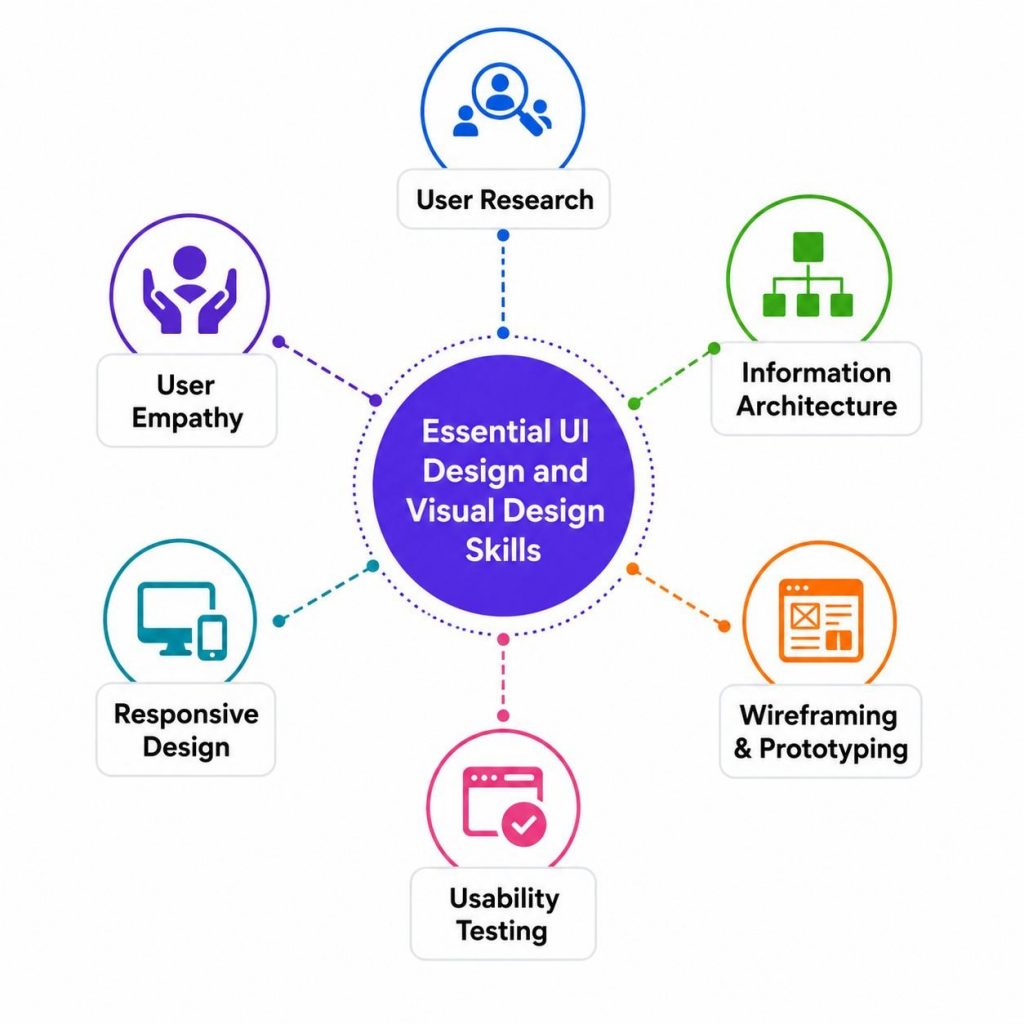
Essential UI Design and Visual Design Skills
- Typography and Color Theory Typography and color influence readability, accessibility, branding, and user perception. UI designers should understand font hierarchy, contrast, color combinations, and consistent styling to create interfaces that are visually appealing, easy to navigate, and suitable for different digital experiences.
- Visual Design Fundamentals Visual design requires a strong understanding of color, typography, spacing, layout, imagery, and visual hierarchy. Freshers should know how to combine these elements effectively to create attractive interfaces that communicate information clearly while maintaining usability and brand consistency. Exploring UI/UX Design Tools Explained can also help learners understand the tools commonly used to apply these visual design principles in practical projects.
- Responsive Interface Design Responsive design ensures digital interfaces function effectively across desktops, tablets, smartphones, and different screen sizes. Designers should understand flexible layouts, grids, breakpoints, scalable components, and mobile-first principles to deliver consistent experiences across devices.
- UI Components and Design Consistency UI designers work with reusable components such as buttons, forms, navigation menus, cards, icons, and input fields. Maintaining consistent components, spacing, typography, and interaction patterns improves usability while supporting efficient design and development across complex digital products.
- Accessibility in UI Design Accessibility focuses on creating digital interfaces that people with different abilities can use effectively. Designers should consider readable typography, sufficient contrast, keyboard-friendly interactions, clear labels, logical navigation, and inclusive patterns when developing user interfaces.

UX Research and User-Centered Design Skills
- User Research Methods User research helps designers understand user behaviors, expectations, motivations, and challenges. Interviews, surveys, observations, and contextual research provide valuable insights that allow designers to identify genuine user problems and develop solutions based on evidence rather than assumptions.
- Creating User Personas User personas represent important audience groups based on research findings, behaviors, needs, and goals. Personas help designers understand who they are designing for and provide a useful reference when making decisions about features, navigation, content, and overall product experiences.
- Customer Journey Mapping Journey maps visualize how users interact with a product or service across different stages. They highlight actions, expectations, emotions, pain points, and opportunities, helping designers identify areas where the overall experience can be simplified, improved, or made more engaging.
- Usability Testing Usability testing evaluates how easily users can interact with a proposed design or existing product. Designers observe users completing tasks, identify difficulties, collect feedback, and refine solutions based on findings. Candidates can further explore The Complete Guide to UI/UX Testing to understand how testing contributes to improving digital experiences.
- User-Centered Design Process User-Centered Design places users at the heart of product development. Designers research user needs, define problems, generate ideas, create prototypes, conduct testing, and refine solutions repeatedly to ensure final experiences address genuine user requirements and business objectives.

Get JOB Oriented UI/UX Design Course for Beginners By MNC Experts
- Instructor-led Sessions
- Real-life Case Studies
- Assignments
Figma, Wireframing, and Prototyping Knowledge
- Figma Design Skills Figma is widely used for creating interfaces, wireframes, prototypes, reusable components, and collaborative design files. Freshers should understand frames, components, variants, Auto Layout, styles, libraries, and collaboration features to create organized and scalable digital product designs.
- Creating Effective Wireframes Wireframes establish the basic structure and functionality of a digital interface before visual details are added. They help designers define navigation, content placement, user flows, and interactions, enabling teams to evaluate ideas and identify usability issues early in the design process.
- Design Handoff and Collaboration Design handoff involves communicating specifications, layouts, components, assets, and interaction details to development teams. Organized design files, clear documentation, prototypes, and effective collaboration help developers understand design requirements and implement interfaces accurately. Freshers can also strengthen their practical skills by exploring Best UI/UX Project Ideas for Beginners, which can help them apply wireframing and prototyping concepts through practical design projects.
- Interactive Prototyping Interactive prototypes simulate how users will navigate and interact with a digital product. Designers can connect screens, create transitions, demonstrate interactions, and test user flows, allowing stakeholders and users to experience proposed solutions before development begins.
- Reusable Components Reusable components improve consistency and efficiency by allowing common interface elements to be created once and used across multiple screens. Understanding components, variants, styles, and libraries helps designers maintain consistent patterns while making large-scale design updates easier.
Want to Master UI/UX Design? Explore the UI/UX Design Master Program Offered at ACTE Today!
Building a Strong UI/UX Portfolio for Accenture
- Developing Detailed Case Studies Case studies should clearly explain the project problem, target users, research process, design decisions, challenges, prototypes, testing, and final results. Presenting the complete process demonstrates structured thinking and shows recruiters how candidates approach and solve user experience problems.
- Showing Design Process and Iterations Portfolios should demonstrate how designs evolved rather than displaying only polished final screens. Including sketches, research findings, personas, user flows, wireframes, prototypes, usability feedback, and iterations provides evidence of thoughtful and user-centered design decision-making.
- Demonstrating Problem-Solving Ability Recruiters should be able to understand why specific design decisions were made. Candidates can demonstrate problem-solving abilities by explaining user challenges, alternative solutions, constraints, testing results, and improvements made throughout each project to achieve better experiences.
- Selecting Relevant UI/UX Projects A strong portfolio should include projects demonstrating different skills such as research, wireframing, interface design, prototyping, accessibility, and usability testing. Selecting varied projects allows recruiters to understand a candidate’s capabilities and experience across different design challenges. Candidates can explore Beginner-Friendly UI/UX Design Examples for inspiration when selecting and presenting relevant projects.
- Professional Portfolio Presentation A UI/UX portfolio should be visually consistent, easy to navigate, and concise enough for recruiters to review efficiently. Candidates should clearly identify their individual contributions, responsibilities, tools, processes, outcomes, and lessons learned while maintaining professional presentation quality.
Preparing for UI/UX Design Job Interviews? Have a Look at Our Blog on UI/UX Design Interview Questions and Answers To Ace Your Interview!
Accenture UI/UX Interview and Selection Preparation
Preparing for an Accenture UI/UX interview requires candidates to strengthen their design fundamentals, portfolio presentation, communication skills, and problem-solving abilities. Freshers should be ready to explain portfolio projects by discussing the problem, user research, personas, wireframes, prototypes, design decisions, usability testing, challenges, and final outcomes. Interview preparation should cover user-centered design, visual hierarchy, interaction design, accessibility, responsive design, information architecture, and design systems. Candidates should also practice using Figma and presenting interactive prototypes confidently. Depending on the specific vacancy, the selection process may include portfolio reviews, interviews, practical design exercises, or discussions about previous projects and design decisions. Freshers should research the role carefully and understand how their skills align with its requirements. Practicing common UI/UX interview questions and explaining the reasoning behind design choices can improve confidence. Candidates can also strengthen their practical knowledge through UI/UX Design Training, which can support preparation through structured learning and hands-on design practice. Candidates should demonstrate creativity, analytical thinking, teamwork, adaptability, and the ability to receive and apply constructive feedback throughout the selection process.
Career Growth and Opportunities in Accenture Design Teams
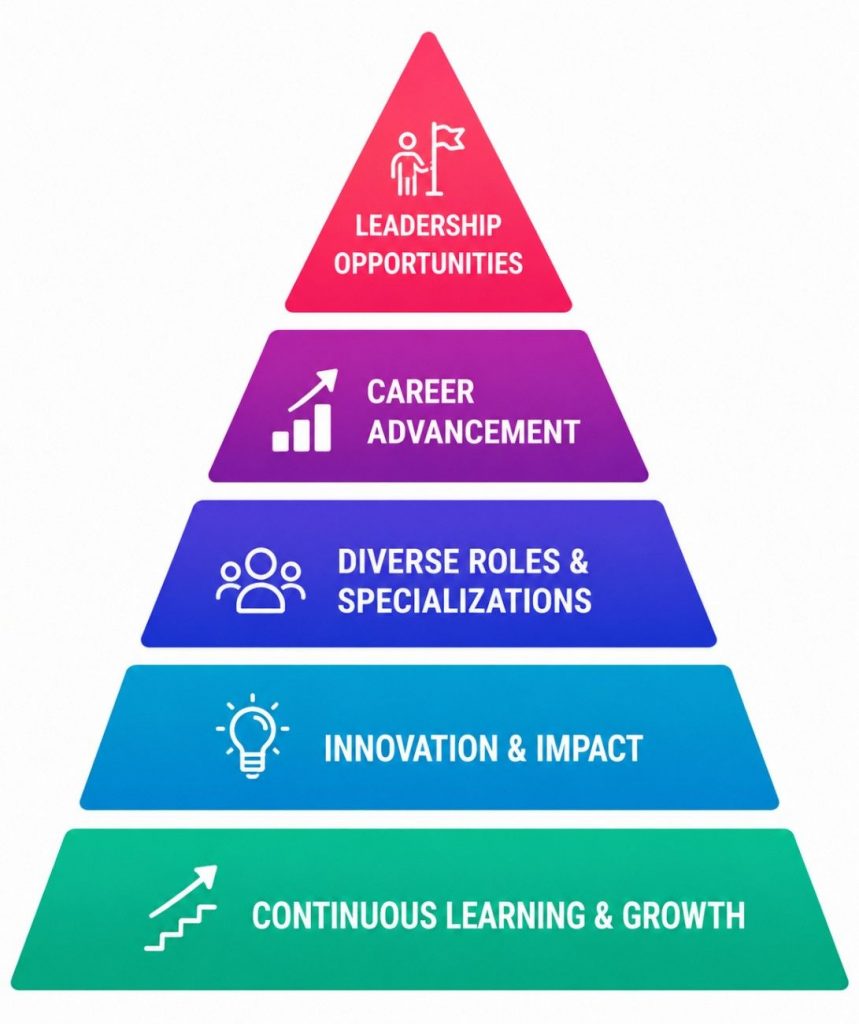
A UI/UX career at Accenture can provide opportunities to develop expertise across user experience design, interface design, product design, UX research, service design, and other experience-focused areas. Freshers may begin in junior or entry-level design positions and gradually take responsibility for more complex projects as their skills and experience grow. Working with multidisciplinary teams can help professionals strengthen their knowledge of user research, prototyping, design systems, accessibility, product development, and client requirements.
Conclusion: Building a Successful UI/UX Career at Accenture
Building a successful UI/UX career at Accenture requires a combination of user-centered thinking, visual design expertise, research skills, technical knowledge, creativity, and effective communication. Freshers should establish strong foundations in user research, wireframing, prototyping, usability testing, interaction design, accessibility, responsive design, and design systems. Practical experience is equally important, so candidates can strengthen their profiles through internships, personal projects, academic assignments, redesign projects, and freelance opportunities. A professional portfolio should demonstrate the complete design process and clearly explain how research and user feedback influenced important decisions. Candidates should also develop proficiency with Figma and understand how designers collaborate with developers, researchers, product teams, and business stakeholders. Continuous learning helps professionals remain relevant as design practices, technologies, and customer expectations evolve. Completing relevant UI/UX Design Training can provide additional opportunities to build practical knowledge and strengthen job readiness. By developing a strong portfolio, gaining hands-on experience, preparing carefully for interviews, and continuously improving both creative and analytical skills, aspiring designers can increase their readiness for Accenture UI/UX opportunities and build sustainable careers in digital product and experience design.