LMS
LMS
Last updated on 13th Aug 2026| 13025

- Introduction to the Microsoft UX Designer Interview Process
- Understanding the Microsoft UX Designer Hiring Process
- Initial Screening and Recruiter Interview
- UX Design and Problem-Solving Interview
- Portfolio Presentation and Case Study Review
- User Research, Interaction Design, and Usability Questions
- Visual Design, Prototyping, and Design Systems Assessment
- Behavioral and Collaboration Interview Questions
- Microsoft UX Portfolio Requirements and Preparation Tips
- Conclusion: Preparing for a Successful Microsoft UX Designer Career
Introduction to the Microsoft UX Designer Interview Process
The Microsoft UX Designer interview process is designed to evaluate a candidate’s ability to understand users, solve design problems, communicate ideas, and create intuitive digital experiences. Depending on the specific role and team, candidates may be assessed on UX research, visual design, prototyping, accessibility, design systems, and collaboration. Candidates looking to strengthen these fundamentals can also explore UI/UX Design Training to develop practical skills relevant to modern UX roles. A strong portfolio is often an important part of the process because it allows candidates to demonstrate their design thinking and practical experience. Freshers and experienced designers should be prepared to explain their projects, design decisions, research methods, challenges, iterations, and final outcomes. The interview process may include recruiter discussions, portfolio reviews, technical or design interviews, and behavioral conversations. Candidates should focus not only on showing attractive interfaces but also on explaining the reasoning behind their decisions and how their designs address real user needs. Strong communication, structured problem-solving, curiosity, adaptability, and collaboration are valuable qualities for UX professionals working in a large technology environment.

Understanding the Microsoft UX Designer Hiring Process
The Microsoft UX Designer hiring process can vary depending on the position, team, location, and level of experience. Candidates may begin with an application and resume review, followed by an initial recruiter conversation to discuss their background, interests, qualifications, and suitability for the role. Shortlisted candidates may then participate in design-focused interviews that explore their approach to solving user problems and developing digital experiences. Portfolio discussions can be particularly important because candidates may need to walk interviewers through selected case studies and demonstrate how they moved from identifying a problem to developing and validating a solution. Interviews can also cover user research, information architecture, interaction design, visual design, accessibility, prototyping, and collaboration with engineers and product managers. Behavioral discussions may examine teamwork, handling feedback, dealing with ambiguity, and communicating design decisions. For additional preparation, candidates can explore Top Essential UI/UX Designer Skills to understand the core skills that can strengthen their UX design profile. Candidates should review the specific job description carefully because required skills and interview expectations can differ between UX, product design, research, and specialized design roles.
Get Your UI/UX Design Certification by Learning from Industry-Leading Experts and Advancing Your Career with ACTE’s UI/UX Design Course.
Initial Screening and Recruiter Interview
The initial screening stage helps recruiters understand a candidate’s professional background, design experience, qualifications, interests, and suitability for the specific UX position. Candidates may be asked about their previous projects, design tools, portfolio, education, internships, employment history, and reasons for wanting to work in the role. Freshers should prepare a concise introduction that highlights relevant coursework, projects, internships, design skills, and areas of specialization. Candidates who want to strengthen their practical design knowledge can also consider UI/UX Design Training to build relevant skills and improve their understanding of industry practices. Recruiters may also discuss the role, team structure, location, working arrangements, and general expectations. Candidates should be able to explain their portfolio clearly and connect their experience with the requirements listed in the job description. Good preparation includes researching Microsoft’s products and design principles, reviewing the role requirements, and preparing thoughtful questions for the recruiter. Professional communication is important throughout this stage. Candidates should answer honestly, avoid exaggerating their experience, and demonstrate enthusiasm for learning and contributing to a collaborative design environment.
UX Design and Problem-Solving Interview
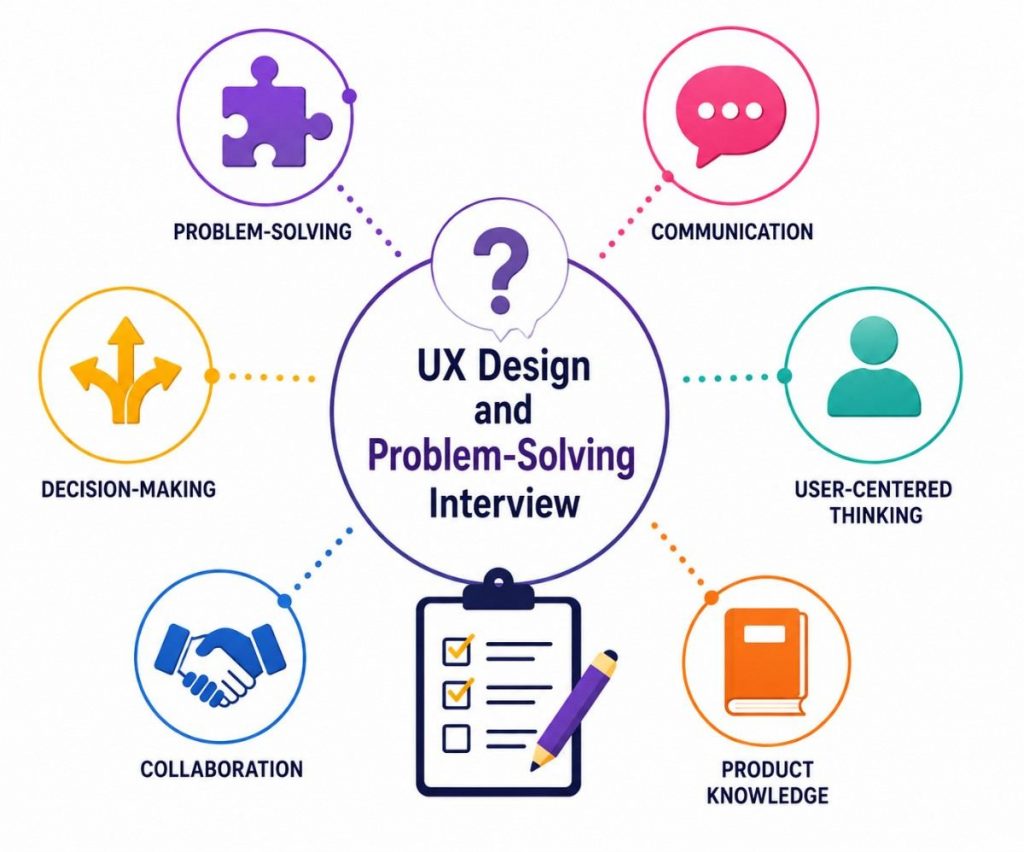
The UX design and problem-solving interview evaluates how candidates approach ambiguous user problems and turn them into practical design solutions. Interviewers may present a hypothetical scenario and ask the candidate to identify users, clarify requirements, define problems, explore possible solutions, and explain how the proposed experience would be evaluated. Candidates should demonstrate a structured design-thinking approach rather than immediately jumping into visual solutions.

Portfolio Presentation and Case Study Review
- Explaining the Design Process Walk interviewers through the complete process, from identifying the user problem and conducting research to creating ideas, prototypes, testing, and final improvements. Focus on your reasoning rather than only showing the final screens.
- Demonstrating User-Centered Thinking Explain how user needs influenced your design decisions. Discuss research findings, pain points, user feedback, and how these insights helped you create or modify the proposed solution.
- Highlighting Challenges and Iterations Discuss difficult design problems, limitations, feedback, and changes made during the project. Showing how you evaluated alternatives and improved your solution demonstrates adaptability and problem-solving ability.
- Selecting Strong UX Case Studies Choose 2–4 projects that demonstrate different UX skills, such as research, interaction design, problem-solving, and visual design. Prioritize projects where you can clearly explain your contribution and design decisions. Candidates can also review UI/UX Designer Resume Tips to understand how to present their experience and skills consistently across their application materials.
- Presenting Results and Impact Explain how you evaluated the final design and what changed as a result. Where available, mention usability improvements, engagement, task completion, user feedback, or other measurable outcomes.

Get JOB Oriented UI/UX Design Course for Beginners By MNC Experts
- Instructor-led Sessions
- Real-life Case Studies
- Assignments
User Research, Interaction Design, and Usability Questions
- User Research Methods Prepare to explain interviews, surveys, usability testing, observation, personas, journey maps, and other research methods. Be ready to describe when you would use each method and how research findings influence design decisions. For broader preparation, candidates can explore A UI/UX Course Syllabus and Subjects to understand the key areas commonly covered in UX design learning.
- Identifying User Problems Interviewers may provide a scenario and ask you to identify the primary user problem. Explain how you would gather information, understand user needs, prioritize pain points, and define a clear problem before designing a solution.
- User Flows and Information Architecture Understand how to organize content and create logical user journeys. Explain how navigation, hierarchy, categories, and task flows can help users find information and complete their goals efficiently.
- Usability Testing and Feedback Be prepared to explain how you would test a design with users, identify usability issues, collect feedback, and prioritize improvements. Discuss how testing can validate assumptions before development.
- Accessibility and Inclusive Design Understand how accessibility affects UX decisions. Be familiar with readable typography, color contrast, keyboard navigation, alternative text, clear labels, and inclusive interaction patterns that support users with different abilities.
Visual Design, Prototyping, and Design Systems Assessment
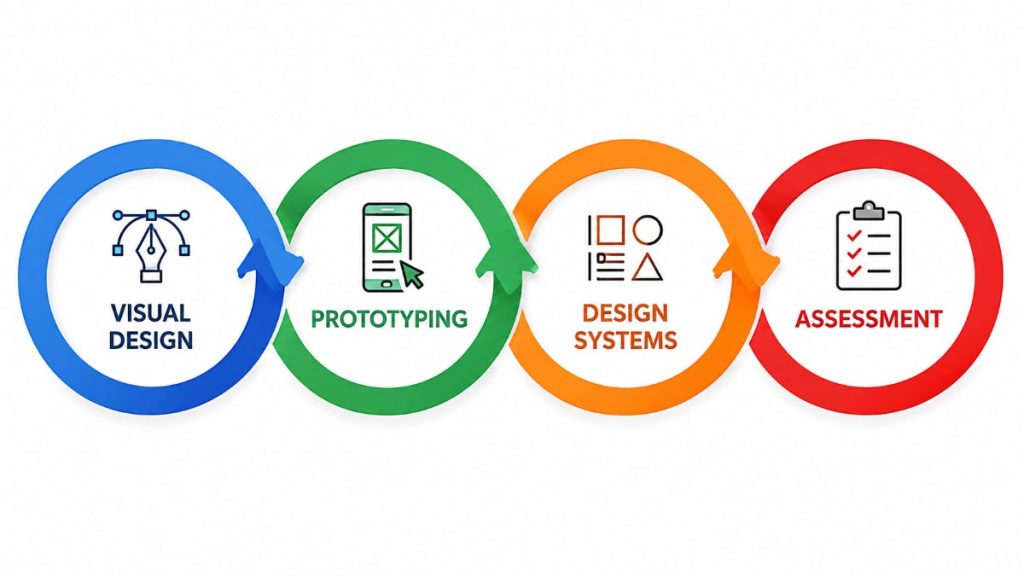
- Visual Hierarchy and Interface Design Prepare to explain how typography, spacing, color, alignment, imagery, and contrast guide user attention. Strong visual hierarchy helps users understand content and complete tasks more efficiently.
- Wireframing and High-Fidelity Design Understand the difference between low-fidelity wireframes and detailed interface designs. Be prepared to explain how you move from basic concepts to polished screens while incorporating research and user feedback.
- Interactive Prototyping Practice creating prototypes using tools such as Figma or other prototyping platforms. Explain how prototypes help demonstrate interactions, test user flows, identify problems, and communicate design ideas to stakeholders. Candidates can also explore UI/UX Design Tools Explained to learn more about commonly used design and prototyping tools.
- Design Systems and Components Understand reusable components, design tokens, typography, colors, spacing, and interaction patterns. A design system helps maintain consistency across products while allowing designers and developers to work more efficiently.
- Responsive and Cross-Platform Design Be prepared to explain how designs adapt to different screen sizes, devices, and platforms. Consider responsive layouts, touch interactions, accessibility, performance, and consistency when designing digital experiences.
Want to Master UI/UX Design? Explore the UI/UX Design Master Program Offered at ACTE Today!
Behavioral and Collaboration Interview Questions
- Handling Design Feedback Interviewers may ask how you respond when stakeholders disagree with your design. Explain how you listen to feedback, understand the underlying concern, evaluate evidence, and make changes without losing sight of user needs.
- Resolving Design Conflicts Prepare examples of situations where team members had different opinions. Demonstrate how you used research, usability evidence, design principles, or business requirements to reach a practical and collaborative decision.
- Working With Ambiguity UX projects may begin without clearly defined requirements. Explain how you gather information, identify assumptions, define problems, prioritize needs, and gradually develop a clear direction for the design.
- Teamwork and Cross-Functional Collaboration UX Designers work with product managers, researchers, engineers, writers, and other designers. Prepare examples showing how you collaborated with different teams to develop and deliver a design solution. Understanding the broader responsibilities of UX professionals can also help candidates prepare through UI/UX Designer Job Description.
- Communication and Storytelling Strong UX Designers must communicate complex ideas clearly. Practice presenting your design decisions, explaining research findings, and adapting your communication style for technical, business, and non-technical stakeholders.
Preparing for UI/UX Design Job Interviews? Have a Look at Our Blog on UI/UX Design Interview Questions and Answers To Ace Your Interview!
Microsoft UX Portfolio Requirements and Preparation Tips
A strong UX portfolio is an important part of preparing for Microsoft design roles because Microsoft notes that some positions may require candidates to share a creative portfolio or other work samples. Current Microsoft design postings also emphasize interaction and visual design, prototyping, user-centered design, research, storytelling, and design systems. Candidates looking to strengthen these practical skills can also consider UI/UX Design Training to build a stronger foundation in industry-relevant design practices. Candidates should select a small number of high-quality case studies rather than presenting too many projects. Each case study should clearly explain the problem, target users, research, design process, iterations, challenges, final solution, and outcome. It is important to show personal contribution, especially when the project was completed as part of a team. Freshers can include academic projects, internships, personal projects, redesign exercises, and practical UX challenges. The portfolio should demonstrate skills in wireframing, interaction design, visual design, prototyping, usability testing, accessibility, and design systems where relevant. Candidates should also practice presenting their portfolio because Microsoft interviews evaluate how applicants explain their thinking, decisions, and approach to solving problems.
Conclusion: Preparing for a Successful Microsoft UX Designer Career
Preparing for a Microsoft UX Designer career requires more than creating visually attractive interfaces. Candidates need to demonstrate strong user-centered thinking, problem-solving, research, prototyping and communication skills. Microsoft states that its interviews vary by role and may include conversations with potential teammates and cross-functional colleagues, while some positions require creative portfolios or work samples. Freshers who want to strengthen their practical UX knowledge can also explore UI/UX Design Training to develop relevant design skills and industry-oriented knowledge. Freshers should therefore build a portfolio that clearly demonstrates their design process and ability to solve meaningful user problems. Practicing portfolio presentations, UX case studies, design challenges, usability questions, and behavioral interviews can improve confidence and readiness. Candidates should also prepare specific examples of collaboration, handling feedback, working through ambiguity, and achieving results, as Microsoft highlights collaboration, results, curiosity, and the ability to explain one’s thinking during interviews. Continuous learning, practical projects, internships, and keeping up with modern design practices can further strengthen a candidate’s profile. With a well-structured portfolio, strong UX fundamentals, and effective communication, aspiring designers can approach Microsoft UX opportunities with greater confidence and build a long-term career in product and experience design.