LMS
LMS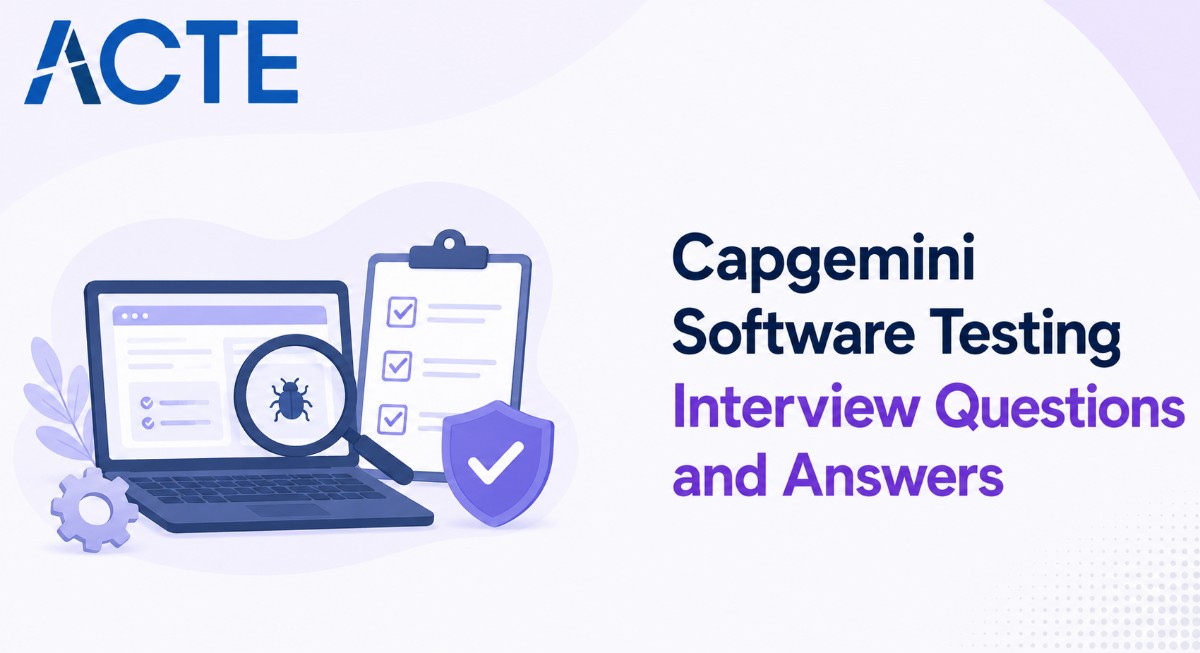
Last updated on 29th Aug 2026| 7673

Capgemini Software Testing Interviews Focus On Evaluating Candidates’ Knowledge Of Manual Testing, Automation Testing, Selenium, API Testing, SQL, Java, Agile Methodology, And Software Testing Processes. Candidates Are Often Asked Questions About SDLC, STLC, Test Cases, Test Scenarios, Defect Life Cycle, Regression Testing, Smoke Testing, And Functional Testing. Automation Testing Questions May Cover Selenium WebDriver, Locators, XPath, TestNG, Framework Design, And Synchronization. SQL And API Testing Questions Help Assess Database Validation And Backend Testing Skills. Scenario-Based Questions Are Also Common To Understand How Candidates Handle Real-Time Testing Challenges. This Collection Of Capgemini Software Testing Interview Questions And Answers Helps Freshers And Experienced Candidates Prepare Systematically For Technical And Project-Based Interview Rounds.
1. What Is Software Testing?
Ans:
Software Testing Is The Process Of Evaluating A Software Application To Identify Defects And Verify Whether It Meets The Specified Requirements. It Helps Determine Whether The Application Behaves As Expected Under Different Conditions And User Scenarios. Testing Can Be Performed Manually Or By Using Automation Tools Depending On The Project Requirements And Testing Objectives. It Includes Functional And Non-Functional Testing Activities To Evaluate Both Application Features And Quality Attributes. Testers Design Test Cases Based On Requirements, Business Rules, Expected Results, And Possible User Actions.
2. What Is The Difference Between Verification And Validation?
Ans:
Verification Is The Process Of Checking Whether The Software Development Work Products Meet Specified Requirements And Standards. It Mainly Focuses On Reviewing Documents, Designs, Specifications, And Code Without Necessarily Executing The Application. Validation Focuses On Executing The Software To Confirm That It Meets User Needs And Business Requirements. Verification Helps Prevent Defects During Development, While Validation Helps Detect Problems In The Working Product.
3. What Is SDLC?
Ans:
- SDLC Stands For Software Development Life Cycle And Represents The Structured Process Used To Develop Software Applications. Common SDLC Phases Include Requirement Gathering, Planning, Design, Development, Testing, Deployment, And Maintenance.
- Each Phase Has Specific Activities, Deliverables, And Quality Requirements. Testing Activities Are Generally Planned Early To Identify Risks And Defects As Soon As Possible.
- Different SDLC Models Include Waterfall, V-Model, Spiral, Agile, And Iterative Models. Following An Appropriate SDLC Process Helps Teams Develop Software In A Controlled And Systematic Manner.
4. What Is STLC?
Ans:
STLC Stands For Software Testing Life Cycle And Describes The Different Activities Performed During Software Testing. Common STLC Phases Include Requirement Analysis, Test Planning, Test Case Development, Test Environment Setup, Test Execution, Defect Reporting, And Test Closure. Testers Analyze Requirements To Identify What Needs To Be Tested And Prepare Appropriate Test Scenarios And Cases. During Execution, Test Results Are Compared With Expected Results And Defects Are Reported.
5. What Is A Test Case?
Ans:
A Test Case Is A Set Of Conditions, Inputs, Steps, And Expected Results Used To Verify A Specific Functionality Of A Software Application. It Usually Contains Information Such As Test Case ID, Test Description, Preconditions, Test Data, Execution Steps, And Expected Results. During Execution, Testers Record The Actual Result And Test Status Such As Pass, Fail, Blocked, Or Not Executed. Test Cases Can Be Designed For Positive, Negative, Boundary, Integration, And Exceptional Scenarios. Well-Written Test Cases Should Be Clear, Complete, Reusable, Understandable, And Traceable To The Relevant Requirement...
6. What Is A Test Scenario?
Ans:
A Test Scenario Is A High-Level Description Of A Functionality, Feature, Or Business Flow That Needs To Be Tested In A Software Application. It Describes What Needs To Be Tested Without Providing Every Detailed Step Required For Execution. For Example, In An E-Commerce Application, Testing The Complete Checkout Process Can Be Considered A Test Scenario. Multiple Detailed Test Cases Can Be Created From A Single Test Scenario To Cover Different Conditions And User Behaviors..
7. What Is The Difference Between Test Scenario And Test Case?.
Ans:
| Aspect | Test Scenario | Test Case |
|---|---|---|
| Meaning | Describes what functionality needs to be tested. | Describes the detailed steps to test a specific functionality |
| Purpose | Provides a high-level view of testing requirements. | Provides step-by-step instructions for executing the test.k |
| Example | Verify the Login Functionality. | Enter valid username and password, click Login, and verify the dashboard |
8. What Is Functional Testing?
Ans:
Functional Testing Is The Process Of Verifying Whether Software Functions Work According To Defined Business And Technical Requirements. It Focuses On Inputs, Processing, Outputs, Business Rules, And Expected Application Behavior. Common Examples Include Login Testing, Registration Testing, Payment Testing, Search Testing, Form Validation, And Transaction Testing. Functional Testing Can Be Performed Manually Or Through Automation Tools Depending On The Nature And Stability Of The Application
9. What Is Non-Functional Testing?
Ans:
Non-Functional Testing Evaluates The Quality Attributes And Operational Characteristics Of Software Rather Than Testing Specific Business Functions. It Includes Areas Such As Performance, Security, Usability, Compatibility, Reliability, Scalability, And Stability. For Example, Performance Testing Checks How Quickly An Application Responds Under Different User Loads And Transaction Volumes. Usability Testing Evaluates Whether Users Can Easily Understand, Navigate, And Operate The Application. Security Testing Identifies Potential Vulnerabilities, Unauthorized Access Risks, And Weaknesses In Data Protection
10. What Is Regression Testing?
Ans:
Regression Testing Verifies That Existing Functionality Continues To Work Correctly After Code Changes, Bug Fixes, Enhancements, Or New Features Are Introduced. It Is Performed Because A New Change In One Area Can Accidentally Affect Previously Working Features In Another Area. Regression Test Cases Are Usually Selected From Existing Functional, Integration, And End-To-End Test Suites. Automation Is Commonly Used For Regression Testing Because The Same Tests May Need To Be Executed Repeatedly Across Multiple Builds And Releases..
11. What Is Retesting?
Ans:
- Retesting Is The Process Of Executing A Previously Failed Test Case Again After The Reported Defect Has Been Fixed. Its Main Purpose Is To Verify Whether The Specific Defect Has Been Successfully Resolved By The Development Team.
- Retesting Normally Uses The Same Test Steps And Test Data That Initially Exposed The Defect. It Is Different From Regression Testing Because Retesting Focuses Specifically On The Fixed Defect, While Regression Testing Checks Existing Functionality.
- After Successful Verification, The Tester Can Update The Defect Status According To The Project Workflow. If The Problem Still Exists, The Defect Can Be Reopened With Appropriate Evidence And Execution Details
12. What Is Smoke Testing?
Ans:
Non-Functional Testing Evaluates Quality Attributes Of Software Rather Than Smoke Testing Is A Preliminary Testing Process Used To Verify Whether A New Software Build Is Stable Enough For Detailed Testing. It Covers Critical And Major Functionalities Of The Application Rather Than Testing Every Feature In Detail. Common Smoke Tests May Include Application Launch, Login, Navigation, And Basic Transactions. Smoke Testing Is Usually Performed After A New Build Is Received From The Development Or Build Team. If Major Functions Fail, The Build May Be Rejected And Returned For Further Correction
13. What Is Sanity Testing?
Ans:
Sanity Testing Is A Focused Testing Approach Used To Verify Specific Changes, Enhancements, Or Bug Fixes In A Software Build. It Checks Whether The Modified Functionality Works Correctly And Whether Closely Related Features Remain Stable. Unlike Smoke Testing, Sanity Testing Is Narrower And Concentrates On A Particular Functional Area. It Is Usually Performed After Receiving A Build That Contains Minor Changes Or Specific Defect Fixes. If The Modified Functionality Works As Expected, More Detailed Testing Can Continue. If Major Problems Are Found In The Tested Area, Further Testing May Be Stopped Until The Issues Are Resolved.
14. What Is Integration Testing?
Ans:
Integration Testing Verifies Whether Different Modules, Components, Or Services Work Correctly When Combined With Each Other. Individual Modules May Work Properly During Unit Testing But Can Fail When They Communicate With Other Components. Integration Testing Mainly Focuses On Interfaces, Data Flow, APIs, Database Communication, And Interactions Between Components. Common Integration Approaches Include Big Bang, Top-Down, Bottom-Up, And Incremental Integration Testing.
15. What Is System Testing?
Ans:
System Testing Evaluates The Complete Integrated Software Application Against Specified Functional And Business Requirements. It Is Generally Performed After Individual Components And Integrated Modules Have Been Tested Successfully. The Testing Covers Functional And Relevant Non-Functional Requirements Of The Entire System. Testers Validate Complete Business Workflows From Start To Finish Under Realistic Conditions. Examples Include End-To-End Order Processing, Banking Transactions, User Registration, And Complete Checkout Processes.
16. What Is User Acceptance Testing?
Ans:
- User Acceptance Testing, Commonly Called UAT, Is Performed To Verify Whether The Application Meets Business Requirements And User Expectations.
- It Is Usually Conducted By Business Users, Customers, Product Owners, Or Other Authorized Stakeholders. UAT Focuses On Real-World Business Scenarios Rather Than The Internal Technical Implementation Of The Application.
- The Application Is Evaluated Against Approved Requirements, User Stories, And Acceptance Criteria. Successful UAT Provides Confidence That The Product Is Suitable For Intended Business Use.
17. What Is Exploratory Testing?
Ans:
Exploratory Testing Is An Approach In Which Testers Simultaneously Learn About The Application, Design Tests, And Execute Them. It Does Not Always Depend On Detailed Pre-Written Test Cases. Testers Use Their Experience, Product Knowledge, And Creativity To Investigate Unexpected Behaviors. It Is Particularly Useful When Requirements Are Incomplete Or When Time Is Limited. Exploratory Testing Can Reveal Usability Problems, Edge Cases, And Unexpected Defects That Structured Testing May Miss.
18. What Is Ad-Hoc Testing?
Ans:
Ad-Hoc Testing Is An Informal Testing Approach Performed Without Detailed Test Case Documentation Or A Formal Testing Plan. Testers Use Their Knowledge And Experience To Randomly Or Intuitively explore The Application. It Can Help Identify Unexpected Defects That May Not Be Covered By Standard Test Cases. Ad-Hoc Testing Is Useful For Quick Validation And Supplementing Formal Testing Techniques. However, Its Coverage Can Be Difficult To Measure And Reproduce. Therefore, It Should Usually Complement Rather Than Replace Structured Testing.
19. What Is Boundary Value Analysis?
Ans:
Boundary Value Analysis Is A Test Design Technique That Focuses On Values At The Boundaries Of Valid And Invalid Input Ranges. It Is Based On The Observation That Defects Frequently Occur At Minimum And Maximum Limits Of Input Conditions. For Example, If A Field Accepts Values From 1 To 100, Values Such As 1, 100, 0, And 101 Can Be Tested. Both Valid Boundary Values And Invalid Values Just Outside The Allowed Range Should Be Considered. This Technique Reduces The Number Of Test Cases While Still Providing Effective Coverage Of Important Input Conditions.
20. What Is Equivalence Partitioning?
Ans:
- Equivalence Partitioning Is A Test Design Technique That Divides Input Data Into Groups That Are Expected To Behave In A Similar Manner.
- Each Group Is Known As An Equivalence Class And Represents A Set Of Values That Can Be Tested Using One Or More Representative Inputs. For Example, If A System Accepts Ages From 18 To 60, Valid And Invalid Age Ranges Can Be Divided Into Separate Equivalence Classes.
- Instead Of Testing Every Possible Value, Testers Select Representative Values From Each Class. This Helps Reduce The Number Of Test Cases While Maintaining Meaningful Functional Coverage
21. What Is Severity And Priority In Testing?
Ans:
Severity Indicates The Technical Impact Of A Defect On The Functionality Or Stability Of The Application, While Priority Indicates How Quickly The Defect Should Be Fixed From A Business Perspective. A Critical Application Crash That Prevents Users From Completing An Important Transaction Usually Has High Severity And High Priority. A Minor Cosmetic Issue May Have Low Severity But Could Still Have High Priority If It Affects An Important Business Release Or Customer-Facing Page. Severity Is Generally Evaluated Based On The Technical And Functional Impact Of The Defect On The Application.

22. What Is A Defect Life Cycle?
Ans:
The Defect Life Cycle Describes The Different Stages Through Which A Defect Passes From The Time It Is Identified Until It Is Resolved And Closed. A Typical Defect Life Cycle Can Include States Such As New, Assigned, Open, Fixed, Retest, Verified, And Closed. After A Tester Reports A Defect, It Is Assigned To The Appropriate Developer For Investigation And Correction. Once The Developer Fixes The Issue, The Tester Retests The Defect Using Suitable Test Data And Reproduction Steps. If The Defect Is Successfully Fixed, It Can Be Verified And Closed According To The Project Workflow.
23. What Is A Defect Report?
Ans:
A Defect Report Is A Documented Record Of An Issue Identified During Software Testing That Does Not Behave According To The Expected Requirement Or Business Rule. It Usually Contains Information Such As Defect ID, Summary, Description, Steps To Reproduce, Expected Result, And Actual Result. Additional Information Can Include Severity, Priority, Environment, Screenshots, Videos, Logs, And Other Supporting Evidence. A Good Defect Report Should Be Clear, Concise, Accurate, And Easy For The Development Team To Reproduce. Testers Should Provide Enough Information To Help Developers Understand The Problem Without Making Unverified Assumptions
24. What Is Positive Testing?
Ans:
- Positive Testing Is A Testing Approach Used To Verify Whether An Application Works Correctly When Valid Inputs And Expected Conditions Are Provided.
- It Confirms That The System Produces The Intended Results For Normal And Valid User Actions. For Example, Entering A Valid Username And Password Can Be Used To Verify Successful Login.
- Positive Test Cases Are Generally Created From Functional Requirements, Business Rules, User Stories, And Acceptance Criteria.
25. What Is Negative Testing?
Ans:
Negative Testing Is A Testing Approach Used To Verify How An Application Behaves When Invalid, Unexpected, Or Incorrect Inputs Are Provided. It Helps Determine Whether The Application Handles Errors Gracefully Instead Of Crashing Or Producing Incorrect Results. Examples Include Entering Invalid Passwords, Leaving Mandatory Fields Empty, Providing Incorrect File Types, And Entering Values Outside Allowed Ranges. The Application Should Display Appropriate Error Messages And Prevent Invalid Operations Where Required. Negative Testing Is Important For Identifying Validation, Security, Reliability, And Error-Handling Problems..
26. What Is End-To-End Testing?
Ans:
End-To-End Testing Validates A Complete Business Workflow Across All Relevant Application Components, Services, Databases, And External Systems. It Starts With An Initial User Action And Continues Until The Expected Final Business Result Is Achieved. For Example, An E-Commerce End-To-End Flow May Include Login, Product Search, Product Selection, Cart Management, Payment, Order Creation, And Confirmation. It Helps Verify That Different Modules And Integrated Services Work Together Correctly In A Realistic User Scenario. End-To-End Testing Can Be Performed Manually Or Through Automation Depending On The Complexity And Stability Of The Application
27. What Is A Regression Test Suite?
Ans:
A Regression Test Suite Is A Collection Of Test Cases Used To Verify That Existing Application Functionality Continues To Work After New Changes Are Introduced. It Usually Contains Important Functional, Integration, And End-To-End Test Cases That Represent Critical Business Workflows. The Suite Can Be Executed After Bug Fixes, Feature Enhancements, Configuration Changes, Or New Software Releases. Frequently Executed Regression Tests Are Good Candidates For Automation Because Automation Can Reduce Repeated Manual Effort. The Regression Suite Should Be Reviewed Regularly To Remove Obsolete Test Cases And Add Coverage For Newly Introduced Functionality.
28. What Is Test Data?
Test Data Refers To The Information Used As Input During Software Test Execution To Verify Different Application Behaviors. It Can Include Usernames, Passwords, Dates, Product Details, Transaction Amounts, Files, Database Records, And Other Business Information. Test Data Can Be Valid, Invalid, Boundary-Based, Duplicate, Empty, Or Specifically Designed For Particular Test Scenarios. Good Test Data Should Support Positive, Negative, Boundary, Integration, And End-To-End Testing Requirements. Sensitive Production Data Should Be Protected, Masked, Or Replaced With Appropriate Test Data According To Security Policies.
29. What Is A Test Environment?
Ans:
- A Test Environment Is A Technical Setup In Which Software Testing Activities Are Performed Before The Application Is Released To Users.
- It Can Include Hardware, Operating Systems, Databases, Application Servers, Browsers, Network Configuration, Test Tools, And Required External Services.
- The Environment Should Be Configured To Represent The Expected Production Conditions As Closely As Practical For The Testing Objective
30. What Is A Traceability Matrix?
Ans:
A Traceability Matrix Is A Document Or Tool-Based Mapping That Connects Software Requirements With Corresponding Test Cases And Testing Results. It Helps Ensure That Every Important Requirement Has Appropriate Test Coverage. A Requirement Traceability Matrix, Commonly Called RTM, Can Show The Relationship Between Requirements, Test Scenarios, Test Cases, And Defects. It Helps Testers Identify Requirements That Do Not Have Corresponding Test Cases And May Therefore Have Testing Gaps
31. What Is Agile Testing?
Ans:
Agile Testing Is A Testing Approach In Which Testing Activities Are Integrated Throughout The Agile Software Development Process. Testers Work Closely With Developers, Product Owners, And Other Team Members During Short Development Iterations Called Sprints. Testing Starts Early By Reviewing User Stories, Requirements, And Acceptance Criteria Before Development Is Completed. Functional Testing, Regression Testing, Integration Testing, Automation Testing, And Exploratory Testing Can Be Performed Within Each Sprint.
32. What Is A Sprint In Agile?
Ans:
A Sprint Is A Fixed Development Iteration During Which An Agile Team Works On Selected Product Backlog Items And Attempts To Deliver A Usable Increment. A Sprint Commonly Lasts Between One And Four Weeks Depending On The Project And Team Practices. Testing Activities Are Performed Within The Same Sprint Alongside Development Rather Than Being Delayed Until The End Of The Project. User Stories Are Selected During Sprint Planning Based On Priority, Business Value, Dependencies, And Team Capacity.
33. What Is A User Story?
Ans:
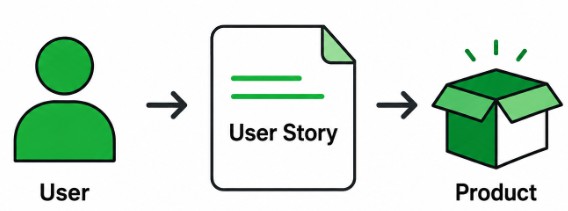
A User Story Is A Short Description Of A Software Requirement Written From The Perspective Of A User Or Stakeholder. It Generally Explains Who Needs A Feature, What Is Needed, And Why The Feature Provides Value. User Stories Are Commonly Used In Agile Development To Describe Small Pieces Of Functionality That Can Be Developed And Tested Within A Sprint. They Usually Include Acceptance Criteria That Define The Expected Behavior And Conditions For Successful Completion. Testers Review The User Story And Acceptance Criteria To Identify Test Scenarios, Positive Cases, Negative Cases, And Boundary Conditions
34. What Is Acceptance Criteria?
Ans:
- Acceptance Criteria Define The Conditions That A User Story Or Software Feature Must Satisfy To Be Considered Complete And Acceptable.
- They Describe Expected Application Behavior From A Business And User Perspective Rather Than Focusing Only On Technical Implementation.
- Testers Use Acceptance Criteria To Design Functional Test Cases And Validate Whether The Implemented Feature Meets Business Expectations. Developers Also Use Them To Understand The Expected Scope And Behavior Of The Feature Being Implemented.
35. What Is Scrum?
Ans:
Scrum Is An Agile Framework Used To Manage Complex Software Development Projects Through Iterative And Incremental Development. It Includes Important Roles Such As Product Owner, Scrum Master, And Development Team, With Responsibilities Defined For Each Role. Work Is Organized Into Time-Boxed Iterations Called Sprints, During Which Selected Product Backlog Items Are Developed And Tested. The Product Backlog Contains Prioritized Requirements, Features, Improvements, And User Stories That May Be Delivered In Future Sprints.
36. What Is Selenium?
Ans:
Selenium Is An Open-Source Automation Framework Primarily Used For Testing Web Applications Across Different Browsers And Operating Systems. It Supports Programming Languages Such As Java, Python, C#, And JavaScript, Allowing Testers To Develop Automation Scripts Using Their Preferred Language. Selenium Provides Components Such As WebDriver For Interacting With Web Browsers And Automating User Actions. It Supports Major Browsers Including Chrome, Firefox, Edge, And Safari. Selenium Can Be Used To Automate Functional, Regression, Smoke, And End-To-End Tests For Web Applications
37. What Is Selenium WebDriver?
Ans:
Selenium WebDriver Is A Component Of Selenium That Allows Automation Scripts To Control And Interact With Web Browsers. It Enables Testers To Perform Actions Such As Opening Pages, Clicking Buttons, Entering Text, Selecting Options, And Verifying Web Elements. WebDriver Communicates With Supported Browsers Through Browser-Specific Drivers And Automation Mechanisms. It Supports Multiple Programming Languages And Major Browser Platforms, Making It Suitable For Cross-Browser Testing..
38. What Is XPath In Selenium?
Ans:
XPath Is A Query Language Used To Locate Elements Within An HTML Or XML Document During Selenium Automation. It Is Particularly Useful When Elements Do Not Have Stable IDs Or Other Simple Attributes That Can Be Used As Locators. XPath Can Locate Elements Using Attributes, Text, Parent-Child Relationships, Sibling Relationships, Hierarchy, And Functions. Absolute XPath Starts From The Root Of The HTML Document And Can Be Fragile When The Page Structure Changes. Relative XPath Starts From A Specific Element Or Location And Is Generally More Flexible For Dynamic Web Applications
39. What Are Locators In Selenium?
Ans:
- Locators In Selenium Are Mechanisms Used To Identify And Locate Web Elements On A Web Page For Automation. Common Selenium Locators Include ID, Name, Class Name, Tag Name, Link Text, Partial Link Text, CSS Selector, And XPath.
- The ID Locator Is Generally Preferred When A Unique And Stable ID Is Available For The Required Element. CSS Selectors Can Provide Short And Efficient Locators For Many Web Application Structures.
- XPath Is Useful When Elements Require More Complex Identification Based On Attributes, Text, Or Relationships.
40. What Is An Implicit Wait In Selenium?
Ans:
An Implicit Wait Is A Selenium WebDriver Setting That Tells The Driver To Wait For A Specified Amount Of Time When Searching For Web Elements. It Applies Globally To Element Search Operations During The WebDriver Session. When An Element Is Not Immediately Available, Selenium Continues Searching Until The Specified Timeout Is Reached. Implicit Waits Can Help Handle Small Timing Differences Between Page Loading And Element Availability. However, Excessive Wait Times Can Increase Test Execution Duration And May Hide Synchronization Problems
41. What Is An Explicit Wait In Selenium?
Ans:
An Explicit Wait Allows Selenium To Wait Until A Specific Condition Is Satisfied Before Continuing Test Execution. It Is Applied To A Particular Web Element Or Condition Instead Of Being Applied Globally To The Entire WebDriver Session. Common Conditions Include Waiting For An Element To Be Visible, Clickable, Present, Or Selected. Explicit Waits Are Particularly Useful For Dynamic Web Applications Where Elements Load Asynchronously After The Page Has Started Loading. They Help Prevent Automation Failures Caused By Timing And Synchronization Problems

Enroll in Software Testing Course and UPGRADE Your Skills
Weekday / Weekend BatchesSee Batch Details42. What Is The Difference Between Implicit Wait And Explicit Wait?
Ans:
| Aspect | Implicit Wait | Explicit Wait |
|---|---|---|
| Definition | Applies A General Wait Time To All Elements. | Waits For A Specific Condition Or Element |
| Usage | Used When A Common Wait Is Required Throughout The Test. | Used When Different Elements Need Different Conditions. |
| Condition | Waits Until The Element Is Found Or The Timeout Expires. | Waits Until A Defined Condition Is Satisfied Or The Timeout Expires. |
| Flexibility | Less Flexible Because It Applies Globally. | More Flexible Because It Can Be Applied To Specific Elements. |
43. What Is Page Object Model?
Ans:
Page Object Model, Commonly Called POM, Is A Design Pattern Used In Selenium Automation To Organize Application Pages And Their Related Elements. Each Important Page Or Component Is Generally Represented By A Separate Class Containing Its Web Elements And Associated Actions. Test Classes Can Then Use These Page Objects Instead Of Directly Writing Locators And Actions Repeatedly. This Approach Improves Code Reusability, Readability, Maintainability, And Separation Of Responsibilities
44. What Is TestNG?
Ans:
TestNG Is A Testing Framework Commonly Used With Java-Based Selenium Automation Projects To Organize And Execute Automated Tests. It Provides Features Such As Annotations, Assertions, Test Grouping, Parameterization, Data Providers, Dependencies, And Test Configuration. Common Annotations Include @Test, @BeforeMethod, @AfterMethod, @BeforeClass, And @AfterClass. TestNG Allows Multiple Test Cases To Be Organized Into Test Suites And Supports Parallel Test Execution When Properly Configured. Data Providers Can Be Used To Execute The Same Test With Multiple Sets Of Test Data.
45. What Is An Assertion In Automation Testing?
Ans:
An Assertion Is A Validation Mechanism Used In Automated Testing To Compare The Actual Result Of An Application With The Expected Result. It Determines Whether A Particular Condition Is True And Helps Decide Whether The Test Case Should Pass Or Fail. Assertions Can Be Used To Validate Page Titles, Text, URLs, Element Visibility, Field Values, Application Messages, And Other Expected Behaviors. Hard Assertions Generally Stop The Current Test Execution When The Assertion Fails. Soft Assertions Can Allow Additional Test steps To Continue And Report Multiple Assertion Failures After Execution.
46. What Is API Testing?
Ans:
API Testing Is The Process Of Validating Application Programming Interfaces To Verify Their Functionality, Reliability, Performance, Security, And Data Handling. It Focuses Mainly On Requests, Responses, Status Codes, Headers, Authentication, Parameters, And Response Data. Unlike UI Testing, API Testing Allows Testers To Validate Backend Services Directly Without Depending On The User Interface. Common HTTP Methods Tested In REST APIs Include GET, POST, PUT, PATCH, And DELETE. Tools Such As Postman, Rest Assured, And SoapUI Can Be Used For Manual And Automated API Testing..
47. What Is REST API?
Ans:
- REST API Is An Application Programming Interface Designed According To Principles Of Representational State Transfer. REST APIs Commonly Use HTTP Methods Such As GET, POST, PUT, PATCH, And DELETE To Perform Operations On Resources.
- They Frequently Exchange Data Using Lightweight Formats Such As JSON And Sometimes XML. REST APIs Are Generally Stateless, Meaning Each Request Contains The Information Required By The Server To Process That Request.
- Testers Validate Request Parameters, Headers, Authentication, Status Codes, Response Body, And Data Accuracy.
48. What Is HTTP Status Code?
Ans:
An HTTP Status Code Indicates The Result Of A Client Request Sent To A Server Through The HTTP Protocol. Status Codes In The 2xx Range Generally Indicate That The Request Was Successfully Processed. For Example, 200 Commonly Represents A Successful Request, While 201 Usually Indicates That A Resource Was Successfully Created. Status Codes In The 4xx Range Generally Represent Client-Side Problems, Such As 400 For A Bad Request And 401 For Unauthorized Access.
49. What Is Postman?
Ans:
Postman Is A Tool Commonly Used For Developing, Testing, Debugging, And Validating APIs. It Allows Testers To Send HTTP Requests Using Methods Such As GET, POST, PUT, PATCH, And DELETE With Required Headers, Parameters, And Request Bodies. The Received Response Can Be Examined For Status Codes, Headers, Response Data, And Response Time. Postman Provides Collections That Help Organize Related API Requests Into Structured Groups. Variables And Environments Can Be Used To Manage Different Configurations Such As Development, Testing, And Production-Like Environments.
50. What Is SQL Testing?
Ans:
SQL Testing Is The Process Of Validating Data Stored, Retrieved, Updated, And Processed Within A Database Using SQL Queries. It Helps Verify Data Accuracy, Completeness, Consistency, Integrity, And Correct Relationships Between Database Tables. Testers Can Use SQL Queries To Validate Insert, Update, Delete, And Select Operations Performed By An Application. Joins, Subqueries, Aggregations, Grouping, Filtering, And Other SQL Features Can Be Used To Validate Complex Data Conditions. Database Testing Can Be Performed Alongside UI And API Testing To Verify That Frontend Actions Produce The Correct Backend Data.
51. What Is Database Testing?
Ans:
Database Testing Is The Process Of Verifying Whether Data Stored And Processed By An Application Is Accurate, Consistent, Secure, And Reliable. It Includes Testing Tables, Columns, Keys, Constraints, Stored Procedures, Triggers, Views, And Relationships Between Different Database Objects. Testers Validate Whether Data Is Inserted, Updated, Deleted, And Retrieved Correctly According To Business Requirements. SQL Queries Are Commonly Used To Compare Database Records With Application Results And Verify Data Integrity. Database Testing Also Checks Primary Keys, Foreign Keys, Null Conditions, Duplicate Records, And Referential Integrity.
52. What Is A Primary Key?
Ans:
A Primary Key Is A Column Or Combination Of Columns Used To Uniquely Identify Each Record In A Database Table. A Primary Key Must Contain Unique Values And Normally Cannot Contain NULL Values. Each Table Can Have Only One Primary Key, Although The Key Can Consist Of Multiple Columns In The Case Of A Composite Key. Primary Keys Help Maintain Entity Integrity And Prevent Duplicate Identification Of Records. They Are Frequently Used When Creating Relationships Between Tables Through Foreign Keys
53. What Is A Foreign Key?
Ans:
A Foreign Key Is A Column Or Set Of Columns In One Table That References A Primary Key Or Unique Key In Another Table. It Is Used To Establish A Relationship Between Related Tables In A Relational Database. Foreign Key Constraints Help Maintain Referential Integrity By Preventing Invalid References Between Related Records. For Example, An Orders Table May Use A Customer ID As A Foreign Key That References The Customer ID In A Customers Table. During Database Testing, Testers Verify That Valid Parent Records Can Be Referenced And Invalid References Are Properly Prevented.
54. What Is The Difference Between DELETE, TRUNCATE, And DROP?
Ans:
DELETE, TRUNCATE, And DROP Are SQL Commands That Remove Data Or Database Objects But They Have Different Purposes And Behaviors. DELETE Removes Selected Rows From A Table And Can Usually Be Used With A WHERE Condition To Target Specific Records. TRUNCATE Removes All Rows From A Table More Directly And Does Not Normally Support A WHERE Condition. DROP Removes The Database Object Itself, Such As A Table, Along With Its Structure And Associated Data. DELETE Is Commonly Used When Specific Records Need To Be Removed, While TRUNCATE Is Useful For Clearing All Records From A Table. DROP Is Used When The Table Or Other Database Object Is No Longer Required.
55. What Is Black Box Testing?
Ans:
Black Box Testing Is A Testing Approach In Which The Tester Evaluates Software Functionality Without Knowing Or Depending On The Internal Source Code Implementation. Test Cases Are Designed Based On Requirements, Specifications, User Expectations, And Observable Application Behavior. Testers Provide Inputs And Verify Whether The Corresponding Outputs Match The Expected Results. Techniques Such As Equivalence Partitioning, Boundary Value Analysis, Decision Table Testing, And State Transition Testing Can Be Used. Black Box Testing Can Be Applied At Different Levels Including System, Integration, And Acceptance Testing.
56. What Is White Box Testing?
Ans:
White Box Testing Is A Testing Approach In Which The Internal Structure, Logic, Code, And Implementation Of The Software Are Considered During Test Design. It Is Commonly Performed By Developers Or Testers With Programming Knowledge And Access To Source Code. Testers Can Validate Statements, branches, conditions, paths, loops, And Other Internal Program structures. Techniques Such As Statement Coverage, Branch Coverage, Condition Coverage, And Path Coverage Are Commonly Associated With White Box Testing. It Helps Identify Logical Errors, Unreachable Code, Incorrect Conditions, And Certain Code-Level Defects.
57. What Is Gray Box Testing?
Ans:
- Gray Box Testing Combines Concepts From Black Box And White Box Testing By Using Partial Knowledge Of The Internal Structure Of The Application.
- The Tester May Understand Certain Architecture Details, Database Design, APIs, Or Data Flow While Still Testing The System Mainly From An External Perspective.
- This Approach Helps Create More Effective Test Cases Because Some Internal Knowledge Can Be Used To Identify Important Risk Areas. Gray Box Testing Can Be Useful For Web Applications, APIs, Database-Driven Systems, And Distributed Applications
58. What Is Unit Testing?
Ans:
Unit Testing Is The Process Of Testing The Smallest Testable Components Of Software Independently To Verify Their Individual Behavior. A Unit Can Be A Function, Method, Class, Module, Or Other Small Component Depending On The Programming Language And Application Architecture. Unit Tests Usually Focus On Specific Inputs, Expected Outputs, Error Conditions, And Business Logic Within The Component. Developers Commonly Perform Unit Testing Using Frameworks Such As JUnit, NUnit, TestNG, Jest, Or PyTest Depending On The Technology.
59. What Is Integration Testing?
Ans:
Integration Testing Is The Process Of Verifying Whether Multiple Software Components Or Modules Communicate And Work Correctly After They Are Combined. It Focuses On Interfaces, Data Exchange, API Communication, Database Connections, Service Dependencies, And Interactions Between Components. A Module May Pass Unit Testing Individually But Still Fail During Integration Because Of Incorrect Data Mapping Or Communication Problems. Integration Testing Can Follow Approaches Such As Top-Down, Bottom-Up, Big Bang, Or Incremental Integration.
60. What Is System Integration Testing?
Ans:
- System Integration Testing, Or SIT, Verifies The Interaction Between Different Systems, Applications, Services, Or External Components That Together Support A Complete Business Process.
- It Goes Beyond Testing Individual Modules And Focuses On Communication And Data Exchange Across System Boundaries
- . For Example, An E-Commerce Application May Need Integration Between The Web Application, Payment Gateway, Inventory System, Order Service, And Notification Service. Testers Validate Whether Data Is Transferred Correctly And Whether Each Connected System Responds As Expected

Learn Software Testing Training Course with Advanced Concepts By Industry Experts
- Instructor-led Sessions
- Real-life Case Studies
- Assignments
61. What Is Performance Testing?
Ans:
- Performance Testing Is A Type Of Non-Functional Testing Used To Evaluate The Speed, Responsiveness, Stability, And Scalability Of A Software Application Under Different Workloads.
- It Helps Determine How The Application Behaves When Different Numbers Of Users Perform Transactions At The Same Time. Important Performance Metrics Include Response Time, Throughput, Resource Utilization, Error Rate, And Concurrent User Capacity.
- Types Of Performance Testing Include Load Testing, Stress Testing, Endurance Testing, Spike Testing, And Scalability Testing. Tools Such As JMeter, LoadRunner, And Gatling Can Be Used To Simulate Different User Loads And Measure Application Performance
62. What Is Load Testing?
Ans:
Load Testing Is A Performance Testing Technique Used To Evaluate An Application Under An Expected Or Specified Workload. It Helps Determine Whether The System Can Handle The Anticipated Number Of Concurrent Users, Transactions, Or Requests While Maintaining Acceptable Performance. Testers Gradually Apply A Defined Load And Monitor Metrics Such As Response Time, Throughput, CPU Usage, Memory Usage, And Error Rates. Load Testing Can Help Identify Performance Bottlenecks Before The Application Is Released To Production.y.
63. What Is Stress Testing?
Ans:
Stress Testing Is A Performance Testing Technique Used To Evaluate How A Software System Behaves Under Workloads Beyond Its Normal Operating Capacity. The Load Is Gradually Increased Until The Application Reaches Its Maximum Capacity Or Shows Significant Performance Degradation. The Purpose Is To Identify The Breaking Point, Failure Behavior, Recovery Capability, And Stability Of The System. Testers Monitor Response Time, Error Rates, Resource Consumption, And System Availability During The Test. Stress Testing Can Help Determine Whether The Application Fails Gracefully Instead Of Experiencing Data Loss Or Uncontrolled Crashes
64. What Is Smoke Testing In Automation?
Ans:
Smoke Testing In Automation Is The Use Of Automated Test Scripts To Quickly Verify The Critical Functions Of A New Software Build. Automated Smoke Tests Can Check Important Operations Such As Application Launch, Login, Navigation, And Basic Transaction Processing. These Tests Are Usually Executed Whenever A New Build Is deployed To A Test Environment Or Enters A CI/CD Pipeline. If Critical Smoke Tests Fail, The Build Can Be Rejected Before More Extensive Automated Or Manual Testing Begins.
65. What Is Continuous Integration?
Ans:
Continuous Integration, Commonly Called CI, Is A Development Practice In Which Developers Frequently Integrate Code Changes Into A Shared Repository. Automated Build And Testing Processes Can Be Triggered Whenever New Code Is Committed Or Merged. CI Helps Detect Compilation Problems, Integration Issues, And Software Defects Earlier In The Development Lifecycle. Automated Unit Tests, Integration Tests, Smoke Tests, And Static Analysis Can Be Included In A CI Pipeline. Tools Such As Jenkins, GitHub Actions, GitLab CI/CD, And Azure Pipelines Can Support Continuous Integration.
66. What Is Continuous Testing?
Ans:
WContinuous Testing Is The Practice Of Performing Automated And Manual Testing Throughout The Software Delivery Pipeline Rather Than Waiting Until The End Of Development. It Integrates Testing Activities With Development, Build, Integration, Deployment, And Monitoring Processes. Automated Tests Can Be Executed At Different Pipeline Stages To Provide Fast Feedback About Software Quality And Potential Risks. Continuous Testing May Include Unit, API, Integration, Functional, Regression, Security, And Performance Testing.
67. What Is CI/CD?
Ans:
CI/CD Represents Continuous Integration And Continuous Delivery Or Continuous Deployment And Describes Practices Used To Automate Software Build, Testing, And Release Processes. Continuous Integration Focuses On Frequently Integrating Code Changes And Validating Them Through Automated Builds And Tests. Continuous Delivery Ensures That Validated Software Is Kept In A Release-Ready State And Can Be Deployed Through A Controlled Process. Continuous Deployment Goes Further By Automatically Releasing Successfully Validated Changes To Production When Pipeline Conditions Are Satisfied.
68. What Is Test Automation?
Ans:
Test Automation Is The Use Of Software Tools And Scripts To Execute Test Cases, Compare Actual Results With Expected Results, And Generate Test Results Automatically. It Is Particularly Useful For Repetitive, Stable, And Frequently Executed Tests Such As Regression, Smoke, And Data-Driven Tests. Automation Can Reduce Manual Execution Time And Allow Large Test Suites To Be Executed More Frequently. Tools Such As Selenium, Playwright, Cypress, Appium, Rest Assured, And Various Programming Frameworks Can Support Different Automation Requirements.s.
69. What Are The Advantages Of Test Automation?
Ans:
- Test Automation Provides Several Advantages By Reducing Repetitive Manual Testing Effort And Allowing Test Cases To Be Executed Quickly And Consistently.
- Automated Tests Can Be Repeated Across Multiple Builds, Browsers, Environments, And Data Sets With Less Manual Intervention. Automation Is Particularly Valuable For Large Regression Suites That Need To Be Executed Frequently During Agile Sprints And CI/CD Pipelines.
- It Can Provide Faster Feedback About Defects And Help Teams Detect Regression Problems Earlier. Automated Test Results Can Also Be Integrated With Reports, Dashboards, And Build Pipelines For Better Visibility
70. What Are The Limitations Of Test Automation?
Ans:
Test Automation Has Limitations Because Automated Tests Require Initial Development Effort, Maintenance, Infrastructure, And Technical Expertise. Tests Can Become Unstable When Application Interfaces Change Frequently Or When Locators And Workflows Are Not Designed For Maintainability. Automation May Not Effectively Replace Human Judgment In Areas Such As Usability, Visual Evaluation, Exploratory Testing, And Subjective User Experience
71. What Is Data-Driven Testing?
Ans:
Data-Driven Testing Is An Automation Testing Approach In Which The Same Test Logic Is Executed With Multiple Sets Of Input Data. Test Data Is Kept Separate From The Automation Script So That Different Values Can Be Supplied Without Rewriting The Test Steps. Data Can Be Stored In Files Such As Excel, CSV, JSON, XML, Or Databases Depending On The Automation Framework. For Example, A Login Test Can Use Multiple Valid And Invalid Username And Password Combinations..
72. What Is Keyword-Driven Testing?
Ans:
Keyword-Driven Testing Is An Automation Approach In Which Test Actions Are Represented Using Predefined Keywords Such As Click, EnterText, Select, Login, And Verify. Each Keyword Represents A Specific Action Or Operation That Can Be Implemented In The Automation Framework. Test Data And Keywords Can Be Maintained Separately From The Underlying Automation Code, Making Test Cases Easier To Understand And Manage. This Approach Allows Testers With Different Levels Of Programming Knowledge To Contribute To Test Automation
73. What Is Hybrid Testing Framework?
Ans:
A Hybrid Testing Framework Combines Features From Multiple Automation Framework Approaches To Meet Different Testing Requirements. It May Combine Data-Driven Testing, Keyword-Driven Testing, Page Object Model, Modular Design, And Other Automation Practices. The Combination Allows Test Teams To Separate Test Data, application actions, locators, configuration, And Test Logic In A Structured Manner. For Example, Selenium With Java Can Use Page Objects For UI Structure And Data Providers For Executing Tests With Multiple Data Sets. A Hybrid Framework Can Be Designed To Support Reusability, Maintainability, Scalability, Reporting, And Parallel Execution
74. What Is Cross-Browser Testing?
Ans:
- Cross-Browser Testing Is The Process Of Verifying That A Web Application Works Correctly Across Different Browsers, Browser Versions, And Operating Systems.
- It Helps Identify Compatibility Problems Related To Browser Rendering, JavaScript Behavior, CSS, Web APIs, And Browser-Specific Features. Commonly Tested Browsers Include Chrome, Firefox, Edge, And Safari Depending On The Application’s Target Users.
- Testers Can Perform Cross-Browser Testing Manually Or Through Automation Tools And Cloud-Based Browser Testing Platforms.
75. What Is Compatibility Testing?
Ans:
Compatibility Testing Verifies Whether An Application Works Correctly Across Different Hardware, Software, Operating Systems, Browsers, Devices, Networks, And Other Supported Environments. It Helps Identify Problems That Occur Because Application Behavior Can Vary Between Different Platforms Or Configurations. For Web Applications, Compatibility Testing May Include Different Browsers, Browser Versions, Screen Resolutions, And Operating Systems. For Mobile Applications, It Can Include Different Devices, Operating System Versions, Screen Sizes, And Hardware Capabilities.
76. What Is Usability Testing?
Ans:
Usability Testing Evaluates How Easily And Effectively Users Can Understand, Navigate, And Use A Software Application. It Focuses On Factors Such As Ease Of Navigation, Clarity Of Information, User Interface Design, Accessibility, Learnability, And Overall User Experience. Real Or Representative Users May Be Asked To Perform Specific Tasks While Their Interactions And Difficulties Are Observed. Testers Can Identify Problems Such As Confusing Navigation, Unclear Messages, Difficult Workflows, And Poorly Designed Interfaces.
77. What Is Security Testing?
Ans:
Security Testing Is The Process Of Evaluating An Application To Identify Vulnerabilities, Security Weaknesses, And Risks That Could Affect Data Or System Protection. It Can Include Testing Authentication, Authorization, Session Management, Input Validation, Encryption, Access Controls, And Protection Against Common Application Attacks. Testers Verify That Unauthorized Users Cannot Access Restricted Features, Data, Or Resources. Security Testing May Also Examine How The Application Handles Invalid Inputs, Passwords, Tokens, Sessions, And Sensitive Information
78. What Is Authentication And Authorization?
Ans:
Authentication Is The Process Of Verifying The Identity Of A User, Device, Or System Before Access Is Granted. Common Authentication Mechanisms Include Usernames And Passwords, One-Time Passwords, Multi-Factor Authentication, Certificates, And Tokens. Authorization Determines What An Authenticated User Is Allowed To Access Or Perform Within The Application. For Example, An Administrator May Be Authorized To Manage Users While A Normal User May Only Access Personal Account Features. During Testing, Authentication Checks Whether Valid And Invalid Credentials Are Handled Correctly
79. What Is API Automation Testing?
Ans:
- API Automation Testing Uses Automated Scripts Or Tools To Send API Requests, Validate Responses, And Verify Backend Functionality Without Depending On The User Interface.
- Automated Tests Can Validate Status Codes, Response Bodies, Headers, Authentication, Schemas, Business Rules, And Data Relationships. Tools Such As Rest Assured, Postman, Newman, And Other API Testing Frameworks Can Be Used Depending On Project Requirements.
- API Automation Is Often Faster And More Stable Than UI Automation Because It Interacts Directly With Application Services.
80. What Is JSON?
Ans:
JSON Stands For JavaScript Object Notation And Is A Lightweight Data Format Commonly Used For Exchanging Information Between Applications And APIs. It Represents Data Using Objects, Arrays, Key-Value Pairs, Strings, Numbers, Boolean Values, And Null Values. JSON Is Easy For Humans To Read And Can Be Easily Parsed By Programming Languages And Modern Application Frameworks. REST APIs Frequently Use JSON To Send Request Data And Return Response Data Between Clients And Servers.
81. What Is XML?
Ans:
XML Stands For Extensible Markup Language And Is Used To Store And Transport Structured Data Between Different Systems. It Represents Information Using User-Defined Tags And Follows A Hierarchical Structure Of Elements And Attributes. XML Is Commonly Used In SOAP Web Services, Configuration Files, Data Exchange, And Enterprise Applications. During API And Web Service Testing, Testers May Validate XML Request And Response Structures Along With Individual Element Values. XML Testing Can Include Checking Required Tags, Attribute Values, Data Types, Hierarchy, And Expected Business Data
82. What Is SOAP Testing?
Ans:
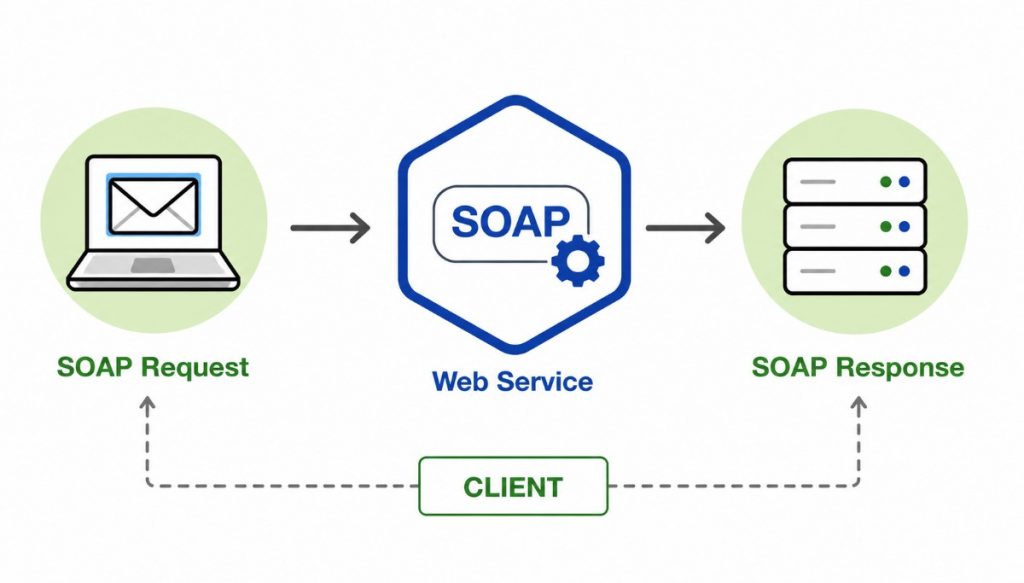
- SOAP Testing Is The Process Of Validating Web Services That Use The Simple Object Access Protocol To Exchange Structured Information Between Applications.
- SOAP Services Commonly Use XML-Based Requests And Responses And Can Operate Over Protocols Such As HTTP. Testers Validate Request Structure, Response Data, SOAP Headers, Authentication, Error Handling, And Expected Business Logic.
- Tools Such As SoapUI Can Be Used To Create Requests, Execute Test Cases, Validate Responses, And Generate Test Results. SOAP Testing Can Also Include Positive, Negative, Boundary, Security, And Performance Scenarios Depending On Project Requirements
83. What Is Regression Testing In Agile?
Ans:
Regression Testing In Agile Is Performed Frequently To Ensure That New Features, Bug Fixes, And Changes Do Not Break Existing Functionality. Since Agile Teams Deliver Software Incrementally, Regression Testing May Be Required During Every Sprint And Release Cycle. Automated Regression Suites Can Be Used To Execute Stable And Repetitive Tests Quickly Across Multiple Builds. Testers Select Regression Cases Based On Risk, Business Importance, Changed Areas, And Dependencies Between Features. Manual Regression Testing Can Also Be Performed For New Or Frequently Changing Areas That Are Not Suitable For Automation.
84. What Is Defect Leakage?
Ans:
Defect Leakage Occurs When A Defect Is Not Identified During The Intended Testing Phase And Is Discovered Later, Such As During User Acceptance Testing Or After Production Release. It Can Indicate Gaps In Test Coverage, Requirements Understanding, Test Data, Environment Configuration, Or Test Execution. For Example, A Functional Issue Missed During System Testing But Found By A Customer After Deployment Can Be Considered A Production-Leaked Defect. Testers And Teams Can Analyze Leakage To Understand Why The Defect Was Not Detected Earlier. Root Cause Analysis Can Help Identify Missing Scenarios, Inadequate Regression Coverage, Or Incorrect Test Conditions
85. What Is Defect Density?
Ans:
- Defect Density Is A Software Quality Metric That Represents The Number Of Defects Identified In A Defined Size Of Software. The Size Can Be Measured Using Metrics Such As Lines Of Code, Function Points, Or Other Project-Specific Measures.
- It Helps Teams Understand The Concentration Of Defects Within A Particular Module, Component, Or Release. A Higher Defect Density May Indicate That A Component Requires Additional Testing, Code Review, Or Quality Improvement.
- The Metric Should Be Interpreted Along With Other Factors Such As Application Complexity, Testing Coverage, And Defect Severity.
86. What Is Root Cause Analysis In Software Testing?
Ans:
Root Cause Analysis Is The Process Of Investigating The Fundamental Reason Why A Defect Or Failure Occurred Instead Of Only Correcting Its Visible Symptom. Testers And Developers Analyze Requirements, Design, Code, Configuration, Test Data, Environment, And Process Factors To Identify The Underlying Cause. For Example, A Calculation Error May Be Caused By Incorrect Business Logic Rather Than A Simple UI Problem. Techniques Such As The Five Whys, Fishbone Diagrams, And Cause-And-Effect Analysis Can Help Identify Contributing Factors. Understanding The Root Cause Allows Teams To Implement Corrective And Preventive Actions To Avoid Similar Problems In The Future.
87. What Is Risk-Based Testing?
Ans:
Risk-Based Testing Is A Testing Strategy That Prioritizes Testing Activities According To The Probability And Impact Of Potential Software Failures. High-Risk Features Receive More Testing Attention Because Their Failure Could Cause Significant Business, Financial, Security, Or Customer Impact. Testers Identify Risks By Considering Factors Such As Feature Complexity, Business Criticality, Change Frequency, Dependencies, And Previous Defect History. When Testing Time Is Limited, Risk-Based Prioritization Helps Teams Focus Resources On The Most Important Areas. For Example, Payment, Authentication, And Financial Transaction Features May Receive Higher Testing Priority
88. What Is Test Coverage?
Ans:
Test Coverage Is A Measure Used To Determine How Much Of The Application, Requirements, Code, Or Testing Scope Has Been Covered By Test Activities. Requirement Coverage Measures Whether Defined Requirements Have Corresponding Test Cases And Execution Results. Code Coverage Measures Which Parts Of The Source Code Have Been Exercised By automated tests and can include statement, branch, condition, or path coverage. Functional Coverage Can Indicate Whether Important Features And Business Scenarios Have Been Tested. High Coverage Does Not Automatically Guarantee High Quality Because Test Case Effectiveness And Defect Detection Capability Also Matter
89. What Is Code Coverage?
Ans:
- Code Coverage Is A Software Testing Metric That Measures The Portion Of Source Code Executed During Automated Or Manual Test Execution.
- Common Code Coverage Measures Include Statement Coverage, Branch Coverage, Condition Coverage, Function Coverage, And Path Coverage. Statement Coverage Determines Whether Individual Executable Statements Have Been executed by tests.
- Branch Coverage Checks Whether Different Decision Outcomes, Such As True And False Paths, Have Been Exercised.
90. What Is Requirement-Based Testing?
Ans:
Requirement-Based Testing Is A Testing Approach In Which Test Cases And Scenarios Are Designed Directly From Documented Functional And Non-Functional Requirements. Testers Analyze Each Requirement To Determine Expected Behavior, Inputs, Outputs, Business Rules, Exceptions, And Acceptance Conditions. Positive And Negative Test Cases Can Then Be Created To Verify Whether The Implemented Application Satisfies The Defined Requirements. Requirement Traceability Helps Connect Each Requirement With Corresponding Test Cases And Execution Results.