LMS
LMS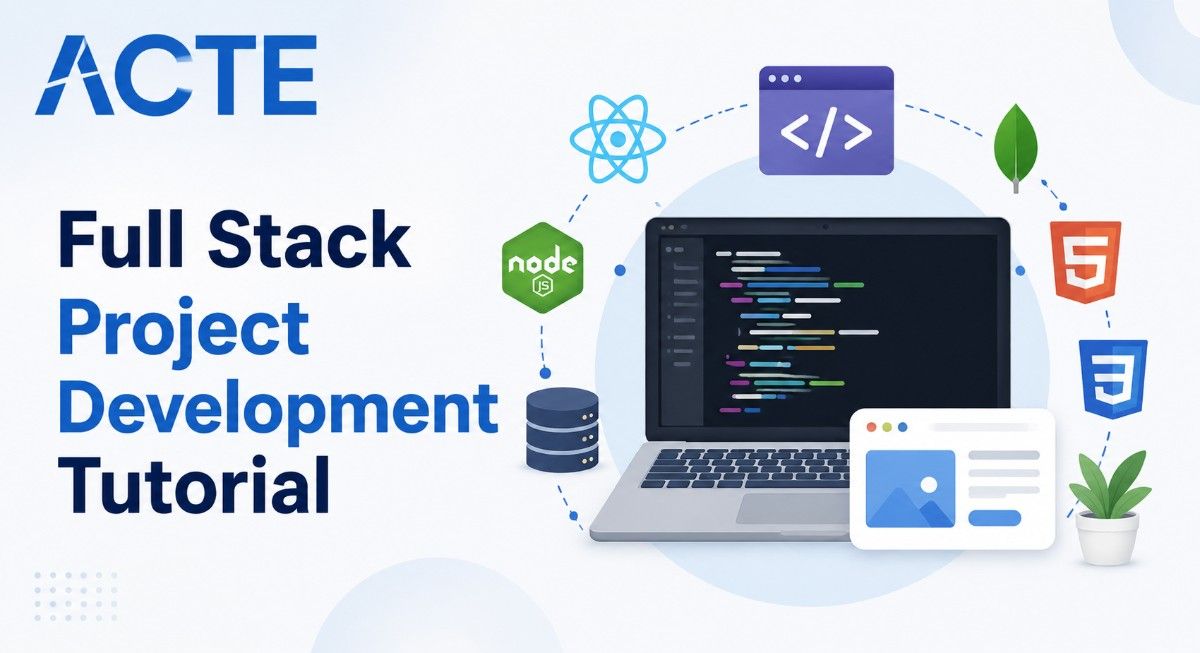
Last updated on 17th Aug 2026| 9297

- Introduction to Full Stack Project Development
- Planning and Defining Full Stack Project Requirements
- Choosing the Right Full Stack Technology Stack
- Designing and Developing the Frontend
- Building the Backend and REST APIs
- Database Design and Application Integration
- Testing, Debugging, and Improving Application Performance
- Deploying and Maintaining a Full Stack Project
- Conclusion: Building Successful Full Stack Projects
Introduction to Full Stack Project Development
Full Stack Project Development involves designing, developing, testing, and deploying complete web applications by working across both frontend and backend components. A full stack project typically includes a user interface, server-side business logic, APIs, database integration, authentication, and deployment. Developers use frontend technologies such as HTML, CSS, JavaScript, React, or Angular to create responsive and interactive interfaces, while backend technologies such as Java, Spring Boot, Node.js, Python, or .NET are used to build application logic and services. Databases such as MySQL, PostgreSQL, or MongoDB are used to store and manage application data. Developing a full stack project also requires skills in Git, API integration, testing, debugging, and cloud deployment. For beginners, working on practical projects provides valuable hands-on experience and helps them understand how different technologies work together to build real-world applications. Learners who want to build these skills systematically can explore the Full Stack Course to gain practical knowledge of full stack development technologies and project implementation. A well-planned full stack project can also strengthen a developer’s portfolio and demonstrate practical skills to potential employers.

Planning and Defining Full Stack Project Requirements
Planning is an important first step in Full Stack Project Development because it helps define the project’s purpose, features, users, and technical requirements before development begins. Start by identifying the problem the application will solve and the target users who will interact with it. Define the core features, such as user registration, login, dashboards, search, payments, notifications, or data management, based on the project’s objectives. Developers should also determine the functional and non-functional requirements, including performance, security, scalability, usability, and reliability. Creating a basic project workflow or wireframe can help visualize how users will navigate through the application. The required frontend, database, API, testing, and deployment technologies should also be identified during the planning stage. For projects using Java, understanding OOPs Concepts in Java can help developers plan the backend structure using concepts such as classes, objects, inheritance, polymorphism, and encapsulation. Breaking the project into smaller tasks and development phases makes implementation easier to manage and track. Proper planning helps beginners avoid unnecessary complexity and provides a clear roadmap for developing a complete and functional Full Stack application.
Get Your Full Stack Certification by Learning from Industry-Leading Experts and Advancing Your Career with ACTE’s Full Stack Course.
Choosing the Right Full Stack Technology Stack
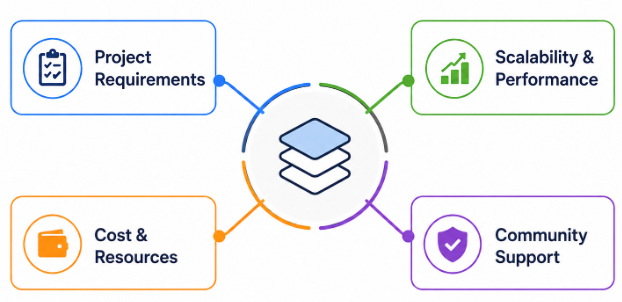
Choosing the right technology stack is an important part of developing a successful Full Stack project. The technology stack should be selected based on the project’s requirements, complexity, scalability, performance, development resources, and long-term maintenance needs. For frontend development, technologies such as HTML, CSS, JavaScript, React, Angular, or Vue.js can be used to create responsive and interactive user interfaces. Backend development can be handled using technologies such as Java with Spring Boot, Node.js with Express, Python with Django or Flask, or .NET. Developers can choose relational databases such as MySQL and PostgreSQL or NoSQL databases such as MongoDB based on the application’s data requirements.

Designing and Developing the Frontend
- Creating the User Interface Use HTML and CSS to structure pages, design layouts, and create visually consistent interfaces that provide a clear experience for users. Developers can strengthen their understanding of JavaScript fundamentals by referring to the JavaScript Tutorial for Beginners while building interactive frontend components.
- Adding Interactivity with JavaScript Use JavaScript to implement dynamic features such as form validation, navigation, buttons, events, data handling, and interactive components.
- Using Frontend Frameworks Build reusable and maintainable components using frameworks or libraries such as React, Angular, or Vue.js. Manage application state, routing, and user interactions effectively.
- Making the Application Responsive Apply responsive design techniques to ensure the application works smoothly across desktops, tablets, and mobile devices with different screen sizes.
- Connecting the Frontend with APIs Integrate the frontend with backend REST APIs to retrieve, submit, update, and display application data dynamically.
- Testing and Optimizing the Frontend Test interface functionality, identify and fix errors, improve page loading performance, and ensure the application provides a reliable and user-friendly experience.

Get JOB Oriented Full Stack Training for Beginners By MNC Experts
- Instructor-led Sessions
- Real-life Case Studies
- Assignments
Building the Backend and REST APIs
- Developing Server-Side Logic Build the application’s business logic using backend technologies such as Java and Spring Boot, Node.js and Express, Python, or .NET to process requests and manage application functionality. Developers can strengthen their understanding of Python-based development by exploring the Python for Data Science Tutorial and applying Python programming concepts when building backend services.
- Creating REST APIs Design RESTful APIs using HTTP methods such as GET, POST, PUT, and DELETE to enable communication between the frontend, backend, databases, and external services.
- Implementing Business Logic Develop server-side processes for handling user actions, calculations, data validation, workflows, and application-specific requirements.
- Connecting Backend with Databases Integrate backend services with databases such as MySQL, PostgreSQL, MongoDB, or other database systems to securely store, retrieve, update, and manage application data.
- Adding Authentication and Authorization Implement secure login, user sessions, tokens, role-based access control, and authorization mechanisms to protect application resources and manage user permissions.
- Handling Errors and API Security Implement proper error handling, input validation, secure API practices, and appropriate response messages to make backend services reliable and protected.
Database Design and Application Integration
- Designing the Database Structure Plan tables, collections, relationships, fields, and data types based on the application’s requirements to create an organized and efficient database structure.
- Working with Relational Databases Use databases such as MySQL or PostgreSQL to create tables, write SQL queries, manage relationships, and perform operations such as inserting, updating, retrieving, and deleting data.
- Integrating Frontend, Backend, and Database Connect the complete application flow so that frontend requests are processed by backend services, data is stored or retrieved from the database, and appropriate responses are displayed to users. Learners who want to develop practical skills in integrating these components can explore the Full Stack Course for hands-on learning in full stack development.
- Using NoSQL Databases Explore databases such as MongoDB for applications that require flexible data structures, scalable storage, and efficient handling of document-based information.
- Connecting the Database with the Backend Configure database connections and use backend frameworks, drivers, or object-relational mapping tools to allow server-side applications to securely interact with stored data.
- Implementing CRUD Operations Build Create, Read, Update, and Delete functionality to allow users and application services to manage data effectively through backend APIs.
Want to Master Full Stack? Explore the Full Stack Master Program Offered at ACTE Today!
Testing, Debugging, and Improving Application Performance
- Performing Functional Testing Test application features such as registration, login, forms, navigation, CRUD operations, and API interactions to ensure they work according to project requirements. Developers can also learn more about Java Servlets Tutorial to understand how server-side Java components can be tested and integrated within web applications.
- Testing Frontend Components Check user interfaces, responsive layouts, buttons, forms, validation, and interactive elements across different browsers and screen sizes.
- Testing Backend APIs Use tools such as Postman to test API endpoints, verify request and response data, check status codes, and identify authentication or integration issues.
- Debugging Application Errors Identify and fix frontend, backend, database, and API errors by using browser developer tools, application logs, debugging tools, and systematic troubleshooting techniques.
- Improving Application Performance Optimize database queries, API responses, frontend resources, application code, and page loading processes to improve overall speed and responsiveness.
- Performing Security and Reliability Checks Validate user authentication, authorization, input handling, data protection, and error management to create a more secure and reliable application.
- Conducting Final Testing Perform integration and end-to-end testing after connecting all application components to confirm that the complete Full Stack project works correctly before deployment.
Want to Learn About Full Stack? Explore Our Full Stack Interview Questions and Answers Featuring the Most Frequently Asked Questions in Job Interviews.
Deploying and Maintaining a Full Stack Project
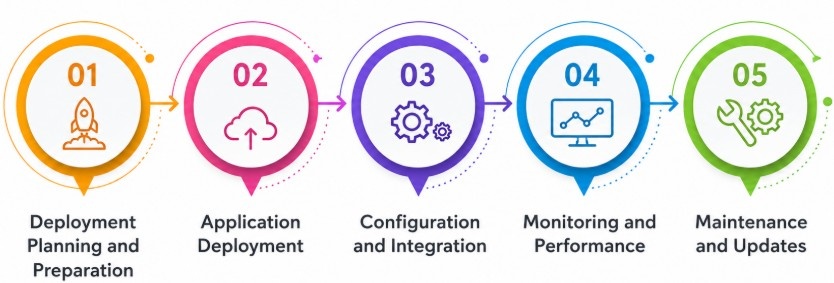
After completing development and testing, the next step is to deploy the Full Stack application so users can access it in a production environment. Developers can deploy frontend applications using platforms such as Vercel, Netlify, or cloud services, while backend applications can be hosted on platforms such as AWS, Microsoft Azure, or Google Cloud. The database should also be configured securely with appropriate access controls, environment variables, backups, and connection settings. Using Git and CI/CD pipelines can help automate the process of building, testing, and deploying application updates.
Conclusion: Building Successful Full Stack Projects
Building a successful Full Stack project requires careful planning, the right technology stack, practical frontend and backend development skills, database integration, thorough testing, and proper deployment. Beginners can strengthen their development abilities by starting with manageable projects and gradually adding features such as authentication, API integration, database operations, responsive interfaces, and cloud deployment. Testing and debugging are essential for identifying issues and improving application performance, security, and reliability. Using Git and GitHub throughout the development process also helps maintain organized source code and demonstrates professional development practices. Once completed, projects can be added to a portfolio with clear documentation, source code, screenshots, and live demonstrations. Learners looking to further develop these practical skills can explore the Full Stack Course for structured training and hands-on learning. Continuous learning and hands-on practice with modern frameworks, tools, cloud platforms, and development practices can help developers build more advanced applications. By following a structured development process and consistently working on real-world projects, beginners can develop practical Full Stack skills and become better prepared for software development career opportunities.