LMS
LMS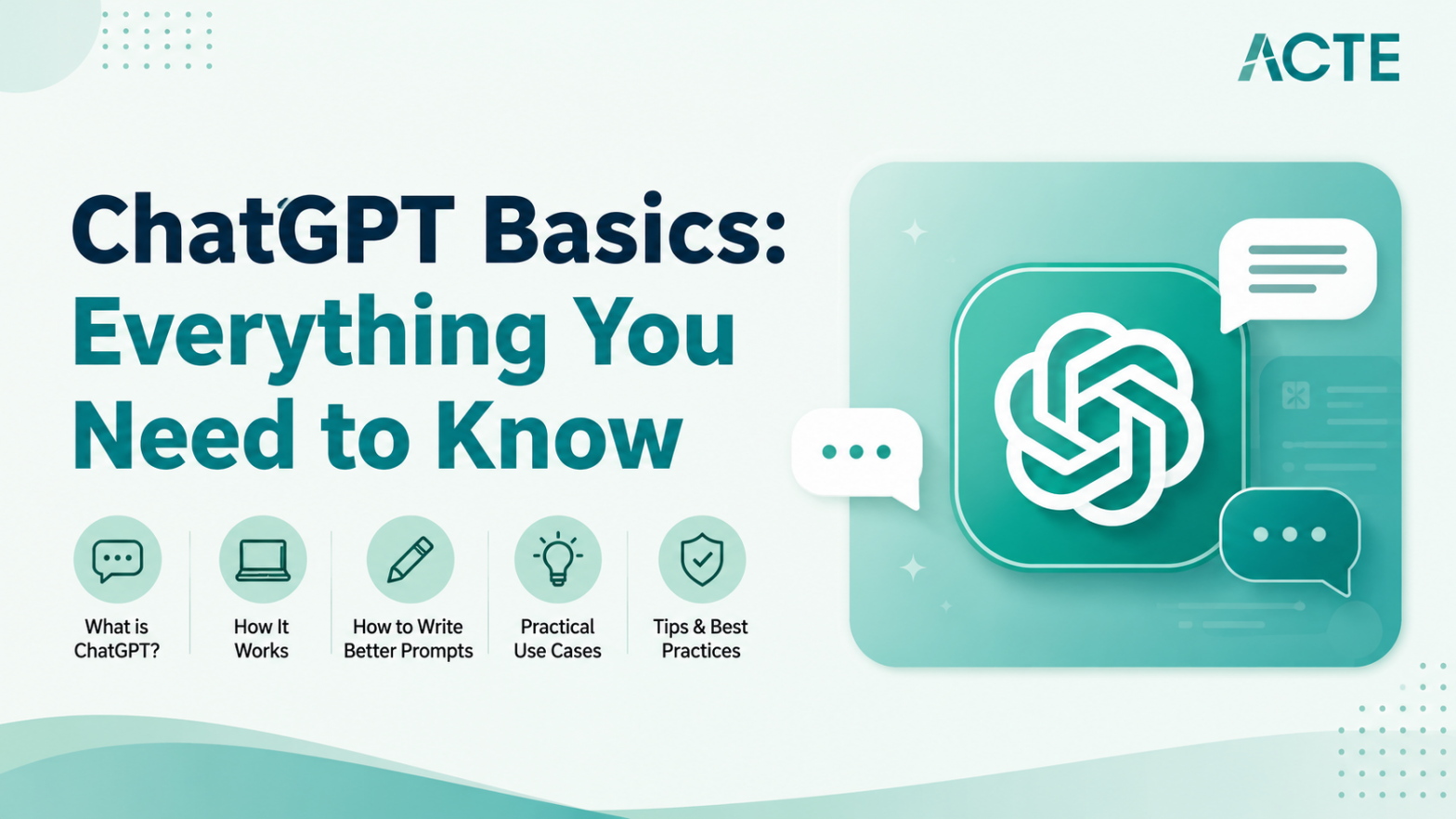
Last updated on 01st Oct 2026| 4676

- Introduction ChatGPT Basics: Everything You Need to Know
- Understanding Prompt Engineering
- Content Creation and Writing
- Coding and Debugging Assistance
- Learning and Explaining Complex Topics
- Summarizing Long Documents
- Roleplay and Scenario Testing
- Limitations and Fact-Checking
- Conclusion
Introduction – ChatGPT Basics: Everything You Need to Know
In today’s fast-paced digital world, artificial intelligence is no longer just a sci-fi concept, and ChatGPT is leading the charge in making it accessible to everyone. Whether you are a student, a working professional, or simply someone curious about technology, understanding ChatGPT basics can completely transform the way you manage daily tasks. At its core, ChatGPT is a conversational AI designed to understand user input and generate helpful, human-like responses, but asking random questions will only provide limited results. To truly unlock its potential, you need to understand how it works, what it can do effectively, and where its limitations exist. As AI adoption continues to grow, many learners are also exploring Gen AI Training programs to gain practical knowledge and hands-on experience with modern AI tools, helping them improve productivity, creativity, and career opportunities. Below is a breakdown of the essential things you need to know about using ChatGPT effectively. These foundational concepts will help you move from casually playing around with AI to actually using it as a powerful productivity assistant.

Understanding Prompt Engineering
Understanding prompt engineering is one of the most important skills you can develop when learning ChatGPT basics. A prompt is simply the instruction or question you type into the chat interface, and the way you phrase it directly affects the quality of the response you receive. Vague prompts usually lead to vague answers, while clear and detailed instructions help ChatGPT generate more accurate and useful content. Many learners improve these skills through Gen AI Training programs that provide practical exposure to prompt engineering and modern AI tools. Prompt engineering involves defining your goal, providing context, and specifying the tone or format you want in the output. For example, instead of saying “write an email,” you could ask, “Write a polite three-paragraph email to my manager requesting leave for next week and mention that all project tasks are completed.” By assigning roles, setting expectations, and guiding the AI clearly, you can turn ChatGPT into a highly personalized assistant for work, learning, and creativity.
Ready to Pursue Your Gen AI Certificate? View The Gen AI Course Offered By ACTE Right Now!
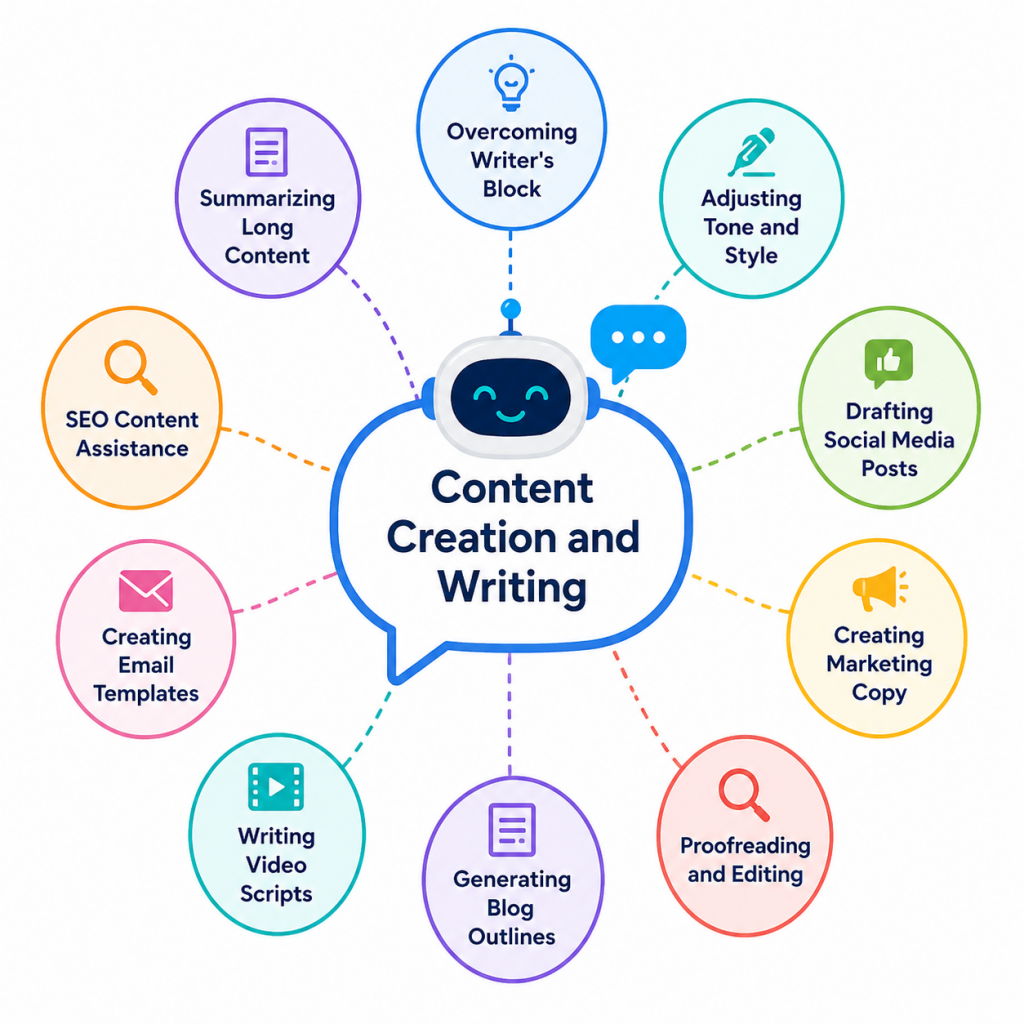
Content Creation and Writing
- Overcoming Writer’s Block: One of the most popular uses for ChatGPT is getting past writer’s block. You can ask it to generate blog post ideas, outline an article, or create a compelling introduction. This gives you a strong starting point so you can focus more on refining content instead of creating everything from scratch.
- Adjusting Tone and Style: ChatGPT can easily modify the tone of your content to fit different audiences. You can rewrite a casual email into a professional message, simplify technical content for beginners, or make formal writing more conversational and engaging.
- Drafting Social Media Posts: ChatGPT can create Instagram captions, LinkedIn updates, and short video scripts quickly. It also helps creators working on Image Processing projects with engaging content ideas and promotional text.
- Creating Marketing Copy: Businesses can use ChatGPT to create product descriptions, ad campaigns, email newsletters, and promotional content. By providing product features or target audience details, users can quickly generate persuasive marketing copy that saves time and effort.
- Proofreading and Editing: Beyond content generation, ChatGPT also works as a useful editing assistant. You can paste your drafts and ask it to improve grammar, sentence structure, readability, and clarity before publishing or sharing the content.
- Generating Blog Outlines: Content creators can use ChatGPT to structure blog posts with headings, subheadings, and topic ideas. This helps organize thoughts more effectively and speeds up the writing process for long-form articles.
- Writing Video Scripts: YouTubers and video creators can use ChatGPT to create tutorials, interviews, and promotional scripts with engaging openings and smooth transitions. It also supports content planning for projects related to AI Movie List For and modern technology trends.
- Creating Email Templates: Professionals can generate ready-to-use email templates for sales outreach, customer follow-ups, meeting requests, and client communication. This reduces repetitive work and improves communication efficiency.
- SEO Content Assistance: ChatGPT can help writers naturally include keywords, create meta descriptions, and suggest optimized headings for better search engine visibility while keeping the content readable and user-friendly.
- Summarizing Long Content: You can paste lengthy reports, articles, or meeting notes into ChatGPT and ask for concise summaries. This helps save time and makes large amounts of information easier to understand quickly.

Coding and Debugging Assistance
- Writing Boilerplate Code: Programmers spend a lot of time writing repetitive setup code. You can ask ChatGPT to generate the basic structure for a web page, set up a database connection, or create a standard function. This lets you skip the boring parts and focus on the unique logic of your project.
- Explaining Code Snippets: If you are learning to code and stumble upon a complex script online, ChatGPT can translate it for you. You paste the code and ask it to explain what each line does in plain English. This is like having a personal tutor available around the clock.
- Finding and Fixing Bugs: When your code throws an error, you can paste the issue into ChatGPT to identify bugs, explain solutions, and generate corrected code. Developers working with Gen AI Tools for Coding can also use it to improve debugging speed and streamline modern software development workflows.
- Translating Between Languages: Developers often need to convert code from one programming language to another, like turning Python into JavaScript. ChatGPT handles this translation very well, helping you understand how a specific logic pattern works in a language you are less familiar with.
- Writing Test Cases: Writing tests to ensure your code works properly is necessary but often time-consuming. Developers learning ChatGPT and Generative AI can use ChatGPT to generate unit tests, improve test coverage, and build more reliable software without manually creating every test scenario.
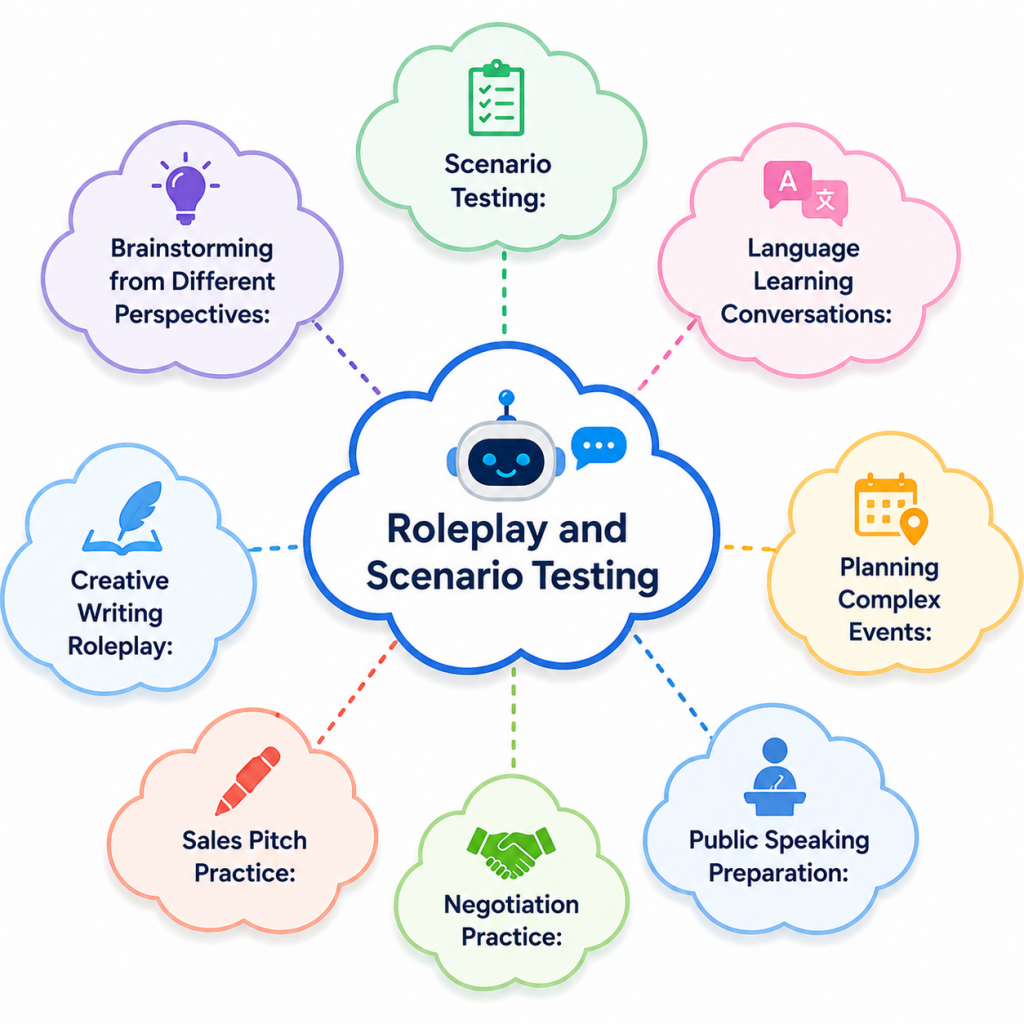
- Scenario Testing: You can tell ChatGPT to act as a hiring manager for a specific role and ask you interview questions one by one. This gives you a safe space to practice your answers out loud. It can even provide feedback on your responses to help you improve before the real interview.
- Simulating Customer Interactions: Business owners can use ChatGPT to play the role of an angry or confused customer. You can practice your customer service responses and de-escalation techniques. This helps your support team prepare for difficult situations without risking real customer relationships.
- Brainstorming from Different Perspectives: If you are stuck on a project, you can ask ChatGPT to review your idea from the perspective of an investor, customer, or critic. This helps identify weaknesses, improve decision-making, and better understand the Advantages and Disadvantages Of AI in practical business and creative scenarios.
- Language Learning Conversations: ChatGPT can act as a native speaker in a language you are trying to learn. You can have a back-and-forth text conversation in Spanish or French, and ask it to correct your grammar mistakes in real time. It is a great way to practice without feeling embarrassed.
- Planning Complex Events: You can assign ChatGPT the role of a travel agent or event planner. By feeding it your budget, dates, and preferences, it can simulate a planning session and give you a detailed itinerary. This helps you think through all the logistical steps needed for a trip or event.
- Sales Pitch Practice: Sales professionals can use ChatGPT to simulate client meetings, handle objections, and improve communication strategies. Practicing these scenarios regularly helps strengthen confidence, negotiation abilities, and essential AI Skill development for modern sales and business environments.
- Public Speaking Preparation: You can ask ChatGPT to act as an audience member during a presentation rehearsal. It can suggest possible audience questions, provide speaking tips, and help you refine your communication style for better engagement.
- Conflict Resolution Training: Teams and managers can use ChatGPT to simulate workplace conflicts between employees or departments. Practicing different responses can improve communication, empathy, and problem-solving skills in professional environments.
- Negotiation Practice: ChatGPT can roleplay as a client, recruiter, or vendor during negotiation exercises. This allows users to practice salary discussions, pricing strategies, and negotiation techniques in a low-pressure environment.
- Creative Writing Roleplay: Writers can use ChatGPT to act as fictional characters in stories or scripts, helping create realistic dialogue and engaging narratives. Tools like ChatGpt-4 also support brainstorming character ideas, plot twists, and creative storytelling for modern writing projects.
Excited to Obtaining Your Gen AI Certificate? View The Gen AI Course Offered By ACTE Right Now!
Learning and Explaining Complex Topics
Using ChatGPT as a personalized learning tool is one of its most powerful benefits for students and professionals alike. If you are trying to understand difficult subjects like quantum physics, blockchain technology, or advanced calculus, ChatGPT can simplify complex ideas using easy explanations and relatable examples. Many learners exploring AI Applications also use it for interactive learning, quick summaries, and practice quizzes. Unlike traditional textbooks, ChatGPT allows users to ask follow-up questions instantly, making learning more engaging, flexible, and less intimidating. This interactive approach helps users grasp challenging concepts faster while improving understanding through real-time explanations and examples.
Summarizing Long Documents
ChatGPT excels at taking large amounts of text and turning them into clear, easy-to-understand summaries, making it extremely useful for students, researchers, and busy professionals. Whether it is a long PDF report, meeting transcript, article, or research paper, users can paste the content into ChatGPT and request a concise summary in different formats such as bullet points, short paragraphs, or key takeaways. Professionals learning ChatGpt-4 often use these features to save time and improve productivity. It also helps users understand the practical differences between Gen AI VS Treditional AI by simplifying complex concepts into readable explanations. By reducing the effort needed to process lengthy information, ChatGPT allows users to focus more on decision-making, learning, and productivity.
Are You Considering Pursuing a Gen AI Master’s Degree? Enroll For Gen AI Expert Masters Program Training Course Today!
Roleplay and Scenario Testing
Set to Ace Your Gen AI Job Interview? Check Out Our Blog on Gen AI Interview Questions & Answer
Limitations and Fact-Checking
While ChatGPT is an incredible tool, understanding its limitations is an essential part of learning ChatGPT basics. One of its biggest weaknesses is “hallucination,” where the AI may confidently provide incorrect or misleading information as though it were completely accurate. For this reason, users should always verify important information related to healthcare, finance, academics, or legal matters before depending on it entirely. Many learners improve their understanding of these AI limitations through Gen AI Training programs that offer practical exposure to modern AI tools and responsible usage practices. Another limitation is that ChatGPT may not always know the latest news or recent world events because of its knowledge cutoff. Recognizing that it is a language model designed to generate human-like responses, rather than an all-knowing source of truth, helps users use it more effectively, responsibly, and with realistic expectations in both personal and professional tasks.
Conclusion
Getting a solid understanding of ChatGPT basics can transform this advanced technology from a simple novelty into a powerful everyday productivity tool. By learning how to create clear prompts, use AI for drafting content, coding assistance, brainstorming, and simulating real-world scenarios, users can save significant time on repetitive tasks. Many professionals and students are also exploring Gen AI Training programs to build practical AI skills and stay competitive in today’s digital world. However, mastering ChatGPT also means understanding its limitations and using it responsibly. While it is excellent for generating ideas and improving efficiency, users should still verify important facts and avoid depending on it blindly for critical decisions. Balancing creativity with careful fact-checking ensures you gain the benefits of AI without being misled by inaccurate information. As artificial intelligence continues to evolve rapidly, individuals who invest time in learning these foundational skills today will be better prepared to adapt to future technologies and opportunities.