LMS
LMS
Last updated on 01st Nov 2025| 10962

- Exploring the Untold Side of the Play Store
- Privacy-Focused Apps
- Apps from Indie Developers
- Apps for Personal Productivity
- Educational Apps
- Experimental Tech Apps
- Accessibility Tools
- Apps for Fun and Creativity
- Unusual but Useful Utilities
- Security and Ethical Considerations
- Conclusion
Exploring the Untold Side of the Play Store
The Play Store is vast, which can feel daunting. Although it has options ranging from games to finance, many innovative apps remain unnoticed. This often happens because of tight marketing budgets or specific target audiences.Finding these hidden gems allows you to enjoy new experiences, support independent developers, and sometimes discover tools that suit your needs better than popular apps. This article will highlight some notable hidden gems and discuss significant themes like privacy, indie Mobile Application Testing Training
Privacy-Focused Apps
In a time when data privacy is crucial, many tech apps respect your data and offer solid privacy features.
- SimpleLogin: This email aliasing app allows you to create temporary emails, keeping your primary inbox safe from spam and tracking.
- Signal Private Messenger: Known more than some others, it still stands out for secure communication with end-to-end encryption and limited data collection.
- Briar: This messaging app uses peer-to-peer connections and avoids central servers. It’s great for activists and users who care about privacy.
- OpenVPN Connect: An open-source VPN client that supports secured internet connections to protect your online activities.
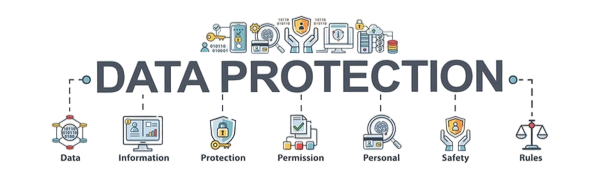
These apps value user control, often being open-source, and avoid the aggressive data collection found in many popular alternatives.
Apps from Indie Developers
Indie developers often think outside the box, creating apps with unique features or minimalistic designs.
- Taskito: A well-designed task manager and to-do list app that syncs with your calendar for easy planning and reminders.
- Photomath: This app helps solve math problems by scanning handwritten or printed text, making it a lifesaver for students.
- Standard Notes: A straightforward, encrypted note-taking app with a focus on mobile security and longevity.
- Forest: This app encourages you to focus by growing a virtual tree while you work, making it a fun way to avoid phone distractions.
Supporting indie developers fosters innovation on the Play Store. These apps generally have more user-friendly interfaces, less bloat, and a strong community presence.
Educational Apps
These apps offer valuable educational content or learning tools outside the typical platforms:
- Khan Academy: A wealth of free lessons in math, science, economics, and more, fully available offline.
- Memrise: A language learning app that utilizes mnemonic techniques and user-created content.
- Photomath: This app guides students through complex math problems step by step.
- Curio: This app transforms written articles and podcasts into easy-to-listen audio summaries, making for convenient learning apps on the go.
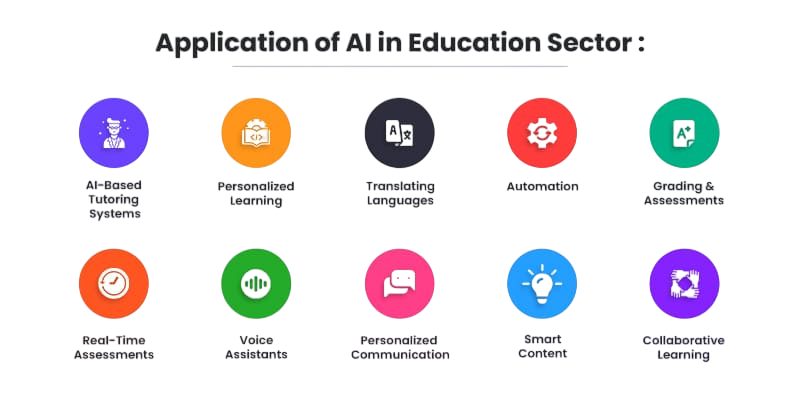
Many educational apps focus on niche topics or distinct teaching methods that cater to various learning apps styles.
Experimental Tech Apps
These apps highlight the forefront of Mobile Application Testing Training technology, featuring augmented reality, AI tools, and creative tools experiments.
Gain Your Master’s Certification in Software Testing by Enrolling in Our Software Testing Master Program Training Course.
- Google Arts & Culture: Discover famous museums and artworks with AR features and detailed art history insights.
- Replika: An AI chatbot that grows alongside you, serving as a personal mental wellness companion.
- Wombo AI: This app generates singing videos from selfies, showcasing machine learning in entertainment.
- SkyView: This app uses augmented reality to help users identify stars, constellations, and satellites in the night sky.
Such apps show how mobile security devices can deliver new tech apps experiences beyond basic communication.
Accessibility Tools
These apps assist users with disabilities or enhance usability for all:
- Voice Access: Gives you full control of your Android device using voice commands.
- Big Launcher: A simplified home screen with large buttons, ideal for elderly or visually impaired users.
- Be My Eyes: Connects blind users with sighted volunteers through live video calls for assistance with daily tasks.
- Seeing AI: Developed by Microsoft, this app describes the world around you by identifying people, text, and objects through the camera.
Accessibility apps make technology inclusive, helping various users fully utilize their devices.
Apps for Fun and Creativity
While maximizing shared code, some features need native implementation:
creative tools apps that may not have millions of downloads but offer great outlets for self-expression or relaxation:
- Infinite Painter: A powerful painting and sketching app that rivals desktop software but is tailored for touchscreens.
- SketchBook: Autodesk’s app features professional-grade drawing tools suitable for hobbyists and professionals alike.
- BandLab: A music-making app that allows for multi-track recording, editing, and sharing.
- Quik: An automated video editor from GoPro, perfect for quick social media clips.
These apps provide creative tools freedom on mobile security devices without the complexity of desktop tools.

Testing Strategies
Testing cross-platform apps demands a thorough approach:
- Unit Testing: Validate shared business logic independently of platform.
- UI Testing: Perform automated tests on each platform with tools like Espresso (Android) or XCTest (iOS).
- Integration Testing: Ensure components work together across platforms.
- Device Testing: Conduct manual and automated tests on physical devices and emulators.
- Performance Testing: Measure app speed, battery use, and memory consumption.
- User Acceptance Testing (UAT): Gather feedback from real users.
- Tiny Scanner: Turns your phone into a portable scanner, productivity apps, ideal for documents, receipts, and notes.
- IFTTT (If This Then That): Automates interactions between various apps and devices, such as saving Instagram photos directly to cloud storage.
- CamScanner: Well-known for scanning but also offers OCR (text recognition) and PDF management features.
- Sleep as Android: Tracks your sleep patterns and wakes you gently during your lightest sleep phase.
- Permissions: Always review the permissions that an app requests. If it asks for too much access, it might be intrusive or risky.
- Open Source Preference: Open-source apps are transparent and usually audited by the community, making them safer.
- Reviews and Reputation: Even if an app has few downloads, it’s wise to check user reviews and community feedback.
- Avoiding Adware and Malware: Some lesser-known apps may hide ads or harmful code. Use trusted antivirus apps and download only from official sources.
Comprehensive testing ensures reliability, performance, and productivity apps, user satisfaction across all supported platforms.
To Earn Your Software Testing Certification, Gain Insights From Leading Blockchain Experts And Advance Your Career With ACTE’s Software Testing Training Course Today!
Unusual but Useful Utilities
Some apps offer surprisingly handy tools you might not have known you needed:
Such apps make daily tasks easier or automate tedious chores.
Interested in Obtaining Your Software Testing Certificate? View The Software Testing Training Course Offered By ACTE Right Now!
Security and Ethical Considerations
When exploring hidden gems, it’s important to consider app security and ethics:
Ethical app usage also means respecting content licenses, avoiding software piracy, and reporting any abuses you encounter.
Conclusion and User Exploration Tips
Hidden gems on the Play Store can greatly enhance your smartphone experience, whether by boosting productivity apps, improving privacy, supporting indie developers, or just providing fun and creativity. Here are some tips to help you explore productivity apps and find these apps safely: Use Alternative App Stores Cautiously: Google Play is generally the safest, but some hidden gems may appear first on other platforms like F-Droid (open-source only). Follow tech apps Blogs and Forums: Sites such as Android Police, XDA Developers, and Reddit’s r/androidapps often spotlight excellent apps. Experiment with Categories: Try searching for specific needs like “privacy,” “productivity apps,” or “accessibility” instead of just browsing charts. Check Update Frequency: Apps that are updated recently are more likely to be maintained and secure. Support Developers: Purchasing premium versions or donating helps encourage indie Mobile Application Testing Training to keep innovating. By looking beyond the mainstream, you can discover a new world of digital tools tailored to your specific needs, all at your fingertips.