LMS
LMS
Last updated on 15th Jul 2026| 11411

- Introduction to Software Testing Internship Compensation
- Factors That Influence Internship Stipends
- Average Stipend for Software Testing Interns
- Stipend Variation by Company Type
- Stipend Variation by Location
- Skills That Can Increase Your Stipend
- Difference Between Paid and Unpaid Internships
- Salary Expectations After Completing the Internship
- Comparison Table: Internship Stipend vs Entry-Level Salary
- Tips to Negotiate a Better Stipend
- Conclusion: Understanding Software Testing Internship Compensation
Introduction to Software Testing Internship Compensation
For students and freshers exploring a career in software quality assurance, understanding stipend and salary expectations is an important part of planning their professional journey. Software testing internships vary widely in compensation depending on factors such as company size, location, required skill level, and the scope of responsibilities assigned to interns. While some internships offer a modest monthly stipend, others may be entirely unpaid but provide valuable certification, mentorship, and hands-on project experience in exchange. Understanding these differences helps candidates set realistic expectations and make informed decisions when evaluating internship offers. Beyond the internship period itself, it is equally important to understand how stipend levels can influence future salary negotiations once a candidate transitions into a full-time role. This article provides a detailed overview of the factors influencing software testing internship stipends, typical compensation ranges across different company types and locations, and practical guidance on how candidates can position themselves for better financial outcomes both during and after their internship experience. Software testing internship compensation should not be evaluated solely based on the monthly stipend offered. The overall learning experience, exposure to real-world testing environments, access to experienced mentors, and opportunities to work with industry-standard tools often provide long-term career value that outweighs immediate financial benefits. Interns who gain practical experience in manual testing, automation testing, bug tracking systems, test management tools, SQL, and software development life cycle (SDLC) processes typically develop stronger technical profiles, making them more competitive for future job opportunities. Building a strong foundation in these areas, along with understanding Skills Required to Become a QA Engineer for Freshers, can help candidates improve their internship performance and career growth opportunities. As a result, candidates should carefully assess both the financial and professional growth aspects of an internship before making a decision, ensuring that the experience aligns with their long-term career goals in software quality assurance.

Factors That Influence Internship Stipends
- Company Size and Reputation: Large multinational corporations and well-established IT service companies often offer higher stipends compared to smaller startups or local firms. Candidates looking to understand how leading companies evaluate QA professionals can also explore QA Careers at Capgemini Selection Process to gain insights into industry expectations.
- Skill Level of the Candidate: Interns with prior knowledge of automation tools, programming languages, or relevant certifications often qualify for higher compensation. Demonstrating practical skills through projects, internships, or technical assessments can further increase the likelihood of receiving a better stipend.
- Internship Duration: Longer internships, particularly those lasting three to six months, may offer higher overall stipends compared to short-term programs. Extended internships also allow interns to contribute more significantly to ongoing projects, which can justify increased compensation.
- Geographic Location: Stipends tend to be higher in major metropolitan cities with a strong IT presence compared to smaller towns or remote regions. However, candidates should also consider the higher cost of living in these cities when evaluating the overall financial benefit.
- Nature of the Role: Internships involving automation testing or API testing responsibilities often command higher stipends than purely manual testing roles. This is because such roles require specialized technical knowledge and contribute directly to improving testing efficiency.
- Industry Demand: Companies experiencing high demand for QA talent may offer more competitive stipends to attract strong candidates during recruitment cycles. Rapidly growing industries such as fintech, healthcare, and e-commerce often provide better compensation due to their increased reliance on software quality assurance.

Average Stipend for Software Testing Interns
The average stipend offered to software testing interns in India typically ranges between eight thousand and twenty-five thousand rupees per month, though this figure can vary considerably based on factors such as company size, location, technical skills, internship duration, and the nature of the testing role. Interns at large IT service companies, multinational corporations, or well-funded startups often receive stipends toward the higher end of this range, particularly if the role includes exposure to automation testing, API testing, performance testing, or other specialized tools and technologies. Candidates who complete professional Software Testing Training before applying often have stronger practical skills, making them more competitive for internships that offer higher stipends and better learning opportunities. In contrast, smaller companies, local firms, or early-stage startups may offer stipends closer to the lower end of the range, sometimes balancing lower financial compensation with valuable hands-on learning opportunities, personalized mentorship, flexible working arrangements, and exposure to multiple stages of the software testing lifecycle. In some cases, especially with training institutes or certification-linked internships, stipends may be minimal or entirely absent, with the primary benefits being industry-recognized certifications, practical project experience, and enhanced employability. International internships or positions with global product-based companies generally offer significantly higher compensation, although these opportunities are highly competitive and often require strong technical knowledge, practical experience, and proficiency in testing tools and programming languages. Beyond the monthly stipend, many organizations also provide additional benefits such as structured training programs, guidance from experienced QA professionals, certificates of completion, work-from-home flexibility, networking opportunities, and the possibility of receiving a pre-placement offer based on internship performance. These advantages can substantially increase the overall value of an internship, even when the initial stipend is relatively modest. It is also important to recognize that internship stipends are designed primarily to support learning and professional development rather than serve as a full-time salary. Candidates who actively contribute to projects, strengthen their expertise in manual and automation testing, demonstrate problem-solving abilities, and consistently perform well throughout their internship are often better positioned to secure higher-paying entry-level software testing roles after graduation. Therefore, while comparing internship opportunities, candidates should evaluate both the financial compensation and the long-term career benefits, ensuring that the internship provides meaningful industry exposure, skill development, and a strong foundation for future career growth in software quality assurance.
Stipend Variation by Company Type
- Large IT Service Companies: These organizations typically offer structured internship programs with moderate to good stipends, along with formal training and potential full-time conversion opportunities. Interns also benefit from working on enterprise-level projects and gaining experience with industry-standard testing tools and processes. Understanding different testing approaches through resources like Understanding the Different Types of Software Testing can help candidates prepare better for internship roles in these companies.
- Product-Based Companies: Technology product companies often provide higher stipends due to the specialized skills required and the competitive nature of their recruitment process. These internships usually involve working on real product development cycles, offering valuable exposure to advanced quality assurance practices.
- Startups: Compensation at startups can vary widely, with some offering competitive stipends to attract talent while others provide lower pay in exchange for broader responsibilities and faster learning. Interns often gain hands-on experience across multiple testing activities, allowing them to develop diverse technical and problem-solving skills.
- Training Institutes: Internships linked to certification courses often provide minimal or no stipend, focusing instead on skill development and practical exposure. These programs are particularly beneficial for beginners who want to build foundational knowledge and strengthen their resumes before applying to companies.
- Government and Public Sector Organizations: These internships may offer standardized stipends based on established government pay scales, which can be lower than private sector offerings. However, they provide valuable experience in structured work environments and exposure to large-scale public sector software systems.
- Remote-First Companies: Fully remote internships sometimes offer competitive stipends regardless of the intern’s location, based on the value of the work performed rather than geographic pay scales. Additionally, remote internships help candidates develop effective communication, collaboration, and time management skills while working in distributed teams.
Get Your Software Testing Certification by Learning from Industry-Leading Experts and Advancing Your Career with ACTE’s Software Testing Course.
Stipend Variation by Location
Geographic location plays a significant role in determining the stipend offered for a software testing internship, primarily due to differences in cost of living and concentration of IT companies within a region. Major technology hubs such as Bengaluru, Hyderabad, Pune, and Chennai typically offer higher stipends due to the high demand for skilled QA professionals and the presence of numerous multinational corporations and product-based companies. Candidates who complete Software Testing Training in Bengaluru often gain practical exposure to industry-standard testing tools and real-world projects, improving their chances of securing internships with competitive stipends. Cities with a growing but smaller IT presence may offer moderate stipends, reflecting a balance between local demand and lower operating costs for companies based in these regions. Internships in smaller towns or rural areas often come with lower stipends, though the reduced cost of living in these locations can help offset the difference in overall value. Remote internships have become increasingly common and can sometimes offer stipends comparable to those in major cities, since the compensation is based on the role and responsibilities rather than the physical location of the intern. Candidates should factor in both stipend amount and cost of living when evaluating internship opportunities across different locations. Apart from city-wise differences, the availability of software testing projects and the concentration of technology industries also influence internship compensation. Regions with a strong presence of IT services, software development firms, fintech companies, healthcare technology organizations, and e-commerce businesses generally offer better internship opportunities and more competitive stipends. Additionally, candidates willing to relocate to major technology hubs may gain access to a wider range of internships, better networking opportunities, and greater exposure to industry-standard testing practices, all of which can positively impact their long-term career growth and future earning potential.

Learn Software Testing Training Course to Build Your Skills
Weekday / Weekend BatchesSee Batch DetailsSkills That Can Increase Your Stipend
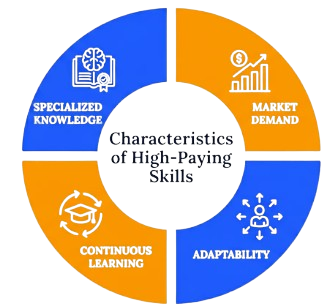
- Automation Testing Knowledge: Familiarity with tools such as Selenium, combined with basic programming skills, often qualifies candidates for higher-paying internship roles. Hands-on experience in creating and executing automated test scripts further enhances a candidate’s employability and earning potential.
- Programming Proficiency: Strong knowledge of Java, Python, or JavaScript increases a candidate’s value, particularly for roles involving automation or API testing. Employers often prefer candidates who can understand, modify, and debug automation scripts with minimal guidance.
- API Testing Skills: Experience with tools like Postman and an understanding of request-response validation can make candidates eligible for specialized, higher-paying roles. Knowledge of REST APIs, HTTP methods, authentication, and JSON data formats provides an additional competitive advantage.
- SQL and Database Knowledge: The ability to write and understand SQL queries adds value for roles that require backend data validation. Candidates who can perform database verification and identify data inconsistencies are often considered more versatile testers.
- Relevant Certifications: Completing recognized software testing certifications demonstrates commitment and can strengthen a candidate’s negotiating position. Certifications also validate technical knowledge and reassure employers of a candidate’s readiness for professional testing responsibilities.
- Prior Project Experience: Demonstrated experience through personal or academic projects can help candidates justify a request for higher compensation during the offer stage. Maintaining a portfolio of testing projects, documentation, and GitHub repositories can effectively showcase practical skills to recruiters. Candidates can also improve their professional profile by understanding Software Testing Resume Guide which helps in presenting their technical abilities effectively to potential employers.
Difference Between Paid and Unpaid Internships
Paid internships offer a fixed monthly stipend in exchange for the intern’s work and time, providing financial support while also validating the value of the skills and contributions made during the program. These internships are typically offered by established companies that have structured budgets for intern compensation and often include formal onboarding, mentorship, and performance evaluation processes. Unpaid internships, on the other hand, do not provide financial compensation but may offer other forms of value, such as certification, letters of recommendation, flexible working hours, or the opportunity to work on meaningful projects that can be showcased in a portfolio. While paid internships are generally preferred due to the financial benefit, unpaid internships can still be valuable for candidates seeking to build initial experience, particularly when offered by reputable organizations or when combined with strong learning outcomes. Candidates should carefully evaluate the overall value of an unpaid internship, including the quality of mentorship and the relevance of the experience, before committing significant time without financial compensation. In some cases, unpaid internships can also lead to future paid opportunities within the same organization. When comparing paid and unpaid internships, candidates should look beyond the stipend and assess the overall learning environment. Factors such as exposure to real-world software testing projects, access to industry-standard tools, opportunities to work with experienced QA professionals, regular feedback, and the possibility of receiving a full-time job offer can significantly influence the long-term value of an internship. An internship that provides strong technical training and practical experience may contribute more to future career growth than one that offers a higher stipend but limited learning opportunities. Understanding different career pathways in quality assurance through resources like Manual Tester Resume Guide can help candidates make better decisions while selecting internship opportunities. Ultimately, the ideal internship is one that balances meaningful skill development, professional networking, and fair compensation while supporting the candidate’s long-term career objectives in software testing.

Get JOB Oriented Software TestingI Training for Beginners By MNC Experts
- Instructor-led Sessions
- Real-life Case Studies
- Assignments
Salary Expectations After Completing the Internship
Successfully completing a software testing internship often positions candidates for a smoother transition into full-time employment, with salary expectations typically higher than what was offered during the internship period itself. Entry-level QA Engineer or Software Tester positions in India generally offer annual salaries ranging from three to six lakh rupees, depending on the company, location, and the candidate’s demonstrated skill level during the internship. Candidates who gained exposure to automation testing, API testing, or programming during their internship often command higher starting salaries compared to those with purely manual testing experience. Completing Software Testing Training can further strengthen practical knowledge of testing tools, frameworks, and real-time projects, helping candidates qualify for better-paying software testing roles. Performance during the internship plays a significant role in salary negotiations, as strong performers are often able to negotiate better offers or receive accelerated promotions within their first year of employment. Additionally, candidates who pursue further certifications or continue building technical skills after their internship can expect faster salary growth as they progress into specialized roles such as Automation Test Engineer or SDET. Overall, the internship serves as a valuable stepping stone that directly influences both immediate job offers and longer-term earning potential within the software testing field. Beyond the initial salary, long-term career growth in software testing depends on continuous learning and practical experience. Professionals who regularly update their knowledge of emerging testing tools, automation frameworks, cloud technologies, DevOps practices, and artificial intelligence in testing are often rewarded with better career opportunities and higher compensation. Developing strong analytical, communication, and problem-solving skills also enhances career progression, enabling software testers to move into senior roles such as Senior QA Engineer, Test Lead, QA Manager, or Software Development Engineer in Test (SDET). By combining internship experience with ongoing skill development and industry certifications, candidates can significantly improve both their earning potential and career prospects over time.
Want to Master Software Testing? Explore the Software Testing Master Program Offered at ACTE Today!
Comparison Table: Internship Stipend vs Entry-Level Salary
| Category | Internship Stipend | Entry-Level Salary |
|---|---|---|
| Manual Testing Role | 8,000 – 15,000 per month | 2.5 – 4 LPA |
| Automation Testing Role | 12,000 – 25,000 per month | 4 – 6 LPA |
| API Testing Role | 10,000 – 20,000 per month | 3.5 – 5.5 LPA |
| Large IT Companies | 10,000 – 20,000 per month | 3.5 – 5 LPA |
| Startups | 5,000 – 20,000 per month | 3 – 6 LPA |
| Metro City Location | 12,000 – 25,000 per month | 4 – 6 LPA |
| Non-Metro Location | 6,000 – 15,000 per month | 2.5 – 4 LPA |
Want to Learn About Software Testing? Explore Our Software Testing Interview Questions and Answers Featuring the Most Frequently Asked Questions in Job Interviews.
Tips to Negotiate a Better Stipend
- Highlight Relevant Skills: Emphasize any automation, programming, or SQL knowledge during discussions to justify a request for higher compensation. Providing examples of how you have applied these skills in projects or internships can make your request more convincing.
- Showcase Practical Projects: Presenting a portfolio of testing projects or certifications can strengthen your negotiating position with potential employers. Including test cases, bug reports, automation scripts, or GitHub repositories demonstrates practical experience beyond academic knowledge.
- Research Industry Standards: Understanding typical stipend ranges for similar roles and locations helps you negotiate from an informed position. Being aware of current market trends allows you to make realistic requests supported by industry data.
- Be Professional and Realistic: Approach negotiations respectfully, keeping expectations aligned with your current skill level and industry norms. Maintaining a positive and flexible attitude creates a professional impression and increases the likelihood of a favorable response.
- Consider the Full Offer: Evaluate mentorship quality, learning opportunities, and potential for full-time conversion alongside the stipend amount. A slightly lower stipend may be worthwhile if the internship provides excellent training, industry exposure, and strong career growth opportunities.
- Time Your Negotiation Appropriately: Discuss compensation after demonstrating clear interest and fit for the role, rather than during initial application stages. Negotiating after receiving an offer often places you in a stronger position, as the employer has already recognized your potential value to the organization. Candidates can also improve their chances of receiving better opportunities by understanding Software Testing Internship Step-by-Step Guide, which helps them prepare effectively before approaching companies.
Conclusion: Understanding Software Testing Internship Compensation
Understanding stipend and salary expectations is an important part of preparing for a software testing internship, helping candidates set realistic goals and make informed decisions when evaluating opportunities. Compensation can vary significantly based on company type, location, required skills, and the specific nature of the testing role, making it essential for candidates to research thoroughly before applying. While paid internships offer immediate financial benefits, unpaid internships can still provide valuable experience when offered by reputable organizations with strong mentorship and learning outcomes. Building relevant technical skills, such as automation testing, programming, and SQL knowledge, becomes easier through professional Software Testing Training, which helps candidates gain practical experience and improve both internship and full-time job prospects. This not only increases stipend potential during the internship but also strengthens future salary negotiations upon transitioning into full-time employment. By approaching compensation discussions professionally and focusing on continuous skill development, candidates can maximize both their immediate internship experience and their long-term earning potential within the growing field of software quality assurance. Ultimately, an internship should be viewed as an investment in career growth rather than only a source of short-term income. The practical knowledge gained through real-world projects, exposure to industry tools, and guidance from experienced professionals can create a strong foundation for a successful career in software testing. Candidates who actively improve their technical abilities, build a strong portfolio, and stay updated with evolving testing practices will have better opportunities to secure competitive job offers and advance into specialized QA roles. By balancing financial expectations with learning opportunities and professional development, aspiring software testers can make strategic career decisions that support long-term success in the technology industry.