LMS
LMS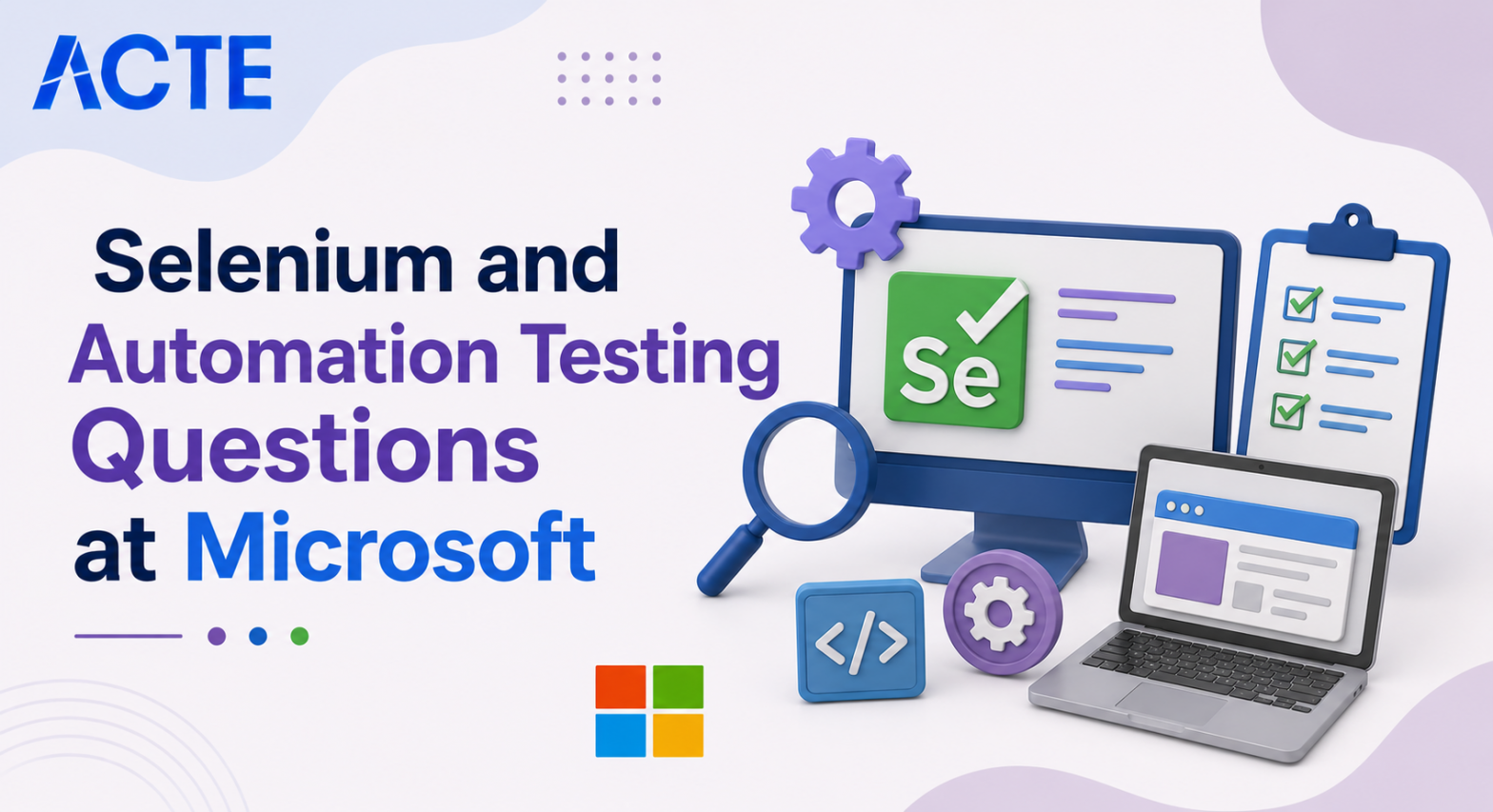
Last updated on 23rd Jul 2026| 7600

Microsoft’s QA and SDET interviews focus heavily on Selenium WebDriver, Java programming, TestNG, automation frameworks, synchronization techniques, XPath, API integration, CI/CD, and real-time automation challenges. Candidates are expected to demonstrate not only theoretical knowledge but also practical experience in building scalable, maintainable, and reliable automation solutions.These Selenium and Automation Testing questions are designed to help freshers and experienced professionals prepare for Microsoft interview rounds. The collection covers fundamental concepts, framework design, advanced Selenium features, exception handling, waits, Page Object Model, parallel execution, reporting, and DevOps integration. Each answer is explained in a clear and interview-oriented manner, making it useful for self-study, mock interviews, and placement preparation.
1. What Is Selenium WebDriver?
Ans:
- Selenium WebDriver is an open-source automation tool used to automate web browser interactions. It directly communicates with browsers using their native drivers without requiring a separate server.
- WebDriver supports browsers like Chrome, Microsoft Edge, Firefox, and Safari. It provides methods to locate and interact with web elements efficiently. Automation engineers use it for functional and regression testing of web applications.
- It integrates seamlessly with Java, TestNG, Maven, and Jenkins for automation frameworks. Microsoft frequently uses Selenium WebDriver for QA and SDET automation testing.
2. What Are The Components Of Selenium?
Ans:
Selenium consists of Selenium WebDriver, Selenium Grid, Selenium IDE, and Selenium Manager. WebDriver automates browser interactions using programming languages. Selenium Grid executes tests across multiple browsers and machines simultaneously. Selenium IDE is a browser extension for recording and replaying simple test cases. Selenium Manager automatically manages browser drivers in recent Selenium versions. Together, these components support scalable and efficient test automation. Microsoft interviewers often ask about the purpose of each Selenium component.
3. Why Is Java Commonly Used With Selenium?
Ans:
Java is one of the most popular programming languages for Selenium automation because of its object-oriented features and extensive community support. It provides powerful libraries that simplify automation development. Selenium officially supports Java with comprehensive documentation. Java integrates well with TestNG, Maven, Jenkins, and reporting tools. Exception handling and collection frameworks improve automation reliability. Java also enables reusable and maintainable automation frameworks. Microsoft frequently expects automation engineers to have strong Java fundamentals.
4. What Is The Difference Between Selenium And Manual Testing?
Ans:
- Manual testing requires a tester to execute test cases without automation tools. Selenium automates repetitive browser actions using scripts. Automation improves execution speed and consistency compared to manual testing.
- Selenium is ideal for regression, smoke, and cross-browser testing. Manual testing is better suited for exploratory and usability testing.
- Automation reduces human errors and supports continuous integration. Microsoft uses both manual and automated testing depending on project requirements.
5. What Are Different Types Of Locators In Selenium?
Ans:
Locators help Selenium identify web elements on a web page. Common locators include ID, Name, Class Name, Tag Name, Link Text, Partial Link Text, CSS Selector, and XPath. ID is generally the fastest and most reliable locator when available. CSS Selectors and XPath are preferred for locating complex elements. Choosing stable locators improves script reliability and maintenance. Proper locator strategies reduce automation failures caused by UI changes. Microsoft interviewers frequently ask about locator selection.
6. What Is XPath In Selenium?
Ans:
XPath is an XML path language used to locate web elements within the HTML Document Object Model. It is particularly useful when unique IDs are unavailable. Selenium supports both Absolute XPath and Relative XPath. Relative XPath is generally preferred because it is shorter and more flexible. XPath functions like contains(), starts-with(), and text() help identify dynamic elements. Well-designed XPath expressions improve automation stability. Microsoft often includes XPath questions in Selenium interviews.
7. What Is The Difference Between XPath And CSS Selector?
Ans:
XPath navigates through the HTML document using path expressions, while CSS Selectors locate elements using CSS syntax. CSS Selectors are generally faster because browsers process CSS efficiently. XPath supports forward and backward navigation in the DOM. CSS cannot traverse to parent elements. XPath is better for locating dynamic or complex elements. CSS Selectors are simpler for straightforward element identification. Microsoft expects candidates to understand when each locator should be used.
8. What Is WebDriverWait In Selenium?
Ans:
WebDriverWait is an Explicit Wait mechanism that waits until a specified condition becomes true before proceeding. It improves synchronization between Selenium and dynamic web applications. WebDriverWait works with ExpectedConditions such as element visibility or clickability. It avoids unnecessary delays compared to fixed waits. Proper synchronization reduces flaky automation scripts. It is preferred over Thread.sleep() in professional automation projects. Microsoft recommends Explicit Waits for stable Selenium execution.
9. What Is The Difference Between Implicit Wait And Explicit Wait?
Ans:
Implicit Wait applies a global waiting time for all element searches throughout the WebDriver session. Explicit Wait waits only for a specific condition before continuing execution. Explicit Wait provides greater flexibility and efficiency. Implicit Wait is easier to configure but less precise. Explicit Wait is recommended for dynamic web applications with changing content. Proper wait implementation improves automation reliability. Microsoft interviewers commonly ask candidates to compare these synchronization methods..
10. Why Should Thread.sleep() Be Avoided In Selenium?
Ans:
- Thread.sleep() pauses execution for a fixed amount of time regardless of whether the element is ready. This increases unnecessary execution time and reduces automation efficiency.
- Dynamic applications may still fail if the fixed delay is insufficient. Explicit Wait responds immediately when conditions are satisfied.
- Proper synchronization makes automation scripts faster and more reliable. Thread.sleep() should only be used in exceptional situations. Microsoft expects automation engineers to prefer intelligent waiting strategies.
11. What Is The Page Object Model (POM)?
Ans:
Page Object Model is a design pattern that separates page elements from test logic. Each web page is represented by a dedicated Java class containing locators and methods. Test cases interact with page methods instead of directly accessing elements. This improves code readability and maintainability. UI changes usually require updates only in the page classes. POM promotes code reuse across multiple test cases. Microsoft commonly uses Page Object Model in enterprise automation frameworks.
12. What Is Page Factory In Selenium?
Ans:
Page Factory is an extension of the Page Object Model that initializes web elements automatically. It uses annotations such as @FindBy to identify elements. The PageFactory.initElements() method initializes page objects during execution. This reduces repetitive locator initialization code. Page Factory improves readability in smaller automation projects. Modern frameworks may use standard Page Object Model without Page Factory for greater flexibility. Microsoft interviewers may ask about both implementation approaches.
13. What Is TestNG And Why Is It Used?
Ans:
TestNG is a Java testing framework widely used with Selenium automation. It provides annotations that control test execution order and lifecycle. TestNG supports grouping, prioritization, dependency management, assertions, and parallel execution. Data Providers enable efficient data-driven testing. HTML reports summarize execution results after test completion. Integration with Selenium creates scalable automation frameworks. Microsoft automation teams frequently use TestNG for enterprise testing.
14. What Are TestNG Annotations?
Ans:
TestNG annotations define how and when methods execute during automation testing. Common annotations include @BeforeSuite, @BeforeClass, @BeforeMethod, @Test, @AfterMethod, and @AfterSuite. These annotations organize test initialization and cleanup activities. They eliminate manual execution control within test scripts. Proper annotation usage improves readability and maintenance. TestNG also supports dependencies between test methods. Microsoft interviewers often ask candidates to explain annotation execution order
15. What Is Data-Driven Testing In Selenium?
Ans:
- Data-driven testing executes the same test case using multiple sets of input data. TestNG Data Providers or external files such as Excel, CSV, or JSON commonly supply the data.
- This approach reduces code duplication significantly. Business scenarios can be validated with different input combinations.
- Test logic remains separate from test data for easier maintenance. Automation becomes more scalable and reusable. Microsoft values experience with data-driven framework design.
16. How Do You Handle Alerts In Selenium?
Ans:
JavaScript alerts are handled using Selenium’s Alert interface. The switchTo().alert() method changes the WebDriver focus to the alert box. Methods such as accept(), dismiss(), getText(), and sendKeys() interact with different alert types. Alert handling prevents unexpected interruptions during automation. Validation confirms alert messages before taking action. Proper handling improves test reliability. Microsoft commonly includes alert scenarios in Selenium interviews.
17. How Do You Handle Frames In Selenium?
Ans:
Frames require Selenium to switch context before accessing elements inside them. The switchTo().frame() method accepts an index, frame name, or WebElement. After completing operations, switchTo().defaultContent() returns control to the main page. Nested frames require sequential switching between parent and child frames. Incorrect frame handling results in element location failures. Proper context management improves automation stability. Microsoft interviewers frequently ask frame-handling questions.
18. How Do You Handle Multiple Browser Windows In Selenium?
Ans:
Selenium manages multiple browser windows using unique window handles. The getWindowHandles() method returns all open window identifiers. Automation switches between windows using switchTo().window(). Parent and child windows should be identified before interaction. Validation ensures operations occur in the correct browser window. Closing unused windows maintains execution stability. Microsoft expects automation engineers to understand window management thoroughly.
19. What Is The Actions Class In Selenium?
Ans:
The Actions class supports advanced user interactions that cannot be performed using basic WebDriver methods. It enables operations such as mouse hover, drag and drop, double-click, right-click, keyboard shortcuts, and click-and-hold. Multiple actions can be chained together before execution. The perform() method executes the complete action sequence. Actions improve automation for dynamic user interfaces. They are commonly used in enterprise web applications. Microsoft often asks practical questions about the Actions class.
20. What Is A Selenium Automation Framework?
Ans:
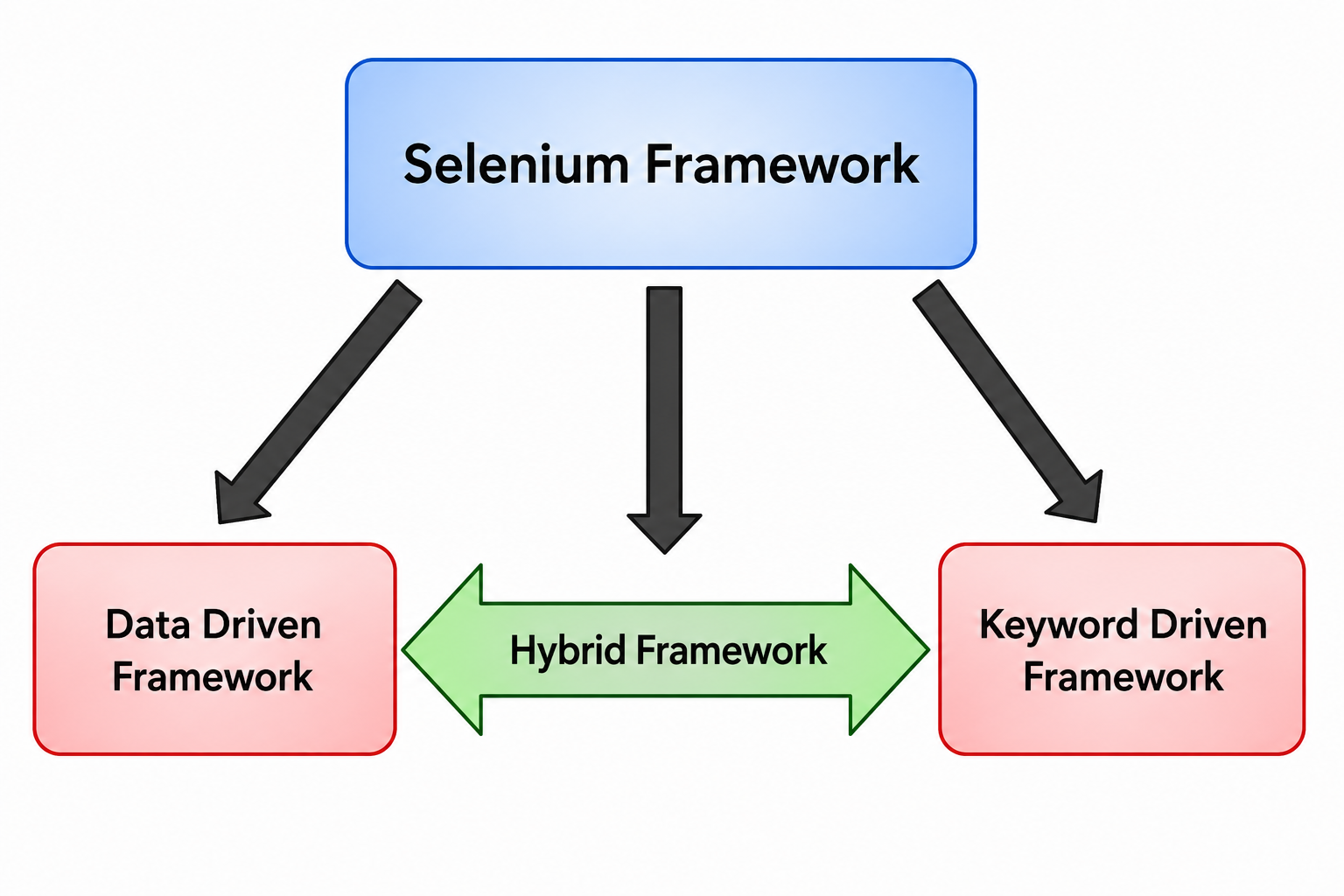
- A Selenium Automation Framework is a structured architecture that organizes automation scripts, reusable utilities, configuration files, test data, reports, and logging into a maintainable solution. It standardizes automation development across teams.
- Frameworks reduce code duplication and simplify future enhancements. Common framework types include Data-Driven, Keyword-Driven, Hybrid, and Page Object Model frameworks. Integration with TestNG, Maven, Git, and Jenkins improves automation efficiency.
- Well-designed frameworks support scalable enterprise testing. Microsoft expects QA and SDET candidates to understand automation framework architecture thoroughly.
21. What Is Selenium Grid And Why Is It Used?
Ans:
Selenium Grid is a tool that allows automation tests to run on multiple machines and browsers simultaneously. It follows a Hub and Node architecture where the Hub manages test execution and Nodes execute the tests. This approach significantly reduces execution time for large test suites. It supports cross-browser and cross-platform testing efficiently. Microsoft teams often use Selenium Grid for validating applications across different environments. It improves scalability and parallel execution in continuous integration pipelines. Selenium Grid is ideal for distributed automation testing.

22. Explain The Page Object Model (POM) In Selenium.
Ans:
Page Object Model is a design pattern that improves test automation maintainability. Each web page is represented by a separate class containing web elements and methods. Test scripts interact with these page classes instead of directly using locators. This reduces code duplication and simplifies maintenance when UI changes occur. POM enhances code readability and reusability across multiple test cases. It supports modular automation framework development. Microsoft prefers POM because it makes automation projects more organized and scalable.
23. What Is The Difference Between Absolute XPath And Relative XPath?
Ans:
| Feature | Absolute XPath | Relative XPath |
|---|---|---|
| Definition | Starts from the root of the HTML document and follows the complete path to the element. | Starts from any node in the HTML document and locates the element directly. |
| Syntax Example | /html/body/div[1]/form/input | //input[@id=’username’] |
| Reliability | Less reliable because any change in the page structure can break the XPath. | More reliable because it is independent of the complete HTML hierarchy. |
| Usage | Rarely used in automation due to maintenance difficulties. | Widely used in Selenium automation because it is flexible and easier to maintain. |
24. What Are Implicit Wait And Explicit Wait In Selenium?
Ans:
Implicit Wait instructs Selenium to wait for a specified time while searching for elements. Explicit Wait waits for a specific condition before proceeding with execution. Explicit Wait is more efficient because it waits only when required. Implicit Wait applies globally to all element searches. Explicit Wait uses WebDriverWait with ExpectedConditions for dynamic elements. Proper synchronization reduces flaky automation scripts. Microsoft recommends Explicit Wait for modern web applications.
25. What Is Fluent Wait In Selenium?
Ans:
- Fluent Wait is an advanced synchronization mechanism in Selenium. It allows customization of polling intervals and ignored exceptions. Selenium repeatedly checks for a condition until the timeout expires.
- It is useful for handling dynamic elements that appear unpredictably. Fluent Wait provides better control compared to Implicit Wait.
- It improves automation reliability for complex web applications. Microsoft projects often use Fluent Wait for AJAX-based applications.
26. How Do You Handle Dynamic Web Elements In Selenium?
Ans:
Dynamic elements change their attributes or locations during runtime. Stable locators like Relative XPath or CSS Selectors help identify such elements. Explicit Wait ensures elements are available before interaction. XPath functions like contains(), starts-with(), and text() are commonly used. Dynamic IDs should be avoided whenever possible. Robust locator strategies improve automation stability. Microsoft expects candidates to demonstrate practical handling of dynamic elements.
27. What Are CSS Selectors In Selenium?
Ans:
CSS Selectors locate web elements using Cascading Style Sheet syntax. They are generally faster than XPath because browsers process CSS efficiently. CSS supports locating elements by ID, class, attribute, and hierarchy. However, CSS cannot traverse backward in the DOM like XPath. CSS Selectors improve execution speed for automation scripts. They are widely used in modern automation frameworks. Microsoft interviewers may ask when CSS is preferable over XPath.
28. Explain Different Types Of Web Elements In Selenium.
Selenium interacts with buttons, text boxes, radio buttons, checkboxes, links, dropdowns, and tables. Each element requires different interaction methods like click(), sendKeys(), or Select class. WebDriver provides APIs to verify visibility and state. Correct identification of elements is essential for reliable automation. Dynamic elements require additional synchronization techniques. Understanding HTML structure improves element handling. Microsoft values practical knowledge of UI element automation.
29. How Does Handle Dropdowns In Selenium?
Ans:
Dropdowns are handled using Selenium’s Select class. Methods like selectByVisibleText(), selectByValue(), and selectByIndex() simplify option selection. These methods work only with HTML select elements. Custom dropdowns require normal click operations and locators. Validation ensures the correct option is selected. Dropdown automation is common in web application testing. Microsoft frequently includes dropdown scenarios in practical interviews.
30. How Does Handle Checkboxes And Radio Buttons In Selenium?
Ans:
Checkboxes and radio buttons are handled using click() after locating the element. Methods like isSelected() verify the current selection state. Conditional logic prevents unnecessary clicks. Multiple checkboxes may be selected depending on requirements. Radio buttons allow only one selection within a group. Validation confirms expected behavior after interaction. Microsoft expects automation engineers to verify both functionality and UI state.
31. How Does Handle Alerts In Selenium?
Ans:
- JavaScript alerts are handled using the Alert interface in Selenium. Methods like accept(), dismiss(), getText(), and sendKeys() interact with alerts.
- Switching to the alert is mandatory before performing actions. Failure to handle alerts causes exceptions.
- Alert validation confirms expected warning messages. Proper handling ensures uninterrupted automation execution. Microsoft interviewers often include alert-handling scenarios.
32. How does Handle Frames In Selenium?
Ans:
Frames require switching context before interacting with elements inside them. Selenium provides switchTo().frame() using index, name, or WebElement. After completing operations, switchTo().defaultContent() returns to the main page. Nested frames require sequential switching. Incorrect frame handling results in NoSuchElementException. Proper frame management ensures stable automation scripts. Microsoft commonly asks frame-related questions during Selenium interviews.
33. How Does Handle Multiple Browser Windows In Selenium?
Ans:
Multiple windows are managed using window handles. Selenium retrieves all window IDs using getWindowHandles(). Automation switches between windows using switchTo().window(). Parent and child windows are handled separately. Validation confirms the correct window before performing actions. Closing unnecessary windows maintains test stability. Microsoft interviewers frequently assess window-handling techniques.
34. What Is JavaScript Executor In Selenium?
Ans:
JavaScript Executor allows Selenium to execute JavaScript commands directly in the browser. It is useful when normal WebDriver methods fail. It performs operations like scrolling, clicking hidden elements, and retrieving values. JavaScript execution improves compatibility with complex web pages. It should be used only when necessary. Excessive JavaScript usage reduces script readability. Microsoft values understanding of appropriate use cases.
35. What Is Stale Element Reference Exception?
Ans:
StaleElementReferenceException occurs when a previously located element is no longer attached to the DOM. This usually happens after page refreshes or dynamic updates. Re-locating the element resolves the issue. Explicit Wait helps reduce stale element occurrences. Automation frameworks often implement retry mechanisms. Proper synchronization minimizes failures. Microsoft expects candidates to know practical solutions for this exception.
36. What Is NoSuchElementException?
Ans:
NoSuchElementException occurs when Selenium cannot locate a specified web element. Incorrect locators, synchronization issues, or page changes commonly cause it. Explicit Wait helps ensure the element is available before interaction. Verifying locator accuracy resolves many issues. Dynamic elements require flexible locator strategies. Proper debugging identifies the root cause efficiently. Microsoft frequently asks about exception handling in automation.
37. What Is ElementNotInteractableException?
Ans:
- ElementNotInteractableException occurs when an element exists but cannot be interacted with. The element may be hidden, disabled, or covered by another component.
- Explicit Wait ensures visibility before performing actions. JavaScript Executor can help in special cases. Verifying page state prevents unnecessary failures.
- Proper synchronization improves test reliability. Microsoft interviewers often discuss this exception during Selenium interviews.
38. What Is The Actions Class In Selenium?
Ans:
The Actions class performs advanced user interactions. It supports mouse hover, drag and drop, right-click, double-click, and keyboard actions. Multiple actions can be chained together before execution. This class is useful for complex UI interactions. Automation scripts become more realistic using Actions. It improves testing of interactive web applications. Microsoft expects candidates to understand advanced user actions.
39. How Does Perform Drag And Drop In Selenium?
Ans:
Drag and Drop is implemented using the Actions class. The dragAndDrop() method accepts source and target elements. The perform() method executes the action. Some modern applications may require JavaScript for drag-and-drop functionality. Validation confirms successful movement of the element. Synchronization ensures both elements are available before execution. Microsoft interviewers often include drag-and-drop automation scenarios.
40. How Does Perform Mouse Hover In Selenium?
Ans:
Mouse Hover is performed using the moveToElement() method of the Actions class. Hovering reveals hidden menus or tooltips for further interaction. The perform() method executes the hover action. Explicit Wait ensures the target element is visible. Hover automation is common in navigation menu testing. Proper validation confirms expected UI behavior after hovering. Microsoft frequently asks this question to evaluate practical Selenium automation skills.
41. What Is TestNG And Why Is It Used With Selenium?
Ans:
TestNG is a powerful testing framework that enhances Selenium automation by providing features like annotations, assertions, reporting, grouping, and parallel execution. It simplifies test organization and execution management. Annotations such as @Test, @BeforeMethod, and @AfterMethod control the test lifecycle. TestNG supports data-driven testing through Data Providers. It generates detailed HTML reports after execution. Integration with Selenium makes automation more structured and scalable. Microsoft commonly uses TestNG in enterprise automation frameworks.

Enroll in Software Testing Course and UPGRADE Your Skills
Weekday / Weekend BatchesSee Batch Details42. What Are TestNG Annotations?
Ans:
TestNG annotations define the execution flow of automation tests. Common annotations include @BeforeSuite, @BeforeTest, @BeforeClass, @BeforeMethod, @Test, @AfterMethod, @AfterClass, and @AfterSuite. They eliminate the need for manual execution control. Proper annotation usage improves code organization and maintenance. They also support dependency management between test cases. Automation frameworks become easier to understand using annotations. Microsoft interviewers frequently ask about TestNG annotation order.
43. What Is Data-Driven Testing In Selenium?
Ans:
Data-driven testing executes the same test with multiple sets of input data. TestNG Data Providers or Excel files are commonly used for this purpose. This approach minimizes code duplication and increases test coverage. It separates test logic from test data for better maintenance. Multiple scenarios can be validated efficiently. Automation frameworks become more flexible and reusable. Microsoft values candidates who understand data-driven automation techniques.
44. What Is Parameterization In TestNG?
Ans:
- Parameterization allows test data to be passed dynamically into test methods. It can be implemented using TestNG XML parameters or Data Providers.
- This reduces hardcoded values in automation scripts. The same test can execute with different datasets.
- Parameterization improves scalability and maintainability of test suites. It supports reusable automation components. Microsoft automation projects commonly implement parameterized testing.
45. What Are Assertions In TestNG?
Ans:
Assertions validate whether the actual application behavior matches the expected outcome. TestNG provides Hard Assertions and Soft Assertions. Hard Assertions stop execution immediately after failure. Soft Assertions continue execution until all validations are complete. Assertions verify functionality, UI elements, and application data. Proper validation increases automation reliability. Microsoft interviewers expect strong knowledge of assertions.
46. What Is The Difference Between Hard Assert And Soft Assert?
Ans:
Hard Assert stops test execution immediately when an assertion fails. Soft Assert records failures but continues executing remaining test steps. Soft Assert requires the assertAll() method to report failures. Hard Assert is suitable for critical validations. Soft Assert is useful when multiple validations are required in a single test. Choosing the appropriate assertion improves test reporting. Microsoft often asks this comparison during interviews.
47. What Is Cross-Browser Testing?
Ans:
Cross-browser testing verifies that an application functions correctly across multiple browsers. Selenium supports browsers like Chrome, Edge, Firefox, and Safari. This testing identifies browser-specific compatibility issues. Selenium Grid enables parallel cross-browser execution. Consistent functionality across browsers improves user experience. Automation significantly reduces manual testing effort. Microsoft emphasizes browser compatibility for enterprise applications.
48. What Is Headless Browser Testing?
Ans:
Headless browser testing executes browser automation without displaying the graphical interface. Browsers like Chrome and Edge support headless mode. It improves execution speed and reduces resource consumption. Headless execution is commonly used in CI/CD pipelines. Test results remain similar to normal browser execution. It is suitable for server environments without graphical interfaces. Microsoft teams frequently use headless testing for continuous integration.
49. What Is Maven In Selenium Automation?
Ans:
Maven is a build automation and dependency management tool for Java projects. It automatically downloads Selenium, TestNG, and other required libraries. Dependencies are managed through the pom.xml file. Maven standardizes project structure and simplifies builds. It integrates easily with Jenkins and Git repositories. Maven improves project maintainability and version management. Microsoft automation frameworks commonly use Maven.
50. What Is Jenkins And How Is It Used With Selenium?
Ans:
Jenkins is a continuous integration and continuous delivery tool. It automatically triggers Selenium test execution after code changes. Jenkins integrates with Git, Maven, and TestNG for complete automation workflows. Test reports are generated after each execution. Automated scheduling improves testing efficiency. Continuous testing enables faster defect detection. Microsoft commonly integrates Selenium with Jenkins in DevOps environments.
51. What Is Continuous Integration In Test Automation?
Ans:
- Continuous Integration is the practice of automatically building and testing code whenever changes are committed. It helps detect integration issues early.
- Selenium automation is triggered through CI tools like Jenkins or Azure DevOps. Developers receive immediate feedback on code quality.
- Automated testing reduces manual effort and improves software reliability. CI accelerates software delivery. Microsoft strongly promotes Continuous Integration practices.
52. What Is Continuous Testing?
Ans:
Continuous Testing involves executing automated tests throughout the software development lifecycle. Tests run automatically after every build or deployment. This approach identifies defects as early as possible. Selenium automation plays a major role in UI testing. Continuous Testing improves release confidence and software quality. It supports Agile and DevOps methodologies. Microsoft uses Continuous Testing to enable rapid software releases.
53. What Is A Hybrid Automation Framework?
Ans:
A Hybrid Framework combines multiple automation framework approaches such as Data-Driven, Keyword-Driven, and Page Object Model. It provides flexibility and scalability for large projects. Reusable components reduce maintenance effort. Test data and business logic remain separate. Hybrid frameworks support complex enterprise applications efficiently. They improve automation reliability and code organization. Microsoft often adopts hybrid frameworks for enterprise testing.
54. What Is A Keyword-Driven Framework?
Ans:
A Keyword-Driven Framework separates test logic from implementation using predefined keywords. Keywords such as Login, Click, EnterText, and Logout represent reusable actions. Test cases are maintained in Excel or similar files. Non-technical users can understand test flows easily. The framework promotes code reuse and maintainability. Changes are handled centrally within keyword implementations. Microsoft interviewers may ask about keyword-driven architecture.
55. What Is A Data-Driven Framework?
Ans:
A Data-Driven Framework stores test data separately from automation scripts. Test data may come from Excel, CSV, JSON, XML, or databases. The same automation logic executes multiple test scenarios. This reduces duplication and improves scalability. Maintenance becomes easier because data changes do not affect code. Test coverage increases significantly. Microsoft automation projects frequently implement data-driven frameworks.
56. What Is A Page Factory In Selenium?
Ans:
.
- Page Factory is an extension of the Page Object Model that initializes web elements automatically. It uses annotations like @FindBy to locate elements.
- Initialization occurs through the PageFactory.initElements() method. Page Factory reduces repetitive locator code.
- It improves readability and maintainability of automation scripts. Many legacy Selenium frameworks still use Page Factory. Microsoft interviewers may ask about its advantages and limitations.
57. What Is The Difference Between FindElement() And FindElements()?
Ans:
| Feature | findElement() | findElements() |
|---|---|---|
| Return Type | Returns a single WebElement (the first matching element). | Returns a List |
| When No Element Is Found | Throws a NoSuchElementException. | Returns an empty list without throwing an exception. |
| Best Use Case | Used when only one unique element is expected, such as a login button or username field | Used when multiple matching elements are expected, such as menu items, table rows, or search results. |
58. How Does Capture Screenshots In Selenium?
Ans:
Screenshots are captured using the TakesScreenshot interface. The captured image is stored as a file for debugging and reporting. Screenshots are especially useful when test cases fail. Most automation frameworks automatically capture failure screenshots. These images assist developers in identifying UI issues quickly. Reporting tools often include screenshots in execution reports. Microsoft values automated evidence collection during testing.
59. What Are Selenium Exceptions?
Ans:
- Understanding exceptions helps in faster debugging. Microsoft expects automation engineers to troubleshoot Selenium errors effectively.
- Proper exception handling improves script stability. Try-catch blocks and explicit waits reduce unexpected failures. Frameworks often implement retry mechanisms for recoverable exceptions.
60. How Does Debug Selenium Test Failures?
Ans:
Debugging begins by reviewing execution logs, screenshots, and exception messages. Locators should be verified against the current application UI. Synchronization issues are identified using Explicit Waits. Browser developer tools help inspect HTML elements and network requests. Test reports provide additional execution details. Step-by-step debugging in the IDE identifies the exact failure point. Microsoft expects candidates to demonstrate a systematic debugging approach.

Learn Software Testing Training Course with Advanced Concepts By Industry Experts
- Instructor-led Sessions
- Real-life Case Studies
- Assignments
61. What Is API Testing And How Does It Relate To Selenium?
Ans:
API Testing validates the functionality, reliability, and performance of application programming interfaces without involving the user interface. Selenium primarily automates web UI testing, while API testing verifies backend services. Combining both provides complete end-to-end test coverage. API testing is faster because it bypasses the browser layer. Tools like Rest Assured or Postman are commonly used alongside Selenium. Early API validation helps identify defects before UI testing begins. Microsoft often combines API and UI automation in enterprise testing projects.
62. What Is Smoke Testing In Automation?
Ans:
- Smoke Testing verifies the critical functionalities of an application after a new build is deployed. It ensures that the application is stable enough for further testing.
- Selenium automates smoke test cases to provide rapid feedback. Only high-priority business functions are validated during smoke testing.
- Failed smoke tests prevent unnecessary execution of the remaining test suite. Automation significantly reduces execution time. Microsoft teams frequently execute smoke tests in Continuous Integration pipelines.
63. What Is Regression Testing In Selenium?
Ans:
Regression Testing verifies that existing functionalities continue to work correctly after code changes. Selenium automates repetitive regression test cases efficiently. Automated regression testing saves significant manual testing effort. It ensures that newly introduced changes do not affect existing features. Regular regression execution improves software quality. Well-maintained automation suites accelerate release cycles. Microsoft relies heavily on regression automation for enterprise applications.
64. What Is Sanity Testing?
Ans:
Sanity Testing validates specific functionalities after minor code changes or bug fixes. Unlike Smoke Testing, it focuses only on the modified area of the application. Selenium automates sanity test scenarios for quick validation. Successful sanity testing confirms that the affected functionality works as expected. It helps avoid unnecessary full regression execution. This approach saves both time and testing resources. Microsoft commonly performs sanity testing before broader test execution.
65. What Is End-To-End Testing?
Ans:
End-To-End Testing verifies the complete business workflow from the beginning to the final outcome. Selenium automates user interactions across multiple application modules. The objective is to ensure that integrated components function correctly together. External systems such as databases and APIs may also participate in the workflow. End-to-end testing identifies integration-related issues. It provides confidence before production deployment. Microsoft values end-to-end automation for critical business processes.
66. What Is Parallel Test Execution?
Ans:
Parallel Test Execution runs multiple test cases simultaneously using different browsers or machines. Selenium Grid and TestNG support parallel execution. This significantly reduces overall execution time for large automation suites. Proper test independence is required to avoid conflicts. Parallel execution increases resource utilization efficiently. It supports faster release cycles in Agile environments. Microsoft frequently implements parallel testing in large-scale automation projects.
67. What Is Browser Compatibility Testing?
Ans:
Browser Compatibility Testing verifies that an application behaves consistently across different browsers and browser versions. Selenium supports automation on Chrome, Microsoft Edge, Firefox, and Safari. Compatibility testing identifies browser-specific rendering or functionality issues. Automation ensures repeatable validation across supported environments. Consistent user experience is the primary objective. Early detection reduces production issues. Microsoft places strong emphasis on browser compatibility for web applications.
68. How Does Handle File Upload In Selenium?
Ans:
- File uploads are usually handled using the sendKeys() method on the file input element. The complete file path is passed directly to the upload control.
- This approach avoids interacting with the operating system dialog box. If the upload control is hidden, JavaScript may be required.
- Successful upload is verified after the operation completes. Automation frameworks often validate uploaded file names. Microsoft interviewers frequently ask practical file upload scenarios
69. How Does Handle File Download In Selenium?
Ans:
Selenium itself cannot directly verify downloaded files, but browser preferences can define download locations automatically. Automation verifies file existence using Java File APIs. File size, extension, and content may also be validated. Browser download prompts are disabled through browser configuration. Cleanup removes downloaded files after execution. Proper verification ensures successful download functionality. Microsoft expects candidates to understand download automation techniques.
70. How Does Handle Cookies In Selenium?
Ans:
Cookies store user session and application information within the browser. Selenium provides methods to add, retrieve, delete, and manage cookies. Cookie handling supports session management during automation. Testers can simulate logged-in sessions efficiently. Cookie validation improves authentication testing. Browser state becomes easier to control during execution. Microsoft projects often automate cookie-related validation.
71. What Is The Robot Class In Selenium?
Ans:
The Robot class belongs to Java and automates keyboard and mouse actions at the operating system level. It is useful for handling native pop-ups that Selenium cannot control. Common operations include keyboard shortcuts and file upload dialogs. Robot interacts outside the browser environment. It should only be used when Selenium alternatives are unavailable. Excessive Robot usage reduces script portability. Microsoft interviewers may ask about situations requiring the Robot class.
72. What Is The Difference Between Get() And Navigate().To()?
Ans:
Both methods open a web page in the browser. The get() method loads the specified URL directly. The navigate().to() method also loads a URL but supports additional navigation features. Selenium navigation includes back(), forward(), and refresh() operations. Performance differences between the two methods are minimal. Both are widely used in automation scripts. Microsoft may ask candidates to explain their practical differences.
73. How does Refresh A Web Page In Selenium?
Ans:
A web page can be refreshed using navigate().refresh(). Refreshing reloads the current page from the browser. It is useful when updated data must be displayed. After refresh, previously located elements may become stale. Test scripts should locate elements again if necessary. Proper synchronization ensures successful execution after refreshing. Microsoft interviewers often include refresh-related questions.
74. How Does Scroll A Web Page In Selenium?
Ans:
Scrolling is typically performed using JavaScript Executor. JavaScript methods like window.scrollBy() or scrollIntoView() move the page vertically or horizontally. Scrolling ensures hidden elements become visible before interaction. Modern web applications frequently require scrolling during automation. Validation confirms that the desired element is displayed. JavaScript scrolling improves interaction with long web pages. Microsoft expects familiarity with scrolling techniques.
75. What Is Synchronization In Selenium?
Ans:
- Synchronization ensures Selenium interacts with web elements only after they become available. Modern web applications load content dynamically, making synchronization essential.
- Implicit Wait, Explicit Wait, and Fluent Wait are common synchronization techniques. Proper synchronization prevents flaky automation scripts.
- Efficient waiting improves execution reliability and performance. Poor synchronization causes intermittent failures. Microsoft considers synchronization one of the most important Selenium concepts.
76. What Is XPath Contains() Function?
Ans:
The contains() function locates elements whose attribute values are partially known. It is commonly used with dynamic IDs and changing attributes. Partial matching increases locator flexibility. This approach improves automation stability when exact values are unavailable. It simplifies handling dynamic web applications. Overusing complex XPath expressions should be avoided. Microsoft interviewers frequently ask practical XPath questions
77. What Is XPath Starts-With() Function?
Ans:
The starts-with() function locates elements whose attribute values begin with a known string. It is useful when only the prefix remains constant. Dynamic web applications often generate changing suffixes. This function improves locator reliability. Proper XPath construction reduces maintenance effort. Efficient locators enhance automation performance. Microsoft expects automation engineers to understand advanced XPath techniques.
78. What Is XPath Text() Function?
Ans:
The text() function locates elements based on their visible text content. It is useful when attributes are unavailable or unstable. Exact text matching improves locator accuracy. Partial text matching can also be combined with contains(). UI changes affecting displayed text require locator updates. Proper usage improves readability of automation scripts. Microsoft commonly asks candidates about XPath functions.
79. How Does Verify Web Element Visibility?
Ans:
Selenium provides the isDisplayed() method to determine whether an element is visible on the page. Visibility verification prevents interaction with hidden elements. Explicit Wait ensures elements become visible before validation. Hidden elements may still exist in the DOM. Correct visibility checks improve script reliability. Validation supports accurate UI testing. Microsoft interviewers frequently assess element verification methods.
80. How Does Verify Whether A Button Is Enabled?
Ans:
- The isEnabled() method verifies whether a button or input control is available for interaction. Disabled controls cannot accept user actions. Automation validates button state before clicking.
- Business rules often determine whether controls remain enabled. Proper verification prevents unnecessary execution failures.
- UI state validation improves test accuracy. Microsoft expects candidates to understand element state verification during Selenium automation.
81. What Is A Selenium Automation Framework?
Ans:
A Selenium Automation Framework is a structured collection of guidelines, reusable libraries, utilities, and coding standards used to develop maintainable automation scripts. It organizes test cases into logical modules for easier maintenance. Frameworks improve code reusability and reduce duplication. They integrate reporting, logging, configuration files, and test data management. A well-designed framework supports scalability as applications grow. Enterprise organizations, including Microsoft, rely on robust automation frameworks for efficient software testing. A good framework also simplifies collaboration among multiple automation engineers.
82. What Are The Components Of A Selenium Automation Framework?
Ans:
A Selenium Automation Framework typically includes WebDriver libraries, Page Object Model classes, test scripts, configuration files, utilities, reporting tools, logging mechanisms, and test data sources. Maven manages project dependencies, while TestNG controls execution. Git handles version control for automation code. Logging frameworks assist in debugging failed tests. Reporting tools generate detailed execution summaries. These components together create a reliable and maintainable automation solution. Microsoft expects automation engineers to understand each framework component.
83. What Is Logging In Selenium Automation?
Ans:
Logging records important execution details while automation tests are running. It helps identify failures, exceptions, and execution flow. Popular Java logging frameworks include Log4j and SLF4J. Log messages may contain timestamps, execution status, and error details. Proper logging simplifies debugging and maintenance. Logs complement screenshots and reports during failure analysis. Microsoft projects commonly implement logging for enterprise automation frameworks..
84. What Is Reporting In Selenium Automation?
Ans:
Reporting presents automation execution results in a structured and readable format. Popular reporting tools include Extent Reports, Allure Reports, and TestNG Reports. Reports display passed, failed, skipped, and execution duration details. Screenshots and logs are often attached to failed test cases. Reports improve communication between testers and developers. Management teams use reports to monitor test quality. Microsoft values detailed reporting for release readiness.
85. What Is Extent Report?
Ans:
- Extent Report is a popular reporting library used in Selenium automation projects. It generates interactive HTML reports with detailed execution results. Reports include test status, screenshots, execution time, and exception details.
- Different report sections improve readability for stakeholders. Failed test cases can be investigated quickly using attached evidence.
- Extent Reports integrate easily with TestNG and Maven. Microsoft interviewers may ask about report generation techniques.
86. What Is Version Control And Why Is Git Used?
Ans:
Version control manages changes made to automation code over time. Git is the most widely used distributed version control system. It allows multiple automation engineers to collaborate efficiently. Branching and merging simplify feature development and bug fixes. Commit history provides complete traceability of changes. Git integrates with CI/CD tools like Jenkins and Azure DevOps. Microsoft expects automation engineers to have basic Git knowledge.
87. How Does Integrate Selenium With Git?
Ans:
Selenium projects are stored in Git repositories for source code management. Developers and testers commit automation scripts after implementing changes. Branches isolate new features and bug fixes. Pull requests enable code reviews before merging into the main branch. Git tracks every modification made to the automation framework. Integration with CI/CD pipelines enables automatic test execution. Microsoft commonly uses Git for collaborative automation development.
88. What Is Azure DevOps And How Is It Used In Automation Testing?
Ans:
Azure DevOps is Microsoft’s platform for source control, build automation, release management, and project tracking. Selenium automation can be integrated into Azure Pipelines for continuous testing. Every code commit automatically triggers automation execution. Test reports are generated after each pipeline run. Azure DevOps supports Agile project management and collaboration. Integration improves software quality and deployment speed. Microsoft extensively uses Azure DevOps in enterprise environments.
89. What Is Continuous Delivery In Automation Testing?
Ans:
Continuous Delivery ensures that software is always in a deployable state after passing automated tests. Selenium validates application functionality during each pipeline execution. Automated testing reduces manual verification effort before releases. Quality gates prevent defective builds from progressing further. Continuous Delivery enables frequent and reliable software deployments. It complements Continuous Integration and DevOps practices. Microsoft encourages Continuous Delivery to accelerate product releases.
90. What Are Best Practices For Writing Selenium Automation Scripts?
Ans:
Automation scripts should use meaningful names, reusable methods, and maintainable locator strategies. Page Object Model should separate page logic from test cases. Explicit Wait should be preferred over unnecessary fixed delays. Hardcoded values should be replaced with configuration files or test data sources. Exception handling and logging improve script reliability. Reports should clearly identify failures and execution details. Microsoft expects automation engineers to follow coding standards and best practices.
91. How Does Maintain Selenium Automation Scripts?
Ans:
Automation scripts are maintained by updating locators, refactoring reusable components, and removing duplicate code. Stable locator strategies reduce maintenance caused by UI changes. Test data should remain separate from automation logic. Framework utilities should be reused whenever possible. Regular review improves script quality and readability. Continuous updates ensure compatibility with browser and application changes. Microsoft values maintainable automation solutions over simply increasing script count.
92. What Challenges Are Commonly Faced In Selenium Automation?
Ans:
- Common challenges include dynamic web elements, synchronization issues, browser compatibility problems, flaky tests, changing locators, and environment instability.
- Modern JavaScript frameworks increase automation complexity. Proper wait strategies reduce intermittent failures. Robust locator design improves script stability.
- Framework architecture simplifies long-term maintenance. Continuous monitoring identifies recurring failures quickly. Microsoft expects candidates to discuss both challenges and practical solutions.
93. How Does Reduce Flaky Tests In Selenium?
Ans:
Flaky tests can be reduced by using Explicit Waits instead of fixed delays, designing stable locators, ensuring independent test cases, and maintaining consistent test environments. Retry mechanisms should only be used when appropriate. Dynamic elements should be synchronized correctly. Test data must remain reliable across executions. Regular framework maintenance minimizes instability. Microsoft emphasizes reliable automation over simply increasing test coverage.
94. What Is The Role Of An Automation Test Engineer?
Ans:
An Automation Test Engineer designs, develops, executes, and maintains automated test scripts for software applications. Responsibilities include framework development, test case automation, defect reporting, debugging, and collaboration with developers. Automation engineers improve software quality through repeatable testing. They participate in Agile ceremonies and continuous integration activities. Performance and reliability of automation frameworks are continuously improved. Microsoft expects strong technical, analytical, and communication skills for this role.
95. How Does Selenium Support Agile Development?
Ans:
Selenium supports Agile development by enabling frequent automated regression testing during every sprint. Automation provides rapid feedback after each code change. Continuous testing helps detect defects early in development. Reusable test scripts reduce repetitive manual work. Integration with CI/CD tools supports fast releases. Collaboration between developers and testers becomes more effective. Microsoft uses Selenium extensively within Agile and DevOps workflows.
96. What Is Shift-Left Testing?
Ans:
Shift-Left Testing moves testing activities earlier in the software development lifecycle. Automation begins during development instead of waiting until the testing phase. Early defect detection reduces overall project cost and effort. API testing and unit testing complement Selenium UI automation. Developers receive faster feedback on application quality. Continuous Integration supports Shift-Left practices effectively. Microsoft promotes Shift-Left Testing to improve software quality.
97. How Would Automate A Login Functionality Using Selenium?
Ans:
- Login automation begins by opening the application URL and locating the username, password, and login button elements. Selenium enters valid credentials using the sendKeys() method.
- The login button is clicked to submit the form. The application response is validated using assertions. Successful login may be confirmed by checking the dashboard or welcome message.
- Proper synchronization ensures stable execution throughout the process. Microsoft interviewers frequently ask login automation scenarios.
98. How Would Automate A Search Functionality Using Selenium?
Ans:
Search automation starts by locating the search text box and entering a search keyword. Selenium submits the search using a button click or keyboard action. Explicit Wait ensures that search results load completely. Result pages are validated using assertions. Multiple search scenarios can be executed using data-driven testing. Automation verifies both successful and unsuccessful searches. Microsoft expects practical knowledge of common business workflows like search automation.
99. What Should Be Included In A Selenium Automation Framework For Enterprise Applications?
Ans:
An enterprise Selenium framework should include Page Object Model, reusable utilities, configuration management, logging, reporting, exception handling, test data management, CI/CD integration, and version control support. The framework should support cross-browser and parallel execution. Coding standards improve maintainability across teams. Modular architecture simplifies future enhancements. Reliable reporting and logging assist in debugging. Microsoft expects scalable frameworks suitable for large enterprise projects..
100. Why Should Microsoft Hire Selenium Automation Test Engineer?
Ans:
Strong knowledge of Selenium WebDriver, Java, TestNG, Maven, Git, and automation framework design enables efficient development of reliable test solutions. Experience with Page Object Model, synchronization techniques, reporting, and CI/CD integration contributes to high-quality automation. A systematic debugging approach helps identify and resolve defects quickly. Commitment to writing clean, reusable, and maintainable code supports long-term project success. Effective collaboration with developers and testers improves delivery quality. Continuous learning keeps technical skills aligned with modern automation practices. These qualities make a valuable contribution to Microsoft’s software quality engineering teams.
![Top Informatica Interview Questions & Answers – [UPDATED] Interview Question](https://www.acte.in/wp-content/uploads/2020/05/4-img-acte-1-400x218.jpeg)