LMS
LMS
Last updated on 08th Sep 2025| 14188

- Introduction to Vectors in C++
- Why Reverse a Vector?
- Methods to Reverse a Vector
- Using STL reverse() Function
- Reversing Manually with Loop
- Reversing a Vector Using Recursion
- Reverse Vector of Strings/Objects
- Handling Empty Vectors
- Common Mistakes to Avoid
- Sample Code and Output
- Practice Problems
- Conclusion
Introduction to Vectors in C++
Vectors in C++ are part of the Standard Template Library (STL) and act as dynamic arrays. Unlike static arrays, vectors can resize themselves automatically when elements are inserted or deleted. They are highly versatile and are widely used in modern C++ applications due to their ease of use and efficient memory management an efficiency mindset that parallels the structured development practices taught in Cloud Computing Training. Understanding how optimized data structures enhance performance equips developers to write cleaner, faster, and more maintainable code across the full stack. A vector is declared using the std::vector template and can store any data type, including primitive types, strings, and even user-defined objects. Vectors maintain the order of insertion and allow access to elements using indices. Knowing how to Reverse Vector in C++ is essential for manipulating data efficiently, and this guide explores different methods to Reverse Vector in C++, including built-in functions and manual iteration techniques.
Example:
- #include <iostream>
- #include <vector>
- using namespace std;
- int main() {
- vector<int> numbers = {1, 2, 3, 4, 5};
- for (int num : numbers)
- cout << num << ” “;
- return 0;
- }
Why Reverse a Vector?
Reversing a vector can be useful in a variety of programming scenarios, such as automation workflows and data manipulation. In enterprise environments, understanding C Pattern Programs helps clarify how robotic process automation (RPA) tools streamline repetitive tasks and integrate with structured data operations.
- Displaying items in the opposite order of insertion
- Preparing data for algorithms that operate from the end (e.g., backtracking)
- Rotating or manipulating image pixels or game objects
- Reversing sequences in data structures or sorting challenges
Understanding how to reverse vectors efficiently is important in coding interviews and real-world applications.
Methods to Reverse a Vector
There are multiple ways to reverse a vector in C++. Each has its own advantages and is suited for different scenarios. Similarly, understanding the differences between Friend Function in C++ helps developers choose the right tool for dynamic content manipulation and responsive design based on project needs.
- Using the built-in reverse() function from the STL
- Manual reversal using loops
- Using recursion
- Reverse a vector of strings or custom objects
Let’s explore each approach in detail.
To Earn Your Cloud Computing Course Certification, Gain Insights From Leading Cloud Computing Experts And Advance Your Career With ACTE’s Cloud Computing Course Today!
Using STL reverse() Function
The most straightforward and idiomatic way to reverse a vector in C++ is by using the std::reverse() function defined in the algorithm header a clean and efficient approach that reflects the structured logic taught in Cloud Computing Training and performance optimization.
- std::reverse(startIterator, endIterator);
- #include <iostream>
- #include <vector>
- #include <algorithm>
- using namespace std;
- int main() {
- vector<int> data = {10, 20, 30, 40, 50};
- reverse(data.begin(), data.end());
- for (int val : data)
- cout << val << ” “;
- return 0;
- }
- // Output:
- // 50 40 30 20 10
Would You Like to Know More About Cloud Computing Course? Sign Up For Our Cloud Computing Course Now!
Reversing Manually with Loop
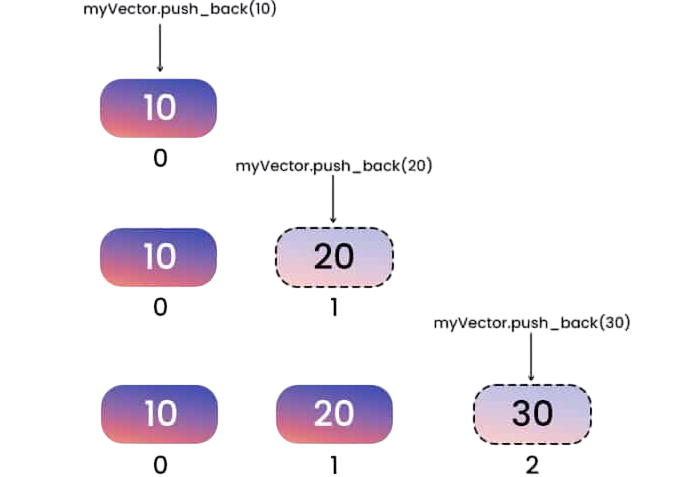
For greater control, you can reverse a vector manually using a loop and swapping elements from both ends toward the center. In modern development practices, understanding C++ Project Ideas can help clarify how component-based logic and state management offer similar control over dynamic data flows.
Example:
- #include <iostream>
- #include <vector>
- using namespace std;
- void reverseVector(vector<int>& v) {
- int n = v.size();
- for (int i = 0; i < n / 2; ++i) {
- swap(v[i], v[n – i – 1]);
- }
- }
- int main() {
- vector<int> data = {1, 3, 5, 7, 9};
- reverseVector(data);
- for (int val : data)
- cout << val << ” “;
- return 0;
- }
- // Output:
- // 9 7 5 3 1

Develop Your Skills with Cloud Computing Course Certification Course
Weekday / Weekend BatchesSee Batch DetailsReversing a Vector Using Recursion
Recursion is another approach, albeit less efficient in practice due to call stack overhead. However, it’s a good demonstration of divide-and-conquer logic.
Example:
- #include <iostream>
- #include <vector>
- using namespace std;
- void reverseRecursively(vector<int>& v, int left, int right) {
- if (left >= right) return;
- swap(v[left], v[right]);
- reverseRecursively(v, left + 1, right – 1);
- }
- int main() {
- vector<int> nums = {2, 4, 6, 8, 10};
- reverseRecursively(nums, 0, nums.size() – 1);
- for (int x : nums)
- cout << x << ” “;
- return 0;
- }
- // Output:
- // 10 8 6 4 2
Reversing a vector using recursion involves breaking the problem into smaller parts until the base condition is reached. In this approach, the first element is swapped with the last, and the function then recursively calls itself on the remaining sub-vector. This continues until all elements are reversed. It’s a clean and elegant solution that highlights how recursion simplifies complex tasks by handling one small piece of the problem at a time.
Gain Your Master’s Certification in Cloud Computing by Enrolling in Our Cloud Computing Master Program Training Course Now!
Reverse Vector of Strings/Objects
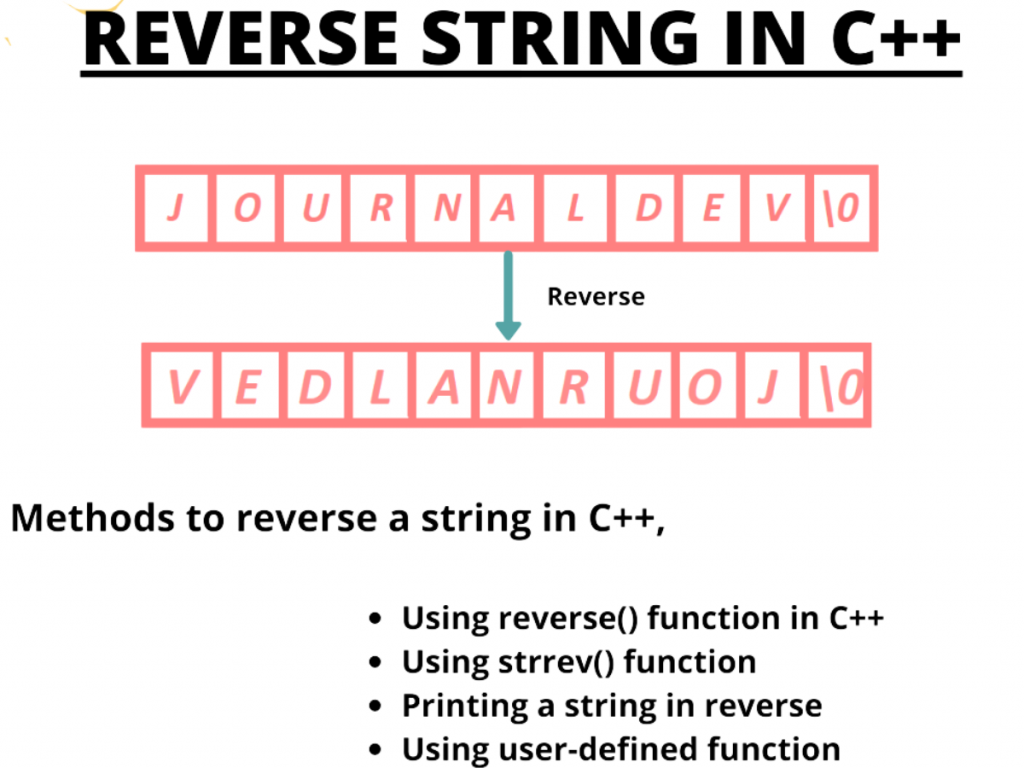
Vectors are not limited to primitive types. You can also reverse vectors containing strings or user-defined objects. To build dynamic and interactive applications that handle such data structures effectively, exploring the Factorial Program in C can help developers understand how JavaScript supports flexible manipulation and responsive design.
Example with Strings:
- #include <iostream>
- #include <vector>
- #include <algorithm>
- using namespace std;
- struct Student {
- string name;
- int score;
- };
- int main() {
- vector<Student> students = {
- {”John”, 85}, {”Alice”, 92}, {”Bob”, 78}
- };
- reverse(students.begin(), students.end());
- for (const Student& s : students)
- cout << s.name << “: ” << s.score << endl;
- return 0;
- }
- // Output:
- // Bob: 78
- // Alice: 92
- // John: 85
Are You Interested in Learning More About Cloud Computing Course? Sign Up For Our Cloud Computing Course Today!
Handling Empty Vectors
Before reversing, it is good practice to check whether the vector is empty. Applying reverse logic on an empty vector is safe with STL, but in manual implementations, boundary checks help avoid segmentation faults.
Example:
- if (myVector.empty()) {
- cout << “Vector is empty.” << endl;
- } else {
- reverse(myVector.begin(), myVector.end());
- }
Preparing for Cloud Computing Job Interviews? Have a Look at Our Blog on Cloud Computing Interview Questions and Answers To Ace Your Interview!
Common Mistakes to Avoid
- Using incorrect indices in loops: Ensure you swap from both ends correctly, such as v[i] with v[n – i – 1].
- Forgetting to check vector size: Accessing elements without checking size might cause undefined behavior.
- Modifying a copy instead of a reference: Pass the vector by reference (vector<int>&) to modify the original.
- Not including required headers: The <algorithm> header is needed for using std::reverse().
- Reversing nested vectors improperly: Make sure you handle 2D vectors row-wise or column-wise properly.
Sample Code and Output
- // Reversing an Integer Vector
- #include <iostream>
- #include <vector>
- #include <algorithm>
- using namespace std;
- int main() {
- vector<int> v = {11, 22, 33, 44};
- reverse(v.begin(), v.end());
- for (int val : v)
- cout << val << ” “;
- return 0;
- }
- // Output:
- // 44 33 22 11
Practice Problems
Vector Reversal Programming Tasks:
- Reverse a vector of floats using a manual loop.
- Implement a recursive function to reverse a vector of strings.
- Write a program to reverse a vector of user-defined structures (e.g., Employee).
- Create a program to reverse a 2D vector row-wise and print the result.
- Reverse the vector conditionally: reverse only if the sum is even.
- Reverse a vector in chunks of k elements (advanced).
- Use stack or queue to reverse the elements of a vector (non-STL).
Conclusion
Reverse Vector in C++ is a fundamental yet essential skill, useful in both algorithmic challenges and practical applications. C++ offers a powerful STL reverse() function for quick usage, while manual and recursive techniques enhance understanding of core programming logic. Whether you’re dealing with integers, strings, or complex objects, mastering vector reversal equips you with better control over data manipulation and flow a mindset that aligns with the structured learning approach in Cloud Computing Training, where learners gain hands-on experience. Combining algorithmic thinking with design logic empowers developers to build efficient, scalable web applications. Reversing vectors in C++ is a fundamental yet essential skill, useful in both algorithmic challenges and practical applications. Mastering how to Reverse Vector in C++ allows you to handle data efficiently in different scenarios. C++ offers a powerful STL reverse() function for quick usage, while manual and recursive techniques enhance understanding of core programming logic. Whether you’re dealing with integers, strings, or complex objects, learning to Reverse Vector in C++ equips you with better control over data manipulation and flow.