LMS
LMS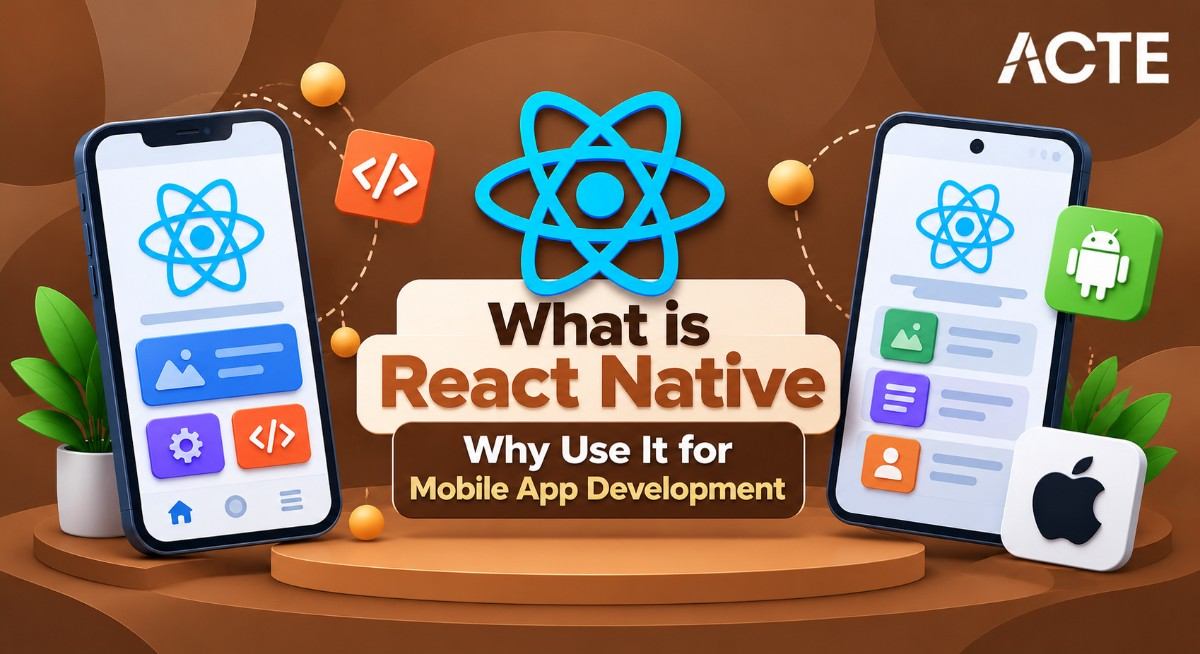
Last updated on 30th Oct 2025| 12451

- React Native
- Why Use React Native for Mobile Development?
- React Native vs Native App Development
- Setting Up a React Native Development Environment
- Understanding React Native Components
- Navigation in React Native Apps
- State Management in React Native
- Handling API Calls in React Native
- Deploying React Native Apps
- Future of React Native Development
- Conclusion
React Native
React Native, developed by Facebook in 2015, is a cross-platform framework for building mobile applications using JavaScript and React. Unlike traditional native development, which requires separate coding for Android (Kotlin/Java) and iOS (Swift/Objective-C), React Native allows developers to write a single codebase that runs on both platforms. To understand how this cross-platform approach integrates with backend services, APIs, and deployment pipelines, explore Full Stack Training a hands-on program that covers mobile-first architecture, unified code strategies, and full stack coordination for scalable app development. The framework uses native components under the hood, which means that apps built with React Native achieve performance close to native apps while offering the flexibility and speed of JavaScript development. React Native’s popularity has surged because it combines the speed of web development with the capabilities of mobile apps.
Why Use React Native for Mobile Development?
React Native presents some good reasons to pick it for making mobile apps. It’s a nice choice for groups wanting to get apps out fast. One of the best things about React Native is that it works on different systems. This cross-platform capability allows developers to build apps for both Android and iOS using a single codebase. To understand how this flexibility fits into broader tech stacks and modern development workflows, explore Web Development Technologies a comprehensive guide that compares frameworks, languages, and tools used to build scalable, cross-platform applications. Teams can make apps for both Android and iOS at the same time. This cuts down on development time, maybe by as much as half. Things like hot reloading also speed up the process.
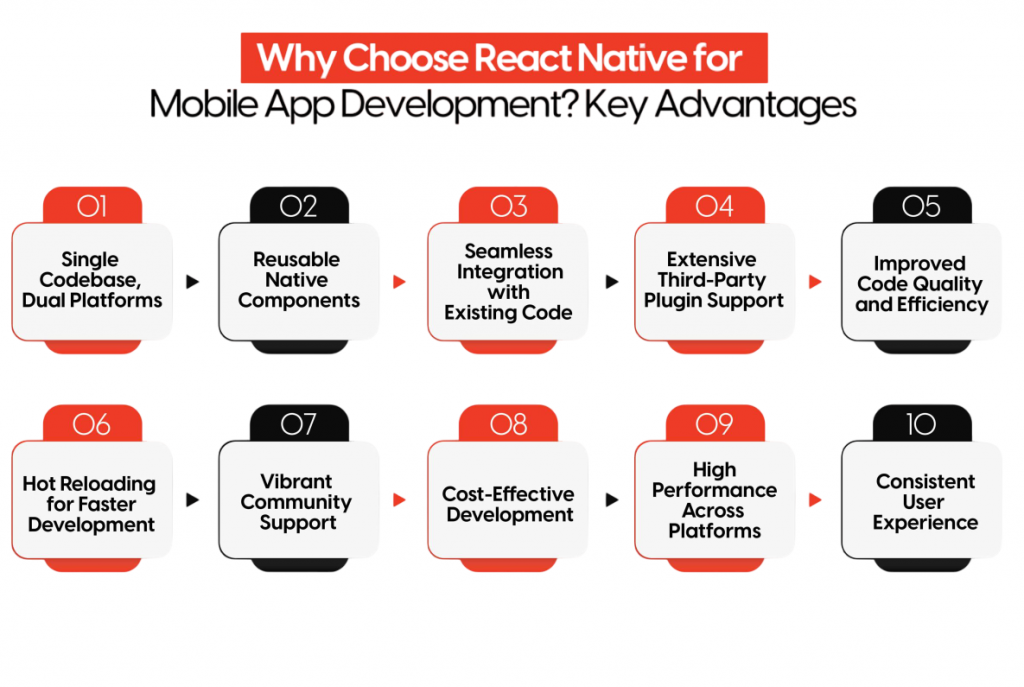
Developers can see changes right away without having to redo everything. For new companies or those that don’t have a lot of money, React Native is easy on the wallet. You don’t need separate teams for each type of phone, which lowers costs. Also, lots of people support React Native. There are tons of libraries, plugins, and solutions from the community. This helps developers add features and improve their apps quickly. React Native gives you performance that’s close to what you get with native apps. It uses native components and good JavaScript connections, so you get smooth animations and apps that respond well.
Are You Interested in Learning More About Full Stack Developer? Sign Up For Our Full Stack Developer Training Today!
React Native vs Native App Development
React Native often gets compared to native app development. While both approaches have their advantages, the key differences are: React Native uses a single JavaScript codebase for cross-platform deployment, whereas native development requires separate code for Android and iOS. To understand how these frontend choices interact with server-side logic, APIs, and data handling, explore Backend Development a foundational guide that explains how backend systems support mobile apps, manage requests, and ensure scalable performance across platforms.
- Codebase: Native apps require separate development for each platform, whereas React Native uses a single JavaScript codebase.
- Performance: Fully native apps may achieve slightly better performance in CPU-intensive tasks, such as gaming or AR apps. React Native performs exceptionally well for most business apps but may require optimization for highly demanding operations.
- Development Speed: React Native enables faster development cycles thanks to hot reloading and reusable components.
- UI Consistency: React Native’s pre-built components replicate native behavior, providing a seamless user experience. Custom native modules can be added if required.
- Maintenance: Maintaining one codebase is significantly easier than managing two separate ones.
React Native is ideal for apps where time-to-market, cross-platform reach, and budget efficiency are more important than achieving absolute native performance in specialized applications.
Would You Like to Know More About Full Stack Developer? Sign Up For Our Full Stack Developer Training Now!
Setting Up a React Native Development Environment
To start developing with React Native, setting up the environment correctly is crucial. Steps include installing Node.js, configuring the React Native CLI, and setting up Android Studio or Xcode for native builds. To understand how these setup steps connect with the broader development workflow, explore What is React Native a beginner-friendly guide that explains the framework’s architecture, tooling requirements, and how to build cross-platform apps from a single codebase.
- Install Node.js: React Native relies on Node.js for package management and build tools.
- Install React Native CLI or Expo:
- React Native CLI: Offers full native module control, ideal for complex apps.
- Expo: Provides a managed environment with simplified deployment and access to APIs.
- Set Up Android Studio and Xcode: Required for running emulators and building platform-specific binaries.
- Configure Environment Variables: Ensure SDK paths are correctly set.
- Initialize a Project: npx react-native init MyApp or with Expo: expo init MyApp
- Run the App: Use npx react-native run-android or run-ios to launch the app on simulators or physical devices.
Proper setup ensures developers can build, test, and deploy efficiently without runtime errors.

Develop Your Skills with Full Stack Developer Certification Training
Weekday / Weekend BatchesSee Batch DetailsUnderstanding React Native Components
React Native uses a component-driven architecture. This means applications are built with modular and reusable user interface elements. These components can be either functional or class-based, offering flexibility for developers. Among the common components, the View acts as a basic container for layout, similar to a div in HTML. The Text component is meant for displaying text. For images, the Image component renders images from both local and remote sources. To understand how these foundational elements connect with backend logic, data binding, and deployment workflows, explore Full Stack Training a practical program that covers component architecture, API integration, and full stack coordination for building scalable mobile and web applications. To manage large scrollable content, developers can choose between ScrollView or FlatList, with FlatList designed specifically for handling extensive datasets. User interactions, like taps and gestures, are handled by components such as TouchableOpacity and Button. By using components well, developers can create maintainable and scalable UI structures, providing a smooth user experience.
Navigation in React Native Apps
Mobile app navigation is key to a good user experience. React Native has some strong choices for this. React Navigation is popular because it works with different navigation styles like stack, tab, and drawer. It’s very adaptable and used by many developers. Another option, React Native Navigation, uses a native approach for better performance and smoother animations, which can make apps more engaging. To explore how navigation libraries and rendering strategies vary across ecosystems, check out React Frameworks a detailed guide comparing popular React-based solutions, their strengths in mobile and web environments, and how to choose the right framework for scalable, interactive applications. Also, deep linking lets users go straight to certain screens from outside links, which is helpful for things like marketing and notifications to get users back into the app. The best navigation solution depends on how complex the app is and how well it needs to run. Often, developers mix stack navigation with tabs
Preparing for Full Stack Development Job? Have a Look at Our Blog on Full Stack Development Interview Questions and Answers To Ace Your Interview!
State Management in React Native
Managing state efficiently is crucial for app stability. Options include using local component state, centralized stores like Redux or Zustand, and context-based solutions for prop drilling. To understand how these strategies fit into scalable architecture and long-term planning, explore Web Development Roadmap a structured guide that outlines key milestones, tool choices, and architectural decisions for building robust, maintainable web applications.
- useState / useReducer Hooks: Ideal for managing local component state.
- Context API: Enables lightweight global state management.
- Redux: A robust state container suitable for large applications.
- MobX: Provides reactive state management with less boilerplate than Redux.
State management ensures that components update predictably and enables smooth handling of dynamic content.
Handling API Calls in React Native
Mobile apps often rely on APIs for dynamic content. Best practices include using secure authentication, handling errors gracefully, and optimizing data transfer for performance. To understand how these API strategies align with backend logic and language-specific capabilities, explore Best Web Development Languages a curated guide that compares top programming languages, highlights their strengths in API integration, and helps developers choose the right stack for scalable mobile and web applications.
- Fetch or Axios: Popular libraries for sending HTTP requests.
- Async Handling: Use async/await or Promises for asynchronous data fetching.
- State Integration: Update component or global state with API responses.
- Error Handling: Handle timeouts, network errors, and invalid responses gracefully.
Example:
- useEffect(() => {
- const fetchData = async () => {
- try {
- const response = await fetch(‘https://api.example.com/users’);
- const json = await response.json();
- setUsers(json);
- } catch (error) {
- console.error(‘API Error:’, error);
- }
- };
- fetchData();
- }, []);
Proper API handling ensures real-time updates and a smooth user experience.
Deploying React Native Apps
Deployment requires understanding platform-specific processes:
- Android: Generate signed APK or App Bundle and publish on Google Play.
- iOS: Archive app using Xcode and submit to Apple App Store.
- Over-the-Air Updates: Services like Expo or CodePush allow pushing updates without App Store review.
- App Store Compliance: Ensure adherence to guidelines for smooth approval.
Effective deployment strategies reduce downtime and ensure apps reach users quickly.
Future of React Native Development
React Native continues to evolve: with every release, it introduces new components, performance improvements, and tighter integration with native modules. To get started with these updates and build cross-platform apps from the ground up, explore React Native Made Simple Beginner’s Guide a step-by-step resource that covers core concepts, setup instructions, and hands-on examples for beginners entering the mobile development space.
- Fabric and TurboModules: Modern architecture improvements for performance and modularity.
- Expansion to Windows, macOS, and Web: Broadening React Native’s applicability.
- Improved Community Libraries: Rapid growth in third-party modules and reusable components.
- Integration with AI and Real-Time Apps: Adoption in chat apps, analytics dashboards, AR/VR applications.
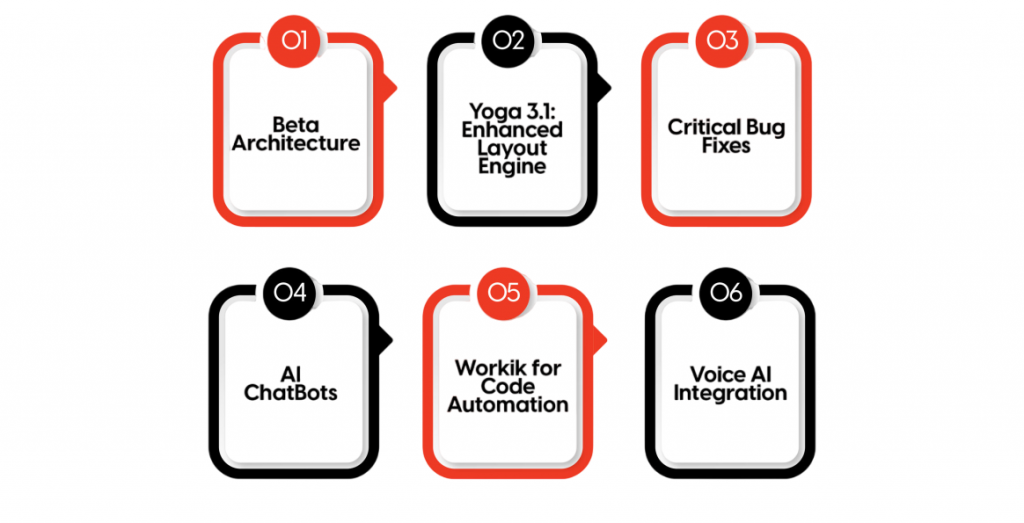
React Native is poised to remain a leading cross-platform solution, driven by strong community support and ongoing development by Facebook.
Conclusion
React Native has revolutionized mobile app development by offering a single codebase, high performance, and cross-platform support. It enables businesses to launch apps quickly while maintaining excellent user experiences. From component-based architecture and state management to navigation, API integration, and performance optimization, React Native provides a complete toolkit for modern mobile app development. To master how these mobile-first strategies integrate with backend services, deployment pipelines, and scalable architecture, explore Full Stack Training a hands-on program that bridges mobile development with full stack coordination for building robust, cross-platform applications. By following best practices and staying updated with emerging trends, developers can create scalable, maintainable, and efficient mobile applications that cater to users on both iOS and Android platforms.