LMS
LMS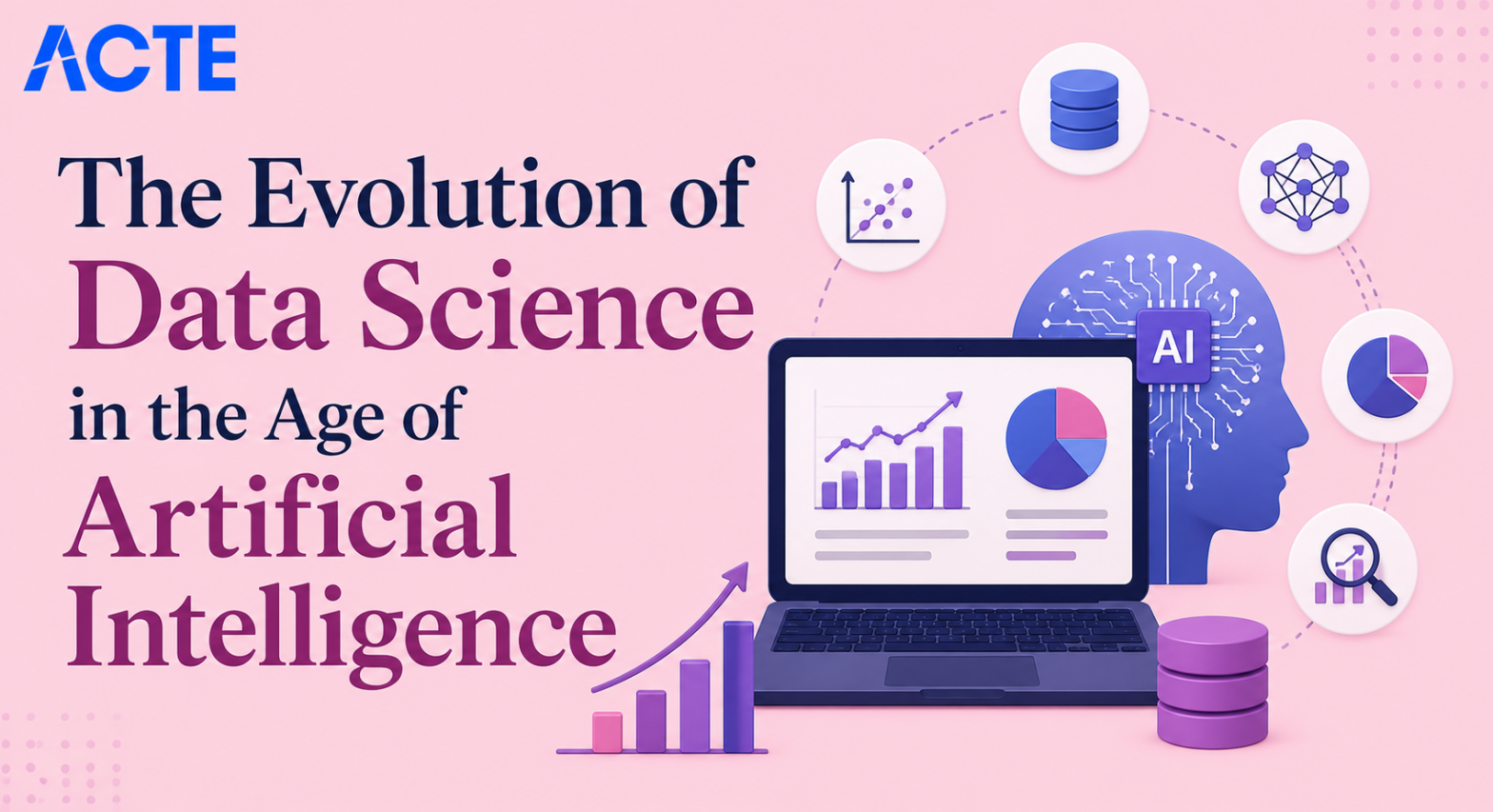
Last updated on 03rd Jun 2026| 8051

- Introduction Data Science in the Age of AI
- From Traditional Statistics to AI-Driven Analytics
- The Rise of Automated Machine Learning
- Deep Learning Transforming Data Extraction
- Real-Time Data Processing and AI Integration
- The Shift in Data Science Roles and Skills
- Ethical AI and Responsible Data Science
- The Future of Predictive Modeling
- Conclusion
Introduction Data Science in the Age of AI
In this tech-world, data is everywhere from your social media activities to how much money you have spent and even how much food you’ve thrown into your compost bin! The great thing about the evolution of data science in the age of artificial intelligence is that it allows you to take all of that raw data, and turn it, literally, into usable and logical information that will help solve many issues we have today. If you are just getting started with Data Science at this point, just learning algorithms and tools will not be enough. The only way to truly understand Data Science is to use the tools and algorithms, on real-world problems in Data Science Training. This provides you with the confidence you need to be an analytical thinker and the skills required to become an industry-ready professional. Below are some great examples of beginner-friendly and industry-relevant advancements that you can complete, that also have real-world applications. Not only will these advancements help you understand how data science can be used in different industries, for example media, finance, health care, agriculture and customer service; they will also give you the strong foundation that you will need in order to move from being a theoretical analyst to a pragmatic analyst solving real-world problems.

From Traditional Statistics to AI-Driven Analytics
- Data Collection and Traditional Sources: Traditional analytics begins with collecting limited amounts of historical data. This data is gathered from basic databases and manual surveys. It includes simple demographic records and past sales. This raw data is the foundation for early predictive models.
- Pattern Identification in Historical Data: After collecting data, the next step is finding basic patterns. Analysts analyzed seasonal changes like simple sales trends. These patterns help understand how business conditions repeat over time. This makes future forecasting more reliable and structured historically.
- Machine Learning for AI Prediction: AI-driven models are used to predict future outcomes based on complex data. Algorithms like neural networks are commonly applied in Data Science Training. These models learn non-linear relationships between variables. This helps generate more accurate and data-driven AI forecasts.
- Real-World Applications in Modern Business: AI analytics is very important in business for planning dynamic strategies. Companies use it to decide when to launch products automatically. It also helps reduce loss caused by unexpected market changes. This improves productivity and supports better decisions.
- Importance in Scaling and Decision Making: AI-driven analytics plays a key role in predicting large-scale trends. Early algorithmic insights help governments and businesses take safety measures in advance. This reduces damage to profits. It makes communities better prepared for extreme market conditions.
Ready to Pursue Your Data Analytics Certificate? View The Data Science Course Training Offered By ACTE Right Now!
The Rise of Automated Machine Learning
Automated Machine Learning (AutoML) is transforming data science by simplifying the process of building, training, and optimizing machine learning models. Instead of manually selecting algorithms and tuning hyperparameters, AutoML platforms automate these tasks, helping data scientists and beginners develop accurate models more efficiently. As organizations continue to adopt AI-driven solutions, understanding AutoML has become one of the Must Have Data Science Skills For Freshers. AutoML tools evaluate datasets, compare multiple algorithms, optimize model performance, and generate reliable predictions with minimal manual effort. This approach reduces development time, improves productivity, and allows professionals to focus on solving business problems rather than repetitive tasks. Learning AutoML provides valuable exposure to AI, pipeline automation, model optimization, and intelligent workflows, making it an essential skill for modern data science careers.

Develop Your Skills with Data Data Science Course Training
Weekday / Weekend BatchesSee Batch DetailsDeep Learning Transforming Data Extraction
Deep Learning Transforming Data Extraction is a data science application that focuses on determining whether or not complex features can be identified automatically through neural network methods. Manual feature engineering is a big problem in this day and age of digital information and there are so many ways to access unstructured data extremely rapidly. Most of this information is unstructured which makes the issue of manual extraction a serious one. Deep Learning aims to aid in solving the feature issue by creating a method of extracting similar attributes of raw data automatically by analyzing inputs and determining if it is useful and My Data Science Internship Experience. The deep learning system uses artificial neural networks to analyze unstructured data and extract context, relationships and patterns associated with the pixels or text.
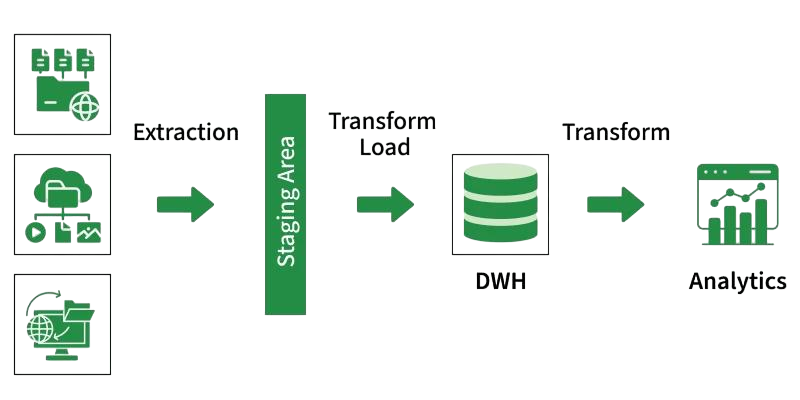
The model is initially trained on datasets containing both labeled and unlabeled examples so there will be a distinction between noise and signals when the model is completed. The model uses backpropagation to convert raw inputs to abstract features along with a decision algorithm such as gradient descent. Once trained, the system can classify data as either meaningful or useless by using the learned pattern. Less Manual Feature Engineering More Accurate AI Models. The project provides exposure to Neural Networks and Deep Learning Concepts.
Excited to Obtaining Your Data Analytics Certificate? View The Data Science Course Training Offered By ACTE Right Now!
Real-Time Data Processing and AI Integration
- Data Collection and Streaming Sources: Real-time data processing begins with collecting continuous data from IoT devices, social media platforms, web applications, server logs, and financial transactions. These live data streams provide the foundation for AI-powered analytics and instant decision-making.
- Pattern Identification in Live Data: Data scientists analyze streaming data to identify trends, anomalies, and user behavior in real time. Understanding the Role of Machine Learning in Data Science helps professionals build intelligent systems that continuously learn from live data and improve prediction accuracy.
- Machine Learning for Instant Prediction: AI models use streaming machine learning algorithms to generate real-time predictions for applications such as demand forecasting, recommendation systems, and predictive maintenance. These models continuously adapt to changing data patterns for better business outcomes.
- Real-World Applications in Fraud Detection: Real-time AI is widely used in banking, e-commerce, and cybersecurity to detect fraudulent activities, monitor suspicious transactions, and automate security responses, helping organizations minimize financial risks.
- Importance in System Safety and Monitoring: AI-powered monitoring systems detect server failures, network anomalies, and application performance issues before they become critical. To build a stronger foundation, explore What Is Data Science and understand how real-time analytics supports modern business operations.
Are You Considering Pursuing a Data Analytics Master’s Degree? Enroll For Data Science Expert Masters Program Training Course Today!
The Shift in Data Science Roles and Skills
The field of data science is evolving rapidly as artificial intelligence and automation reshape traditional job roles and required skill sets. While repetitive tasks such as data preparation and basic analysis are increasingly automated, professionals are now expected to focus on critical thinking, business strategy, AI implementation, and data-driven decision-making. Staying updated with emerging technologies and understanding the Key Roles of a Skilled Data Scientist in Business helps professionals build the expertise needed for modern careers. Today’s data scientists combine technical knowledge with communication, problem-solving, and domain expertise to deliver business value. Continuous learning in areas such as machine learning, cloud platforms, generative AI, and data visualization enables professionals to remain competitive, adapt to changing industry demands, and succeed in future-ready data science roles.
Set to Ace Your AWS Job Interview? Check Out Our Blog on Data Science Interview Questions & Answer
Ethical AI and Responsible Data Science
- Data Collection and Bias Sources: Ethical AI begins with collecting large amounts of historical training data. This data is gathered from human interactions and online behaviors. It includes demographic records and historical biases. This raw data is the foundation for building fair prediction models.
- Pattern Identification in Biased Data: After collecting data, the next step is finding patterns in algorithmic bias. Data scientists analyze unfair outcomes like discriminatory loan approvals and Data Scientist Salaries. These patterns help understand how human biases repeat over time. This makes future AI forecasting more reliable and structured.
- Machine Learning for Fair Prediction: Fairness algorithms are used to predict future outcomes based on unbiased data. Techniques like bias mitigation and adversarial debiasing are commonly applied. These models learn relationships between variables without discrimination.
- Real-World Applications in Business Fairness: Ethical data science is very important in business for planning inclusive strategies. Companies use it to decide when to audit algorithms for fairness. It also helps reduce harm caused by unexpected biased decisions. This improves productivity and supports better ethical decisions.
- Importance in Safety and Social Trust: Ethical AI plays a key role in predicting societal risks like privacy violations or unfair treatment. Early ethical auditing helps organizations take safety measures in advance. This reduces damage to public trust. It makes communities better prepared for extreme AI conditions.
The Future of Predictive Modeling
The Future of Predictive Modeling is all about looking at data patterns in the past to help you figure out if an AI prediction might go up in the future or down. The prediction system collects AI data, such as when a model succeeded, when it failed, and the accuracy of the prediction. Next, this AI data is cleaned and analyzed to find model behaviors that have acted the same way over time. After analyzing the AI data, we can use some advanced machine learning algorithms (e.g. transformers, generative AI, reinforcement learning) as well as time series algorithms to predict future trends in Data Science Training . The goal of this project is to make it easier for people to forecast, as people will be less afraid to trust AI because they know what to expect;
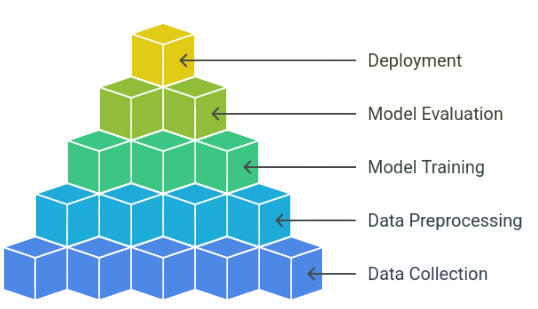
people can also use these future predictors to find out where they should deploy resources. We often use AI performance visualizations to see how the accuracy of predictions has changed over time; however, future predictions are never completely accurate because external factors can change how an AI behaves. But this project is beginner-friendly and gives you an introduction into how to analyze AI data and use advanced methods for predicting future trends.
Conclusion
Data science advancements for beginners learning automated machine learning, real-time processing, and ethical AI show how useful it is to use data to solve real-life problems. They’re great for helping people understand how raw data is collected, processed, and turned into useful information. By learning these advancements, beginners gain hands-on experience with machine learning and data analysis. Each advancement develops a different set of capabilities: some with automation, others with deep learning, some with fairness, and still others with predictive modeling all of which are extremely valuable in today’s tech-driven workplaces in Data Science Training. Working on real-world advancements is a great way for a beginner to build a strong foundation that they can use to apply for jobs. Understanding these evolutions bridges the gap between theory and practice. When a learner explores multiple AI advancements, they increase their confidence. Overall, evolution-based learning is probably the best way for someone just getting into data science to grow.